Usability Testing: The Complete Guide for Product Teams
Your engineering team shipped a feature. Tests pass, no regressions, the build is green.


Usability testing is the practice of watching real users attempt to complete tasks with your product, then using what you observe to fix what doesn't work. It's distinct from functional QA — it measures whether users can accomplish their goals, not whether the software does what the spec says. A structured usability testing program catches design problems before they become support tickets, churn, or one-star reviews.
Key Takeaways
Usability testing is about behavior, not opinion. What users say they would do and what they actually do are different. Watching someone struggle in real time is more valuable than 50 survey responses.
Five participants reveal most major usability problems. Nielsen's rule holds: beyond five well-chosen participants, you get diminishing returns on new issue discovery. Run multiple small rounds rather than one large study.
Moderated testing gives depth; unmoderated gives scale. Choose based on your question. If you know what to look for, unmoderated is faster. If you're still discovering the problem space, moderated gives richer data.
Recruit for behavior, not demographics. The most important screening criterion is whether the participant uses products like yours — not their age or job title.
Analysis is the most skipped step. Collecting sessions without a synthesis process produces a folder of recordings no one watches. Schedule analysis time before you run sessions, not after.
Your engineering team shipped a feature. Tests pass, no regressions, the build is green. A week later, support tickets arrive: users can't figure out how to use it. The feature works perfectly. Users just can't find the button.
This is the gap usability testing exists to close. It's not about whether the software functions correctly — that's what automated tests and QA are for. Usability testing asks a harder question: can real users accomplish real goals?
What Is Usability Testing?
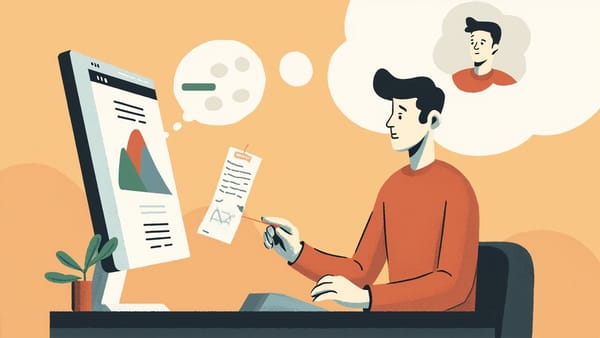
Usability testing is a research method in which representative users attempt to complete realistic tasks with a product while observers watch, listen, and record what happens. The goal is to identify where users struggle, why they struggle, and what product changes would remove those struggles.
The core elements are:
- Participants — representative users (or close approximations), not colleagues or friends
- Tasks — realistic scenarios the participant tries to complete, not guided walkthroughs
- Observation — someone watching what happens without intervening
- Analysis — turning observations into actionable findings
Usability testing is qualitative by default. You're not trying to prove that 73% of users fail at step 4 — you're trying to understand why step 4 is hard and what you can change about it. Numbers can come later; understanding comes first.
What Usability Testing Is Not
- It is not a focus group. Focus groups ask people what they think. Usability tests watch what people do. Behavior, not opinion.
- It is not functional QA. QA verifies the software does what the spec says. Usability testing asks whether users can operate it effectively.
- It is not user acceptance testing (UAT). UAT checks whether the product meets business requirements. Usability testing checks whether users can use it.
- It is not a satisfaction survey. Post-task surveys can supplement testing but don't replace it.
Why Usability Testing Matters
The cost of finding a usability problem scales dramatically with when you find it. A paper prototype change takes minutes. A design revision takes hours. Rebuilding a shipped feature takes weeks and involves opportunity cost, eng time, and user confusion in the interim.
Beyond cost, there's the churn calculation. If users can't accomplish their goals in the first session, they don't ask for help — they leave. Usability problems are invisible until they appear as unexplained drop-off rates, support volume spikes, or declining retention curves.
Companies that run regular usability tests report fewer surprises at launch, faster onboarding improvement, and a higher signal-to-noise ratio in their product decisions — because they're making decisions based on observed behavior instead of internal debate.
Usability Testing Methods
There's no single usability testing method. The right choice depends on your question, your timeline, your budget, and the stage of the product.
Moderated Usability Testing
In moderated testing, a facilitator is present during the session — live, either in person or via video call. The facilitator gives the participant tasks, observes, and can ask follow-up questions.
Best for:
- Exploratory research where you're still figuring out what the problem is
- Complex workflows where follow-up questions add critical context
- Early prototypes where the participant might need clarification
- When you want to dig into the "why" behind a behavior
Limitations:
- More expensive per session (facilitator time, scheduling)
- Facilitator presence can introduce bias ("the social desirability effect")
- Harder to scale; typically 5–10 participants per round
How to moderate well: Let participants struggle. The instinct to help is counterproductive — struggle is data. Use neutral probes ("what are you thinking right now?") rather than leading questions ("does this button make sense?"). Take notes but don't interpret in the moment.
Unmoderated Usability Testing
Unmoderated testing sends participants a task scenario and records their session without a live facilitator. Platforms like Maze, UserTesting, and Lookback handle recruitment, task delivery, recording, and (sometimes) automated analysis.
Best for:
- Validating specific hypotheses you've already formed
- Getting fast results (sessions can complete within hours)
- Larger sample sizes (20–100 participants) for quantitative confidence
- Testing with geographically distributed audiences
Limitations:
- You can't ask follow-up questions in real time
- Participants may abandon without explanation
- Task quality matters more because there's no one to clarify
Writing tasks for unmoderated tests: Be specific but don't reveal the answer. "Find the pricing page" tells them where to look. "You want to understand how much this product costs — show me what you'd do" is better. Realistic framing produces realistic behavior.
Remote vs. In-Person Testing
This distinction cuts across moderated and unmoderated methods.
Remote testing (the current default for most teams) reduces logistics overhead, expands your geographic reach, and makes recruiting easier. The tradeoff is that you lose some observational richness — body language, hesitation cues, environmental context.
In-person testing is slower and more expensive but produces higher-fidelity observation. It's particularly valuable for hardware products, physical environments (retail, medical devices, kiosks), or when you want to watch how someone uses a product in their actual context (home, office, vehicle).
For most SaaS and web products today, remote moderated testing via video call provides 90% of the value of in-person at a fraction of the cost.
Guerrilla Testing
Guerrilla testing trades rigor for speed — recruiting strangers in public places (coffee shops, libraries, co-working spaces) for informal 10-minute sessions. It's fast, cheap, and useful for early-stage products when any signal is better than none.
It's covered in more depth in a dedicated guide, but the short version: guerrilla testing is a great starting point, not a replacement for structured research.
How to Recruit Participants
Recruiting is the step most teams underinvest in — and the one with the largest impact on result quality.
Define Your Screener First
A screener is a short survey that filters candidates to ensure they represent your actual users. Key screener criteria:
- Behavioral fit — Do they use products in the same category? Have they solved the problem you're addressing?
- Experience level — Are you testing with power users, first-timers, or both?
- Exclusions — Competitors' employees, people who work in UX research, people who've participated in your studies before
Keep screeners short (5–8 questions). The goal is to filter, not to interview.
Where to Find Participants
- Your own users — Best fit, hardest to schedule. Use in-app recruitment banners, email campaigns to a segment, or customer success referrals.
- Panel services — UserTesting, Respondent, User Interviews maintain large panels you can filter. Faster and more expensive.
- Social and community recruiting — Reddit, LinkedIn, Slack communities. Works well for niche audiences.
- Guerrilla recruiting — Public spaces. Fast, zero cost, lower screening quality.
How Many Participants Do You Need?
For qualitative usability testing, 5 participants per user segment reveal most major issues. This is Nielsen's rule, and it holds consistently across study types. You're looking for patterns, and patterns in usability testing emerge early.
If you have multiple distinct user segments (e.g., enterprise buyers and end-users), test each separately. 5 participants × 2 segments = 10 total sessions.
For unmoderated quantitative studies (measuring task completion rates, time-on-task), sample sizes of 20–40 give you statistical confidence.
Running the Sessions
Task Design
Tasks should be:
- Realistic — reflect what real users actually need to do
- Outcome-oriented — state the goal, not the steps
- Unbiased — don't hint at where the answer is
Good task: "You just signed up. Find out how much storage your account includes." Bad task: "Go to the account settings page and look at the storage section."
Prepare 3–5 tasks per session. More than that and participants fatigue; fewer and you may not surface enough issues.
The Introduction Script
Start every session with the same orientation:
- We're testing the product, not testing you — there are no wrong answers
- Please think out loud as you work through each task (think-aloud protocol)
- I can't answer questions about how to use the product during the tasks, but we can discuss at the end
- You can stop at any time
This framing reduces participant anxiety and primes the think-aloud behavior you need.
During the Session
Watch for:
- Hesitation (where do they pause before acting?)
- Backtracking (where do they go somewhere and then leave?)
- Errors (what do they click that doesn't do what they expected?)
- Verbalizations of confusion ("I thought this would...")
- Signs of giving up (scrolling aimlessly, expressing frustration)
Resist helping. When a participant is stuck, the right response is "what are you thinking right now?" — not a hint toward the answer.
Analyzing Results
Affinity Mapping
After sessions, collect observations on a shared board (FigJam, Miro, sticky notes). Group by behavior or problem type. Patterns that appear across 3+ participants are findings; patterns appearing once are notes.
Severity Rating
Not all usability problems are equally important. Rate each finding:
- Critical — Blocks task completion; most participants encounter it
- High — Causes significant difficulty or errors; some participants encounter it
- Medium — Causes confusion or inefficiency; workarounds exist
- Low — Minor polish issues; doesn't affect task completion
Reporting
Keep reports short. A 30-page document gets skimmed; a 10-minute presentation with a prioritized top-5 list gets actioned. Include:
- The task
- What happened (with a screenshot or video clip if possible)
- Why it happened (your interpretation)
- What to change (a recommendation, not a design prescription)
Connecting Usability Testing to the QA Pipeline
Usability testing and automated QA address different failure modes. Automated tests catch regressions — things that used to work and now don't. Usability testing catches design problems — things that technically work but users can't operate.
Teams that treat these as separate concerns, each with its own cadence and ownership, ship with fewer surprises. HelpMeTest can help you automate the functional QA side — continuous tests running against your production app, catching regressions before users report them. When functional testing is automated and reliable, your manual testing budget can shift entirely to usability work, where human judgment is irreplaceable.
The combination — automated functional coverage plus regular usability rounds — is the most efficient way to maintain quality at speed.
Building a Usability Testing Cadence
One-off usability tests are better than none, but a cadence is what drives sustained improvement.
Practical cadences for different team sizes:
- Early-stage startup — Test every major feature before shipping; 3–5 participants per round
- Growth-stage product — Monthly unmoderated studies on key flows; quarterly moderated deep-dives
- Mature product — Continuous unmoderated testing on new features; annual foundational studies on core workflows
The goal is to make usability a normal part of how you ship — not a special event that happens when stakeholders get worried.
Schedule synthesis sessions. Assign ownership of findings. Track which recommendations actually get implemented. Without that loop, usability testing produces a backlog of insights that never become changes.
Conclusion
Usability testing is the most direct way to find out whether real users can do what your product claims to let them do. The methods range from informal guerrilla sessions at a coffee shop to structured moderated studies with carefully screened participants — and which you use depends on your question and your stage.
What doesn't change is the core: watch real people try to accomplish real goals, take the observations seriously, and fix what's in the way. Everything else is logistics.