
Visual Snapshot Testing with Percy and Chromatic: Catch UI Regressions Automatically

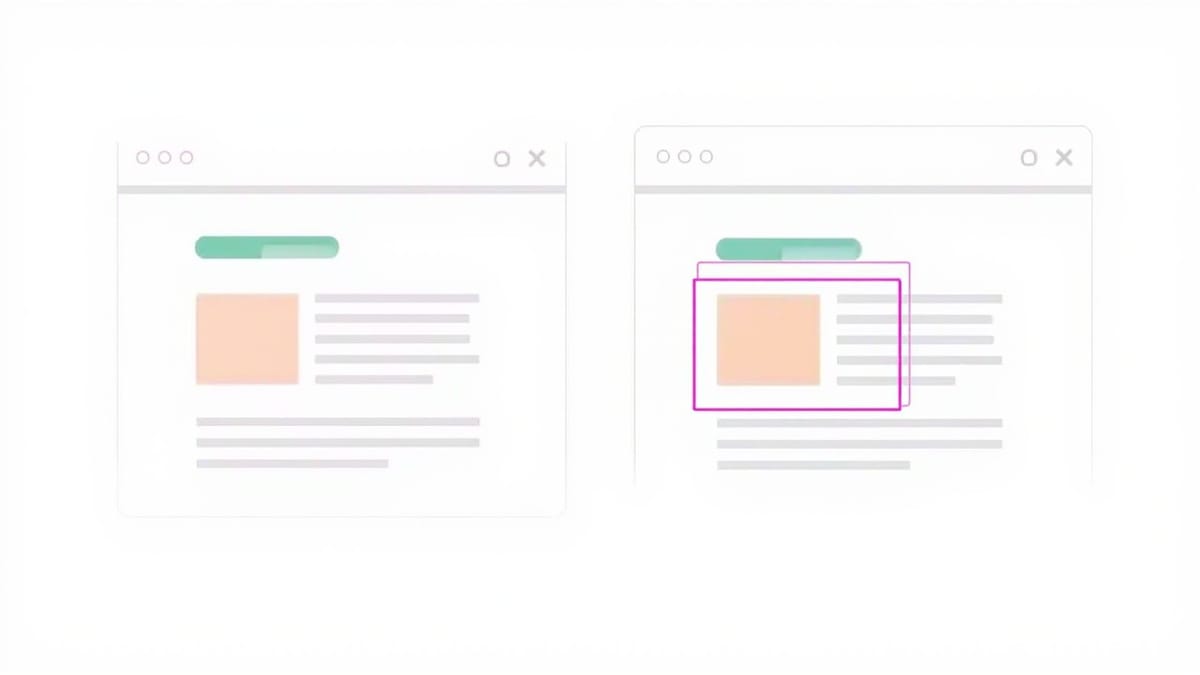
DOM snapshots catch structural changes. Visual snapshot testing catches what DOM snapshots miss: layout shifts, color changes, font rendering differences, and the thousand small things that look fine in code but break in the browser. Percy and Chromatic are the two dominant tools in this space, and they take meaningfully different approaches.
Visual vs DOM Snapshots
A DOM snapshot serializes your component's HTML structure into a text file. Change a class name or reorder attributes and the test fails — but nothing visual may have changed. Conversely, a CSS change that shifts your button 10px to the right won't fail a DOM snapshot at all.
Visual snapshot testing captures pixel-level screenshots and compares them to a stored baseline. The comparison happens against actual rendered output, catching:
- Layout shifts caused by CSS changes
- Color or opacity changes
- Font rendering differences across browsers
- Content overflow and clipping
- Hover and focus state regressions
The tradeoff: visual diffs require human review. Pixels change for innocent reasons — antialiasing differences, font rendering variations, minor browser version changes. Both Percy and Chromatic provide tooling to manage this review process.
Percy: Snapshot Testing Across Your Full Stack
Percy integrates with most test frameworks. You add Percy snapshot calls inside your existing tests, and Percy handles the screenshot capture and comparison in the cloud.
Setup with Playwright:
npm install --save-dev @percy/cli @percy/playwright// tests/homepage.spec.js
import { percySnapshot } from '@percy/playwright';
test('homepage renders correctly', async ({ page }) => {
await page.goto('https://your-app.com');
await percySnapshot(page, 'Homepage');
});Run your tests with the Percy wrapper:
npx percy exec -- npx playwright testPercy captures the DOM, uploads it to their cloud, renders it in multiple browsers and viewports, and stores the result as your baseline.
Baseline management in Percy:
The first run creates the baseline. Subsequent runs compare against it. When a diff is detected, you get a side-by-side comparison in the Percy dashboard with the changed region highlighted. You approve or reject each change. Approved changes become the new baseline.
Percy's branching model mirrors git: each branch gets its own baseline derived from the base branch. Merging a PR automatically updates the baseline for the target branch. This means your main baseline always reflects what's actually deployed.
Viewports and browsers:
await percySnapshot(page, 'Dashboard', {
  widths: [375, 768, 1280],
  minHeight: 1024,
});Percy renders snapshots in Chrome by default. The Enterprise tier adds Firefox and Edge. Cross-browser visual testing catches rendering differences that only appear in specific engines.
Chromatic: Visual Testing Built for Storybook
Chromatic is purpose-built for Storybook. If your component library uses Storybook, Chromatic gives you visual testing with almost no additional test code — each story becomes a test case automatically.
Setup:
npm install --save-dev chromaticnpx chromatic --project-token=your_tokenThat's it. Chromatic discovers all your stories, captures screenshots of each one, and compares them to the baseline. No additional test code required.
The Storybook advantage:
Each story represents a specific component state — Button/Primary, Button/Disabled, Button/Loading. Chromatic tests every state in isolation. When a CSS change accidentally affects the disabled state, Chromatic catches it even if that state isn't exercised in your integration tests.
// Button.stories.js
export const Primary = {
  args: { variant: 'primary', children: 'Save' },
};

export const Disabled = {
  args: { variant: 'primary', disabled: true, children: 'Save' },
};

export const Loading = {
  args: { variant: 'primary', loading: true, children: 'Save' },
};Chromatic tests all three without any additional configuration.
Interaction tests:
Chromatic also supports Storybook interaction tests, letting you capture screenshots after user interactions:
export const WithDropdownOpen = {
  play: async ({ canvasElement }) => {
    const canvas = within(canvasElement);
    await userEvent.click(canvas.getByRole('button', { name: 'Options' }));
  },
};This story opens the dropdown before Chromatic captures the screenshot, letting you visually test interactive states.
Reviewing Diffs
Both tools provide visual diff interfaces, but the review experience differs. Percy shows diffs inline in GitHub PRs via status checks, with a link to the Percy dashboard for detailed review. Chromatic embeds a UI review step directly into the workflow — changes need approval before the PR can merge.
Practical tips for reviewing diffs:
- Toggle the diff overlay. Both tools let you switch between baseline, current, and highlighted diff views. The diff overlay shows exactly what changed in red.
- Check the diff percentage. Small percentage changes in large components are often subpixel antialiasing. Large percentage changes are real regressions.
- Use the zoom tool. Diff thumbnails can miss subtle changes. Zoom into the highlighted region before approving.
- Reject on unfamiliar changes. If you can't explain why a diff occurred, reject it and investigate before approving.
Pricing Tradeoffs
Percy charges per snapshot per month. At scale, costs add up fast — hundreds of stories times multiple viewports times CI runs. The free tier (5,000 snapshots/month) suits small teams; production usage typically lands in the $400–$800/month range for active projects.
Chromatic charges per component snapshot. Their free tier (5,000 snapshots/month) covers small Storybook setups. Costs increase with story count and CI frequency.
For teams that want visual regression coverage without per-snapshot pricing, HelpMeTest includes AI-powered visual testing as part of its platform — the AI baseline comparison catches visual regressions across your test runs without separate tooling or per-snapshot billing.
Choosing Between Them
Choose Percy if:
- You're not using Storybook
- You need full-page application screenshots, not just component isolation
- You test across multiple frameworks (Percy supports React, Vue, Angular, Ember, and plain HTML)
- You need cross-browser visual testing in CI
Choose Chromatic if:
- Your team has an established Storybook component library
- You want visual coverage with minimal test code overhead
- Component isolation is more important than full-page testing
- You want the review workflow integrated with PR checks
Both tools solve the same core problem: making visual regressions visible before they reach production. The right choice depends on your existing testing infrastructure and how your team reviews UI changes.
Getting Started Quickly
The fastest path to visual regression coverage: pick one tool, integrate it into your existing CI pipeline, let it run for a week to build up baselines, then start requiring approvals before merges. The initial baseline period will surface diffs that aren't regressions — approve those, and from that point forward, every diff is a real change that deserves review.
Visual snapshot testing doesn't require perfect processes on day one. Start capturing, start reviewing, and refine the workflow as you learn what your team considers meaningful versus noise.