Unreal Engine 5 Spec Automation: Deep Dive into FAutomationTestBase
Unreal Engine's Automation Testing system is powerful and chronically underdocumented.

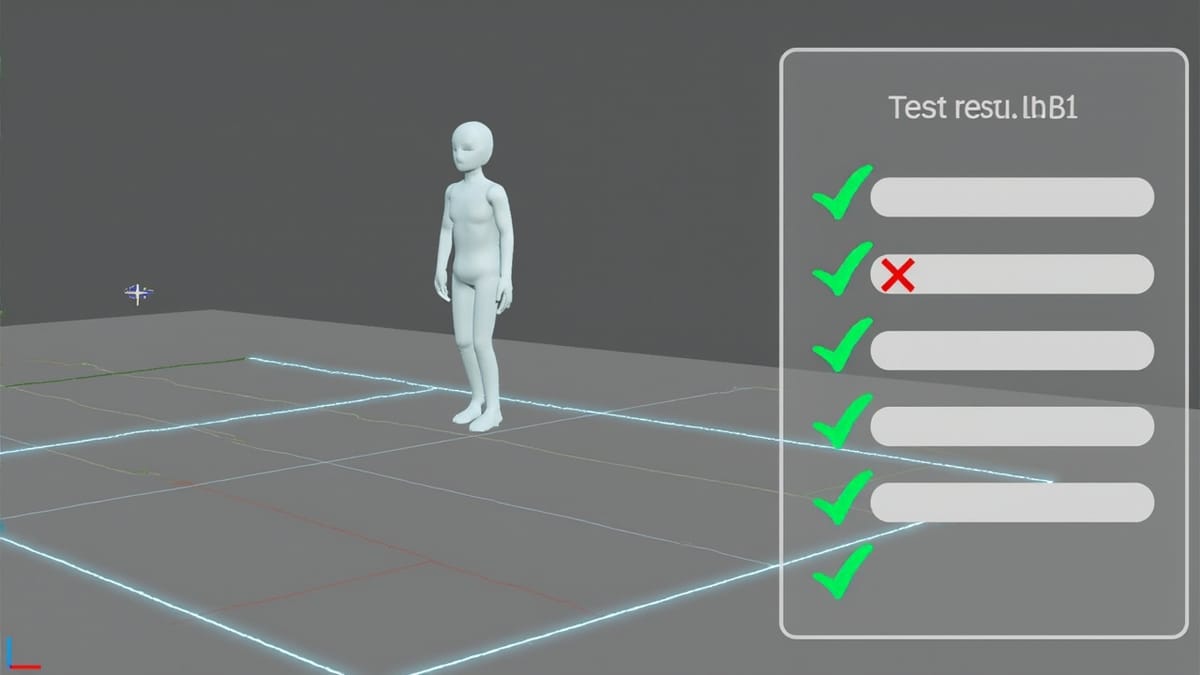
Unreal Engine's Automation Testing system is powerful and chronically underdocumented. Most teams know IMPLEMENT_SIMPLE_AUTOMATION_TEST for smoke tests, but UE5's Spec framework — modeled after RSpec/Jasmine — enables the kind of structured, readable test suites that scale to complex game systems without becoming unmaintainable.
This guide covers FAutomationTestBase with the Spec pattern, async latent commands for testing game loop behavior, and integrating the whole system into Gauntlet for CI.
The Spec Framework vs Simple Tests
The older IMPLEMENT_SIMPLE_AUTOMATION_TEST macro produces a flat test with a single RunTest() method. Fine for isolated unit tests, but it doesn't compose. The Spec pattern gives you nested Describe/It blocks with shared BeforeEach/AfterEach hooks — the same mental model as Jest, RSpec, or Jasmine.
// OldStyle.cpp — hard to organize
IMPLEMENT_SIMPLE_AUTOMATION_TEST(FWeaponTest, "Game.Weapon.BasicFire",
    EAutomationTestFlags::ApplicationContextMask | EAutomationTestFlags::ProductFilter)

bool FWeaponTest::RunTest(const FString& Parameters)
{
    // Everything crammed into one function
    return true;
}// SpecStyle.cpp — structured, composable
BEGIN_DEFINE_SPEC(FWeaponSpec, "Game.Weapon",
EAutomationTestFlags::ApplicationContextMask | EAutomationTestFlags::ProductFilter)
UWorld* TestWorld;
AWeapon* Weapon;
END_DEFINE_SPEC(FWeaponSpec)
void FWeaponSpec::Define()
{
Describe("Firing", [this]()
{
BeforeEach([this]()
{
TestWorld = FAutomationEditorCommonUtils::CreateNewMap();
Weapon = TestWorld->SpawnActor<AWeapon>();
Weapon->LoadAmmo(30);
});
It("reduces ammo count by one", [this]()
{
Weapon->Fire();
TestEqual("Ammo after firing", Weapon->GetAmmoCount(), 29);
});
It("does not fire when empty", [this]()
{
Weapon->LoadAmmo(0);
bool fired = Weapon->Fire();
TestFalse("Should not fire with 0 ammo", fired);
});
AfterEach([this]()
{
if (TestWorld) TestWorld->DestroyWorld(false);
});
});
Describe("Reloading", [this]()
{
// nested context with its own BeforeEach
});
}The spec name ("Game.Weapon") becomes the filter prefix. Run Game.Weapon to execute all nested specs, or Game.Weapon.Firing for the firing subset.
Latent Commands for Async Testing
The hardest part of game testing is that real behavior spans multiple frames. Latent commands are the UE mechanism for yielding between test steps.
Built-in Latent Commands
It("spawns enemy after trigger delay", [this]()
{
    // Trigger the spawn system
    SpawnTrigger->Activate();

    // Wait 2 simulated seconds
    ADD_LATENT_AUTOMATION_COMMAND(FWaitLatentCommand(2.0f));

    // Assert after the wait
    ADD_LATENT_AUTOMATION_COMMAND(FFunctionLatentCommand([this]() -> bool
    {
        TArray<AActor*> Enemies;
        UGameplayStatics::GetAllActorsOfClass(TestWorld, AEnemy::StaticClass(), Enemies);
        TestEqual("Enemy count after trigger", Enemies.Num(), 1);
        return true; // return true = done, false = keep waiting
    }));
});Custom Latent Commands
For reusable async waits, implement IAutomationLatentCommand:
// WaitForActorCommand.h
class FWaitForActorCommand : public IAutomationLatentCommand
{
public:
    FWaitForActorCommand(UWorld* InWorld, TSubclassOf<AActor> InClass, float InTimeout = 5.0f)
        : World(InWorld), ActorClass(InClass), Timeout(InTimeout), Elapsed(0.f) {}

    virtual bool Update() override
    {
        Elapsed += FApp::GetDeltaTime();
        if (Elapsed >= Timeout)
        {
            UE_LOG(LogAutomation, Error, TEXT("Timeout waiting for actor class %s"),
                *ActorClass->GetName());
            return true; // done (with error)
        }

        TArray<AActor*> Found;
        UGameplayStatics::GetAllActorsOfClass(World, ActorClass, Found);
        return Found.Num() > 0; // return true when found
    }

private:
    UWorld* World;
    TSubclassOf<AActor> ActorClass;
    float Timeout;
    float Elapsed;
};

// Usage:
It("spawns boss on level load", [this]()
{
    LoadLevel("BossArena");
    ADD_LATENT_AUTOMATION_COMMAND(FWaitForActorCommand(TestWorld, ABossEnemy::StaticClass()));
    ADD_LATENT_AUTOMATION_COMMAND(FFunctionLatentCommand([this]() -> bool
    {
        TArray<AActor*> Bosses;
        UGameplayStatics::GetAllActorsOfClass(TestWorld, ABossEnemy::StaticClass(), Bosses);
        TestEqual("Boss spawned", Bosses.Num(), 1);
        return true;
    }));
});PIE (Play In Editor) Tests
For tests that require a full gameplay loop, use PIE latent commands:
DEFINE_LATENT_AUTOMATION_COMMAND(FStartPIECommand);
bool FStartPIECommand::Update()
{
    FEditorAutomationTestUtilities::LoadMap("/Game/Maps/TestLevel");
    FEditorAutomationTestUtilities::StartPIE(true); // true = simulate mode
    return true;
}

DEFINE_LATENT_AUTOMATION_COMMAND(FEndPIECommand);
bool FEndPIECommand::Update()
{
    GUnrealEd->RequestEndPlayMap();
    return true;
}

It("player health regenerates over time", [this]()
{
    ADD_LATENT_AUTOMATION_COMMAND(FStartPIECommand());
    ADD_LATENT_AUTOMATION_COMMAND(FWaitLatentCommand(1.0f)); // let game initialize

    ADD_LATENT_AUTOMATION_COMMAND(FFunctionLatentCommand([this]() -> bool
    {
        UWorld* PIEWorld = GEditor->GetPIEWorldContext()->World();
        APlayerCharacter* Player = Cast<APlayerCharacter>(
            UGameplayStatics::GetPlayerCharacter(PIEWorld, 0));

        if (!Player) return false; // keep waiting

        Player->TakeDamage(50.f);
        return true;
    }));

    ADD_LATENT_AUTOMATION_COMMAND(FWaitLatentCommand(5.0f)); // wait for regen

    ADD_LATENT_AUTOMATION_COMMAND(FFunctionLatentCommand([this]() -> bool
    {
        UWorld* PIEWorld = GEditor->GetPIEWorldContext()->World();
        APlayerCharacter* Player = Cast<APlayerCharacter>(
            UGameplayStatics::GetPlayerCharacter(PIEWorld, 0));
        TestTrue("Health regenerated", Player->GetHealth() > 50.f);
        return true;
    }));

    ADD_LATENT_AUTOMATION_COMMAND(FEndPIECommand());
});Test Flags and Filtering
// EAutomationTestFlags combinations for different scenarios:

// Fast unit test, runs in editor and standalone
EAutomationTestFlags::ApplicationContextMask |
EAutomationTestFlags::ProductFilter

// Requires game world, editor only
EAutomationTestFlags::EditorContext |
EAutomationTestFlags::ProductFilter

// Expensive PIE test, mark as slow
EAutomationTestFlags::EditorContext |
EAutomationTestFlags::StressFilter

// Client/server specific
EAutomationTestFlags::ClientContext |
EAutomationTestFlags::ProductFilterFilter flags control which tests run in which environment. ProductFilter tests run in CI. SmokeFilter tests run on every cook/compile. PerfFilter tests run in performance tracking.
Gauntlet Integration for CI
Gauntlet is Epic's test orchestration layer that coordinates multiple processes (editor, client, server, test controller) for integration testing.
Basic Gauntlet Node Setup
// TestNode.cs — Gauntlet test controller
public class MyGameTestNode : UE4Game.DefaultNode
{
    public override void PopulateCommandLineParams(Dictionary<string, string> Params)
    {
        base.PopulateCommandLineParams(Params);
        Params["-ExecCmds"] = "Automation RunTests Game.Weapon;quit";
        Params["-TestExit"] = "Automation Test Queue Empty";
        Params["-log"] = "";
        Params["-unattended"] = "";
    }
}GitHub Actions with Gauntlet
name: UE5 Automation Tests
on: [push, pull_request]

jobs:
  automation-tests:
    runs-on: [self-hosted, ue5]
    steps:
      - uses: actions/checkout@v3
        with:
          submodules: recursive

      - name: Build Test Config
        run: |
          "$UE_ROOT/Engine/Build/BatchFiles/Build.bat" \
            MyGameEditor Win64 Development \
            "${{ github.workspace }}/MyGame.uproject"

      - name: Run Automation Tests
        run: |
          "$UE_ROOT/Engine/Binaries/Win64/UnrealEditor-Cmd.exe" \
            "${{ github.workspace }}/MyGame.uproject" \
            -ExecCmds="Automation RunTests Game.+;quit" \
            -TestExit="Automation Test Queue Empty" \
            -ReportOutputPath="${{ github.workspace }}/TestResults" \
            -unattended -nopause -log

      - name: Parse and Upload Results
        if: always()
        run: python3 scripts/parse_ue_results.py TestResults/ junit_output.xml

      - uses: mikepenz/action-junit-report@v3
        if: always()
        with:
report_paths: junit_output.xmlParsing UE Test Results
UE outputs JSON results, not JUnit XML. A minimal conversion script:
# parse_ue_results.py
import json, sys
from xml.etree.ElementTree import Element, SubElement, tostring
from pathlib import Path

results_dir = Path(sys.argv[1])
output_path = sys.argv[2]

suite = Element("testsuite")
for result_file in results_dir.glob("*.json"):
    data = json.loads(result_file.read_text())
    for test in data.get("tests", []):
        case = SubElement(suite, "testcase",
            name=test["testDisplayName"],
            classname=test["fullTestPath"].rsplit(".", 1)[0],
            time=str(test.get("duration", 0)))
        if not test["successful"]:
            failure = SubElement(case, "failure")
            failure.text = "\n".join(
                e.get("message", "") for e in test.get("entries", [])
                if e.get("event", {}).get("type") == "Error")

Path(output_path).write_bytes(tostring(suite))Mocking Subsystems
UE doesn't have a built-in mock framework, but you can use test-specific subsystem implementations registered at startup:
// TestSaveSubsystem.h — test double
UCLASS()
class UTestSaveSubsystem : public USaveSubsystem
{
    GENERATED_BODY()
public:
    virtual bool SaveGame(const FSaveData& Data) override
    {
        LastSavedData = Data;
        return bShouldSucceed;
    }

    FSaveData LastSavedData;
    bool bShouldSucceed = true;
};

// In spec BeforeEach:
BeforeEach([this]()
{
    TestSaveSystem = NewObject<UTestSaveSubsystem>();
    GEngine->GetEngineSubsystem<USaveSubsystem>()->SetTestOverride(TestSaveSystem);
});Conclusion
UE5's Spec automation framework, when combined with latent commands and Gauntlet orchestration, gives you a test infrastructure that handles the full complexity of modern game development — from millisecond-scale unit tests to multi-process integration scenarios. The investment in proper BeforeEach/AfterEach structure pays off immediately when you need to isolate a regression across a 200-test suite.