Unity Test Framework: Advanced Play Mode and Performance Testing
Unity's Test Framework goes far beyond simple [Test] attributes on edit-mode assertions.

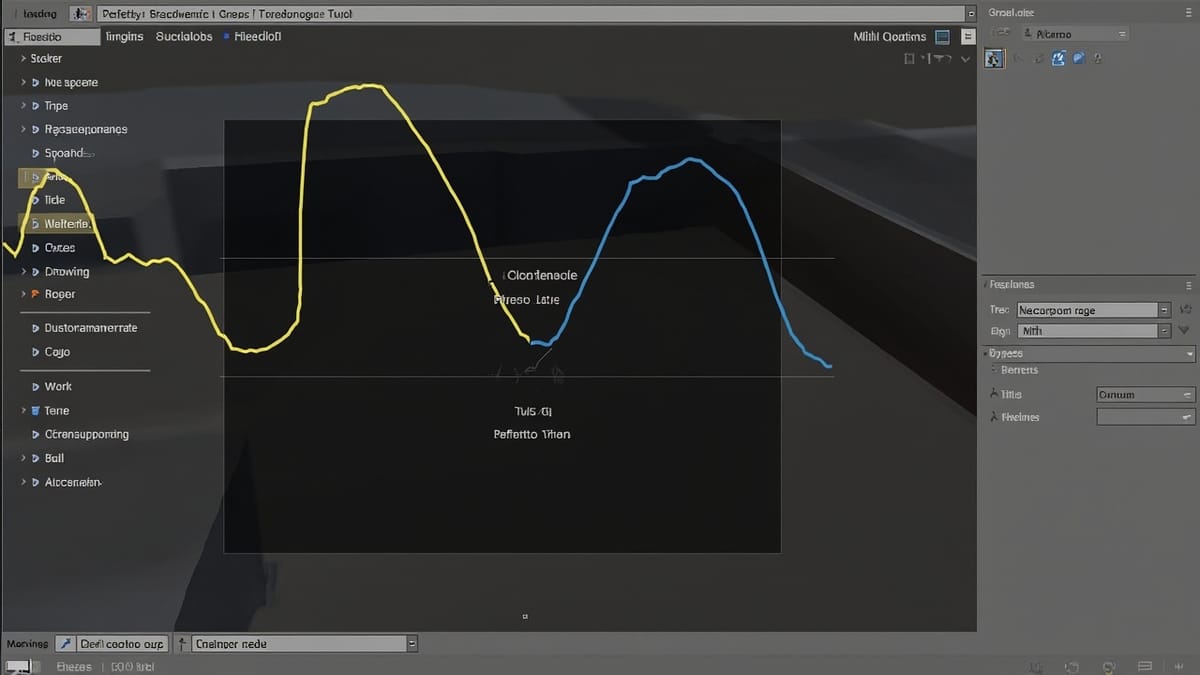
Unity's Test Framework goes far beyond simple [Test] attributes on edit-mode assertions. Once your game reaches production complexity — async systems, multi-scene architectures, physics-driven gameplay — you need play mode tests that run inside the engine loop, performance benchmarks that catch frame-rate regressions, and a CI pipeline that fails builds before players ever touch a broken build.
This guide assumes you've already shipped your first Unity tests and want the advanced layer.
Play Mode Tests vs Edit Mode Tests
Edit mode tests run outside the player loop — fast, suitable for pure logic, serialization, and data validation. Play mode tests spin up a full Unity runtime. Use them when you need:
MonoBehaviourlifecycle (Awake,Start,Update)- Physics simulation
- Scene loading and unloading
- Coroutines and async/await
Add a test assembly with Play Mode selected in the Assembly Definition's "Test Platforms" and place it under Assets/Tests/PlayMode/.
Async Tests and Coroutines
The two async patterns in Unity Test Framework are [UnityTest] with IEnumerator and async Task with [Test].
using System.Collections;
using NUnit.Framework;
using UnityEngine;
using UnityEngine.TestTools;

public class PlayerSpawnTests
{
    [UnityTest]
    public IEnumerator PlayerSpawnsAtCheckpoint()
    {
        var spawner = new GameObject("Spawner").AddComponent<PlayerSpawner>();
        spawner.SpawnPoint = new Vector3(10f, 0f, 5f);

        spawner.Spawn();
        yield return null; // wait one frame for Start() to run

        var player = GameObject.FindWithTag("Player");
        Assert.IsNotNull(player);
        Assert.AreEqual(spawner.SpawnPoint, player.transform.position);

        Object.Destroy(spawner.gameObject);
    }
}For async/await patterns (Unity 2021+):
using System.Threading.Tasks;
using NUnit.Framework;
using UnityEngine;
using UnityEngine.TestTools;

public class InventoryAsyncTests
{
    [Test]
    public async Task InventoryLoadsFromRemoteConfig()
    {
        var inventory = new GameObject("Inventory").AddComponent<InventoryManager>();
        await inventory.LoadAsync();

        Assert.AreEqual(10, inventory.Items.Count);
        Assert.IsTrue(inventory.IsReady);

        Object.Destroy(inventory.gameObject);
    }
}Important: async Task tests do not yield to the engine loop between awaited calls. Use [UnityTest] + IEnumerator when you need physics ticks or frame advancement between steps.
Scene Loading in Play Mode
Testing scene transitions is one of the most error-prone areas. The [UnitySetUp] and [UnityTearDown] attributes run as coroutines, making them ideal for async scene management:
using System.Collections;
using NUnit.Framework;
using UnityEngine;
using UnityEngine.SceneManagement;
using UnityEngine.TestTools;

public class SceneTransitionTests
{
    [UnitySetUp]
    public IEnumerator SetUp()
    {
        yield return SceneManager.LoadSceneAsync("MainMenu", LoadSceneMode.Single);
        yield return null;
    }

    [UnityTearDown]
    public IEnumerator TearDown()
    {
        yield return SceneManager.LoadSceneAsync("EmptyTestScene", LoadSceneMode.Single);
    }

    [UnityTest]
    public IEnumerator StartButtonLoadsGameScene()
    {
        var startButton = GameObject.Find("StartButton").GetComponent<StartButton>();
        startButton.OnClick();

        yield return new WaitForSeconds(0.5f); // transition animation
        yield return new WaitUntil(() => SceneManager.GetActiveScene().name == "Game");

        Assert.AreEqual("Game", SceneManager.GetActiveScene().name);
        Assert.IsNotNull(GameObject.FindWithTag("GameManager"));
    }
}Always include an EmptyTestScene in your build settings — a minimal scene that serves as a clean slate after each test, preventing scene state from leaking between test runs.
WaitForCondition and Custom Yield Instructions
Rather than yield return new WaitForSeconds(2f) (which makes tests slow and flaky), write deterministic yield instructions:
public class WaitForGameState : CustomYieldInstruction
{
    private readonly System.Func<bool> _condition;
    private readonly float _timeout;
    private float _elapsed;

    public WaitForGameState(System.Func<bool> condition, float timeout = 5f)
    {
        _condition = condition;
        _timeout = timeout;
    }

    public override bool keepWaiting
    {
        get
        {
            _elapsed += Time.deltaTime;
            if (_elapsed >= _timeout)
                throw new System.TimeoutException($"Condition not met after {_timeout}s");
            return !_condition();
        }
    }
}

// Usage in test:
yield return new WaitForGameState(() => GameManager.Instance.State == GameState.Playing);This pattern eliminates arbitrary WaitForSeconds calls and gives you meaningful timeout errors.
UnityPerformanceBenchmark
The Unity Performance Testing package (com.unity.test-framework.performance) lets you capture frame time, memory allocations, and custom counters with statistical rigor.
Install via Package Manager: com.unity.test-framework.performance
using System.Collections;
using NUnit.Framework;
using Unity.PerformanceTesting;
using UnityEngine;
using UnityEngine.TestTools;

public class RenderingPerformanceTests
{
    [UnityTest, Performance]
    public IEnumerator CrowdScene_100NPCs_FrameTime()
    {
        yield return SceneManager.LoadSceneAsync("CrowdBenchmark");
        yield return null;

        // Warm up
        yield return new WaitForSeconds(1f);

        using (Measure.Frames().WarmupCount(10).MeasurementCount(50).Run())
        {
            yield return null;
        }
    }

    [Test, Performance]
    public void InventorySortAlgorithm_AllocationFree()
    {
        var inventory = CreateInventoryWithItems(100);

        Measure.Method(() => inventory.SortByRarity())
            .WarmupCount(5)
            .MeasurementCount(20)
            .GC()
            .Run();
    }

    [UnityTest, Performance]
    public IEnumerator PhysicsSimulation_RigidbodyCost()
    {
        yield return SceneManager.LoadSceneAsync("PhysicsBenchmark");

        using (Measure.Frames()
            .WarmupCount(5)
            .MeasurementCount(30)
            .SampleGroup("PhysicsUpdate", SampleUnit.Millisecond)
            .Run())
        {
            yield return null;
        }

        // Assert against budget
        var result = PerformanceTest.Active.SampleGroups
            .Find(sg => sg.Name == "PhysicsUpdate");
        Assert.Less(result.Median, 4.0, "Physics update exceeds 4ms budget");
    }
}Performance results are saved to Assets/StreamingAssets/PerformanceTestResults.json. Integrate this with your CI artifact storage to track regressions across builds.
Test Runner Attributes Reference
| Attribute | Use Case |
|---|---|
[UnityTest] |
Coroutine tests needing frame advance |
[UnitySetUp] / [UnityTearDown] |
Async scene setup/teardown |
[Performance] |
Marks test for performance measurement |
[Category("Smoke")] |
Filter tests in CI |
[Ignore("HEL-1234")] |
Skip with ticket reference |
[UnityPlatform(RuntimePlatform.Android)] |
Platform-specific tests |
[RequiresPlayMode] |
Forces play mode even in edit mode assembly |
LogAssert for Expected Errors
Silence Debug.LogError noise in tests while still asserting on error conditions:
[UnityTest]
public IEnumerator InvalidWeaponConfig_LogsErrorAndFallsBack()
{
    LogAssert.Expect(LogType.Error, "Invalid weapon config: null damage value");

    var weapon = new GameObject("Weapon").AddComponent<WeaponController>();
    weapon.LoadConfig(null);

    yield return null;

    Assert.AreEqual(WeaponController.DefaultDamage, weapon.Damage);
}Without LogAssert.Expect, any Debug.LogError call automatically fails the test — good default behavior that you can selectively override.
CI Integration
GitHub Actions
name: Unity Tests
on: [push, pull_request]

jobs:
  test:
    runs-on: ubuntu-latest
    container:
      image: unityci/editor:2022.3.10f1-base-1
    steps:
      - uses: actions/checkout@v3

      - name: Run Play Mode Tests
        run: |
          unity-editor \
            -batchmode -nographics \
            -projectPath . \
            -runTests \
            -testPlatform PlayMode \
            -testResults TestResults/playmode.xml \
            -logFile TestResults/unity.log
        env:
          UNITY_LICENSE: ${{ secrets.UNITY_LICENSE }}

      - name: Publish Test Results
        uses: mikepenz/action-junit-report@v3
        if: always()
        with:
report_paths: TestResults/*.xmlFiltering by Category
Run only smoke tests in PR checks, full suite nightly:
# PR check — smoke only
unity-editor -runTests -testCategory "Smoke"

# Nightly — full suite including performance
unity-editor -runTests -testCategory "Smoke;Integration;Performance"Common Pitfalls
Static state leaking between tests. Unity doesn't reset static fields between play mode tests. Use [SetUp] to explicitly clear singletons, or use scene reloading via [UnitySetUp].
Object.Destroy is deferred. Object.Destroy(go) takes effect at end of frame. Use Object.DestroyImmediate(go) in edit mode teardown, or yield return null before asserting the object is gone.
Time.timeScale in performance tests. Physics and animation behave differently at timeScale=0. Never set it in performance benchmarks unless you're specifically testing pause-state behavior.
Missing scene in build settings. SceneManager.LoadSceneAsync silently fails if the scene isn't in build settings. Add a pre-test check:
[OneTimeSetUp]
public void VerifyScenes()
{
    var scenePaths = new[] { "Assets/Scenes/MainMenu.unity", "Assets/Scenes/Game.unity" };
    foreach (var path in scenePaths)
        Assert.IsTrue(System.IO.File.Exists(path), $"Missing scene: {path}");
}Conclusion
Advanced Unity testing means treating the engine loop as a first-class concern in your test design. With async coroutine patterns, deterministic yield conditions, and UnityPerformanceBenchmark measuring against real frame budgets, you catch regressions before they ship. Plug the XML output into any CI system and you have a production-grade quality gate on every commit.