Unity CI/CD Testing Pipeline: GitHub Actions, GameCI, and Cloud Build
Running Unity tests locally is fine. Running them automatically on every pull request is how you actually catch regressions before they ship.

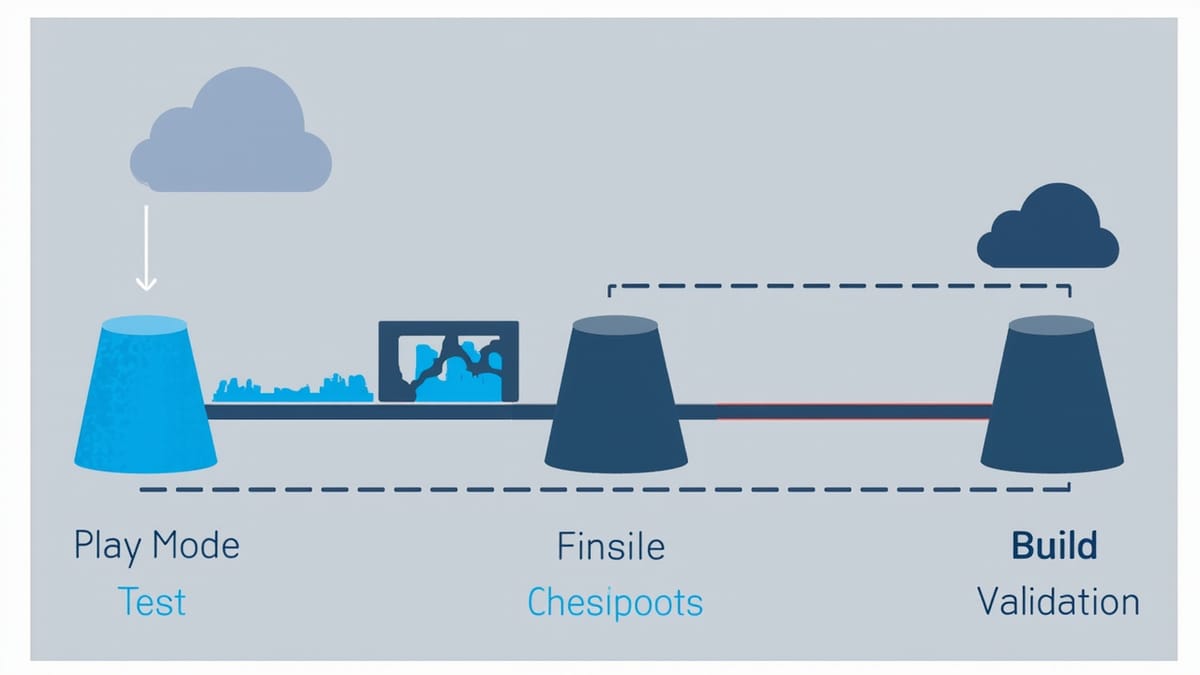
Running Unity tests locally is fine. Running them automatically on every pull request is how you actually catch regressions before they ship. Setting up Unity CI/CD is notoriously painful because of licensing, but GameCI makes it manageable.
This guide covers a production-ready Unity testing pipeline using GitHub Actions and GameCI.
Why Unity CI Is Painful (And How GameCI Solves It)
Unity requires an activated license to run in batch mode. In CI, that means:
- Personal licenses — Free, but Unity requires a machine-specific activation file. You can't share this across CI runners.
- Professional/Plus licenses — Can be activated with serial + username + password, works in CI, but requires a paid plan.
- Unity Build Server — Enterprise option with floating licenses.
GameCI (game-ci/unity-builder, game-ci/unity-test-runner) abstracts all of this. It handles license activation, Unity installation, test execution, and artifact collection within GitHub Actions.
Project Structure
MyGame/
├── Assets/
│   ├── Scripts/
│   │   ├── Player/
│   │   │   ├── PlayerMovement.cs
│   │   │   └── PlayerHealth.cs
│   │   └── Enemy/
│   │       ├── EnemyAI.cs
│   │       └── EnemyAI.Tests.asmdef
│   └── Tests/
│       ├── EditMode/
│       │   ├── PlayerMovementTests.cs
│       │   └── Assembly.Tests.asmdef
│       └── PlayMode/
│           ├── GameFlowTests.cs
│           └── Assembly.PlayMode.Tests.asmdef
├── Packages/
│   └── manifest.json
└── ProjectSettings/
└── ProjectSettings.assetAssembly definition files are required for Unity's test runner to discover tests.
Assembly Definition Files
// Assets/Tests/EditMode/Assembly.Tests.asmdef
{
    "name": "Assembly.Tests",
    "rootNamespace": "MyGame.Tests.EditMode",
    "references": [
        "GUID:your-main-assembly-guid"
    ],
    "includePlatforms": [],
    "excludePlatforms": [],
    "allowUnsafeCode": false,
    "overrideReferences": true,
    "precompiledReferences": [
        "nunit.framework.dll"
    ],
    "autoReferenced": false,
    "defineConstraints": [],
    "versionDefines": [],
    "noEngineReferences": false
}// Assets/Tests/PlayMode/Assembly.PlayMode.Tests.asmdef
{
"name": "Assembly.PlayMode.Tests",
"rootNamespace": "MyGame.Tests.PlayMode",
"references": [
"GUID:your-main-assembly-guid"
],
"includePlatforms": [],
"excludePlatforms": [],
"allowUnsafeCode": false,
"overrideReferences": true,
"precompiledReferences": [
"nunit.framework.dll"
],
"autoReferenced": false,
"defineConstraints": [],
"versionDefines": [],
"noEngineReferences": false
}Writing Testable Code
Before configuring CI, ensure your code can be tested. The main pattern: dependency injection over FindObjectOfType and GetComponent in constructors.
// Bad — hard to test
public class PlayerHealth : MonoBehaviour {
    void Start() {
        var ui = FindObjectOfType<HealthUI>();
        ui.UpdateDisplay(100);
    }
}

// Good — injectable
public class PlayerHealth : MonoBehaviour {
    [SerializeField] private HealthUI healthUI;

    public void Initialize(HealthUI ui) {
        healthUI = ui;
    }
}Edit Mode Tests
Edit Mode tests run outside Play Mode — fast, no scene loading:
// Assets/Tests/EditMode/PlayerMovementTests.cs
using NUnit.Framework;
using MyGame;

public class PlayerMovementTests {
    [Test]
    public void CalculateSpeed_WithMultiplier_ReturnsCorrectValue() {
        var movement = new PlayerMovementData(baseSpeed: 5f, multiplier: 2f);

        float result = movement.CalculateSpeed();

        Assert.AreEqual(10f, result, 0.001f);
    }

    [Test]
    public void CanJump_WhenGrounded_ReturnsTrue() {
        var state = new PlayerState { isGrounded = true, jumpCooldown = 0f };

        Assert.IsTrue(state.CanJump());
    }

    [Test]
    public void CanJump_WhenAirborne_ReturnsFalse() {
        var state = new PlayerState { isGrounded = false, jumpCooldown = 0f };

        Assert.IsFalse(state.CanJump());
    }

    [TestCase(100, 50, 50)]
    [TestCase(100, 100, 0)]
    [TestCase(100, 150, 0)] // Can't go below 0
    public void TakeDamage_ReducesHealthCorrectly(int startHp, int damage, int expectedHp) {
        var health = new HealthComponent(maxHp: 100, currentHp: startHp);

        health.TakeDamage(damage);

        Assert.AreEqual(expectedHp, health.CurrentHp);
    }
}Play Mode Tests
Play Mode tests run in the actual game runtime:
// Assets/Tests/PlayMode/GameFlowTests.cs
using System.Collections;
using NUnit.Framework;
using UnityEngine;
using UnityEngine.TestTools;
using UnityEngine.SceneManagement;

public class GameFlowTests {
    [UnitySetUp]
    public IEnumerator SetUp() {
        SceneManager.LoadScene("TestScene");
        yield return null; // Wait one frame for scene to load
    }

    [UnityTest]
    public IEnumerator Player_StartsAtSpawnPoint() {
        var player = GameObject.FindWithTag("Player");
        var spawnPoint = GameObject.Find("SpawnPoint");

        Assert.IsNotNull(player, "Player not found in scene");
        Assert.IsNotNull(spawnPoint, "SpawnPoint not found in scene");

        yield return new WaitForSeconds(0.1f);

        var distanceFromSpawn = Vector3.Distance(
            player.transform.position,
            spawnPoint.transform.position
        );
        Assert.Less(distanceFromSpawn, 0.5f, "Player should start near spawn point");
    }

    [UnityTest]
    public IEnumerator Player_TakesDamage_HealthDecreases() {
        var player = GameObject.FindWithTag("Player");
        var health = player.GetComponent<PlayerHealth>();
        int initialHp = health.CurrentHp;

        // Apply damage
        health.TakeDamage(25);
        yield return null;

        Assert.AreEqual(initialHp - 25, health.CurrentHp);
    }

    [UnityTest]
    public IEnumerator Enemy_Spawns_WithinTimeLimit() {
        var spawner = GameObject.FindWithTag("EnemySpawner").GetComponent<EnemySpawner>();

        spawner.SpawnEnemy();

        yield return new WaitForSeconds(2f);

        var enemies = GameObject.FindGameObjectsWithTag("Enemy");
        Assert.Greater(enemies.Length, 0, "At least one enemy should spawn");
    }

    [UnityTearDown]
    public IEnumerator TearDown() {
        // Clean up spawned objects
        foreach (var enemy in GameObject.FindGameObjectsWithTag("Enemy")) {
            Object.Destroy(enemy);
        }
        yield return null;
    }
}GitHub Actions Pipeline
Minimal Pipeline (Free License)
# .github/workflows/unity-tests.yml
name: Unity Tests

on:
  push:
    branches: [main, develop]
  pull_request:
    branches: [main]

jobs:
  test:
    name: Test (${{ matrix.testMode }})
    runs-on: ubuntu-latest
    strategy:
      fail-fast: false
      matrix:
        testMode: [editmode, playmode]

    steps:
      - name: Checkout
        uses: actions/checkout@v4
        with:
          lfs: true

      - name: Cache Unity Library
        uses: actions/cache@v4
        with:
          path: Library
          key: Library-${{ hashFiles('Assets/**', 'Packages/**', 'ProjectSettings/**') }}
          restore-keys: Library-

      - name: Run Tests (${{ matrix.testMode }})
        uses: game-ci/unity-test-runner@v4
        env:
          UNITY_LICENSE: ${{ secrets.UNITY_LICENSE }}
          UNITY_EMAIL: ${{ secrets.UNITY_EMAIL }}
          UNITY_PASSWORD: ${{ secrets.UNITY_PASSWORD }}
        with:
          testMode: ${{ matrix.testMode }}
          artifactsPath: test-results/${{ matrix.testMode }}
          githubToken: ${{ secrets.GITHUB_TOKEN }}
          checkName: Test Results (${{ matrix.testMode }})
          coverageOptions: 'generateAdditionalMetrics;generateHtmlReport;generateBadgeReport'

      - name: Upload Test Results
        uses: actions/upload-artifact@v4
        if: always()
        with:
          name: Test results (${{ matrix.testMode }})
path: test-results/${{ matrix.testMode }}Getting the Unity License for CI
For free Unity Personal:
- Run Unity locally: Help → Manage License → Activate License Manually
- Download the
.ulffile - Add it as a GitHub secret:
UNITY_LICENSE(paste the file contents)
For Unity Pro/Plus:
env:
  UNITY_SERIAL: ${{ secrets.UNITY_SERIAL }}
  UNITY_EMAIL: ${{ secrets.UNITY_EMAIL }}
UNITY_PASSWORD: ${{ secrets.UNITY_PASSWORD }}Full Pipeline with Build Validation
name: Unity CI

on:
  push:
    branches: [main]
  pull_request:

jobs:
  test:
    name: Run Tests
    runs-on: ubuntu-latest
    outputs:
      test-result: ${{ steps.test.outcome }}

    steps:
      - uses: actions/checkout@v4
        with: { lfs: true }

      - uses: actions/cache@v4
        with:
          path: Library
          key: Library-${{ hashFiles('Assets/**', 'Packages/**', 'ProjectSettings/**') }}

      - id: test
        uses: game-ci/unity-test-runner@v4
        env:
          UNITY_LICENSE: ${{ secrets.UNITY_LICENSE }}
        with:
          testMode: all
          artifactsPath: test-results
          githubToken: ${{ secrets.GITHUB_TOKEN }}

      - uses: actions/upload-artifact@v4
        if: always()
        with:
          name: test-results
          path: test-results

  build:
    name: Build (${{ matrix.targetPlatform }})
    runs-on: ubuntu-latest
    needs: test  # Only build if tests pass
    strategy:
      matrix:
        targetPlatform:
          - StandaloneLinux64
          - WebGL

    steps:
      - uses: actions/checkout@v4
        with: { lfs: true }

      - uses: actions/cache@v4
        with:
          path: Library
          key: Library-${{ matrix.targetPlatform }}-${{ hashFiles('Assets/**', 'Packages/**', 'ProjectSettings/**') }}

      - uses: game-ci/unity-builder@v4
        env:
          UNITY_LICENSE: ${{ secrets.UNITY_LICENSE }}
        with:
          targetPlatform: ${{ matrix.targetPlatform }}
          buildName: MyGame

      - uses: actions/upload-artifact@v4
        with:
          name: Build-${{ matrix.targetPlatform }}
path: build/${{ matrix.targetPlatform }}Code Coverage Configuration
Add coverage reporting to measure test completeness:
- name: Run Tests with Coverage
  uses: game-ci/unity-test-runner@v4
  env:
    UNITY_LICENSE: ${{ secrets.UNITY_LICENSE }}
  with:
    testMode: editmode
    artifactsPath: test-results
    coverageOptions: >-
      generateAdditionalMetrics;
      generateHtmlReport;
      generateBadgeReport;
      assemblyFilters:+MyGame.*,-MyGame.Tests.*;
pathFilters:-**/Editor/**Optimizing CI Run Time
Unity tests can be slow. These optimizations reduce run time significantly:
1. Cache the Library folder aggressively:
- uses: actions/cache@v4
  with:
    path: Library
    key: Library-${{ matrix.targetPlatform }}-${{ hashFiles('Assets/**', 'Packages/**', 'ProjectSettings/**') }}
    restore-keys: |
      Library-${{ matrix.targetPlatform }}-
Library-2. Run Edit Mode and Play Mode in parallel (matrix strategy above does this).
3. Split large test suites with custom filter:
with:
  testMode: editmode
customParameters: '-testFilter "MyGame.Tests.Fast"'4. Skip slow tests in PRs, run all tests on main:
- name: Run Tests
  uses: game-ci/unity-test-runner@v4
  with:
    testMode: all
customParameters: ${{ github.event_name == 'pull_request' && '-testCategory "!Slow"' || '' }}Common CI Failures
| Error | Cause | Fix |
|---|---|---|
License activation failed |
Wrong license format | Re-export .ulf from Unity Hub |
No tests were run |
Missing assembly definition | Add .asmdef file in Tests folder |
Scene not found |
Test scene not in build settings | Add test scene to Build Settings |
Library rebuild each run |
Cache miss | Check cache key hash |
Out of memory |
Large project + Play Mode | Increase runner RAM (ubuntu-latest-8-cores) |
A working Unity CI pipeline means every PR gets automated test feedback in 5-10 minutes. The upfront investment in GameCI setup pays back immediately in caught regressions and faster code reviews.