
Trivy Container Scanning: Scan Docker Images and Kubernetes Workloads in CI
Trivy (from Aqua Security) has rapidly become the most popular open-source container vulnerability scanner.

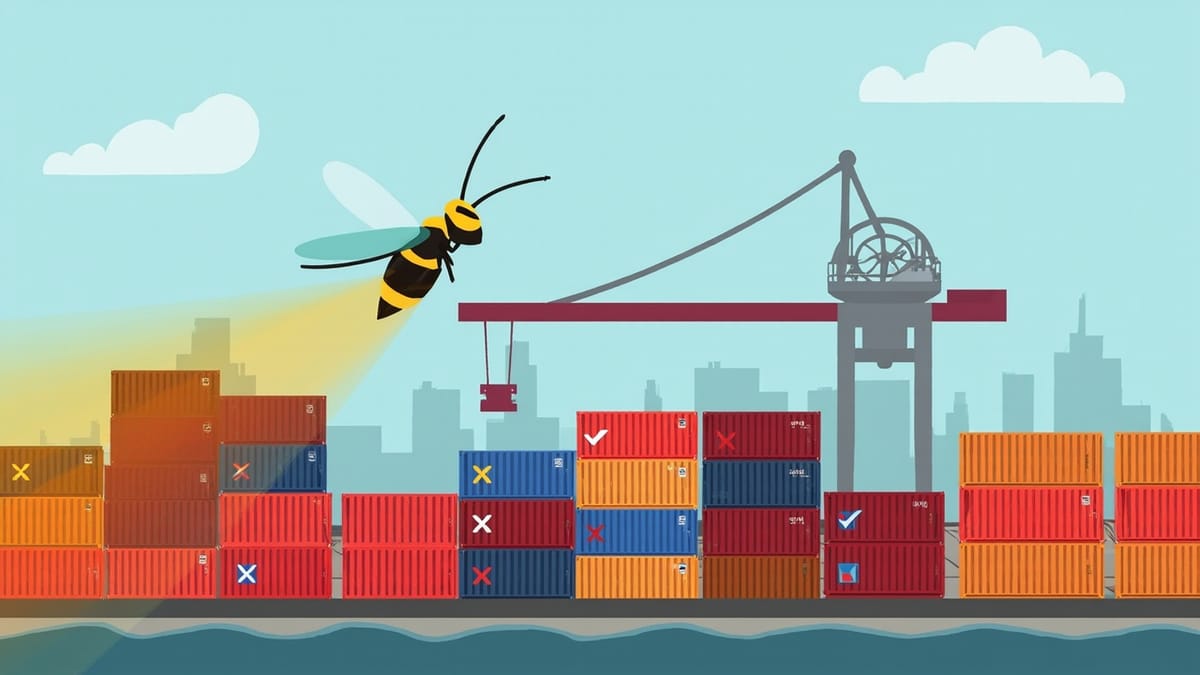
Trivy is a fast, comprehensive open-source vulnerability scanner from Aqua Security that scans container images, filesystems, Git repositories, Kubernetes manifests, and IaC files. This guide covers local scanning, GitHub Actions integration, SBOM generation, and managing findings with .trivyignore.
Key Takeaways
Trivy scans more than just OS packages. It detects vulnerabilities in OS packages, language-specific packages (npm, pip, gem, cargo), misconfigurations in Kubernetes/Terraform/Dockerfile, and exposed secrets — all from a single binary.
SBOM generation is increasingly required for compliance. Trivy can generate CycloneDX or SPDX SBOMs as a by-product of scanning, satisfying EO 14028 and emerging software supply chain regulations.
Severity filtering prevents alert fatigue. Using --severity HIGH,CRITICAL limits CI failures to actionable findings while still producing a full report as a build artifact for security review.
trivy config scans IaC files without running containers. Misconfigurations in Kubernetes manifests, Dockerfiles, and Terraform files are caught at the file level before deployment.
The .trivyignore file provides version-controlled false positive management. Suppressed CVEs are tracked in source control with the same pull request workflow as code changes.
Trivy (from Aqua Security) has rapidly become the most popular open-source container vulnerability scanner. It is comprehensive — scanning OS packages and language ecosystems in a single pass — and fast, with a local database cache that makes subsequent scans take seconds rather than minutes. Its breadth of target types (images, filesystems, git repos, Kubernetes manifests, Terraform) means you can consolidate several security scanning tools into one.
This guide covers practical Trivy usage from local development through CI/CD pipelines to Kubernetes workload scanning.
Installing Trivy
# macOS
brew install aquasecurity/trivy/trivy

# Ubuntu/Debian
sudo apt-get install wget apt-transport-https gnupg lsb-release
wget -qO - https://aquasecurity.github.io/trivy-repo/deb/public.key | gpg --dearmor | sudo tee /usr/share/keyrings/trivy.gpg > /dev/null
echo "deb [signed-by=/usr/share/keyrings/trivy.gpg] https://aquasecurity.github.io/trivy-repo/deb $(lsb_release -sc) main" | sudo tee -a /etc/apt/sources.list.d/trivy.list
sudo apt-get update && sudo apt-get install trivy

# As a Docker container (no installation required)
docker run --rm aquasec/trivy:latest image nginx:1.25Trivy downloads its vulnerability database on first run and caches it at ~/.cache/trivy. In CI, mount this directory as a cache volume to avoid downloading the database on every run.
Scanning Docker Images
Local Image Scanning
# Scan a local image (builds must happen first)
docker build -t myapp:latest .
trivy image myapp:latest

# Scan a remote registry image
trivy image nginx:1.25

# Filter by severity
trivy image --severity HIGH,CRITICAL nginx:1.25

# Exit with code 1 if vulnerabilities found at threshold
trivy image --exit-code 1 --severity CRITICAL myapp:latest

# Scan specific image layers (helps identify which Dockerfile instruction introduced a vulnerability)
trivy image --format json myapp:latest | jq '.Results[].Vulnerabilities[]? | {PkgName, VulnerabilityID, Severity, Layer: .Layer.DiffID}'Understanding Trivy's Output
myapp:latest (debian 11.7)
=========================
Total: 3 (HIGH: 2, CRITICAL: 1)

┌─────────────────────┬────────────────┬──────────┬─────────────────────┬──────────────────┬─────────────────────────────────────────┐
│       Library       │ Vulnerability  │ Severity │   Installed Version │    Fixed Version │                  Title                  │
├─────────────────────┼────────────────┼──────────┼─────────────────────┼──────────────────┼─────────────────────────────────────────┤
│ libssl1.1           │ CVE-2023-0464  │ CRITICAL │ 1.1.1n-0+deb11u4   │ 1.1.1n-0+deb11u5 │ OpenSSL: Excessive Resource Usage       │
│ libpcre2-8-0        │ CVE-2022-41409 │ HIGH     │ 10.36-2            │ 10.36-2+deb11u1  │ PCRE2: denial of service                │
│ tar                 │ CVE-2023-39804 │ HIGH     │ 1.34+dfsg-1        │ 1.34+dfsg-1.1    │ tar: out-of-bounds read                 │
└─────────────────────┴────────────────┴──────────┴─────────────────────┴──────────────────┴─────────────────────────────────────────┘

Node.js (node-pkg)
==================
Total: 1 (HIGH: 1)

┌────────────────────┬────────────────┬──────────┬──────────────────────┬───────────────┬─────────────────────────────────────────┐
│       Library      │ Vulnerability  │ Severity │  Installed Version   │ Fixed Version │                  Title                  │
├────────────────────┼────────────────┼──────────┼──────────────────────┼───────────────┼─────────────────────────────────────────┤
│ semver             │ SNYK-JS-SEMVER │ HIGH     │ 7.3.8                │ 7.5.2         │ semver: Regular Expression Denial       │
└────────────────────┴────────────────┴──────────┴──────────────────────┴───────────────┴─────────────────────────────────────────┘Trivy separates results by ecosystem — OS packages and Node.js packages each get their own section, making it clear where the vulnerability lives.
GitHub Actions Integration
Full Workflow with Caching
name: Container Security Scan

on:
  pull_request:
    branches: [main]
  push:
    branches: [main]

jobs:
  trivy-scan:
    runs-on: ubuntu-latest
    permissions:
      contents: read
      security-events: write

    steps:
      - name: Checkout
        uses: actions/checkout@v4

      - name: Build Docker image
        run: docker build -t myapp:${{ github.sha }} .

      - name: Cache Trivy database
        uses: actions/cache@v4
        with:
          path: ~/.cache/trivy
          key: trivy-db-${{ github.run_id }}
          restore-keys: trivy-db-

      - name: Run Trivy vulnerability scan
        uses: aquasecurity/trivy-action@master
        with:
          image-ref: "myapp:${{ github.sha }}"
          format: "sarif"
          output: "trivy-results.sarif"
          severity: "HIGH,CRITICAL"
          exit-code: "1"
          ignore-unfixed: true

      - name: Upload SARIF to GitHub Security
        uses: github/codeql-action/upload-sarif@v3
        if: always()
        with:
          sarif_file: "trivy-results.sarif"

      - name: Run Trivy scan (table output for logs)
        uses: aquasecurity/trivy-action@master
        if: always()
        with:
          image-ref: "myapp:${{ github.sha }}"
          format: "table"
          severity: "HIGH,CRITICAL"
ignore-unfixed: trueThe ignore-unfixed: true option is important — it suppresses CVEs for which no fix is available yet, since developers cannot act on them. This dramatically reduces noise without hiding genuinely fixable issues.
Scanning Kubernetes Manifests with trivy config
Trivy's config subcommand scans IaC files for misconfigurations without requiring running containers. It supports Kubernetes YAML, Helm charts, Dockerfiles, Terraform, and CloudFormation.
# Scan a directory of Kubernetes manifests
trivy config ./k8s/

# Scan a specific manifest
trivy config deployment.yaml

# Scan with specific checks enabled
trivy config --checks-bundle-url ghcr.io/aquasecurity/defsec:latest ./k8s/

# Scan a Helm chart
trivy config --helm-values values.prod.yaml ./charts/myapp/Example output for a Kubernetes deployment with security issues:
deployment.yaml (kubernetes)
============================
Tests: 28 (SUCCESSES: 22, FAILURES: 6, EXCEPTIONS: 0)
Failures: 6 (HIGH: 3, MEDIUM: 2, LOW: 1)

HIGH: Container 'app' of Deployment 'myapp' should set 'securityContext.allowPrivilegeEscalation' to false
════════════════════════════════════
Disabling privilege escalation prevents container processes from gaining additional privileges.
See https://avd.aquasec.com/misconfig/ksv020

HIGH: Container 'app' of Deployment 'myapp' should set 'securityContext.readOnlyRootFilesystem' to true
════════════════════════════════════
An immutable root filesystem helps prevent malicious binaries being added to PATH.Adding trivy config to CI
  trivy-config-scan:
    runs-on: ubuntu-latest
    steps:
      - uses: actions/checkout@v4

      - name: Scan Kubernetes manifests
        uses: aquasecurity/trivy-action@master
        with:
          scan-type: "config"
          scan-ref: "./k8s/"
          format: "sarif"
          output: "trivy-config.sarif"
          exit-code: "1"
          severity: "HIGH,CRITICAL"

      - name: Upload config scan SARIF
        uses: github/codeql-action/upload-sarif@v3
        if: always()
        with:
sarif_file: "trivy-config.sarif"SBOM Generation
Software Bill of Materials (SBOM) generation has become a compliance requirement for many organisations following US Executive Order 14028. Trivy can generate SBOMs as a by-product of scanning.
# Generate CycloneDX SBOM
trivy image --format cyclonedx --output sbom.cdx.json myapp:latest

# Generate SPDX SBOM
trivy image --format spdx-json --output sbom.spdx.json myapp:latest

# Scan an existing SBOM for vulnerabilities
trivy sbom ./sbom.cdx.jsonThe two formats have different adoption profiles: CycloneDX is preferred in the DevSecOps toolchain (supported by Dependency-Track, OWASP), while SPDX is the ISO standard and preferred in government and automotive contexts.
Attaching SBOMs to Container Images
A modern practice is to sign and attach the SBOM to the container image using cosign and OCI image referrers:
# Generate and push SBOM as OCI attestation
trivy image --format cyclonedx --output sbom.json myapp:latest
cosign attest --predicate sbom.json --type cyclonedx myapp:latestThis creates a verifiable chain: the image is signed, and the SBOM is attached to that signature, allowing downstream consumers to verify both authenticity and component inventory.
Managing False Positives with .trivyignore
The .trivyignore file works similarly to .gitignore — list CVE IDs one per line and Trivy will skip them.
# .trivyignore
# CVE-2023-0464 - OpenSSL excessive resource usage
# Not exploitable in our deployment: we do not accept client certificates
# and the vulnerable code path requires a crafted certificate chain.
# Review date: 2026-09-01
CVE-2023-0464

# CVE-2022-41409 - PCRE2 denial of service
# Not exposed: regex operations only run on trusted internal data,
# never on user-supplied input.
# Review date: 2026-08-01
CVE-2022-41409For more granular suppression — ignoring a CVE only for a specific package — use Trivy's VEX (Vulnerability Exploitability eXchange) document support:
{
  "@context": "https://openvex.dev/ns/v0.2.0",
  "@id": "https://example.com/vex/2026-001",
  "author": "security@example.com",
  "timestamp": "2026-05-19T00:00:00Z",
  "version": 1,
  "statements": [
    {
      "vulnerability": {"name": "CVE-2023-0464"},
      "products": [{"@id": "pkg:oci/myapp@sha256:abc123"}],
      "status": "not_affected",
      "justification": "vulnerable_code_not_in_execute_path",
      "impact_statement": "The vulnerable TLS certificate parsing code is not reachable in this deployment configuration."
    }
  ]
}VEX documents are the emerging standard for machine-readable vulnerability disposition records, increasingly requested by enterprise customers and government procurement.
Scanning Filesystems and Git Repositories
Beyond container images, Trivy can scan local filesystems and Git repositories directly:
# Scan current directory (language packages, secrets, misconfigs)
trivy fs .

# Scan a Git repository (without cloning)
trivy repo https://github.com/myorg/myapp

# Scan for secrets only
trivy fs --scanners secret .

# Scan for misconfigurations only
trivy fs --scanners misconfig ./infrastructure/The --scanners flag lets you compose exactly what you want to check, avoiding noise from checks irrelevant to a particular scan target.
Output Formats Reference
| Format | Flag | Use case |
|---|---|---|
| Table | --format table |
Human-readable terminal output |
| JSON | --format json |
Programmatic processing, dashboards |
| SARIF | --format sarif |
GitHub Security, VS Code, SAST tools |
| CycloneDX | --format cyclonedx |
SBOM generation |
| SPDX | --format spdx-json |
SBOM (ISO standard) |
| Template | --format template |
Custom HTML/CSV via Go templates |
Summary
Trivy's combination of broad target support, fast scanning, and zero-configuration operation makes it well-suited for teams that want comprehensive container and IaC security coverage without maintaining multiple specialised tools. The .trivyignore file and emerging VEX document support provide version-controlled, auditable false positive management. Integrating both image scanning and trivy config IaC checks into pull request pipelines catches the two most common categories of container security issues — vulnerable dependencies in the image and misconfigured Kubernetes workload specs — before they reach production.