
Testing
Automated SEO and Accessibility Checks: Beyond Lighthouse
Lighthouse catches a useful set of SEO and accessibility issues, but it misses a lot.

Testing
Lighthouse catches a useful set of SEO and accessibility issues, but it misses a lot.

Testing
Automated accessibility testing tools scan web pages and applications for WCAG violations without manual review. They're fast, free, and catch the most common issues — but industry studies put real-world coverage around 30-40% of WCAG violations. This guide compares the major tools, explains what each catches, and
Usability Testing
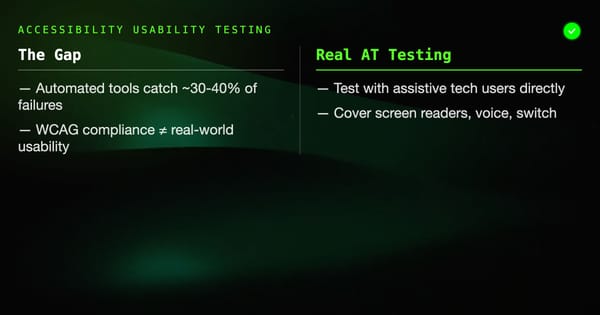
WCAG compliance and accessible usability are not the same thing. A product can pass automated accessibility checks and still be unusable by screen reader users, people with cognitive disabilities, or users with motor impairments. Accessibility usability testing closes that gap: testing with real assistive technology users to find the problems

Testing
Getting accessibility testing into your CI/CD pipeline is the difference between accessibility that holds over time and accessibility that degrades with each release. Without pipeline integration, you rely on developers remembering to run checks manually — and that doesn't scale. This guide covers the complete picture: jest-axe

Testing
Integrating accessibility testing into CI/CD means every code change is automatically checked for WCAG violations before it reaches production. This prevents accessibility regressions — where a change that broke accessible behavior slips through unnoticed. This guide covers how to set up automated accessibility checks in GitHub Actions, what tools to

Testing
Screen reader testing is one of the most direct ways to verify that your application is accessible to blind and low-vision users.

Testing
axe-core is the accessibility testing engine behind Deque's browser extensions, most CI accessibility tools, and the built-in accessibility checks in browser DevTools. Understanding how to use it directly gives you more control over what you test, what you suppress, and how violations surface in your build

Testing
Playwright's browser automation and axe-core's accessibility engine are a natural pairing. Playwright handles navigation, interaction, and state management.

Testing
Accessibility compliance is not a checkbox. Running an automated scanner and calling it done leaves the majority of real accessibility barriers undetected.

Testing
Catching accessibility regressions in CI is straightforward once you pick the right tools and decide what to block on.

Testing
shadcn/ui is not a component library you install — it's a collection of components you copy into your codebase, built on Radix UI primitives and styled with Tailwind CSS. Because you own the source code, testing shadcn/ui components means testing your actual components, not a third-party

Testing
Radix UI provides unstyled, accessible React primitives that handle complex interaction patterns — keyboard navigation, focus management, ARIA attributes — so you don't have to. Testing Radix UI components effectively means verifying these accessibility behaviors work in your application context, while also validating your custom logic and styling don'