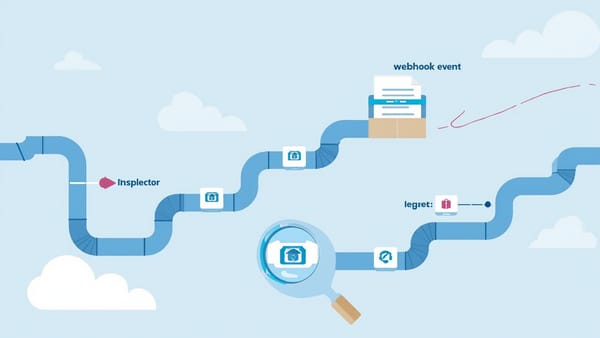
Testing Webhooks with Svix: Delivery, Retries, and Consumer Testing
Most webhook guides focus on receiving webhooks — handling Stripe events, GitHub notifications, or Shopify order updates.


Svix is managed webhook sending infrastructure — it handles delivery, retries, signatures, and consumer dashboards for SaaS applications that need to send webhooks to their customers. This guide covers testing Svix webhook delivery in your app, using Svix's SDK for signature verification, testing consumer endpoints, and when to use Svix vs Hookdeck.
Key Takeaways
Svix is for webhook senders, not just receivers. If you're building a SaaS and need to send webhooks to your customers, Svix manages the delivery infrastructure so you don't have to. Svix's test delivery feature lets you trigger events in any environment. Send test events to consumer endpoints from the dashboard or SDK without needing a production trigger. Hookdeck and Svix solve different sides of the webhook problem. Use Svix to send webhooks reliably; use Hookdeck to receive and debug them.
Most webhook guides focus on receiving webhooks — handling Stripe events, GitHub notifications, or Shopify order updates. But if you're building a SaaS product, you're on the other side: your customers expect webhooks from you, and you need to deliver them reliably.
Building webhook delivery infrastructure yourself is significant work. You need reliable HTTP delivery with retries, exponential backoff, failure logging, signature generation, endpoint management per customer, event type schemas, and a consumer dashboard so customers can debug their integrations.
Svix provides all of this as a managed service. This guide covers how to integrate Svix into your application and how to test the integration.
What Svix Is
Svix is a managed webhook sending infrastructure platform. You send an event to Svix's API; Svix handles:
- Reliable delivery — retries with exponential backoff on non-2xx responses
- Signature generation — HMAC-SHA256 signatures on every event
- Endpoint management — customers register their own endpoints via your app or Svix Portal
- Event log — full delivery history per endpoint
- Consumer dashboard — Svix Portal gives customers visibility into webhook delivery
From your application's perspective, sending a webhook is one API call. The complexity of delivery is handled for you.
Setting Up Svix in Your Application
npm install svix// src/webhooks/svixClient.ts
import { Svix } from "svix";
const svix = new Svix(process.env.SVIX_AUTH_TOKEN!);
export async function sendWebhook(
appId: string, // your customer's Svix app ID
eventType: string,
payload: Record<string, unknown>
): Promise<void> {
await svix.message.create(appId, {
eventType,
payload: {
type: eventType,
data: payload
}
});
}
// Register a customer's webhook endpoint
export async function registerEndpoint(
appId: string,
endpointUrl: string,
eventTypes: string[]
): Promise<string> {
const endpoint = await svix.endpoint.create(appId, {
url: endpointUrl,
version: 1,
filterTypes: eventTypes
});
return endpoint.id!;
}
// Create a Svix app per customer
export async function createCustomerApp(customerId: string): Promise<string> {
const app = await svix.application.create({
name: `Customer ${customerId}`,
uid: customerId // Use your internal customer ID as Svix UID
});
return app.id!;
}Testing Svix Webhook Delivery
Unit Testing: Test That Your App Sends the Right Events
// tests/unit/webhooks.test.ts
import { vi, describe, it, expect, beforeEach } from "vitest";
import { Svix } from "svix";
import { sendWebhook, registerEndpoint } from "../../src/webhooks/svixClient";

vi.mock("svix");

describe("Svix webhook sending", () => {
  const mockMessageCreate = vi.fn().mockResolvedValue({ id: "msg_test_001" });

  beforeEach(() => {
    vi.mocked(Svix).mockImplementation(() => ({
      message: {
        create: mockMessageCreate
      }
    }) as unknown as Svix);
  });

  it("sends payment.succeeded event with correct payload", async () => {
    await sendWebhook("app_customer_123", "payment.succeeded", {
      amount: 5000,
      currency: "usd",
      orderId: "order_001"
    });

    expect(mockMessageCreate).toHaveBeenCalledWith("app_customer_123", {
      eventType: "payment.succeeded",
      payload: {
        type: "payment.succeeded",
        data: {
          amount: 5000,
          currency: "usd",
          orderId: "order_001"
        }
      }
    });
  });

  it("includes correct event type in payload", async () => {
    await sendWebhook("app_customer_123", "order.shipped", { trackingId: "TRK001" });

    const call = mockMessageCreate.mock.calls[0][1];
    expect(call.eventType).toBe("order.shipped");
    expect(call.payload.type).toBe("order.shipped");
  });
});Integration Testing: Verify Delivery with Svix's Test Delivery
Svix provides a test delivery feature that sends a synthetic event to a registered endpoint. This lets you verify that your consumer's endpoint is working without triggering a real business event.
// tests/integration/svixDelivery.test.ts
import { Svix } from "svix";
import { describe, it, expect, beforeAll, afterAll } from "vitest";

const svix = new Svix(process.env.SVIX_AUTH_TOKEN!);

describe("Svix end-to-end delivery", () => {
  let appId: string;
  let endpointId: string;
  const testEndpointUrl = process.env.TEST_WEBHOOK_RECEIVER_URL!;

  beforeAll(async () => {
    // Create a test app
    const app = await svix.application.create({ name: "Integration Test App" });
    appId = app.id!;

    // Register test endpoint (e.g., a smee.io or requestbin URL in CI)
    const endpoint = await svix.endpoint.create(appId, {
      url: testEndpointUrl,
      version: 1
    });
    endpointId = endpoint.id!;
  });

  afterAll(async () => {
    await svix.application.delete(appId);
  });

  it("delivers payment.succeeded event to registered endpoint", async () => {
    const message = await svix.message.create(appId, {
      eventType: "payment.succeeded",
      payload: {
        type: "payment.succeeded",
        data: { amount: 5000, currency: "usd" }
      }
    });

    // Wait for delivery
    await new Promise(resolve => setTimeout(resolve, 2000));

    // Check delivery status
    const attempt = await svix.messageAttempt.listByMsg(appId, message.id!);
    expect(attempt.data[0].status).toBe(0); // 0 = success in Svix
  });

  it("can replay a failed delivery", async () => {
    // Create a message that fails (endpoint temporarily returns 500)
    const message = await svix.message.create(appId, {
      eventType: "test.retry",
      payload: { type: "test.retry", data: {} }
    });

    await new Promise(resolve => setTimeout(resolve, 1000));

    // Replay the message to the endpoint
    await svix.messageAttempt.resend(appId, message.id!, endpointId);

    await new Promise(resolve => setTimeout(resolve, 2000));

    const attempts = await svix.messageAttempt.listByMsg(appId, message.id!);
    expect(attempts.data.length).toBeGreaterThanOrEqual(2); // Original + resend
  });
});Testing Webhook Signature Verification on the Consumer Side
Your customers need to verify the Svix signatures on incoming webhooks. Test this verification logic thoroughly:
// src/middleware/verifySvixSignature.ts
import { Webhook } from "svix";
import { Request, Response, NextFunction } from "express";

export function verifySvixSignature(req: Request, res: Response, next: NextFunction) {
  const signingSecret = req.headers["x-svix-application-id"]
    ? getSigningSecretForApp(req.headers["x-svix-application-id"] as string)
    : process.env.SVIX_WEBHOOK_SECRET!;

  const wh = new Webhook(signingSecret);

  try {
    const payload = wh.verify(req.rawBody as Buffer, {
      "svix-id": req.headers["svix-id"] as string,
      "svix-timestamp": req.headers["svix-timestamp"] as string,
      "svix-signature": req.headers["svix-signature"] as string
    });

    req.body = payload;
    next();
  } catch (err) {
    res.status(401).json({ error: "Invalid webhook signature" });
  }
}// tests/unit/verifySvixSignature.test.ts
import { describe, it, expect } from "vitest";
import { Webhook } from "svix";
import request from "supertest";
import { createApp } from "../../src/app";
const SIGNING_SECRET = "whsec_test_secret_base64_encoded_here";
function generateSvixHeaders(payload: object) {
const wh = new Webhook(SIGNING_SECRET);
const msgId = `msg_${Date.now()}`;
const timestamp = new Date().toISOString();
const body = JSON.stringify(payload);
const signature = wh.sign(msgId, new Date(), body);
return {
"svix-id": msgId,
"svix-timestamp": timestamp,
"svix-signature": signature
};
}
describe("Svix signature verification middleware", () => {
const app = createApp();
it("accepts request with valid Svix signature", async () => {
const payload = { type: "order.created", data: { orderId: "ord_001" } };
const headers = generateSvixHeaders(payload);
const response = await request(app)
.post("/webhooks/incoming")
.set(headers)
.send(payload);
expect(response.status).toBe(200);
});
it("rejects request with missing signature headers", async () => {
const response = await request(app)
.post("/webhooks/incoming")
.send({ type: "order.created", data: {} });
expect(response.status).toBe(401);
expect(response.body.error).toContain("Invalid webhook signature");
});
it("rejects request with tampered payload", async () => {
const payload = { type: "order.created", data: { orderId: "ord_001" } };
const headers = generateSvixHeaders(payload);
// Tamper with the payload after signing
const tamperedPayload = { ...payload, data: { orderId: "ord_999", amount: 999999 } };
const response = await request(app)
.post("/webhooks/incoming")
.set(headers)
.send(tamperedPayload);
expect(response.status).toBe(401);
});
});Testing Event Types and Schemas
Define your event type schemas and test that your application sends correctly-shaped events:
// src/webhooks/schemas.ts
import Ajv, { JSONSchemaType } from "ajv";

const ajv = new Ajv();

export const schemas: Record<string, object> = {
  "payment.succeeded": {
    type: "object",
    required: ["amount", "currency", "orderId"],
    properties: {
      amount: { type: "integer", minimum: 1 },
      currency: { type: "string", enum: ["usd", "eur", "gbp"] },
      orderId: { type: "string" }
    }
  },
  "order.shipped": {
    type: "object",
    required: ["orderId", "trackingId", "carrier"],
    properties: {
      orderId: { type: "string" },
      trackingId: { type: "string" },
      carrier: { type: "string" }
    }
  }
};

export function validateEventPayload(eventType: string, data: unknown): boolean {
  const schema = schemas[eventType];
  if (!schema) throw new Error(`Unknown event type: ${eventType}`);
  return ajv.validate(schema, data);
}// tests/unit/webhookSchemas.test.ts
import { describe, it, expect } from "vitest";
import { validateEventPayload } from "../../src/webhooks/schemas";
describe("Webhook event schema validation", () => {
it("validates correct payment.succeeded payload", () => {
const valid = validateEventPayload("payment.succeeded", {
amount: 5000,
currency: "usd",
orderId: "ord_001"
});
expect(valid).toBe(true);
});
it("rejects payment.succeeded with missing currency", () => {
expect(() => {
validateEventPayload("payment.succeeded", {
amount: 5000,
orderId: "ord_001"
// missing currency
});
}).not.toThrow();
const valid = validateEventPayload("payment.succeeded", {
amount: 5000,
orderId: "ord_001"
});
expect(valid).toBe(false);
});
it("rejects unknown event types", () => {
expect(() => validateEventPayload("unknown.event", {})).toThrow("Unknown event type");
});
});Svix vs Hookdeck: Which Do You Need?
This distinction matters and is frequently confused:
Svix — you are sending webhooks to your customers. You're a SaaS that needs to notify customers when things happen in their accounts. Svix manages delivery, retries, signatures, and the customer portal.
Hookdeck — you are receiving webhooks from external services (Stripe, GitHub, Shopify). Hookdeck gives you a gateway, inspector, and replay tools for webhook consumption.
Most applications need both sides at different points:
| Scenario | Tool |
|---|---|
| You receive Stripe webhooks | Hookdeck (for development), plain Express handler (production) |
| You send webhooks to customers | Svix |
| You receive webhooks from customers | Hookdeck |
| You need to debug why a webhook failed | Hookdeck dashboard |
| Your customer needs to debug why they're not receiving events | Svix Portal |
Svix Portal: Consumer Self-Service
One of Svix's strongest features for testing is the Svix Portal — an embeddable dashboard you add to your product that lets customers:
- See all webhook events sent to their endpoints
- View delivery attempts and retry history
- Manage their endpoint registrations
- Trigger test deliveries themselves
This dramatically reduces support burden: instead of customers emailing you "I didn't receive the webhook," they can self-diagnose in your product.
// Generate a magic link to the Svix Portal for a specific customer
async function getPortalLink(customerId: string): Promise<string> {
  const access = await svix.authentication.appPortalAccess(
    customerId, // Svix app UID = your customer ID
    {}
  );
  return access.url; // Redirect customer to this URL
}Try HelpMeTest
Once your Svix integration is shipping webhooks to customers, you need to know when it breaks. HelpMeTest can monitor your Svix webhook delivery pipeline by running scheduled tests that trigger events and verify they arrive at consumer endpoints. Set up end-to-end health checks that catch delivery failures before your customers report them. Visit https://helpmetest.com — usage-based pricing at $0.003/run, unlimited tests.