
Storybook vs Playwright Component Testing: When to Use Each
Both Storybook and Playwright can test UI components in a real browser. Both give you real DOM interaction, real CSS, and real browser behavior.

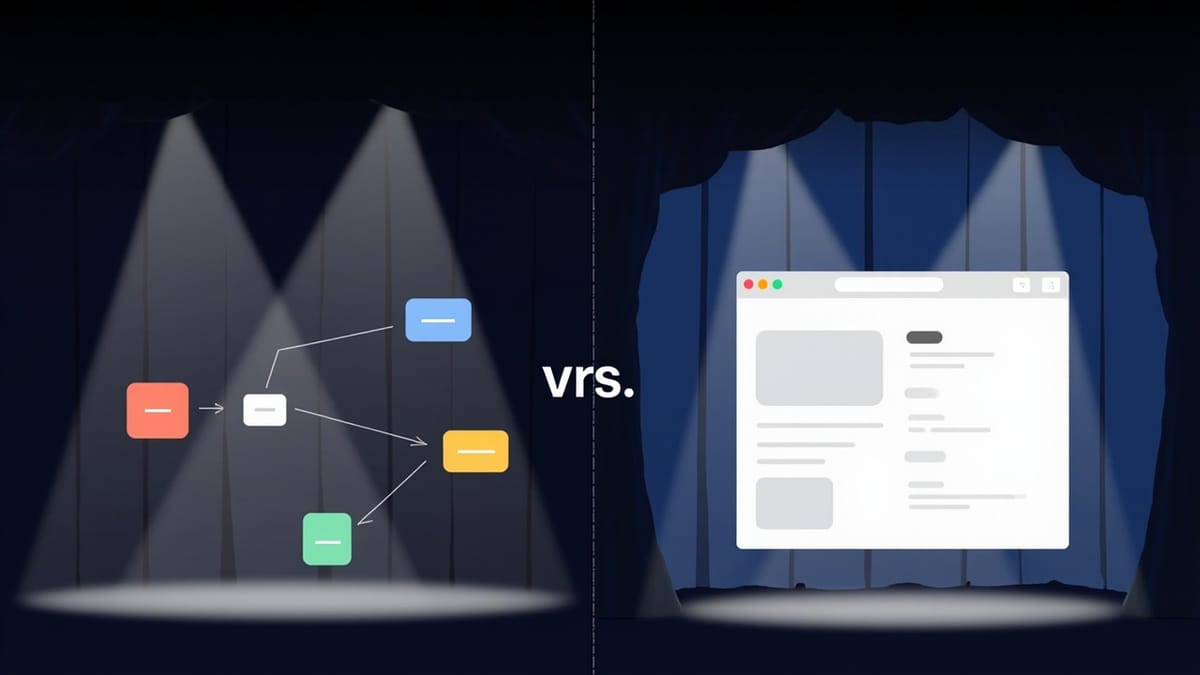
Both Storybook and Playwright can test UI components in a real browser. Both give you real DOM interaction, real CSS, and real browser behavior. But they approach component testing from different angles, and choosing the right one (or combining both) depends on your priorities.
This guide compares Storybook and Playwright component testing across the dimensions that matter: isolation, setup complexity, developer experience, visual testing, and team fit.
What Each Tool Is
Storybook is a component development environment that added testing capabilities. You write stories — component states — and those stories become the target for interaction tests, visual regression, and accessibility checks. Testing is opt-in per component.
Playwright Component Testing (via @playwright/experimental-ct-*) mounts individual components in a real browser using Playwright's infrastructure. Tests are written as standard Playwright tests with a mount() API. It's still experimental.
Both render components in isolation, in a real browser, without a running application server.
Setup Comparison
Storybook
npx storybook@latest init
npm install --save-dev @storybook/test @storybook/test-runnerStorybook init detects your framework (React, Vue, Angular, Svelte) and configures everything automatically. You're writing stories in minutes.
// Button.stories.tsx
export const Primary: Story = {
  args: { variant: 'primary', label: 'Save' },
  play: async ({ canvasElement }) => {
    const canvas = within(canvasElement);
    await userEvent.click(canvas.getByRole('button'));
    await expect(canvas.getByText('Saved!')).toBeVisible();
  },
};Playwright Component Testing
npm init playwright@latest
npm install --save-dev @playwright/experimental-ct-reactConfiguration requires a playwright-ct.config.ts and a playwright/index.html mount point:
// playwright-ct.config.ts
import { defineConfig } from '@playwright/experimental-ct-react';

export default defineConfig({
  testDir: './src',
  use: {
    ctPort: 3100,
  },
});Tests use mount() instead of stories:
// Button.ct.test.ts
import { test, expect } from '@playwright/experimental-ct-react';
import { Button } from './Button';

test('fires onClick when clicked', async ({ mount }) => {
  let clicked = false;
  const component = await mount(
    <Button onClick={() => { clicked = true; }} label="Click me" />
  );
  await component.click();
  expect(clicked).toBe(true);
});Winner: Storybook — init is faster, framework detection is better, no manual config files needed.
Isolation Model
Both tools render components in isolation, but they have different isolation philosophies.
Storybook's Model
Storybook runs in its own webpack/Vite dev server with its own preview iframe. Components render with their full provider tree via decorators:
// .storybook/preview.ts
export const decorators = [
  (Story) => (
    <ThemeProvider>
      <RouterContext>
        <Story />
      </RouterContext>
    </ThemeProvider>
  ),
];All stories share the same decorators. This is convenient — you set up context once and every story gets it. But it also means the environment is less configurable per-test.
Playwright's Model
Each mount() call is explicit about what it renders. You control exactly what wraps the component:
const component = await mount(
  <ThemeProvider theme="dark">
    <Button label="Save" />
  </ThemeProvider>
);You can vary the provider per test, which is useful when you need to test a component in different contexts.
Winner: Playwright for fine-grained per-test control. Storybook for shared setup that applies consistently.
Test Writing Experience
Storybook
Stories serve dual purpose: development tool and test. Writing a story to show what a component looks like in a given state naturally documents it. The play function adds interaction testing on top.
The Interactions panel in Storybook's UI shows each step, lets you replay, and highlights what failed — directly in the browser you're developing in.
export const FormSubmit: Story = {
  play: async ({ canvasElement, step }) => {
    const canvas = within(canvasElement);

    await step('Fill form', async () => {
      await userEvent.type(canvas.getByLabelText('Name'), 'Alice');
    });

    await step('Submit', async () => {
      await userEvent.click(canvas.getByRole('button', { name: 'Submit' }));
    });

    await step('Verify', async () => {
      await expect(canvas.getByText('Submitted!')).toBeVisible();
    });
  },
};Playwright
Playwright tests feel like standard tests — no story concept, just mount and assert. If you already write Playwright E2E tests, component tests feel familiar:
test('submits form and shows success', async ({ mount }) => {
  let submitted = false;
  const component = await mount(
    <Form onSubmit={() => { submitted = true; }} />
  );

  await component.getByLabel('Name').fill('Alice');
  await component.getByRole('button', { name: 'Submit' }).click();
  await expect(component.getByText('Submitted!')).toBeVisible();
  expect(submitted).toBe(true);
});Playwright's built-in debugging tools (trace viewer, UI mode, --debug) are excellent for stepping through failed tests.
Winner: Storybook for documentation + testing integration and visual debugging. Playwright for teams already invested in Playwright's workflow and debugging tools.
Speed
Storybook
The test runner visits each story in sequence using Playwright under the hood. On a cold run with 100 stories, expect 30-90 seconds depending on story complexity.
With the Vitest integration (@storybook/experimental-addon-test), stories run in parallel via Vitest's worker pool — significantly faster for large Storybooks.
Playwright
Playwright component tests are inherently parallel — workers run tests concurrently. For 100 component tests, parallel execution easily cuts wall-clock time by 4-8x compared to sequential.
Winner: Playwright for raw speed, especially with many tests. Storybook's Vitest integration narrows the gap.
Visual Testing
This is where Storybook has a significant advantage.
Storybook
Every story is a visual snapshot target. Add Chromatic and you get pixel-perfect comparison for every story, across viewports and themes, with a PR review workflow built in.
- uses: chromaui/action@latest
  with:
projectToken: ${{ secrets.CHROMATIC_PROJECT_TOKEN }}The stories-as-snapshots model means visual coverage scales with story count — no extra work.
Playwright
Playwright has screenshot assertions:
await expect(component).toHaveScreenshot('button-primary.png');But you have to set up baseline management, diff review, and CI storage yourself. There's no built-in review workflow for accepting visual changes.
Winner: Storybook — native visual testing story is far more complete.
Accessibility Testing
Storybook
The @storybook/addon-a11y addon runs axe-core on every story automatically. Violations appear in the A11y panel without writing any test code. For CI, the test runner can assert on violations via axe-playwright.
Playwright
Playwright has axe integration via @axe-core/playwright:
import AxeBuilder from '@axe-core/playwright';

test('is accessible', async ({ mount, page }) => {
  await mount(<Button label="Save" />);
  const results = await new AxeBuilder({ page }).analyze();
  expect(results.violations).toEqual([]);
});Both work, but you have to write the assertion explicitly in Playwright. Storybook does it for free via the addon.
Winner: Storybook for zero-config accessibility coverage.
When to Use Storybook
Choose Storybook for component testing when:
- You're building a component library or design system — stories are documentation and tests simultaneously
- Visual regression testing is important — Chromatic integration is unmatched
- Your team values interactive development — seeing component states in isolation speeds up UI work
- You want accessibility testing with minimal configuration
- Components have many visual states that need systematic documentation
When to Use Playwright Component Testing
Choose Playwright for component testing when:
- Your team already uses Playwright for E2E tests and wants one tool for all browser testing
- You need fine-grained per-test control over providers and context
- Test execution speed is the top priority
- Components are complex and need Playwright's trace viewer for debugging
- You don't need visual regression or documentation — you just need behavior tests
Using Both Together
The best teams often use both:
- Storybook for component states, visual regression, and accessibility
- Playwright for complex user flows that span multiple components or require real API calls
Stories from Storybook can be imported and used in Playwright tests via portable stories:
// Playwright test using a Storybook story
import { composeStory } from '@storybook/react';
import meta, { FormSubmit } from '../Button.stories';

test('story plays correctly in Playwright', async ({ mount }) => {
  const Story = composeStory(FormSubmit, meta);
  const component = await mount(<Story />);
  await expect(component.getByText('Submitted!')).toBeVisible();
});This bridges the two tools — you maintain stories for documentation and visual testing, and reuse them in Playwright when you need Playwright's debugging infrastructure.
Decision Framework
| Criteria | Storybook | Playwright CT |
|---|---|---|
| Setup complexity | Low | Medium |
| Documentation value | High | None |
| Visual regression | Native (Chromatic) | Manual setup |
| Accessibility testing | Zero-config | Manual setup |
| Test speed | Medium (Vitest: fast) | Fast |
| Debugging tools | Interactions panel | Trace viewer, UI mode |
| Experimental status | Stable | Experimental |
| Framework support | All major frameworks | React, Vue, Svelte, CT |
| Team familiarity needed | Storybook concepts | Playwright API |
For most teams building UI components, Storybook is the right starting point. Its documentation-testing integration, visual testing story, and accessibility tooling provide more value out of the box. Playwright component testing is worth adopting when you need its specific strengths: speed, Playwright familiarity, or fine-grained isolation control.