
Staging vs Production Parity: Why Your Tests Pass But Production Breaks
You've seen this failure mode. Tests pass in staging. The deployment goes out. Production breaks.

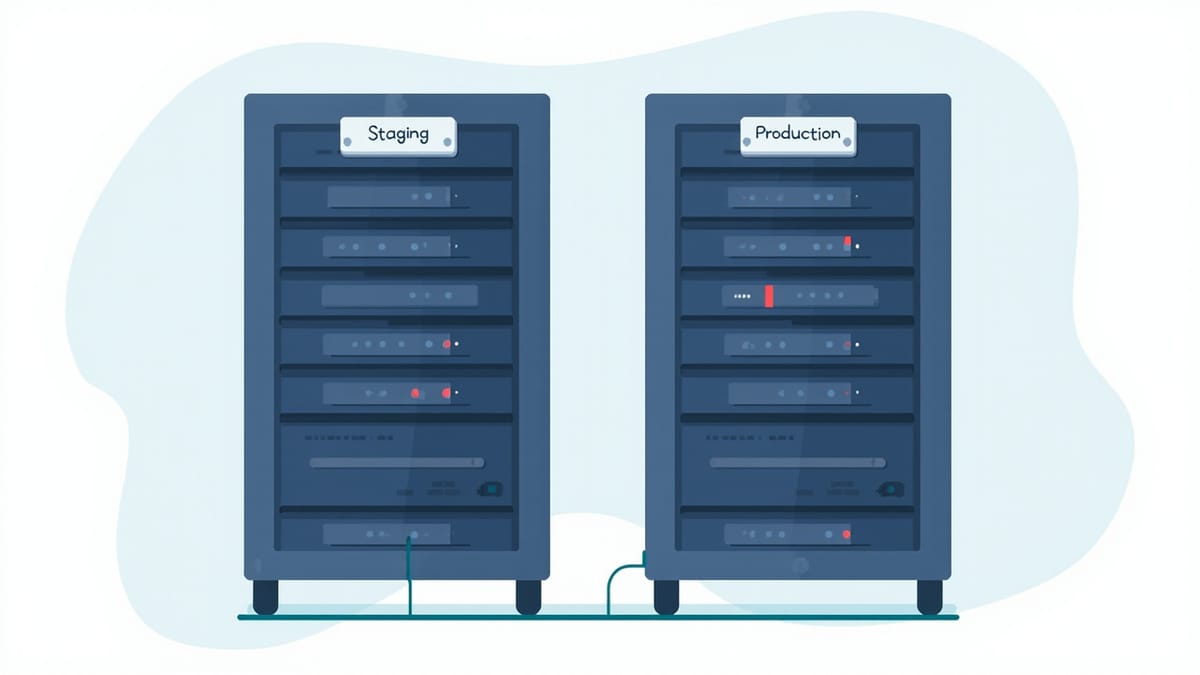
You've seen this failure mode. Tests pass in staging. The deployment goes out. Production breaks. The post-mortem reveals a configuration value that was set differently, a library version that diverged, a database setting that nobody noticed. The staging environment had drifted from production, and your test suite had no way to know.
Environment parity — keeping staging as close to production as possible — is one of the highest-leverage investments in test reliability. When staging is a faithful replica, a passing test suite is genuinely predictive. When it isn't, your green CI badge is optimistic fiction.
The Anatomy of Environment Drift
Drift accumulates through small, well-intentioned decisions. A developer adds a feature flag to production for a hotfix, forgets to add it to staging. An ops engineer upgrades the production Postgres instance, staging stays behind "for now." A third-party API changes its sandbox behavior. A config value gets tweaked in a UI console rather than in code.
None of these changes are malicious. Most are forgotten within a week. But they compound. Six months of small differences produce an environment that superficially resembles production but behaves differently in ways that matter for your tests.
The most common drift categories:
Infrastructure differences — different instance sizes, different database versions, different caching configurations. A query that fits in production's buffer pool fails to on a smaller staging instance. A Redis eviction policy that differs between environments causes intermittent cache misses.
Configuration drift — environment variables set manually, feature flags out of sync, third-party credentials pointing at sandboxes with different rate limits or behavior.
Data shape differences — production has years of accumulated data with edge cases your staging seed data doesn't cover. A test passes against clean seed data, fails against production data shapes.
Dependency version skew — npm packages installed at different times resolve to different patch versions. An OS package update applies to production first. A transitive dependency changes behavior.
The Twelve-Factor Baseline
The Twelve-Factor App methodology's third factor — "store config in the environment" — is the foundation of parity. When configuration is code (environment variables, secrets managers, IaC), every environment can be derived from the same source.
What this looks like in practice:
# Bad: manually set in the console
# (nobody remembers this exists)
FEATURE_NEW_CHECKOUT=true

# Good: defined in your IaC, applied to all environments
# terraform/modules/app/variables.tf
variable "feature_flags" {
  type = map(string)
  default = {
    new_checkout = "false"
  }
}

# Per-environment override in tfvars
# environments/production.tfvars
feature_flags = {
  new_checkout = "true"
}

# environments/staging.tfvars
feature_flags = {
  new_checkout = "true"  # same as production
}When feature flags are managed as code, promoting them from production to staging is a PR, not tribal knowledge.
Keeping Dependency Versions Locked
Version skew between environments is eliminated by locking versions explicitly and building from the same artifact.
For containerized applications, the gold standard is building one Docker image and promoting it through environments without rebuilding:
# The image tag is the same in staging and production
# Only the environment-specific config differs

# staging deployment
image: registry.example.com/myapp:${GIT_SHA}
env:
  DATABASE_URL: ${STAGING_DATABASE_URL}

# production deployment
image: registry.example.com/myapp:${GIT_SHA}  # identical image
env:
DATABASE_URL: ${PRODUCTION_DATABASE_URL}The image is built once, tested in staging, then promoted. There is no "staging build" and "production build" — there is one artifact that moves through environments. If you're rebuilding from source for production deployments, you've introduced a potential source of difference.
Database Version Parity
Database version differences cause subtle, hard-to-debug failures. A query plan that performs acceptably on Postgres 15 can degrade on Postgres 14. A function that exists in one version may not in another.
Keep versions in sync by declaring them explicitly in your infrastructure code and enforcing it in CI:
# scripts/check-db-version.sh
PROD_VERSION=$(psql "$PROD_DATABASE_URL" -tAc "SELECT version()" | grep -oP '\d+\.\d+' | head -1)
STAGING_VERSION=$(psql "$STAGING_DATABASE_URL" -tAc "SELECT version()" | grep -oP '\d+\.\d+' | head -1)

if [ "$PROD_VERSION" != "$STAGING_VERSION" ]; then
  echo "ERROR: Database version mismatch"
  echo "  Production: $PROD_VERSION"
  echo "  Staging: $STAGING_VERSION"
  exit 1
fiRun this check in CI as part of your deployment gate. A staging deployment that would create a version mismatch should fail loudly.
Synthetic Data That Represents Production
The data shape problem requires a different approach. You can't copy production data to staging (privacy, compliance), but you can generate data that has the same characteristics.
This means maintaining a staging seed that deliberately includes:
- Records with every optional field populated
- Records with every optional field null
- Edge-case string values (empty strings, unicode, very long values)
- Relationships at the boundaries (users with 0 items, users with the maximum allowed items)
- Historical records that test time-based logic
When a production bug is caused by an edge case in real data, your response should be to add that shape to your staging seed — not just fix the bug. The seed becomes a record of every edge case production has ever surfaced.
Parity Checks as CI Gates
Parity verification should be automated and blocking. Build a check that runs before staging deployment and flags differences:
# scripts/parity-check.py
import subprocess
import json
import sys

checks = [
    ("postgres version", "SELECT version()"),
    ("redis version", None),  # checked separately
    ("app config hash", None),  # compare env var checksums
]

def check_postgres_version(staging_url, prod_url):
    staging = get_pg_version(staging_url)
    prod = get_pg_version(prod_url)
    if staging != prod:
        return False, f"Postgres: staging={staging}, prod={prod}"
    return True, f"Postgres: {staging} ✓"

failures = []
for check_fn in [check_postgres_version, check_redis_version, check_config_parity]:
    ok, msg = check_fn(STAGING_URL, PROD_URL)
    if not ok:
        failures.append(msg)
    print(msg)

if failures:
    print(f"\n{len(failures)} parity check(s) failed")
sys.exit(1)When this runs in your deployment pipeline and blocks on differences, environment drift stops being invisible. It becomes a thing that breaks the build, gets fixed, and stays fixed.
Where HelpMeTest Fits
HelpMeTest tests run against your application from the outside — the same way your users interact with it. This means your tests are sensitive to exactly the differences that matter: behavior changes caused by configuration drift, different API responses from different dependency versions, UI differences caused by feature flag divergence.
That sensitivity is a feature. Tests that catch environment differences are doing their job. The goal isn't to make tests less sensitive — it's to keep your environments close enough that sensitivity is an asset, not a source of noise.

