
Shift-Left Security Testing: SAST, DAST, and Finding Vulnerabilities in Development
Security vulnerabilities have a compounding cost curve that makes testing late particularly painful.

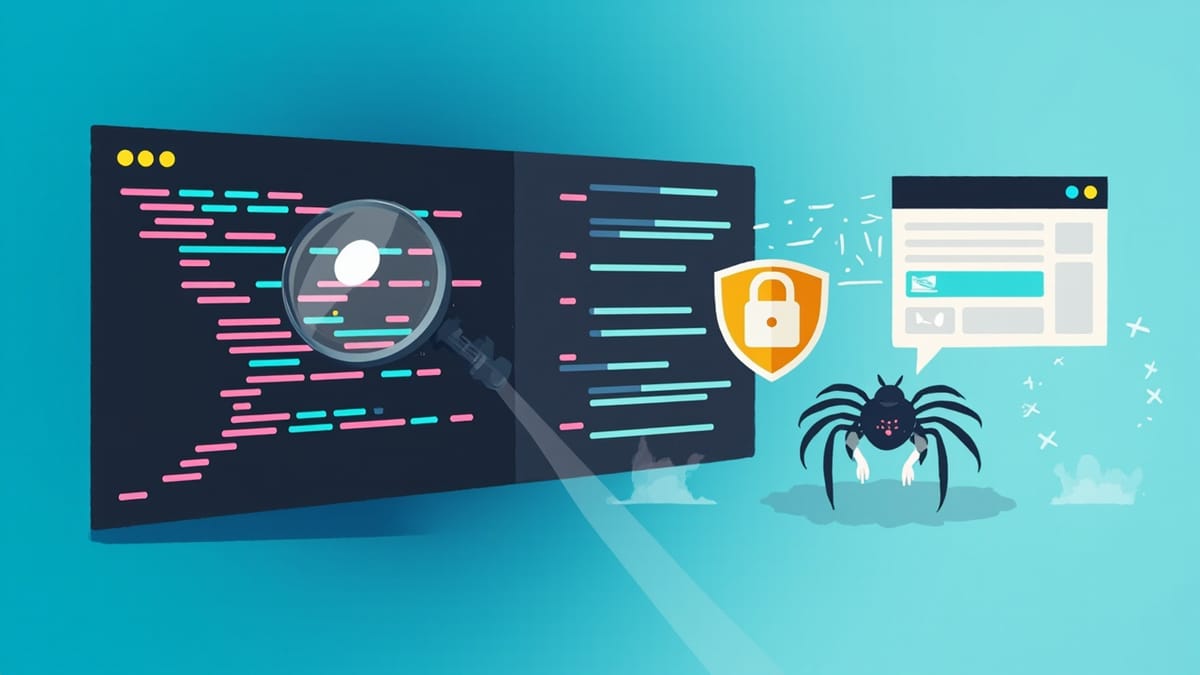
Security vulnerabilities have a compounding cost curve that makes testing late particularly painful. A SQL injection found in a code review takes an hour to fix. The same vulnerability found after a breach means forensic investigation, regulatory notifications, customer remediation, legal exposure, and reputational damage that no SLA covers.
Shift-left security testing applies the same principle as shift-left quality testing: find problems earlier in the pipeline where they are cheap, not later where they are catastrophic.
The Three Flavours of Application Security Testing
Security testing tools operate at different points in the development lifecycle and use fundamentally different approaches. Understanding the difference is the first step to integrating them effectively.
SAST: Static Application Security Testing
SAST tools analyse source code without executing it. They look for patterns that indicate vulnerability — unsanitised inputs flowing into SQL queries, hard-coded credentials, use of deprecated cryptographic functions, unsafe deserialization patterns.
What SAST is good at:
- Finding injection vulnerabilities before code is deployed
- Detecting secrets accidentally committed to the repository
- Enforcing secure coding patterns across a large codebase
- Running in CI with no infrastructure requirements
What SAST misses:
- Runtime behaviour that depends on configuration or environment
- Vulnerabilities that only manifest under specific request sequences
- Authentication and authorisation issues in deployed applications
- Business logic vulnerabilities
SAST gives false positives. This is its main weakness. A tool that flags 200 issues per PR trains developers to ignore the output. The key is configuring SAST to a signal-to-noise ratio that keeps developers engaged.
Recommended tools:
Semgrep is open source and supports custom rules. Its default ruleset covers OWASP Top 10 patterns across most major languages. Custom rules let you enforce organisation-specific patterns — prohibiting a deprecated internal API, enforcing input validation on specific function signatures.
# .semgrep/no-raw-sql.yml
rules:
  - id: no-raw-sql-concatenation
    pattern: |
      cursor.execute("..." + $VAR)
    message: "Possible SQL injection. Use parameterised queries."
    languages: [python]
severity: ERRORSnyk Code integrates with GitHub, GitLab, and CI pipelines. It provides a managed ruleset updated for newly discovered CVEs and outputs results in formats compatible with GitHub Security Advisories and other dashboards.
DAST: Dynamic Application Security Testing
DAST tools test running applications by sending crafted requests and observing responses. They find vulnerabilities that SAST cannot detect because they depend on runtime behaviour: authentication bypasses, session fixation, CSRF vulnerabilities, and server configuration issues.
What DAST is good at:
- Testing the actual deployed application, not just the code
- Finding authentication and session management issues
- Discovering server misconfiguration
- Validating that SAST findings are actually exploitable
What DAST misses:
- Vulnerabilities in code paths not covered by the scanner's requests
- Issues requiring prior knowledge of the application's data model
- Source-level problems like hard-coded secrets
Recommended tools:
OWASP ZAP (Zed Attack Proxy) is the standard open source DAST tool. It runs as an intercepting proxy or in automated "attack mode" as part of CI. The ZAP Docker image makes CI integration straightforward:
# .github/workflows/security.yml
- name: OWASP ZAP Baseline Scan
  uses: zaproxy/action-baseline@v0.10.0
  with:
    target: 'https://staging.example.com'
    rules_file_name: '.zap/rules.tsv'
cmd_options: '-a'The baseline scan runs passive checks (no active attack). The full scan runs active attack mode, which sends malicious payloads. Use passive in every CI run; reserve active scans for dedicated security testing pipelines.
Burp Suite is the industry standard for manual security testing and supports automation via its REST API and BApp extensions. For teams doing serious security work, it is worth the investment. For shift-left automation in CI, ZAP is sufficient.
IAST: Interactive Application Security Testing
IAST instruments the running application from inside — typically as a JVM agent or language runtime hook. It observes actual code execution paths during test runs and identifies vulnerabilities in the context of real data flows.
IAST is the most accurate of the three approaches, with near-zero false positives. It is also the most complex to deploy. It requires instrumenting your runtime, running your test suite through the instrumented application, and collecting results.
Tools like Contrast Security and Seeker provide IAST capabilities. For most teams shifting left on security for the first time, SAST + DAST gives better ROI than IAST because the setup cost is much lower.
Integrating Security Testing Into the Developer Workflow
Secret scanning on every commit
Before anything else, add secret scanning. Credentials committed to a repository are one of the most common and most damaging security failures, and they are trivially preventable.
GitHub's built-in secret scanning catches most common credential formats automatically. For pre-commit prevention, git-secrets or detect-secrets run locally before a push:
# Install detect-secrets
pip install detect-secrets

# Scan before commit
detect-secrets scan > .secrets.baseline
detect-secrets audit .secrets.baselineAdd this to pre-commit hooks so developers get immediate feedback before pushing.
SAST in pull requests
Semgrep CI runs fast (typically under 2 minutes for a medium-sized codebase) and produces inline PR annotations. Developers see security findings in the same interface where they see other review comments.
Start with a narrow, high-confidence ruleset. The OWASP Top 10 patterns and the official Semgrep registry for your language are a good starting point. Add custom rules incrementally based on findings from previous security reviews.
Set the severity threshold to fail CI on HIGH and CRITICAL findings while reporting MEDIUM as informational. Failing CI on every MEDIUM finding will cause developers to disable the tool.
DAST in the staging pipeline
DAST requires a running application, so it belongs in the staging deployment pipeline rather than in the PR pipeline. After a deployment to staging succeeds, trigger a ZAP baseline scan.
The baseline scan typically runs in 5-10 minutes. Configure it to fail the pipeline on findings above a severity threshold. Store results as CI artifacts for review.
docker run --rm \
  -v $(pwd):/zap/wrk/:rw \
  ghcr.io/zaproxy/zaproxy:stable \
  zap-baseline.py \
  -t https://staging.example.com \
  -r zap-report.html \
-l WARNDependency scanning in CI
Third-party dependencies are a major attack surface. snyk test or npm audit in CI catches known CVEs in your dependency tree before they reach production:
- name: Snyk dependency scan
  run: snyk test --severity-threshold=high
  env:
SNYK_TOKEN: ${{ secrets.SNYK_TOKEN }}Configure --severity-threshold=high to avoid alert fatigue from low-severity issues in deeply nested dependencies.
Tuning for Signal, Not Noise
Security tools that produce noise get disabled. The configuration work that makes shift-left security sustainable is:
- Baseline the findings. On day one, all existing findings are acknowledged and suppressed. New code is held to a higher standard than existing code. This prevents the team from being overwhelmed by legacy issues.
- Write suppression comments inline. When a finding is a false positive, suppress it with a comment that explains why. This creates an audit trail and prevents the same finding from reappearing.
- Review the suppression log in security reviews. If a suppression turns out to be wrong, you catch it before it causes an incident.
- Graduate severity thresholds. Start with only CRITICAL findings blocking CI. Once the team is comfortable with that, add HIGH. Gradually raising the bar builds habits without overwhelming developers.
The goal is a security feedback loop that developers trust because it produces actionable, accurate findings. A trusted security scan that runs on every commit is infinitely more valuable than a thorough pentest that happens once a year and produces a PDF that sits unread on a shared drive.

