Top 40 Selenium WebDriver Interview Questions and Answers
Selenium WebDriver remains one of the most widely used browser automation tools in the industry.

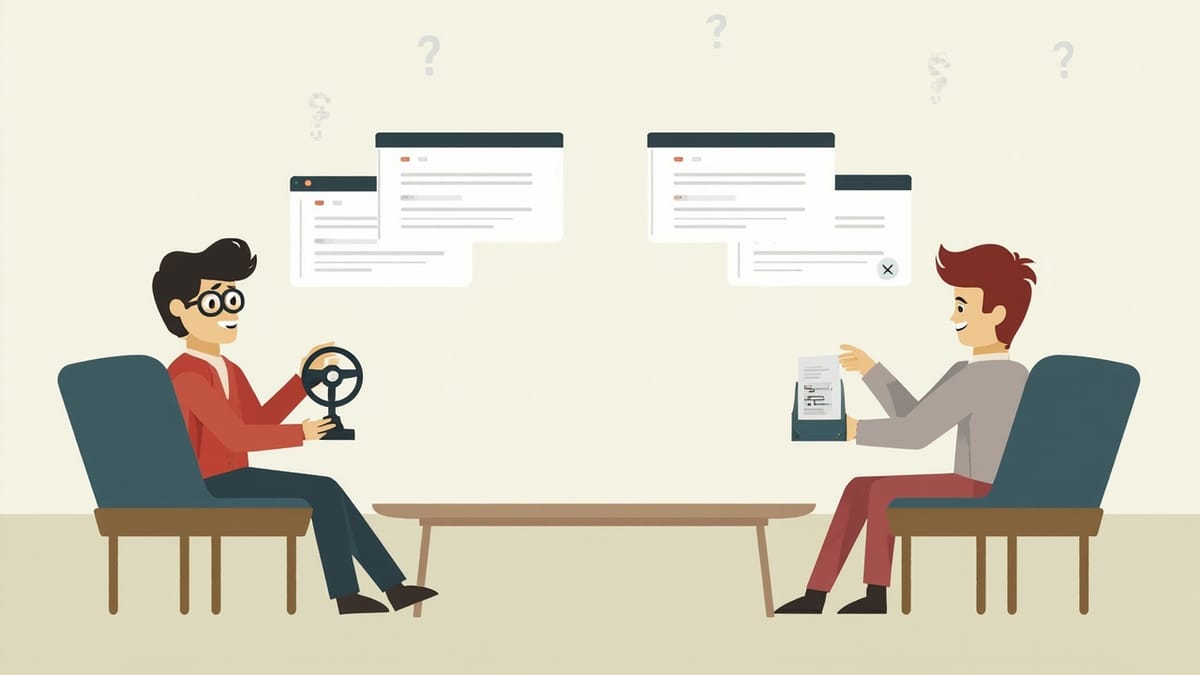
Selenium WebDriver remains one of the most widely used browser automation tools in the industry. Whether you're applying for an automation engineer role at a startup or a senior SDET position at a large enterprise, Selenium questions are almost certain to come up. This guide covers 40 of the most common questions — from architecture basics to advanced techniques — with answers that demonstrate real working knowledge.
1. What is Selenium WebDriver and how does it work architecturally?
Selenium WebDriver is an open-source browser automation framework that allows you to programmatically control web browsers. Architecturally, it follows a client-server model: your test code (the client, written in Java, Python, C#, etc.) sends commands to a browser-specific driver (ChromeDriver, GeckoDriver, SafariDriver) via the WebDriver Protocol (W3C standard). The driver translates these commands into native browser calls. This means each browser requires its own driver binary that must match the browser version — though tools like WebDriverManager handle this automatically.
2. What is the difference between Selenium WebDriver, Selenium RC, and Selenium IDE?
Selenium IDE is a browser extension (Chrome/Firefox) for record-and-playback test creation. It's useful for quick demos but produces brittle tests. Selenium RC (Remote Control) was the predecessor to WebDriver — it used a JavaScript injection approach and required a server proxy. WebDriver directly communicates with browsers through native APIs, producing faster, more reliable automation. Selenium RC is deprecated. In modern automation, you use WebDriver, sometimes with Selenium Grid for distributed execution, and potentially Selenium IDE for exploratory recording that you then refactor.
3. What locator strategies does Selenium support, and which should you prefer?
Selenium supports: ID, Name, Class Name, Tag Name, Link Text, Partial Link Text, CSS Selector, and XPath. In order of preference: ID is fastest and most stable. CSS Selector is fast and readable. XPath is flexible but slower, and absolute XPath is extremely brittle. Link Text and Partial Link Text are limited to anchor elements. Name and Class Name are fragile because they're often shared across elements. Best practice: work with developers to add data-testid or data-qa attributes to elements, then use ID or CSS selectors targeting those attributes.
4. What is the difference between findElement() and findElements()?
findElement() returns the first matching WebElement and throws a NoSuchElementException if no match is found. findElements() returns a List<WebElement> containing all matching elements — if no elements match, it returns an empty list (no exception). Use findElements() when the element count matters (verifying a table has N rows), when the element may or may not be present, or when you need to interact with multiple elements of the same type.
5. Explain the difference between implicit, explicit, and Fluent waits.
Implicit wait sets a global timeout that WebDriver applies when trying to find elements. If an element isn't immediately found, WebDriver polls until the timeout expires. It applies to every findElement() call in the session.
Explicit wait uses WebDriverWait with an ExpectedCondition to wait for a specific condition before a specific interaction:
WebDriverWait wait = new WebDriverWait(driver, Duration.ofSeconds(10));
WebElement element = wait.until(ExpectedConditions.elementToBeClickable(By.id("submit")));Fluent wait extends explicit wait with custom polling frequency and exception ignoring:
Wait<WebDriver> wait = new FluentWait<>(driver)
    .withTimeout(Duration.ofSeconds(15))
    .pollingEvery(Duration.ofMillis(500))
.ignoring(NoSuchElementException.class);Never mix implicit and explicit waits — the interaction causes unpredictable timeouts. Prefer explicit waits for reliability.
6. What is the Page Object Model (POM) and why is it used?
POM is a design pattern that creates a class for each page of the application under test. Each class encapsulates the locators for that page's elements and the methods for interacting with them. Tests call these methods rather than directly using WebDriver calls. Benefits: locators are defined in one place (when the UI changes, update the page class, not every test), tests are more readable (they express intent, not implementation), and page classes can be reused across tests. A common extension is Page Factory, which uses @FindBy annotations and lazy initialization.
public class LoginPage {
    @FindBy(id = "email") private WebElement emailField;
    @FindBy(id = "password") private WebElement passwordField;
    @FindBy(css = "button[type='submit']") private WebElement submitButton;

    public LoginPage(WebDriver driver) {
        PageFactory.initElements(driver, this);
    }

    public void login(String email, String password) {
        emailField.sendKeys(email);
        passwordField.sendKeys(password);
        submitButton.click();
    }
}7. How do you handle dynamic elements in Selenium?
Dynamic elements change attributes (ID, class) on each page load. Strategies: use XPath with contains() or starts-with() to match partial attribute values, use CSS selectors with structural relationships (e.g., "the third li inside .menu"), locate by stable text content using XPath text(), use data-testid attributes if you can add them to the application, or wait for an element's visible text rather than its attribute. Avoid XPath that relies on the exact generated ID or any attribute that includes a session token or timestamp.
8. How do you handle dropdowns in Selenium?
For standard HTML <select> elements, use the Select class:
Select dropdown = new Select(driver.findElement(By.id("country")));
dropdown.selectByVisibleText("United States");
dropdown.selectByValue("US");
dropdown.selectByIndex(3);For custom dropdowns (built with divs and JavaScript), you typically click the dropdown trigger to open it, wait for the options list to appear, then click the desired option. Check whether the dropdown is a native <select> or a custom component — the approaches are different.
9. How do you handle alerts, popups, and browser dialog boxes?
Use the Alert interface for native browser alerts (alert, confirm, prompt):
Alert alert = driver.switchTo().alert();
String text = alert.getText(); // get alert text
alert.accept();  // click OK
alert.dismiss(); // click Cancel
alert.sendKeys("input"); // for prompt dialogsFor modal dialogs built with JavaScript/HTML (not native browser alerts), use standard element locators to interact with them — they're part of the DOM. For browser authentication popups, pass credentials in the URL (https://user:password@domain.com) or use a proxy.
10. How do you switch between multiple windows or tabs?
When an action opens a new window or tab, you need to switch the driver's focus to it:
String originalWindow = driver.getWindowHandle();
// trigger action that opens new window
Set<String> allWindows = driver.getWindowHandles();
for (String window : allWindows) {
    if (!window.equals(originalWindow)) {
        driver.switchTo().window(window);
        break;
    }
}
// interact with new window
driver.close(); // close new window
driver.switchTo().window(originalWindow); // return to original11. How do you handle iframes in Selenium?
Elements inside an iframe can't be directly accessed until you switch the driver's context to the iframe:
// Switch by index
driver.switchTo().frame(0);
// Switch by name or ID
driver.switchTo().frame("frameName");
// Switch by WebElement
driver.switchTo().frame(driver.findElement(By.cssSelector("iframe.content")));
// Return to main document
driver.switchTo().defaultContent();
// Return to parent frame (when frames are nested)
driver.switchTo().parentFrame();A NoSuchElementException when you're sure the element exists is often caused by forgetting to switch to the correct frame.
12. How do you perform mouse hover, right-click, and drag-and-drop actions?
Use the Actions class for complex interactions:
Actions actions = new Actions(driver);

// Hover
actions.moveToElement(element).perform();

// Right-click (context menu)
actions.contextClick(element).perform();

// Double-click
actions.doubleClick(element).perform();

// Drag and drop
actions.dragAndDrop(sourceElement, targetElement).perform();

// Click and hold, then release
actions.clickAndHold(source).moveToElement(target).release().perform();Note that drag-and-drop with Actions sometimes fails on modern JavaScript-based UIs that use HTML5 drag events. In those cases, JavaScript injection or third-party libraries may be needed.
13. How do you execute JavaScript in Selenium?
Use JavascriptExecutor:
JavascriptExecutor js = (JavascriptExecutor) driver;
// Click an element that isn't interactable through WebDriver
js.executeScript("arguments[0].click();", element);
// Scroll to an element
js.executeScript("arguments[0].scrollIntoView(true);", element);
// Get page title
String title = (String) js.executeScript("return document.title;");
// Change element value
js.executeScript("arguments[0].value = 'test';", element);Use JavaScript execution sparingly — it bypasses browser event handling and can make tests less realistic.
14. How do you take a screenshot in Selenium?
TakesScreenshot ts = (TakesScreenshot) driver;
File screenshot = ts.getScreenshotAs(OutputType.FILE);
FileUtils.copyFile(screenshot, new File("screenshot.png"));In TestNG, you can hook into the ITestListener.onTestFailure() method to automatically capture screenshots on test failure and attach them to reports. For Python:
driver.save_screenshot("screenshot.png")
# or as base64
screenshot = driver.get_screenshot_as_base64()15. What is Selenium Grid and how does it work?
Selenium Grid enables parallel and distributed test execution across multiple machines and browsers. It has a Hub (the coordinator node that receives test requests and routes them to available nodes) and Nodes (machines that run browsers and execute tests). You start the hub, register nodes to it, and configure your WebDriver to point to the hub URL with DesiredCapabilities specifying browser and OS. Selenium Grid 4 includes Standalone mode, Hub-Node mode, and fully distributed mode, plus better Docker and Kubernetes integration.
16. How do you configure a RemoteWebDriver for cross-browser testing?
ChromeOptions options = new ChromeOptions();
options.setPlatformName("Windows 10");
options.setBrowserVersion("latest");

WebDriver driver = new RemoteWebDriver(
    new URL("http://hub:4444/wd/hub"),
    options
);For cloud providers like BrowserStack or Sauce Labs, you use their hub URL and pass credentials via capabilities. For a team without cloud budget, managing your own grid is an option — though cloud-based platforms or managed tools like HelpMeTest can eliminate this infrastructure burden entirely.
17. What causes a StaleElementReferenceException and how do you fix it?
A StaleElementReferenceException occurs when a WebElement reference is used after the DOM has been updated — the element you found no longer exists in its original form (page reload, AJAX update, navigation). Fix strategies: re-find the element immediately before each use, use explicit waits to detect when the element becomes fresh again, or wrap the interaction in a retry loop that catches the exception and re-finds the element.
18. What is the difference between driver.close() and driver.quit()?
driver.close() closes the current active browser window or tab. If it's the last window, the session ends but the driver process may linger. driver.quit() closes all windows and terminates the entire WebDriver session and browser process. Always call driver.quit() in your teardown — failing to do so leaves browser processes running and can cause memory issues in CI environments, especially in parallel test runs.
19. How do you handle file uploads in Selenium?
For standard <input type="file"> elements:
WebElement uploadInput = driver.findElement(By.cssSelector("input[type='file']"));
uploadInput.sendKeys("/absolute/path/to/file.pdf");This sends the file path directly to the input element without needing to interact with the operating system's file dialog. For stylized upload buttons that hide the real input, use JavaScript to make the input visible before sending keys. For non-HTML5 upload widgets (Flash, custom), you may need Robot class or AutoIt.
20. How do you scroll to an element that's not in the viewport?
// Using JavaScript
JavascriptExecutor js = (JavascriptExecutor) driver;
js.executeScript("arguments[0].scrollIntoView(true);", element);

// Using Actions
Actions actions = new Actions(driver);
actions.scrollToElement(element).perform(); // Selenium 4+

// Scroll by pixel amount
js.executeScript("window.scrollBy(0, 500);");After scrolling, add a brief wait or use an explicit wait before interacting with the element — scrolling and rendering aren't always instantaneous.
21. What is XPath and what are the different types?
XPath is a query language for navigating XML/HTML documents. Absolute XPath starts from the root node (/html/body/div[1]/...) and is very brittle — any structural change breaks it. Relative XPath starts from any node in the document (//input[@id='email']) and is more resilient. Common XPath axes: // (any descendant), / (direct child), @ (attribute), .. (parent), following-sibling::, preceding-sibling::, ancestor::. Functions: contains(), starts-with(), text(), normalize-space(). Prefer CSS selectors over XPath when possible — they're faster and more readable.
22. How do you handle multiple checkboxes or radio buttons?
// Get all checkboxes
List<WebElement> checkboxes = driver.findElements(By.cssSelector("input[type='checkbox']"));
for (WebElement checkbox : checkboxes) {
    if (!checkbox.isSelected()) {
        checkbox.click();
    }
}

// Select specific radio button by value
driver.findElement(By.cssSelector("input[type='radio'][value='option2']")).click();

// Check if a checkbox is selected
boolean isChecked = driver.findElement(By.id("terms")).isSelected();23. What are some common reasons for test failures in Selenium automation?
Timing issues (element not ready when accessed), stale element references (DOM updated after element was found), wrong locators (fragile selectors that break on UI changes), incorrect frame context (forgetting to switch to an iframe), window focus issues (operating on wrong tab/window), environment differences (browser version, screen resolution, OS), and network latency in remote execution. The fix process: add appropriate waits, improve locators, log element state on failure, add screenshots, and run the failing test in isolation.
24. How do you verify an element is present without throwing an exception?
// Returns empty list if not found, no exception
boolean isPresent = !driver.findElements(By.id("elementId")).isEmpty();

// Or wrap in try-catch for cases where you need findElement
boolean isPresent = false;
try {
    driver.findElement(By.id("elementId"));
    isPresent = true;
} catch (NoSuchElementException e) {
    isPresent = false;
}

// In Python
elements = driver.find_elements(By.ID, "elementId")
is_present = len(elements) > 025. What is the difference between isDisplayed(), isEnabled(), and isSelected()?
isDisplayed() checks whether the element is visible on the page — it returns false if the element is hidden via CSS (display: none, visibility: hidden). isEnabled() checks whether the element is interactive — for form inputs, buttons, and other controls, a disabled element returns false. isSelected() checks whether a checkbox, radio button, or <option> in a select is currently selected/checked. These methods are commonly used in assertions to verify UI state.
26. How do you handle browser cookies in Selenium?
// Get all cookies
Set<Cookie> cookies = driver.manage().getCookies();

// Get a specific cookie
Cookie sessionCookie = driver.manage().getCookieNamed("session_id");

// Add a cookie
driver.manage().addCookie(new Cookie("test_flag", "true"));

// Delete a cookie
driver.manage().deleteCookieNamed("session_id");

// Delete all cookies
driver.manage().deleteAllCookies();Manipulating cookies is useful for: injecting authentication tokens (bypassing login), testing cookie-based features (remember me, preferences), and cleaning up between tests.
27. What is the Singleton pattern for WebDriver management?
The Singleton pattern ensures only one WebDriver instance is created per thread. In multi-threaded parallel execution, use ThreadLocal<WebDriver> so each thread gets its own driver instance without conflicts:
public class DriverManager {
    private static ThreadLocal<WebDriver> driver = new ThreadLocal<>();

    public static WebDriver getDriver() {
        return driver.get();
    }

    public static void setDriver(WebDriver webDriver) {
        driver.set(webDriver);
    }

    public static void quitDriver() {
        if (driver.get() != null) {
            driver.get().quit();
            driver.remove();
        }
    }
}28. How do you run Selenium tests in headless mode?
// Chrome headless
ChromeOptions options = new ChromeOptions();
options.addArguments("--headless=new"); // new headless mode (Chrome 112+)
options.addArguments("--no-sandbox");
options.addArguments("--disable-dev-shm-usage"); // important in Docker
WebDriver driver = new ChromeDriver(options);

// Firefox headless
FirefoxOptions options = new FirefoxOptions();
options.addArguments("-headless");
WebDriver driver = new FirefoxDriver(options);Headless mode is standard in CI environments where no display server is available. Note that some tests behave differently in headless mode — particularly those involving hover effects, focus events, or window size — so always validate your tests in headed mode first.
29. How do you configure Selenium for Docker-based execution?
Use the official Selenium Docker images: selenium/standalone-chrome, selenium/standalone-firefox, or selenium/hub with selenium/node-chrome. In Docker Compose:
selenium:
  image: selenium/standalone-chrome:latest
  ports:
    - "4444:4444"
shm_size: 2gb # Chrome needs shared memoryYour tests connect via RemoteWebDriver at http://selenium:4444. For visual debugging, use the VNC port (7900) exposed by selenium/standalone-chrome-debug.
30. How do you handle slow-loading pages with dynamic content?
Use explicit waits with appropriate expected conditions:
WebDriverWait wait = new WebDriverWait(driver, Duration.ofSeconds(20));

// Wait for element to be visible
wait.until(ExpectedConditions.visibilityOfElementLocated(By.id("results")));

// Wait for text to appear in element
wait.until(ExpectedConditions.textToBePresentInElement(element, "Loading complete"));

// Wait for element to disappear (loading spinner)
wait.until(ExpectedConditions.invisibilityOfElementLocated(By.cssSelector(".spinner")));

// Wait for AJAX calls to complete
wait.until(driver -> ((JavascriptExecutor) driver)
.executeScript("return jQuery.active").equals(0L));31. What is the Page Factory pattern and how does it differ from basic POM?
Page Factory uses @FindBy annotations and PageFactory.initElements() to lazily initialize WebElements when they're first accessed, rather than during page object construction:
@FindBy(id = "username") WebElement usernameField;
@FindBy(how = How.CSS, using = "button.submit") WebElement submitButton;Advantages: cleaner syntax, lazy initialization means no NoSuchElementException at page object creation. Disadvantage: lazy initialization can hide problems — you don't know the element doesn't exist until you use it. Basic POM gives you more control over when elements are looked up.
32. How do you handle SSL certificate errors in Selenium?
ChromeOptions options = new ChromeOptions();
options.setAcceptInsecureCerts(true);
WebDriver driver = new ChromeDriver(options);

// For older API
DesiredCapabilities capabilities = new DesiredCapabilities();
capabilities.setCapability(CapabilityType.ACCEPT_INSECURE_CERTS, true);This is commonly needed in test environments that use self-signed certificates. In production testing environments, proper certificates should be configured — avoid ignoring certificate errors in tests against production-like environments.
33. What is the W3C WebDriver Protocol?
The W3C WebDriver Protocol is the standardized specification for browser automation that Selenium 4 fully implements (replacing the JSON Wire Protocol used in Selenium 3). It defines HTTP endpoints for every browser interaction (find element, click, get text, navigate, etc.). Browsers implement this protocol in their drivers (ChromeDriver, GeckoDriver). The standardization means that browser automation code written to the WebDriver spec works consistently across compliant browsers and drivers. Tools like Playwright also use this protocol under the hood.
34. How do you verify tooltips in Selenium?
For HTML title attribute tooltips, get the attribute value directly:
String tooltip = element.getAttribute("title");For CSS/JavaScript-based tooltips that appear on hover, use Actions to hover and then find the tooltip element:
Actions actions = new Actions(driver);
actions.moveToElement(element).perform();
WebDriverWait wait = new WebDriverWait(driver, Duration.ofSeconds(5));
WebElement tooltip = wait.until(ExpectedConditions.visibilityOfElementLocated(By.cssSelector(".tooltip")));
String tooltipText = tooltip.getText();35. What is BiDi (BiDirectional) in Selenium 4?
BiDi (or BiDi CDP) allows bidirectional communication between the test and the browser, enabling capabilities not possible with the standard WebDriver protocol: listening to browser events (console logs, network requests), intercepting and modifying network requests, subscribing to JavaScript events, and monitoring performance metrics. It's based on Chrome DevTools Protocol (CDP) for Chrome/Edge, and WebDriver BiDi standard for cross-browser support. This enables use cases like mocking network responses directly in Selenium tests.
36. How do you integrate Selenium with TestNG for test management?
TestNG provides annotations for test lifecycle management and parallel execution configuration:
@BeforeMethod
public void setUp() {
    driver = new ChromeDriver();
}

@Test(groups = "smoke")
public void testLogin() { ... }

@AfterMethod
public void tearDown() {
    driver.quit();
}The testng.xml file controls parallelism, grouping, and suite structure. For parallel execution, set parallel="methods" or parallel="tests" with a thread-count. Combine with ThreadLocal<WebDriver> for thread-safe driver management.
37. How would you test a single-page application (SPA) with Selenium?
SPAs present challenges because traditional page loads don't happen on navigation — URL changes and DOM updates are driven by JavaScript. Strategies: use explicit waits based on content changes (not document.readyState), wait for the loading indicator to disappear, use URL-based waits (ExpectedConditions.urlContains()), and check for specific elements that indicate the route has rendered. Avoid sleep-based waits — they're unreliable and slow. Test SPAs especially carefully for race conditions in async data loading.
38. What is the difference between Selenium and Playwright?
Selenium: mature, supports all major browsers, has a huge ecosystem, uses the W3C protocol with browser-specific drivers, supports more programming languages. Playwright: newer, supports Chromium/Firefox/WebKit, natively supports multiple contexts and isolation, has auto-waiting built in (reduces need for explicit waits), excellent network interception, better support for modern web features. Playwright is faster and more reliable for many modern web applications. For legacy applications, large existing Selenium suites, or cross-browser testing at scale (including Selenium Grid), Selenium remains the industry standard.
39. How would you design a keyword-driven test framework in Selenium?
In a keyword-driven framework, tests are defined as sequences of keywords (action words) and parameters, typically in a data file (Excel, CSV). The framework maps keywords to Selenium actions:
OPEN_BROWSER→driver = new ChromeDriver()NAVIGATE→driver.get(url)CLICK→driver.findElement(locator).click()ENTER_TEXT→driver.findElement(locator).sendKeys(text)ASSERT_TEXT→assertEquals(driver.findElement(locator).getText(), expected)
Non-technical users can write tests by combining keywords. This is the approach Robot Framework uses. Tools like HelpMeTest take it further with natural language test creation powered by AI — removing the need to write keyword sequences manually for common scenarios.
40. What are some alternatives to Selenium, and when would you choose them?
- Playwright: Modern apps, need built-in auto-waiting, network interception, or parallel contexts. More reliable for complex SPAs.
- Cypress: JavaScript/TypeScript frontends, developers writing their own tests, fast feedback loop (though limited to in-browser execution).
- Puppeteer: Chrome/Chromium-only, lightweight, excellent for scraping and Chrome-specific testing.
- Appium: Mobile automation (iOS/Android), uses similar API to Selenium WebDriver.
- WebdriverIO: Node.js-based, integrates well with modern JS build tools.
- Robot Framework + Playwright: When you want human-readable test syntax and powerful automation combined — this stack powers platforms like HelpMeTest.
Choose based on: language ecosystem, application type, team expertise, and CI/CD requirements.
Selenium expertise is still highly valuable in the industry — and employers don't just want you to know the API, they want to see that you understand the architectural reasons for design choices, can debug failures systematically, and can build frameworks that scale. Prepare to discuss real problems you've solved and the trade-offs you made.