IoT Testing Guide: A Complete Framework for Connected Device Quality
IoT systems break in ways that pure software systems don't. A cloud backend can be tested in isolation.

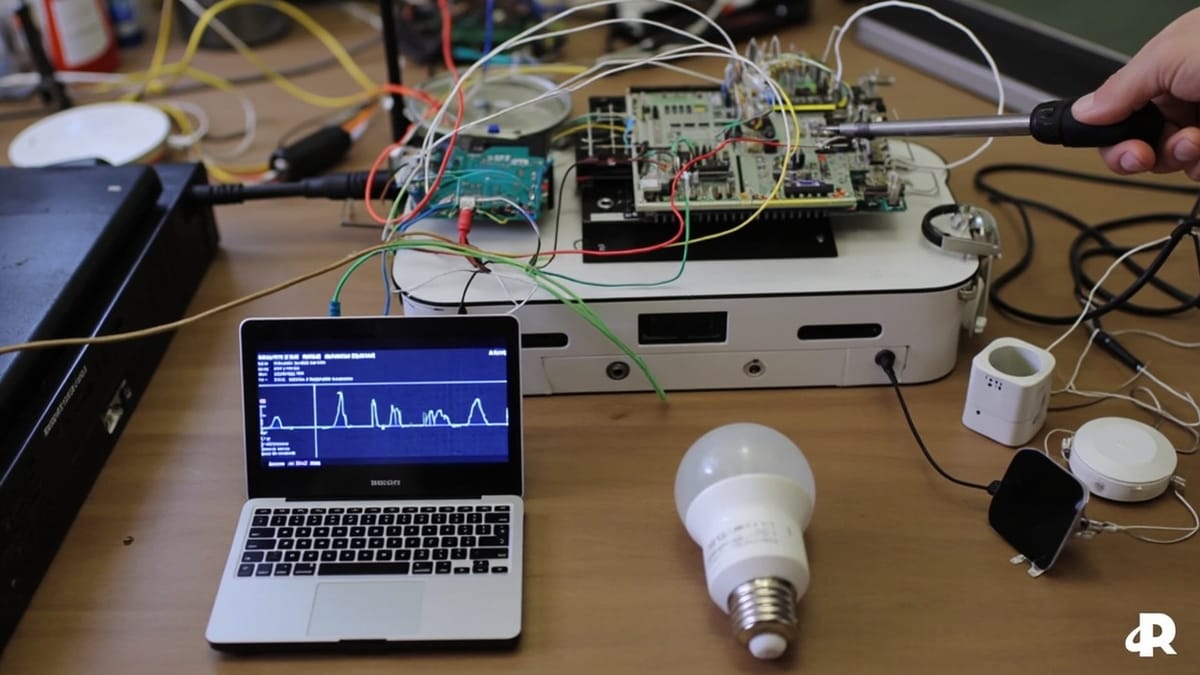
IoT systems break in ways that pure software systems don't. A cloud backend can be tested in isolation. An IoT device can't — it's physically attached to the real world, communicating over unreliable networks, running firmware on constrained hardware.
Testing connected devices requires a framework that spans firmware, protocols, cloud integration, and real-world conditions. This guide covers how to build that framework.
What Makes IoT Testing Different
Hardware variability. IoT devices run on diverse hardware: different MCUs, memory sizes, power profiles, and peripheral configurations. A firmware bug may only manifest on one hardware revision. Tests that pass on a development board may fail on production hardware.
Network unreliability. IoT devices live on WiFi, Cellular, Zigbee, LoRaWAN, and other networks with varying reliability. Intermittent connectivity, packet loss, and network switching are normal conditions — not edge cases.
Real-time constraints. Many IoT applications have hard timing requirements: a sensor must respond within 10ms, a motor controller must update at 100Hz. Testing must verify timing behavior, not just functional correctness.
Power constraints. Battery-powered devices have strict power budgets. Software that draws too much power shortens battery life. Testing must include power consumption measurement.
Environmental conditions. Devices must function across temperature ranges, humidity levels, and physical conditions that software running in a data center never faces.
Security attack surface. IoT devices are remote, often unattended, and connected to networks. Security testing is non-negotiable — compromised IoT devices can become entry points into home and enterprise networks.
The IoT Testing Pyramid
IoT testing works best as a layered strategy:
Layer 1: Unit Tests (Firmware Level)
The fastest and most isolated tests. Test individual firmware modules without hardware:
- Logic functions: parsing, encoding, calculation
- State machines: transitions, guards, actions
- Protocol handling: message encoding/decoding, checksum validation
- Memory management: buffer operations, allocation/free
Tools: Unity (C), Cppcheck, CMock for dependency injection.
These run on a developer's machine or CI server — no hardware required. Fast feedback on logic errors.
Layer 2: Hardware Abstraction Layer (HAL) Tests
Test firmware against simulated hardware:
- GPIO behavior: pin state changes, interrupt handling
- UART/SPI/I2C communication: correct byte sequences, timing
- ADC/DAC: value conversion accuracy
- Timer behavior: delay accuracy, PWM frequency
Tools: QEMU for full system emulation, Renode for embedded system simulation.
Layer 3: Integration Tests (Device + Protocol)
Test the device as a complete unit, communicating over its intended protocols:
- MQTT publish/subscribe behavior
- HTTP API calls from device to cloud
- OTA firmware update handling
- Certificate and authentication validation
Tools: Mosquitto test broker, WireMock for HTTP, actual device hardware.
Layer 4: System Tests (Device + Cloud + Application)
Test the full IoT pipeline:
- Sensor data flows from device to cloud correctly
- Commands issued from the cloud reach the device
- Dashboards reflect real device state
- Alerts fire when thresholds are crossed
Tools: HelpMeTest or Playwright for application layer, real or simulated devices for hardware layer.
Layer 5: Real-World Condition Tests
Test under actual deployment conditions:
- Network interruption and reconnection
- Power cycling and recovery
- Physical environment variations (temperature, humidity)
- Long-duration soak tests (hours to days)
Testing IoT Firmware
Static Analysis
Before runtime testing, static analysis catches a broad class of firmware bugs:
# Cppcheck for C/C++ firmware
cppcheck --enable=all --std=c11 src/ --error-exitcode=1

# PC-lint or MISRA compliance checks
pclint +v src/*.cCommon IoT firmware bugs that static analysis catches:
- Buffer overflows (critical on memory-constrained devices)
- Integer overflow in sensor value calculations
- Null pointer dereference after failed malloc
- Unreachable code in state machines
Unit Testing with Unity
Unity is the dominant unit testing framework for C firmware:
// sensor_parser.c
uint32_t parse_temperature(uint8_t *raw_bytes) {
    return (raw_bytes[0] << 8 | raw_bytes[1]) * 0.0625;
}

// test_sensor_parser.c
#include "unity.h"
#include "sensor_parser.h"

void test_parse_temperature_normal_reading(void) {
    uint8_t raw[] = { 0x19, 0x90 };  // 25.0°C in sensor format
    uint32_t temp = parse_temperature(raw);
    TEST_ASSERT_EQUAL_UINT32(250, temp);  // 25.0°C as integer * 10
}

void test_parse_temperature_below_zero(void) {
    uint8_t raw[] = { 0xFF, 0x60 };  // -2.5°C
    int32_t temp = parse_temperature_signed(raw);
    TEST_ASSERT_EQUAL_INT32(-25, temp);
}

int main(void) {
    UNITY_BEGIN();
    RUN_TEST(test_parse_temperature_normal_reading);
    RUN_TEST(test_parse_temperature_below_zero);
    return UNITY_END();
}Simulation with Renode
Renode simulates entire embedded systems, allowing firmware tests to run without physical hardware:
# Renode script for ESP32 simulation
mach create
machine LoadPlatformDescription @platforms/boards/esp32.repl

sysbus LoadELF @firmware/build/app.elf

# Set up UART monitor for output
uart CreateTerminalTester "sysbus.uart0"

# Start and verify
start
uart WaitForLine "Device initialized" timeout 5

# Simulate sensor interrupt
gpio Set 4 true
uart WaitForLine "Temperature reading: 25" timeout 2Protocol Testing
MQTT Protocol Validation
MQTT is the dominant protocol for IoT messaging. Testing MQTT behavior requires validating:
- Correct topic structure and hierarchy
- QoS level behavior (at-most-once, at-least-once, exactly-once)
- Retained message handling
- Last Will and Testament (LWT) behavior
- Reconnection and message queuing during disconnection
# pytest with paho-mqtt for MQTT integration tests
import paho.mqtt.client as mqtt
import pytest
import time

class MQTTTestClient:
    def __init__(self):
        self.received_messages = []
        self.client = mqtt.Client()
        self.client.on_message = self._on_message

    def _on_message(self, client, userdata, msg):
        self.received_messages.append({
            'topic': msg.topic,
            'payload': msg.payload.decode(),
            'qos': msg.qos,
        })

    def subscribe_and_wait(self, topic, timeout=5):
        self.client.connect('localhost', 1883)
        self.client.subscribe(topic, qos=1)
        self.client.loop_start()
        time.sleep(timeout)
        self.client.loop_stop()
        return self.received_messages

def test_device_publishes_telemetry():
    """Device should publish temperature readings every 30 seconds."""
    client = MQTTTestClient()

    # Trigger device (simulate via test API or GPIO)
    trigger_temperature_reading(device_id='device-001')

    messages = client.subscribe_and_wait('devices/device-001/telemetry/#', timeout=10)

    assert len(messages) >= 1
    payload = json.loads(messages[0]['payload'])
    assert 'temperature' in payload
    assert -40 <= payload['temperature'] <= 85  # valid temperature range
    assert 'timestamp' in payload

def test_device_reconnects_after_network_loss():
    """Device should re-subscribe and resume publishing after reconnection."""
    client = MQTTTestClient()

    # Disconnect device from network (via network simulation)
    simulate_network_disconnection('device-001', duration=10)

    messages = client.subscribe_and_wait('devices/device-001/telemetry/#', timeout=30)

    # Should have resumed publishing after reconnection
    assert len(messages) >= 1
assert messages[-1]['timestamp'] > time.time() - 30Cloud Integration Testing
IoT cloud platforms (AWS IoT Core, Azure IoT Hub, Google Cloud IoT) provide managed MQTT brokers, device registries, and data pipelines. Testing cloud integration validates:
- Device authentication (X.509 certificates, SAS tokens)
- Shadow/twin synchronization (desired vs. reported state)
- Data routing to downstream services (databases, analytics)
- Alert rule triggering
import boto3
import pytest

def test_aws_iot_shadow_sync():
    """Device should update shadow with current state."""
    iot_data = boto3.client('iot-data', region_name='us-east-1')

    # Trigger device to update its shadow
    publish_to_device(device_id='device-001', command='report_state')

    time.sleep(5)  # allow time for shadow update

    shadow = iot_data.get_thing_shadow(thingName='device-001')
    state = json.loads(shadow['payload'])

    assert 'reported' in state['state']
    assert 'temperature' in state['state']['reported']
assert state['state']['reported']['connected'] is TrueReal-World Condition Testing
Network Condition Simulation
Use network shaping tools to simulate real IoT network conditions:
# Linux tc: simulate 5% packet loss and 100ms latency (cellular network)
tc qdisc add dev eth0 root netem loss 5% delay 100ms 20msTest device behavior under these conditions:
- Does it retry failed publishes?
- Does it buffer data when disconnected?
- Does it handle duplicate messages (QoS 1)?
Power Consumption Testing
For battery-powered devices, power testing is a first-class concern:
# Using Nordic PPK2 power profiler via nRF Connect SDK
import power_profiler

def test_sleep_current():
    """Device in deep sleep should draw less than 10µA."""
    ppk = power_profiler.PPK2()
    ppk.start_measurement()

    trigger_deep_sleep('device-001')
    time.sleep(5)  # measure during sleep

    stats = ppk.stop_measurement()

    assert stats.average_ua < 10  # less than 10 microamps
    assert stats.peak_ua < 1000   # peak under 1mA

def test_transmission_current():
    """WiFi transmission burst should not exceed 250mA."""
    ppk = power_profiler.PPK2()
    ppk.start_measurement()

    trigger_mqtt_publish('device-001')
    time.sleep(2)

    stats = ppk.stop_measurement()
assert stats.peak_ma < 250Building a CI/CD Pipeline for IoT
# GitHub Actions: IoT firmware CI pipeline
name: Firmware CI

on: [pull_request]

jobs:
  unit-tests:
    runs-on: ubuntu-latest
    steps:
      - uses: actions/checkout@v4
      - name: Install Unity
        run: sudo apt-get install -y libunity-dev
      - name: Build and run unit tests
        run: |
          cmake -B build -DTESTING=ON
          cmake --build build
          ./build/test_suite

  static-analysis:
    runs-on: ubuntu-latest
    steps:
      - uses: actions/checkout@v4
      - run: cppcheck --enable=all --error-exitcode=1 firmware/src/

  simulation-tests:
    runs-on: ubuntu-latest
    steps:
      - name: Install Renode
        run: |
          wget https://github.com/renode/renode/releases/latest/download/renode-linux-portable.tar.gz
          tar xf renode-linux-portable.tar.gz
      - name: Run simulation tests
        run: ./renode-run.sh tests/simulation/device_boot.resc

  protocol-tests:
    runs-on: ubuntu-latest
    services:
      mosquitto:
        image: eclipse-mosquitto:2
        ports:
          - 1883:1883
    steps:
      - uses: actions/checkout@v4
      - run: pip install -r requirements-test.txt
- run: pytest tests/protocol/ -vCommon IoT Testing Mistakes
Only testing the happy path. IoT devices face network failures, power interruptions, and corrupted data constantly. Test failure modes explicitly.
Testing only in development environments. The difference between a development bench and a deployed device is enormous. Test on real hardware, real networks.
Ignoring firmware update testing. OTA updates are high-risk operations. Test the full update cycle: download, verify, apply, verify post-update, rollback on failure.
No long-duration soak tests. Memory leaks and resource exhaustion in IoT firmware often take hours to manifest. Soak tests are essential before shipping.
Skipping security testing. Hardcoded credentials, unencrypted communications, and unauthenticated firmware updates are common IoT vulnerabilities. Test for them explicitly.
HelpMeTest's cloud-based test automation helps QA teams verify the application layer of IoT systems — dashboards, APIs, and alerting that surface device data to users. Start free.