Hardware-in-the-Loop Testing: A Complete Guide for Embedded Engineers
Hardware-in-the-Loop (HIL) testing sits between pure simulation and real-world testing.

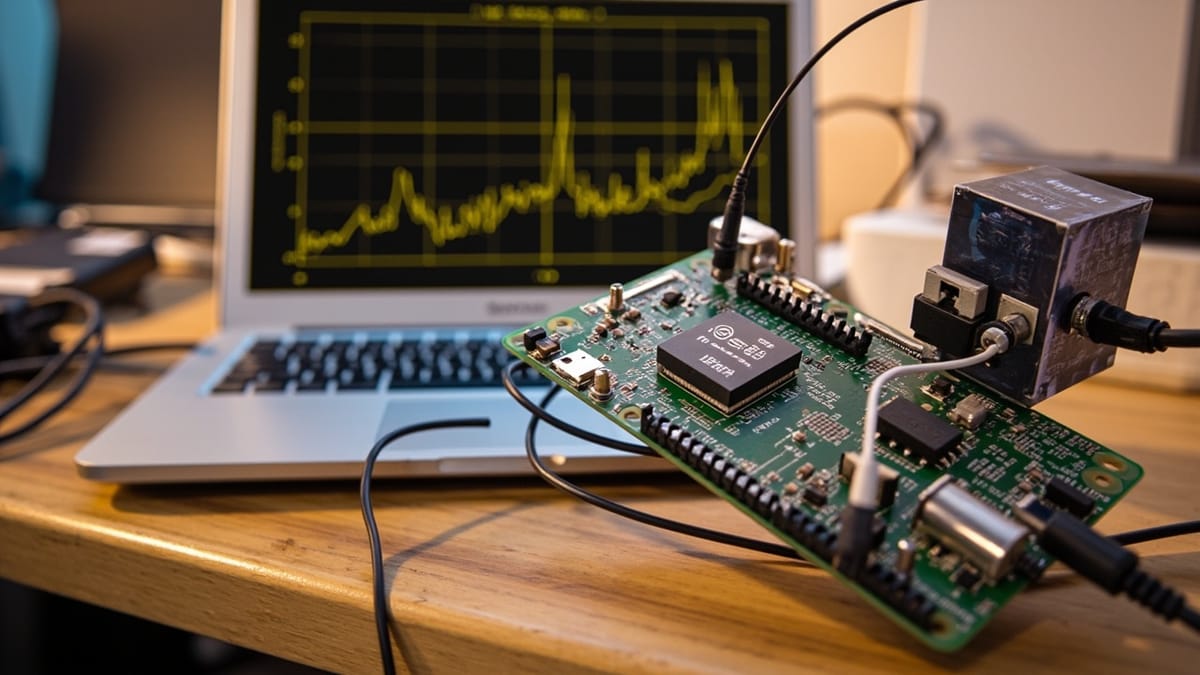
Hardware-in-the-Loop (HIL) testing sits between pure simulation and real-world testing. The actual production hardware runs real firmware, but its environment — sensors, actuators, and physical processes — is simulated. This gives you the accuracy of hardware testing with the speed and controllability of simulation.
This guide covers HIL testing concepts, practical setup, test design, and automation strategies.
What Is Hardware-in-the-Loop Testing?
In HIL testing:
- Real: The ECU, microcontroller, or embedded device running production firmware
- Simulated: The plant (physical environment) — sensors, actuators, and processes the hardware controls
The HIL simulator intercepts sensor inputs and actuator outputs, replacing the physical world with a mathematical model:
[Plant Model] ←→ [HIL Simulator] ←→ [Real Hardware/ECU] ←→ [Test Computer]
(simulated) (real-time I/O) (production firmware) (test scripts)This matters because:
- You can test failure conditions — overvoltage, sensor failure, temperature extremes — without damaging hardware
- Tests are repeatable — the simulation produces identical inputs every run
- Tests are fast — no waiting for physical processes
HIL vs Other Embedded Testing Approaches
| Approach | Hardware | Environment | Speed | Fidelity |
|---|---|---|---|---|
| Unit tests | None | Mocked | Very fast | Logic only |
| SIL (Software-in-Loop) | None | Simulated | Fast | Algorithm |
| PIL (Processor-in-Loop) | Target CPU | Simulated | Medium | Timing |
| HIL | Full hardware | Simulated | Medium | High |
| System test | Full hardware | Real | Slow | Full |
HIL occupies the sweet spot: full hardware fidelity at simulation speed.
HIL Test Setup for an IoT Motor Controller
Consider an IoT-connected motor controller. The HIL setup:
Real hardware: Motor controller PCB + firmware
Simulated: Motor physics, load, current sensors, temperature sensors, power supply
# Python HIL test framework example
class MotorPlantSimulation:
    """Simulates motor physics in real-time."""

    def __init__(self, motor_params):
        self.inertia = motor_params['inertia']  # kg⋅m²
        self.friction = motor_params['friction']
        self.back_emf = motor_params['back_emf_constant']

        # State variables
        self.speed = 0.0    # rad/s
        self.current = 0.0  # A
        self.position = 0.0 # rad

    def step(self, voltage, dt=0.001):
        """Advance simulation by dt seconds."""
        # Simplified motor equations
        torque = self.back_emf * self.current
        acceleration = (torque - self.friction * self.speed) / self.inertia

        self.speed += acceleration * dt
        self.position += self.speed * dt
        self.current = (voltage - self.back_emf * self.speed) / 0.5  # R=0.5Ω

        return {
            'speed_rpm': self.speed * 60 / (2 * 3.14159),
            'current_a': self.current,
            'position_deg': self.position * 180 / 3.14159
}The test computer runs this simulation in real-time and provides sensor values to the hardware.
Writing HIL Tests
HIL tests exercise the hardware via the simulated environment:
import pytest
import time
from hil_framework import HILSimulator, HardwareInterface

@pytest.fixture
def hil():
    sim = HILSimulator(
        plant_model='motor_controller',
        hardware_port='/dev/ttyUSB0',
        sample_rate_hz=1000
    )
    sim.start()
    yield sim
    sim.stop()

class TestMotorControllerFirmware:

    def test_motor_reaches_target_speed(self, hil):
        """Motor should reach 1000 RPM setpoint within 2 seconds."""
        hil.set_input('target_speed_rpm', 1000)
        hil.send_command('START')

        # Wait for steady state
        time.sleep(3)

        actual_speed = hil.read_output('motor_speed_rpm')
        assert 950 < actual_speed < 1050, \
            f"Expected ~1000 RPM, got {actual_speed:.1f} RPM"

    def test_overcurrent_protection_triggers(self, hil):
        """Firmware should cut power when current exceeds 10A."""
        # Set up: normal operation
        hil.set_input('target_speed_rpm', 500)
        hil.send_command('START')
        time.sleep(1)

        # Simulate sudden load increase causing overcurrent
        hil.inject_fault('motor_load', value=100)  # 100Nm sudden load

        # Wait for protection to trigger
        time.sleep(0.1)

        motor_state = hil.read_output('motor_state')
        current = hil.read_output('motor_current_a')

        assert motor_state == 'FAULT_OVERCURRENT'
        assert hil.read_output('power_enabled') == False

    def test_sensor_failure_graceful_degradation(self, hil):
        """Firmware should switch to backup sensor on primary failure."""
        hil.set_input('target_speed_rpm', 800)
        hil.send_command('START')
        time.sleep(1)

        # Kill primary speed sensor
        hil.inject_fault('speed_sensor_primary', type='open_circuit')
        time.sleep(0.5)

        # Should switch to backup sensor and continue operating
        motor_state = hil.read_output('motor_state')
        active_sensor = hil.read_output('active_speed_sensor')

        assert motor_state == 'RUNNING'  # Not faulted
        assert active_sensor == 'BACKUP'

    def test_emergency_stop_response_time(self, hil):
        """Emergency stop must cut power within 10ms."""
        hil.set_input('target_speed_rpm', 2000)
        hil.send_command('START')
        time.sleep(2)  # Get to full speed

        # Record timestamp before E-stop
        t_before = hil.get_timestamp_us()
        hil.trigger_emergency_stop()

        # Poll until power cuts
        for _ in range(100):
            if hil.read_output('power_enabled') == False:
                break
            time.sleep(0.001)

        t_after = hil.get_timestamp_us()
        response_time_ms = (t_after - t_before) / 1000

        assert response_time_ms < 10, \
f"E-stop response took {response_time_ms:.2f}ms, must be < 10ms"Fault Injection Testing
HIL's biggest advantage over real-world testing: you can safely inject faults:
FAULT_SCENARIOS = [
    ('power_supply', 'undervoltage', 9.0),    # 9V when nominal is 12V
    ('power_supply', 'overvoltage', 16.0),    # 16V spike
    ('temp_sensor', 'open_circuit', None),    # Sensor disconnected
    ('temp_sensor', 'short_to_gnd', 0),       # Shorted sensor
    ('can_bus', 'high_noise', 0.5),            # 50% packet loss
    ('motor', 'rotor_lock', 0),                # Motor stalled
]

@pytest.mark.parametrize("component,fault_type,fault_value", FAULT_SCENARIOS)
def test_firmware_handles_fault(hil, component, fault_type, fault_value):
    """Firmware should handle all fault scenarios without crashing."""
    hil.send_command('START')
    time.sleep(1)

    # Inject fault
    hil.inject_fault(component, type=fault_type, value=fault_value)
    time.sleep(0.5)

    # Verify firmware responds (doesn't crash/deadlock)
    watchdog_alive = hil.read_output('watchdog_ping')
    assert watchdog_alive, f"Firmware crashed on {component} {fault_type} fault"

    # Verify system entered expected fault state
    system_state = hil.read_output('system_state')
    assert system_state.startswith('FAULT_') or system_state == 'DEGRADED', \
f"Expected fault state, got {system_state}"Open-Source HIL Frameworks
Commercial HIL systems (dSPACE, NI VeriStand) cost $50K+. For embedded IoT, open-source alternatives work well:
OpenBLT — Bootloader for HIL firmware updates
Pytest-HIL — pytest plugin for hardware test fixtures
Robot Framework + SerialLibrary — Test hardware via serial/UART
Labgrid — Hardware lab management + test automation
Minimal open-source HIL with Raspberry Pi:
# Raspberry Pi as HIL controller — reads sensors, drives actuators
import RPi.GPIO as GPIO
import spidev
import time

class RaspberryPiHIL:
    def __init__(self, dut_serial_port='/dev/ttyUSB0'):
        GPIO.setmode(GPIO.BCM)
        self.spi = spidev.SpiDev()
        self.spi.open(0, 0)
        self.dut = serial.Serial(dut_serial_port, 115200)

    def inject_analog_voltage(self, channel, voltage):
        """Use SPI DAC to inject analog voltage to DUT input."""
        dac_value = int((voltage / 5.0) * 4095)
        self.spi.xfer2([0x30 | (channel << 1), dac_value >> 8, dac_value & 0xFF])

    def read_digital_output(self, pin):
        return GPIO.input(pin)

    def send_command(self, command):
        self.dut.write(f"{command}\r\n".encode())

    def read_telemetry(self):
        line = self.dut.readline().decode().strip()
return json.loads(line)Automating HIL Tests in CI
HIL tests require physical hardware, which complicates CI. Solutions:
1. Hardware Lab with Remote Access
Connect hardware to a build server, expose tests via API:
# GitHub Actions with self-hosted runner on hardware lab
jobs:
  hil-tests:
    runs-on: [self-hosted, hil-lab]  # Runner with hardware access
    steps:
      - uses: actions/checkout@v4
      - name: Run HIL tests
run: pytest tests/hil/ -v --hardware-port=/dev/ttyUSB02. Schedule HIL Tests Separately
Run expensive HIL tests nightly, unit/SIL tests on every commit:
on:
  push:
    branches: [main]
  schedule:
    - cron: '0 2 * * *'  # 2 AM nightly

jobs:
  fast-tests:
    runs-on: ubuntu-latest
    steps:
      - run: pytest tests/unit/ tests/sil/

  hil-tests:
    if: github.event_name == 'schedule'
    runs-on: [self-hosted, hil-lab]
    steps:
- run: pytest tests/hil/ --timeout=300Integrating with HelpMeTest for API-Level Monitoring
For IoT devices that expose REST or MQTT APIs, combine HIL testing (hardware behavior) with HelpMeTest (API/cloud integration):
*** Test Cases ***
Motor Controller API Reports Fault State Correctly
    # HIL has injected overcurrent fault
    # Now verify the cloud API reflects it
    ${response}=    GET    ${API_URL}/devices/${DEVICE_ID}/status
    Should Be Equal    ${response.json()}[fault_code]    OVERCURRENT
Should Be Equal ${response.json()}[motor_state] FAULTEDThis closes the loop: HIL verifies firmware behavior, HelpMeTest verifies the cloud reporting.
Summary
Hardware-in-the-Loop testing gives you the best of both worlds: real hardware running real firmware, tested against a controllable simulated environment. The key advantages are fault injection (safely test conditions you can't create in the real world) and repeatability (same inputs every run).
For IoT and embedded systems, a practical HIL strategy is:
- Unit tests for pure logic (no hardware)
- SIL for algorithm validation (simulation only)
- HIL for firmware + integration testing (real hardware, simulated environment)
- System tests for final validation (real everything)
With open-source tools (labgrid, pytest-HIL, Raspberry Pi), basic HIL testing is accessible without enterprise budgets.