
Game Performance Profiling and Testing: FPS, Memory, and Load Times
Performance is a feature in games. A 60 FPS game feels completely different from the same game at 30 FPS.

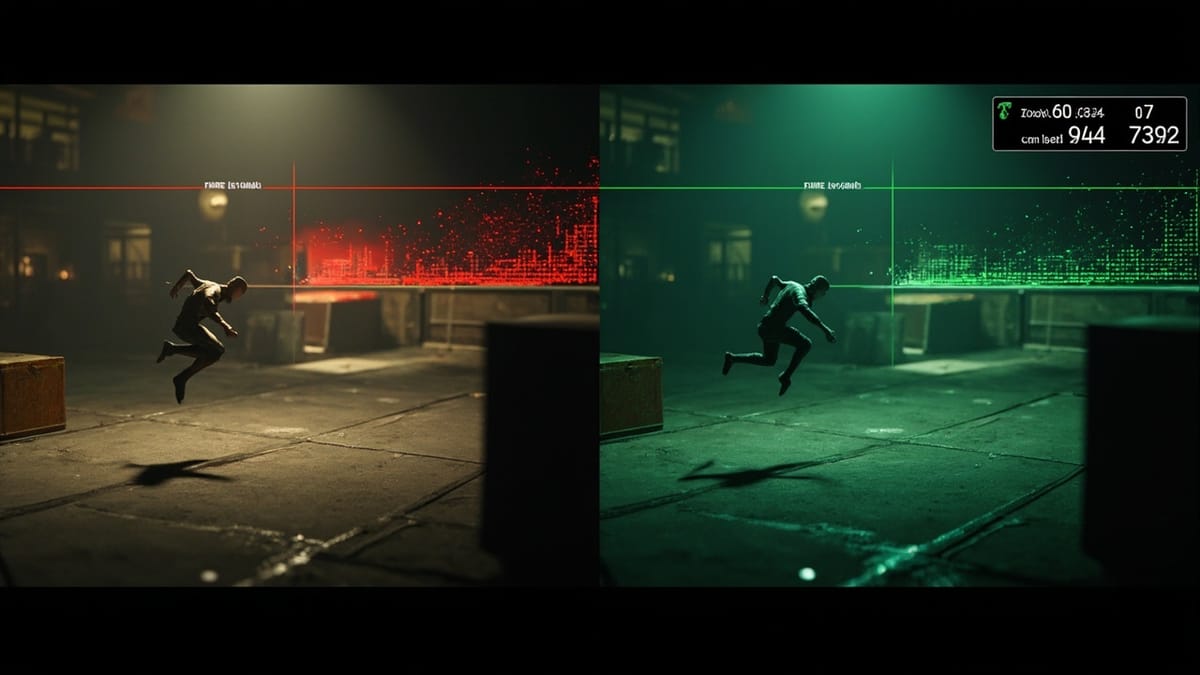
Performance is a feature in games. A 60 FPS game feels completely different from the same game at 30 FPS. Players notice stutters, long load times, and frame drops — and they stop playing. Performance testing catches regressions before players experience them.
This guide covers tools and techniques for profiling game performance and building automated performance tests.
What to Measure
Game performance has four key dimensions:
- Frame rate — FPS and frame time (ms/frame)
- Memory — RAM usage, texture memory, audio memory, GC pressure
- Load times — scene transitions, asset loading
- CPU/GPU — which systems consume most time per frame
Each needs different profiling tools and test approaches.
Unity Performance Testing
The Unity Performance Testing Package
Unity's Performance Testing Package adds measurement tools to Unity Test Framework:
using NUnit.Framework;
using Unity.PerformanceTesting;
using UnityEngine;
using UnityEngine.TestTools;
using System.Collections;

public class PerformanceTests
{
    [Test, Performance]
    public void Inventory_AddItems_Performance()
    {
        var inventory = new InventorySystem(maxSlots: 1000);

        Measure.Method(() =>
        {
            for (int i = 0; i < 100; i++)
            {
                inventory.AddItem(new Item($"Item {i}", ItemType.Misc, 1f));
            }
            inventory.Clear();
        })
        .WarmupCount(5)
        .MeasurementCount(20)
        .GC()  // Measure GC allocations too
        .Run();
    }

    [UnityTest, Performance]
    public IEnumerator Scene_LoadTime_BelowThreshold()
    {
        using (Measure.Scope("SceneLoad"))
        {
            AsyncOperation load = UnityEngine.SceneManagement.SceneManager
                .LoadSceneAsync("Level1");
            while (!load.isDone)
                yield return null;
        }

        // Assert load time after measurement
        // Results stored in PerformanceTestResults
    }

    [UnityTest, Performance]
    public IEnumerator Gameplay_FPS_AboveMinimum()
    {
        // Load gameplay scene
        yield return UnityEngine.SceneManagement.SceneManager
            .LoadSceneAsync("GameplayScene");

        var frameTimeMarker = new SampleGroup("FrameTime", SampleUnit.Millisecond);

        // Measure 100 frames
        for (int i = 0; i < 100; i++)
        {
            Measure.Custom(frameTimeMarker, Time.deltaTime * 1000f);
            yield return null;
        }

        // The test runner will report p50, p90, p99 frame times
    }
}Frame Time Benchmarks
| Target FPS | Max Frame Time |
|---|---|
| 30 FPS | 33.3 ms |
| 60 FPS | 16.7 ms |
| 90 FPS (VR) | 11.1 ms |
| 120 FPS | 8.3 ms |
Set thresholds in your tests:
[UnityTest, Performance]
public IEnumerator CombatScene_AverageFrameTime_Below16ms()
{
    yield return LoadScene("CombatArena");
    SpawnEnemies(50);  // Stress scenario

    float totalFrameTime = 0;
    int frames = 200;

    for (int i = 0; i < frames; i++)
    {
        totalFrameTime += Time.deltaTime * 1000f;
        yield return null;
    }

    float avgFrameTime = totalFrameTime / frames;

    Assert.Less(avgFrameTime, 16.7f,
        $"Average frame time {avgFrameTime:F1}ms exceeds 60 FPS target");
}Memory Profiling
Memory leaks in games cause crashes on long play sessions. Test memory growth:
[UnityTest, Performance]
public IEnumerator Level_Unload_ReleasesAllMemory()
{
    // Record memory before level load
    long beforeLoad = GC.GetTotalMemory(forceFullCollection: true);

    // Load and unload level
    yield return LoadScene("Level1");
    yield return new WaitForSeconds(2f);
    yield return UnloadScene("Level1");

    // Force GC
    GC.Collect();
    GC.WaitForPendingFinalizers();
    GC.Collect();
    yield return null;

    long afterUnload = GC.GetTotalMemory(forceFullCollection: true);
    long leakedBytes = afterUnload - beforeLoad;

    // Allow small variance, fail on significant leaks
    Assert.Less(leakedBytes, 1 * 1024 * 1024,  // 1MB tolerance
        $"Memory increased by {leakedBytes / 1024}KB after unload — possible leak");
}

[UnityTest, Performance]
public IEnumerator SpawnDestroy_Cycle_NoMemoryLeak()
{
    long baseline = GC.GetTotalMemory(true);

    // Simulate gameplay spawn/destroy cycles
    for (int cycle = 0; cycle < 100; cycle++)
    {
        var enemies = new List<GameObject>();
        for (int i = 0; i < 20; i++)
        {
            enemies.Add(SpawnEnemy(EnemyType.Goblin));
        }

        yield return new WaitForFixedUpdate();

        foreach (var e in enemies)
            Object.Destroy(e);

        yield return null;
    }

    GC.Collect();
    long after = GC.GetTotalMemory(true);

    long growthMB = (after - baseline) / (1024 * 1024);
    Assert.Less(growthMB, 10, $"Memory grew by {growthMB}MB over 100 spawn/destroy cycles");
}Load Time Testing
[UnityTest]
public IEnumerator MainMenu_LoadsIn_Under3Seconds()
{
    float startTime = Time.realtimeSinceStartup;

    var load = UnityEngine.SceneManagement.SceneManager.LoadSceneAsync("MainMenu");
    while (!load.isDone)
        yield return null;

    // Wait for any additional initialization
    yield return new WaitForEndOfFrame();

    float loadTime = Time.realtimeSinceStartup - startTime;

    Assert.Less(loadTime, 3.0f,
        $"Main menu took {loadTime:F1}s to load (target: < 3s)");
}

[UnityTest]
public IEnumerator LevelTransition_DoesNotShowBlackScreen_MoreThan2Seconds()
{
    float blackScreenStart = -1f;
    float maxBlackScreenDuration = 0f;

    // Monitor screen transitions
    // This requires a screen capture + analysis approach in practice
    yield return LoadScene("Level1");

    // Assert transition time
    Assert.Less(maxBlackScreenDuration, 2.0f,
        $"Black screen lasted {maxBlackScreenDuration:F1}s during transition");
}Profiling CPU Hotspots
Use Unity Profiler markers to measure specific systems:
using UnityEngine.Profiling;

public class EnemyAIManager : MonoBehaviour
{
    private static readonly ProfilerMarker s_AIUpdateMarker =
        new ProfilerMarker("EnemyAI.Update");

    void Update()
    {
        using (s_AIUpdateMarker.Auto())
        {
            // All AI update logic
            UpdateAllEnemies();
        }
    }
}

// Test: verify AI update stays under budget
[UnityTest, Performance]
public IEnumerator EnemyAI_100Enemies_UpdateUnder5ms()
{
    SpawnEnemies(100);
    yield return null;

    var marker = new SampleGroup("EnemyAI.Update", SampleUnit.Millisecond);

    for (int frame = 0; frame < 60; frame++)
    {
        // Capture profiler data for AI update
        Measure.Custom(marker, GetProfilerSampleTime("EnemyAI.Update"));
        yield return null;
    }

    // Assertion handled by PerformanceTesting package
}Godot Performance Testing
For Godot 4:
# performance_test.gd
extends GutTest

func test_spawning_100_enemies_under_budget():
    var start_time = Time.get_ticks_usec()

    for i in range(100):
        var enemy = preload("res://enemies/goblin.tscn").instantiate()
        add_child(enemy)

    var elapsed_ms = (Time.get_ticks_usec() - start_time) / 1000.0

    assert_lt(elapsed_ms, 16.7, "Spawning 100 enemies should complete in one frame")

func test_no_memory_leak_in_gameplay_loop():
    var baseline = Performance.get_monitor(Performance.MEMORY_STATIC)

    # Simulate gameplay
    for i in range(1000):
        var bullet = preload("res://projectiles/bullet.tscn").instantiate()
        add_child(bullet)
        await get_tree().create_timer(0.016).timeout
        bullet.queue_free()

    await get_tree().create_timer(1.0).timeout

    var after = Performance.get_monitor(Performance.MEMORY_STATIC)
    var growth_kb = (after - baseline) / 1024

assert_lt(growth_kb, 512, "Memory should not grow significantly in gameplay loop")Automated Performance Regression Testing in CI
Track performance over time with baseline comparisons:
name: Performance Tests

on:
  push:
    branches: [main, develop]

jobs:
  performance:
    runs-on: ubuntu-latest
    steps:
      - uses: actions/checkout@v4

      - name: Run Unity Performance Tests
        uses: game-ci/unity-test-runner@v4
        env:
          UNITY_LICENSE: ${{ secrets.UNITY_LICENSE }}
        with:
          testMode: playmode
          testPathPattern: ".*Performance.*"
          coverageOptions: ""

      - name: Compare with baseline
        run: |
          python scripts/compare_performance.py \
            --current artifacts/performance_results.xml \
            --baseline performance_baselines/main.xml \
            --threshold 10  # Fail if >10% regression

      - name: Update baseline on main branch
        if: github.ref == 'refs/heads/main'
        run: |
          cp artifacts/performance_results.xml performance_baselines/main.xml
          git add performance_baselines/main.xml
          git commit -m "Update performance baseline [skip ci]"
git pushPerformance Testing Checklist
- FPS benchmark for main gameplay scenarios
- Frame time p50/p90/p99 measurements (not just average)
- Memory usage at startup, peak gameplay, and after level unload
- Load times for main menu, first level, and longest level
- GC allocation rate (high GC = stutters)
- Performance on minimum spec hardware (not just dev machines)
- Performance regressions caught in CI
Summary
Game performance testing catches regressions before players notice. The Unity Performance Testing Package gives you the measurement infrastructure; the tests above give you the patterns. Focus on:
- Frame time percentiles (p99 matters more than average)
- Memory growth over time (leaks compound)
- Load times (players abandon long load screens)
- Automated regression detection in CI
Performance tests are only useful if they run continuously. Set up CI to catch regressions on every commit, and you'll never ship a performance regression that "worked in development."