Cross-Platform Game Testing: PC, Console, and Mobile Strategy
Releasing a game on PC, PlayStation, Xbox, iOS, and Android isn't five releases — it's five completely different QA challenges running in parallel.

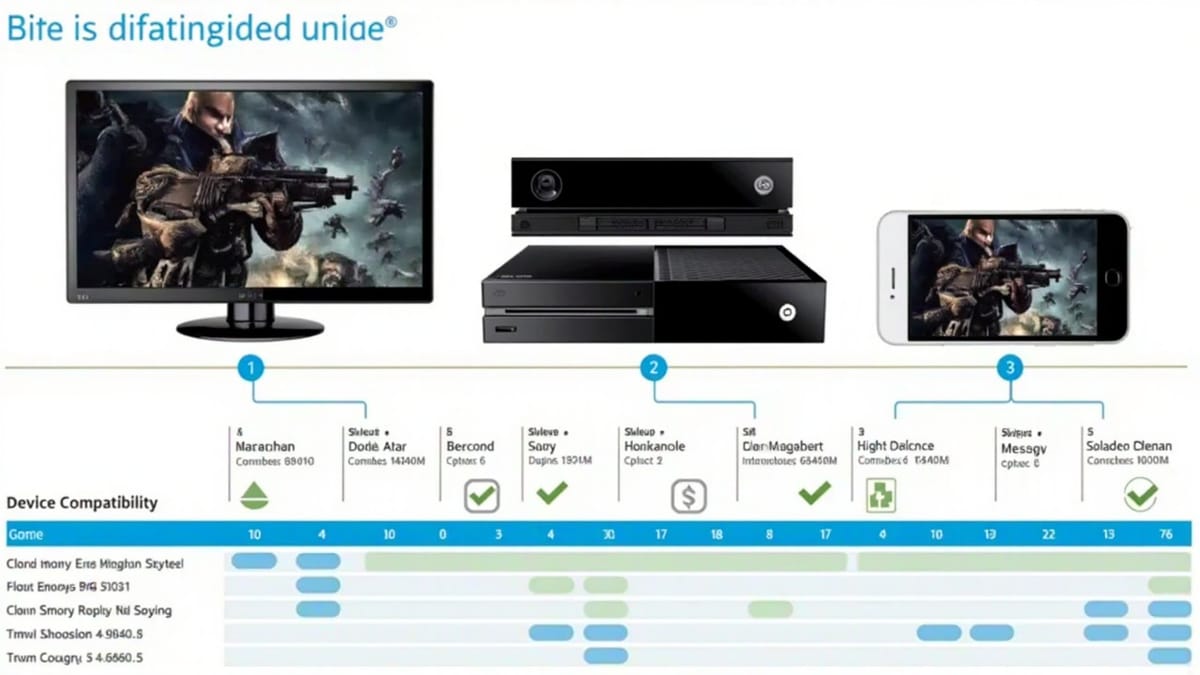
Releasing a game on PC, PlayStation, Xbox, iOS, and Android isn't five releases — it's five completely different QA challenges running in parallel. Platform-specific bugs, input differences, certification requirements, and performance constraints mean a test that passes on PC can fail catastrophically on mobile.
This guide covers how to structure cross-platform testing without losing your mind.
Why Cross-Platform Testing Is Different
A bug in a cross-platform game can be:
- Universal — appears on all platforms (usually a logic bug)
- Platform-specific — rendering, input, or OS integration issue
- Hardware-specific — only on certain GPUs or chipsets
- Network-specific — latency varies between WiFi, cellular, and console networks
- Certification-specific — Sony, Microsoft, and Apple each have unique submission requirements
Your testing strategy must distinguish between these categories, or you'll waste time testing universal bugs on every platform and miss platform-specific ones entirely.
Platform Test Matrix
Minimum Device Coverage
| Platform | Minimum | Recommended |
|---|---|---|
| PC Windows | 1 high-end, 1 minimum-spec | 3-4 GPU families (Nvidia, AMD, Intel) |
| PC Mac | Intel Mac, M1 | M1, M2, Intel |
| iOS | Oldest supported iPhone | iPhone 12, 14, 15, iPad |
| Android | Low-end (2GB RAM), Mid-tier | 5-6 devices across chipsets |
| PlayStation | PS4 (base), PS5 | Both, dev kit |
| Xbox | Xbox One S, Series X | Both |
| Nintendo Switch | Standard Switch | Switch, Switch Lite, OLED |
Android Chipset Coverage
Android fragmentation makes this the hardest platform. Prioritize by market share:
| Chipset | Coverage Priority | Example Devices |
|---|---|---|
| Qualcomm Snapdragon 8xx | High | Samsung Galaxy S series |
| Qualcomm Snapdragon 7xx/6xx | High | Mid-range Samsung, Motorola |
| MediaTek Dimensity | Medium | Some Samsung, OnePlus |
| MediaTek Helio | Medium | Budget devices |
| Google Tensor | Low | Pixel phones |
| Apple Silicon (Mac) | Separate | M1/M2 Macs |
Test Categories by Platform
Universal Tests (Run Once, Report Everywhere)
These are logic bugs that shouldn't vary by platform. Run them on your fastest CI setup:
- Game rules and scoring correctness
- Save/load data integrity
- Quest/progression logic
- Economy and balance
- Network protocol correctness
Platform-Specific Tests
Run these on each target platform:
PC-specific:
- Window resize behavior (not applicable on mobile/console)
- Keyboard/mouse input handling
- Alt+Tab during gameplay
- Multiple monitor support
- Ultra-wide resolution support (21:9, 32:9)
- DX11 vs DX12 vs Vulkan rendering parity

Console-specific:
- Controller input (all buttons, analog stick deadzones)
- Screen resolution (1080p, 4K, HDR)
- Cross-play matchmaking
- Achievement/trophy triggering
- Offline mode behavior
- Certification requirements (see below)

Mobile-specific:
- Touch input vs virtual gamepad
- Screen size and notch handling
- Battery drain measurement
- Thermal throttling behavior
- App suspension/resume
- Background notification handling
- Permissions (camera, storage, microphone)
- In-app purchase flowPerformance Benchmarks by Platform
Define minimum acceptable performance before testing. Without targets, you're not testing — you're observing.
PC Performance Targets
Resolution: 1920x1080
Settings: Medium

Minimum Spec Machine (target):
  GPU: GTX 1060 / RX 580
  CPU: Core i5-8400
  RAM: 8GB
  Expected: 60fps stable

Recommended Spec:
  GPU: RTX 3070 / RX 6700 XT
Expected: 120fps @ Ultra settingsMobile Performance Targets
Target FPS: 60fps (high-end), 30fps (low-end)
Frame pacing: No drops > 2 consecutive frames below target
Startup time: < 5 seconds (warm), < 10 seconds (cold)
Memory: < 1.2GB peak on 2GB RAM devices
Battery: < 8% drain per 15 minutes of gameplay
Thermal: No throttling within first 20 minutesMeasuring Performance Automatically
# Android — capture FPS with GameModeManager
adb shell dumpsys gfxinfo com.yourcompany.game

# Parse frame times
adb shell dumpsys gfxinfo com.yourcompany.game framestats

# Memory snapshot
adb shell dumpsys meminfo com.yourcompany.game

# iOS — use Instruments from command line
xcrun instruments -t "Core Animation" -D /tmp/trace.trace com.yourcompany.GameAppFor Unity games, the built-in Profiler can be accessed in CI via command-line batch mode:
// ProfilerCapture.cs — attach to a test runner build
#if UNITY_EDITOR || DEVELOPMENT_BUILD
using Unity.Profiling;

public class PerformanceCapture : MonoBehaviour {
    private ProfilerRecorder mainThreadTimeRecorder;
    private List<float> frameTimes = new();

    void Start() {
        mainThreadTimeRecorder = ProfilerRecorder.StartNew(
            ProfilerCategory.Internal, "Main Thread", 15
        );
    }

    void Update() {
        if (mainThreadTimeRecorder.Valid) {
            frameTimes.Add(mainThreadTimeRecorder.LastValue / 1e6f); // ns to ms
        }
    }

    void OnDestroy() {
        var avg = frameTimes.Average();
        var p95 = Percentile(frameTimes, 0.95f);
        Debug.Log($"[PERF] Avg frame: {avg:F2}ms, P95: {p95:F2}ms");
        mainThreadTimeRecorder.Dispose();
    }
}
#endifPlatform Certification Requirements
PlayStation Certification (TRC)
Sony's Technical Requirements Checklist includes:
- CERT-0001: Game must not crash or freeze during normal gameplay
- CERT-0004: Game must respond to system button presses within 3 seconds
- CERT-0010: Game must support DualSense controller correctly
- CERT-0015: Online features must handle network disconnection gracefully
- CERT-0020: Game must support Activity Cards and trophies
Test cases for each TRC requirement:
TRC-0004 (System Menu responsiveness):
1. Start gameplay
2. Press PS button during intensive scene
3. System menu should appear within 3 seconds
4. Resume gameplay should work correctly

TRC-0015 (Network disconnection):
1. Start online multiplayer session
2. Disconnect network cable / disable WiFi
3. Game should show appropriate error message
4. Player should not be permanently stuck
5. Reconnect should be possibleApple App Store Review Guidelines
Critical test areas for iOS:
Performance:
- Cold start < 10 seconds or Apple may reject
- No ANR (Application Not Responding) > 5 seconds
- Memory usage must not cause system-wide memory pressure

Content:
- Age rating must be accurate to actual content
- In-app purchases must be clearly labeled
- No misleading screenshots or descriptions

Functionality:
- All advertised features must work
- No placeholder content
- Login/signup must be testable by reviewersGoogle Play Policy Compliance
Required test scenarios:
- App installs cleanly from Play Store
- App uninstalls without leaving residual data
- Permissions are requested at point of use, not on startup
- No crashes within first 5 minutes (Google's definition of a crash)
- Works on all screen sizes declared in manifestCross-Platform Input Testing
Input handling is one of the most common sources of cross-platform bugs:
// InputTestSuite.cs — Unity test that validates input across platforms
using NUnit.Framework;
using UnityEngine.InputSystem;

public class InputSystemTests {
    private InputTestFixture input;

    [SetUp]
    public void SetUp() {
        input = new InputTestFixture();
        InputSystem.AddDevice<Gamepad>();
    }

    [Test]
    public void JumpAction_TriggersOnAButton_Xbox() {
        var gamepad = InputSystem.GetDevice<Gamepad>();
        var player = SetupPlayerWithInput();

        bool jumpFired = false;
        player.onJump += () => jumpFired = true;

        input.Press(gamepad.buttonSouth); // A button on Xbox, Cross on PlayStation

        Assert.IsTrue(jumpFired, "Jump should trigger on button south (A/Cross)");
    }

    [Test]
    public void PauseAction_TriggersOnStartButton() {
        var gamepad = InputSystem.GetDevice<Gamepad>();
        var gameController = SetupGameController();

        bool pauseTriggered = false;
        gameController.onPause += () => pauseTriggered = true;

        input.Press(gamepad.startButton);

        Assert.IsTrue(pauseTriggered);
    }

    [Test]
    public void AnalogStick_DeadzoneFiltered() {
        var gamepad = InputSystem.GetDevice<Gamepad>();
        var player = SetupPlayerWithInput();

        // Simulate stick just inside deadzone
        input.Set(gamepad.leftStick, new Vector2(0.1f, 0.1f));

        // Should not move (within deadzone)
        Assert.AreEqual(Vector2.zero, player.MovementInput,
            "Input within deadzone should produce zero movement");

        // Simulate stick outside deadzone
        input.Set(gamepad.leftStick, new Vector2(0.5f, 0f));

        Assert.Greater(player.MovementInput.x, 0f,
            "Input outside deadzone should produce movement");
    }
}Mobile-Specific Test Scenarios
App Lifecycle Tests
These are critical for mobile and often forgotten:
Background/Foreground:
1. Start game, load into active gameplay
2. Press Home button (Android) / swipe up (iOS)
3. App moves to background
4. Wait 30 seconds
5. Return to app
Expected: Game resumes at exactly the same state
Not acceptable: Crash, black screen, audio doubling, progress lost

Phone Call Interruption:
1. Start game during active multiplayer match
2. Receive phone call (simulate via adb: adb shell am start -a android.intent.action.CALL)
3. Accept call
4. End call, return to game
Expected: Game paused gracefully, resumes correctly

Low Battery Warning:
1. Battery at ~20%
2. Game should reduce visual quality / performance (optional but good UX)
3. Game should NOT crash on battery warning notification

Storage Full:
1. Fill device storage to near-capacity
2. Trigger save game
Expected: Clear error message, no silent data corruptionNetwork Condition Testing
# iOS: Network Link Conditioner (in Xcode)
# Android: Enable Developer Options → Network > Simulate network conditions
# Or use tc (traffic control):

adb shell
tc qdisc add dev rmnet_data0 root netem delay 200ms 50ms loss 5%  # Simulate 200ms + 5% loss
tc qdisc del dev rmnet_data0 root # Remove when doneAutomating Cross-Platform Regression
Structure your test pipeline to run the right tests on the right platforms:
# .github/workflows/cross-platform-tests.yml
name: Cross-Platform Tests

on:
  push:
    branches: [main]

jobs:
  universal-tests:
    runs-on: ubuntu-latest
    steps:
      - uses: actions/checkout@v4
      - name: Run universal logic tests
        uses: game-ci/unity-test-runner@v4
        with:
          testMode: editmode
          customParameters: '-testCategory "Universal"'

  pc-build-validation:
    needs: universal-tests
    runs-on: windows-latest
    steps:
      - uses: actions/checkout@v4
      - name: Build and smoke test Windows
        uses: game-ci/unity-builder@v4
        with:
          targetPlatform: StandaloneWindows64

  android-validation:
    needs: universal-tests
    runs-on: ubuntu-latest
    steps:
      - uses: actions/checkout@v4
      - name: Build Android APK
        uses: game-ci/unity-builder@v4
        with:
          targetPlatform: Android
      - name: Run on emulator
        uses: reactivecircus/android-emulator-runner@v2
        with:
          api-level: 30
script: adb install build/Android/game.apk && adb shell am start ...Cross-Platform Testing Checklist
All platforms:
- Game launches without crash
- Core gameplay loop completable
- Save/load works
- Audio plays correctly
- UI is readable and accessible
PC:
- Minimum spec performance meets targets
- Window management (resize, fullscreen toggle)
- Keyboard/mouse input complete
Console:
- Controller all buttons functional
- System menu responsiveness (TRC/TCR requirement)
- Trophy/achievement triggers
- Network disconnect handling
Mobile:
- Background/foreground lifecycle
- Touch input and virtual gamepad
- Performance on low-end device
- Thermal throttling test (20 min gameplay)
- Permission flow
- Notification handling
Cross-platform testing is expensive. Prioritize by platform revenue share, certification deadline, and bug severity. Run universal tests in CI, platform-specific tests on hardware, and keep a device lab that matches your actual target hardware — not just what's easy to access.