
WearOS Testing: Horologist, Compose for Wear OS, and Emulator Strategies

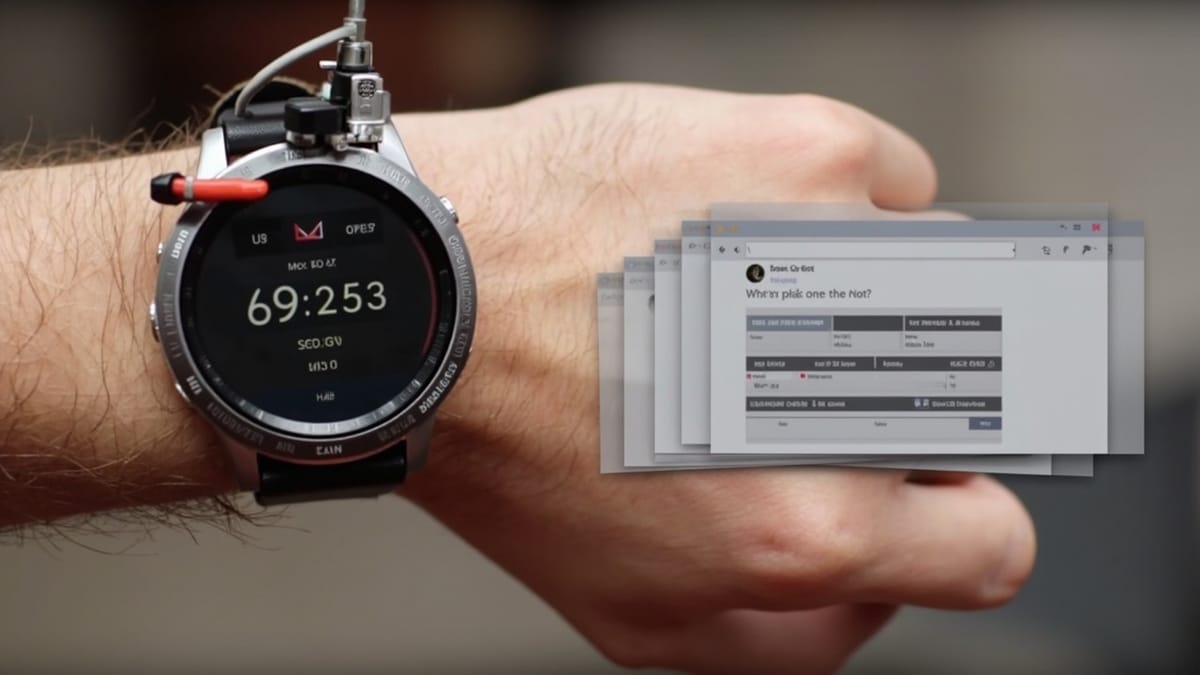
Testing WearOS apps is different from phone testing. The screen is tiny, the interaction model is rotary input + swipe, and users expect extremely fast interactions — anything that takes more than 300ms feels slow on a watch. Horologist is Google's library for building and testing WearOS apps correctly.
WearOS Testing Challenges
- Round screen: UI renders differently in corners; elements can be clipped
- No keyboard: text input uses voice or on-screen number pads
- Rotary input: bezel rotation and crown gestures need testing
- Battery constraints: tests must not block or run CPU-intensive tasks
- Tile and Complication testing: separate APIs from Activity/Compose testing
Setup
dependencies {
    // Compose for Wear OS
    implementation("androidx.wear.compose:compose-material:1.3.0")
    implementation("androidx.wear.compose:compose-foundation:1.3.0")

    // Horologist
    implementation("com.google.android.horologist:horologist-composables:0.6.0")
    implementation("com.google.android.horologist:horologist-compose-layout:0.6.0")

    // Test dependencies
    androidTestImplementation("androidx.compose.ui:ui-test-junit4:1.6.0")
    androidTestImplementation("com.google.android.horologist:horologist-compose-layout:0.6.0")
    testImplementation("com.google.android.horologist:horologist-roboscreenshots:0.6.0")
}Testing Compose for Wear OS
Compose for Wear OS uses the same testing APIs as regular Compose — semantics tree, finders, and assertions. The difference is the components.
@RunWith(AndroidJUnit4::class)
class WearMainActivityTest {

    @get:Rule
    val composeTestRule = createAndroidComposeRule<WearActivity>()

    @Test
    fun showsHeartRateOnLaunch() {
        composeTestRule.onNodeWithContentDescription("Heart rate")
            .assertIsDisplayed()

        composeTestRule.onNodeWithTag("heart_rate_value")
            .assertTextEquals("72 bpm")
    }
}WearOS composables (ScalingLazyColumn, Chip, Button, Dialog) all participate in the semantics tree the same way as phone composables.
Testing ScalingLazyColumn
The main list component in WearOS is ScalingLazyColumn — it scales items as they approach the edges of the round screen. Test scrolling and item visibility:
@Test
fun listScrollsToShowAllItems() {
    composeTestRule.setContent {
        ScalingLazyColumn {
            items(10) { index ->
                Chip(
                    modifier = Modifier.testTag("item_$index"),
                    onClick = {},
                    label = { Text("Item $index") }
                )
            }
        }
    }

    // First item visible immediately
    composeTestRule.onNodeWithTag("item_0").assertIsDisplayed()

    // Scroll down
    composeTestRule.onNodeWithTag("item_0").performScrollTo()
    composeTestRule.onNodeWithTag("item_9")
        .performScrollTo()
        .assertIsDisplayed()
}Rotary Input Testing
WearOS watches support rotary input via the crown or bezel. Test rotary scrolling:
@Test
fun rotaryScrollMovesListDown() {
    composeTestRule.setContent {
        val listState = rememberScalingLazyListState()
        ScalingLazyColumn(
            state = listState,
            modifier = Modifier
                .testTag("main_list")
                .rotaryWithSnap(listState.toSnapLayoutInfoProvider())
        ) {
            items(20) { Text("Item $it") }
        }
    }

    composeTestRule.onNodeWithTag("main_list")
        .performRotaryScrollInput {
            rotateToScrollVertically(100f)
        }

    // Verify list scrolled
    composeTestRule.onNodeWithText("Item 0").assertDoesNotExist()
}performRotaryScrollInput is available in androidx.wear.compose:compose-foundation test utilities.
Horologist Screenshot Testing
Horologist includes a screenshot testing framework (horologist-roboscreenshots) that renders your composables at WearOS screen sizes using Robolectric.
Define a screenshot test:
@RunWith(ParameterizedRobolectricTestRunner::class)
@Config(
    sdk = [33],
    qualifiers = RobolectricDeviceQualifiers.WearOSSmallRound
)
class WorkoutScreenScreenshotTest(
    override val device: WearDevice,
) : WearScreenshotTest() {

    override val tolerance = 0.01f

    @Test
    fun workoutScreenIdle() = screenshotTest {
        WorkoutScreen(
            state = WorkoutUiState.Idle,
            onStart = {}
        )
    }

    @Test
    fun workoutScreenActive() = screenshotTest {
        WorkoutScreen(
            state = WorkoutUiState.Active(
                heartRate = 145,
                duration = "00:12:34"
            ),
            onStart = {}
        )
    }

    companion object {
        @JvmStatic
        @ParameterizedRobolectricTestRunner.Parameters
        fun devices() = WearDevice.entries
    }
}This generates screenshots for each WearDevice variant (small round, large round) and diffs them against stored baselines. Run ./gradlew recordRoborazziDebug to record initial baselines.
Testing Tiles
WearOS Tiles are a separate API from Activities. Use the TileRenderer test helper:
@RunWith(AndroidJUnit4::class)
class StepCountTileTest {

    @get:Rule
    val tileLayoutTestRule = TileLayoutTestRule()

    @Test
    fun tileShowsStepCount() {
        val tile = tileLayoutTestRule.runOnUiThread {
            StepCountTileRenderer(
                context = ApplicationProvider.getApplicationContext(),
                currentSteps = 7432,
                goal = 10000
            ).renderTile()
        }

        // Inspect tile layout tree
        val root = tile.timeline.timelinesEntries[0].layout.root
        assertThat(root.text.text.value).contains("7,432")
    }
}For Tiles built with the Horologist TileService, use the Horologist TileLayoutTestRule which handles the rendering lifecycle.
Testing Complications
Complications are small data elements that watch faces display. Test your ComplicationDataSourceService:
@RunWith(AndroidJUnit4::class)
class HeartRateComplicationTest {

    @Test
    fun complicationShowsCurrentHeartRate() = runTest {
        val repository = FakeHeartRateRepository(currentRate = 78)
        val service = HeartRateComplicationService(repository)

        val request = ComplicationRequest(
            complicationInstanceId = 1,
            complicationType = ComplicationType.SHORT_TEXT
        )

        val data = service.onComplicationRequest(request)

        assertThat(data.type).isEqualTo(ComplicationType.SHORT_TEXT)
        assertThat(data.shortText?.getTextAt(resources, 0L)).isEqualTo("78")
    }
}Emulator Configuration
For instrumented tests, use a WearOS emulator:
- In AVD Manager, create a WearOS device (Wear OS Small Round recommended)
- Use API 30+ for best compatibility
- Pair with a phone emulator if testing companion app features
Run tests on the WearOS emulator:
./gradlew :wear:connectedAndroidTest \
-Pandroid.testInstrumentationRunnerArguments.class=com.example.MyWearTestTo run only on WearOS AVDs, filter by device name:
./gradlew :wear:connectedAndroidTest \
-Pandroid.testInstrumentationRunnerArguments.deviceId=Wear_OS_Small_Round_API_33Ambient Mode Testing
WearOS apps switch to ambient mode (low-power, simplified rendering) after inactivity. Test ambient transitions:
@Test
fun switchToAmbientDimsScreen() {
    val activityScenario = ActivityScenario.launch(WatchFaceActivity::class.java)

    activityScenario.onActivity { activity ->
        // Simulate ambient entry
        activity.onEnterAmbient(Bundle())

        val mainContent = activity.findViewById<View>(R.id.main_content)
        assertThat(mainContent.alpha).isEqualTo(0.3f)
    }
}Health Services Testing
For apps using Health Services (heart rate, steps, workouts), use fake implementations in tests:
class FakeHealthServicesClient : HealthServicesClient {
    var simulatedHeartRate = MutableStateFlow(0)

    override suspend fun getHeartRateMeasure(): Flow<HeartRateAccuracy> {
        return simulatedHeartRate.map { bpm ->
            HeartRateAccuracy.SensorStatus.ACCURACY_HIGH
        }
    }
}

@Test
fun updatesDisplayWhenHeartRateChanges() = runTest {
    val fakeClient = FakeHealthServicesClient()
    val viewModel = WorkoutViewModel(fakeClient)

    fakeClient.simulatedHeartRate.value = 145

    advanceUntilIdle()

    assertThat(viewModel.uiState.value.heartRate).isEqualTo(145)
}Summary
WearOS testing requires thinking about three things the phone doesn't have: round screen rendering, rotary input, and the tile/complication surface. Horologist's screenshot testing handles the round screen problem. The Compose testing APIs cover rotary input with performRotaryScrollInput. Tiles and Complications have their own test helpers. Start with screenshot tests for visual regression, add interaction tests for user flows, and use fake Health Services for data-driven tests.

