How to Test MCP Servers: Tools, Resources, and Prompts

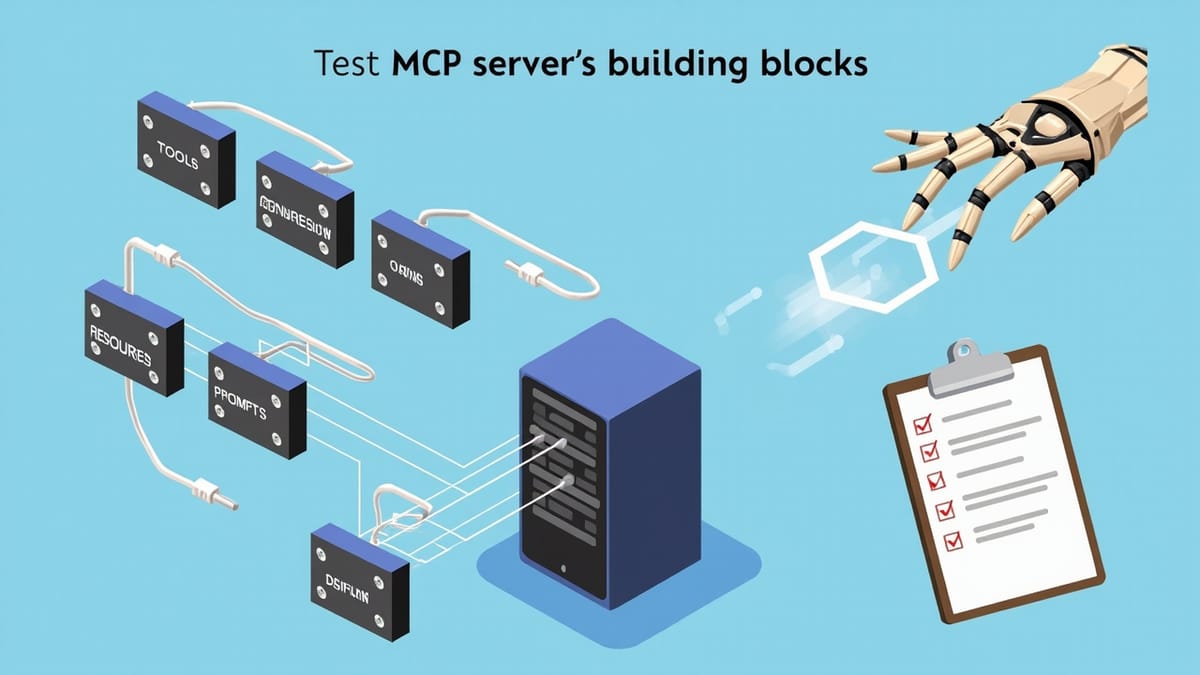
MCP (Model Context Protocol) servers expose tools, resources, and prompts to AI agents. Testing them requires validating JSON-RPC protocol compliance, schema correctness, tool execution behavior, resource content, and error handling — none of which standard unit test frameworks handle out of the box. This guide covers how to test each MCP primitive effectively.
Model Context Protocol has rapidly become the standard interface for connecting AI agents to external capabilities. If you're building an MCP server — whether it wraps a database, a REST API, a file system, or a custom tool — testing it is not optional. A broken MCP server produces confusing, unpredictable AI behavior that is notoriously hard to debug.
This guide covers how to test all three MCP primitives: tools, resources, and prompts.
What Makes MCP Testing Different
MCP servers communicate over JSON-RPC 2.0, typically via stdio or SSE transport. Unlike a REST API where you call an HTTP endpoint and assert the response, MCP testing requires:
- Protocol compliance — the JSON-RPC envelope must be correct
- Schema correctness — tool/resource schemas must match the declared input schema
- Execution behavior — tool calls must return correct results
- Error semantics — errors must follow MCP error codes, not HTTP status codes
- State isolation — resource state must not leak between test runs
The MCP spec distinguishes between the capability declaration (what the server says it can do) and the execution (what it actually does). Both need to be tested.
Setting Up an MCP Test Environment
The reference MCP SDK (TypeScript) ships with utilities that make in-process testing straightforward. Start by creating a test client that connects to your server without starting a real process:
import { Client } from "@modelcontextprotocol/sdk/client/index.js";
import { InMemoryTransport } from "@modelcontextprotocol/sdk/inMemory.js";
import { createServer } from "./my-mcp-server.js";

async function createTestClient() {
  const [clientTransport, serverTransport] = InMemoryTransport.createLinkedPair();

  const client = new Client(
    { name: "test-client", version: "1.0.0" },
    { capabilities: {} }
  );

  const server = createServer();
  await server.connect(serverTransport);
  await client.connect(clientTransport);

  return client;
}The InMemoryTransport pair lets both sides communicate in the same process — no spawning child processes, no port conflicts, no cleanup overhead. This is the foundation for all MCP unit tests.
Testing Tools
Tools are the most critical primitive — they execute code with real side effects. Test at three levels.
1. Schema Validation
Before testing behavior, verify that your tool schema is valid and correctly describes the inputs:
describe("list_files tool schema", () => {
  it("declares required parameters correctly", async () => {
    const client = await createTestClient();
    const { tools } = await client.listTools();

    const tool = tools.find(t => t.name === "list_files");
    expect(tool).toBeDefined();
    expect(tool!.inputSchema.required).toContain("path");
    expect(tool!.inputSchema.properties.path.type).toBe("string");
    expect(tool!.inputSchema.properties.recursive.type).toBe("boolean");
  });
});Catching schema errors early prevents the AI from receiving misleading capability declarations. An agent that calls list_files with wrong parameters because the schema was wrong is a debugging nightmare.
2. Happy Path Execution
Test that the tool returns correct output for valid inputs:
describe("list_files tool execution", () => {
  it("lists files in a directory", async () => {
    const client = await createTestClient();

    const result = await client.callTool({
      name: "list_files",
      arguments: { path: "/tmp/test-fixtures", recursive: false }
    });

    expect(result.isError).toBe(false);
    expect(result.content).toHaveLength(1);
    expect(result.content[0].type).toBe("text");

    const files = JSON.parse(result.content[0].text);
    expect(Array.isArray(files)).toBe(true);
  });
});3. Error Scenarios
MCP tools should return errors as content with isError: true, not throw exceptions:
it("returns error for non-existent path", async () => {
  const client = await createTestClient();

  const result = await client.callTool({
    name: "list_files",
    arguments: { path: "/tmp/does-not-exist-xyz" }
  });

  expect(result.isError).toBe(true);
  expect(result.content[0].text).toContain("ENOENT");
});

it("returns error for path traversal attempt", async () => {
  const client = await createTestClient();

  const result = await client.callTool({
    name: "list_files",
    arguments: { path: "../../etc/passwd" }
  });

  expect(result.isError).toBe(true);
  expect(result.content[0].text).toContain("not allowed");
});Security edge cases are especially important — AI agents may pass unexpected inputs, and your tool must handle them safely.
Testing Resources
Resources expose data to AI agents — files, database records, API responses. Test that they:
- Return the correct content type
- Provide accurate data
- Handle missing resources gracefully
describe("config resource", () => {
  it("returns JSON content for config://app/settings", async () => {
    const client = await createTestClient();

    const result = await client.readResource({
      uri: "config://app/settings"
    });

    expect(result.contents).toHaveLength(1);
    expect(result.contents[0].mimeType).toBe("application/json");

    const settings = JSON.parse(result.contents[0].text!);
    expect(settings).toHaveProperty("version");
    expect(settings).toHaveProperty("environment");
  });

  it("throws ResourceNotFound for unknown URIs", async () => {
    const client = await createTestClient();

    await expect(
      client.readResource({ uri: "config://app/nonexistent" })
    ).rejects.toMatchObject({
      code: -32002 // MCP ResourceNotFound error code
    });
  });
});Testing Resource Templates
If your server exposes resource templates (URI patterns like db://records/{id}), test that the template listing is correct and that concrete URIs resolve:
it("lists database record template", async () => {
  const client = await createTestClient();
  const { resourceTemplates } = await client.listResourceTemplates();

  const template = resourceTemplates.find(t => t.uriTemplate.includes("records"));
  expect(template).toBeDefined();
  expect(template!.uriTemplate).toBe("db://records/{id}");
});

it("resolves concrete record URI", async () => {
  const client = await createTestClient();

  const result = await client.readResource({ uri: "db://records/42" });
  expect(result.contents[0].text).toContain('"id": 42');
});Testing Prompts
Prompts are reusable message templates that the AI uses to structure conversations. Test that they produce correct message sequences:
describe("summarize prompt", () => {
  it("returns a user message with the topic injected", async () => {
    const client = await createTestClient();

    const result = await client.getPrompt({
      name: "summarize",
      arguments: { topic: "quantum computing", length: "short" }
    });

    expect(result.messages).toHaveLength(1);
    expect(result.messages[0].role).toBe("user");
    expect(result.messages[0].content.text).toContain("quantum computing");
    expect(result.messages[0].content.text).toContain("short");
  });

  it("lists available prompt arguments", async () => {
    const client = await createTestClient();
    const { prompts } = await client.listPrompts();

    const prompt = prompts.find(p => p.name === "summarize");
    expect(prompt!.arguments).toContainEqual(
      expect.objectContaining({ name: "topic", required: true })
    );
  });
});Integration Testing: End-to-End with a Real AI Agent
Unit tests verify your server's behavior in isolation. Integration tests verify that an AI agent can actually use your server to accomplish tasks.
The simplest integration test spawns a real Claude or GPT-4 call with your MCP server attached and asserts the agent's output:
// integration/agent-test.ts
import Anthropic from "@anthropic-ai/sdk";
import { spawn } from "child_process";

it("agent can list and read files using MCP tools", async () => {
  const anthropic = new Anthropic();

  // Define tools matching your MCP server's declarations
  const tools = [
    {
      name: "list_files",
      description: "List files in a directory",
      input_schema: {
        type: "object",
        properties: {
          path: { type: "string" },
          recursive: { type: "boolean" }
        },
        required: ["path"]
      }
    }
  ];

  const response = await anthropic.messages.create({
    model: "claude-opus-4-6",
    max_tokens: 1024,
    tools,
    messages: [
      { role: "user", content: "List the files in /tmp/test-fixtures" }
    ]
  });

  // Assert the agent called the right tool
  const toolUse = response.content.find(b => b.type === "tool_use");
  expect(toolUse).toBeDefined();
  expect(toolUse!.name).toBe("list_files");
  expect(toolUse!.input.path).toBe("/tmp/test-fixtures");
}, 30000);These tests are slower (10-30 seconds each, plus LLM API costs) so run them in a separate CI job from unit tests.
Testing with HelpMeTest
For teams that want to test MCP-powered workflows without managing test infrastructure, HelpMeTest integrates natively with Claude Code via its own MCP server.
Install the MCP server:
curl -fsSL https://helpmetest.com/install | bash
helpmetest install mcp --claude HELP-your-token-hereThis gives Claude Code access to HelpMeTest's test execution tools. You can write end-to-end browser tests that validate your MCP server's effect on a real application:
*** Test Cases ***
MCP Server Creates Record Successfully
    Go To  https://your-app.com/records
    # Interact with the app that your MCP tool was called on
    Wait For Elements State  .record-list  visible  timeout=10s
Get Text .record-count == 1 recordCI/CD Integration
Add MCP server tests to your CI pipeline:
# .github/workflows/mcp-tests.yml
name: MCP Server Tests

on: [push, pull_request]

jobs:
  unit-tests:
    runs-on: ubuntu-latest
    steps:
      - uses: actions/checkout@v4
      - uses: actions/setup-node@v4
        with:
          node-version: "20"
      - run: npm ci
      - run: npm test -- --testPathPattern="mcp"

  integration-tests:
    runs-on: ubuntu-latest
    needs: unit-tests
    steps:
      - uses: actions/checkout@v4
      - uses: actions/setup-node@v4
      - run: npm ci
      - run: npm run test:integration
        env:
ANTHROPIC_API_KEY: ${{ secrets.ANTHROPIC_API_KEY }}Keep integration tests in a separate job so they don't block fast feedback from unit tests.
Common Mistakes
Not testing error content format. MCP errors must use isError: true with content, not thrown exceptions. Exceptions surface as JSON-RPC errors to the client, which AI agents handle differently.
Skipping schema tests. If your tool schema doesn't match the actual inputs your tool accepts, the AI will call the tool incorrectly. Test the schema as a first-class concern.
Using shared state in resource tests. Resources that depend on global state (a database, a file system) need proper setup/teardown. Tests that pass in isolation but fail in parallel are a sign of shared resource contamination.
Forgetting resource URI validation. Always test that malformed URIs return the correct MCP error code (-32002 for ResourceNotFound) rather than leaking internal error details.
What to Test — Checklist
- All tools are discoverable via
listTools - Tool schemas match actual accepted inputs
- Tools return
isError: truefor invalid inputs (not exceptions) - Tools return
isError: truefor security violations (path traversal, etc.) - All resources are accessible via
readResource - Resources return correct MIME types
- Missing resource URIs return
ResourceNotFounderror code - Prompts are discoverable via
listPrompts - Prompts inject arguments correctly into messages
- Integration test: real AI agent can accomplish a task end-to-end
Conclusion
MCP servers have three testable primitives — tools, resources, and prompts — each with distinct failure modes. Use in-memory transports for fast unit testing, cover error paths explicitly, and add a small suite of integration tests that verify real AI agents can use your server correctly. The investment pays off: a well-tested MCP server gives AI agents reliable capabilities they can build on, while a poorly-tested one produces mysterious failures in production.