Test Case Management Best Practices: From Manual to Automated
Test case management is the practice of organizing, tracking, and maintaining test cases throughout a product's lifecycle.

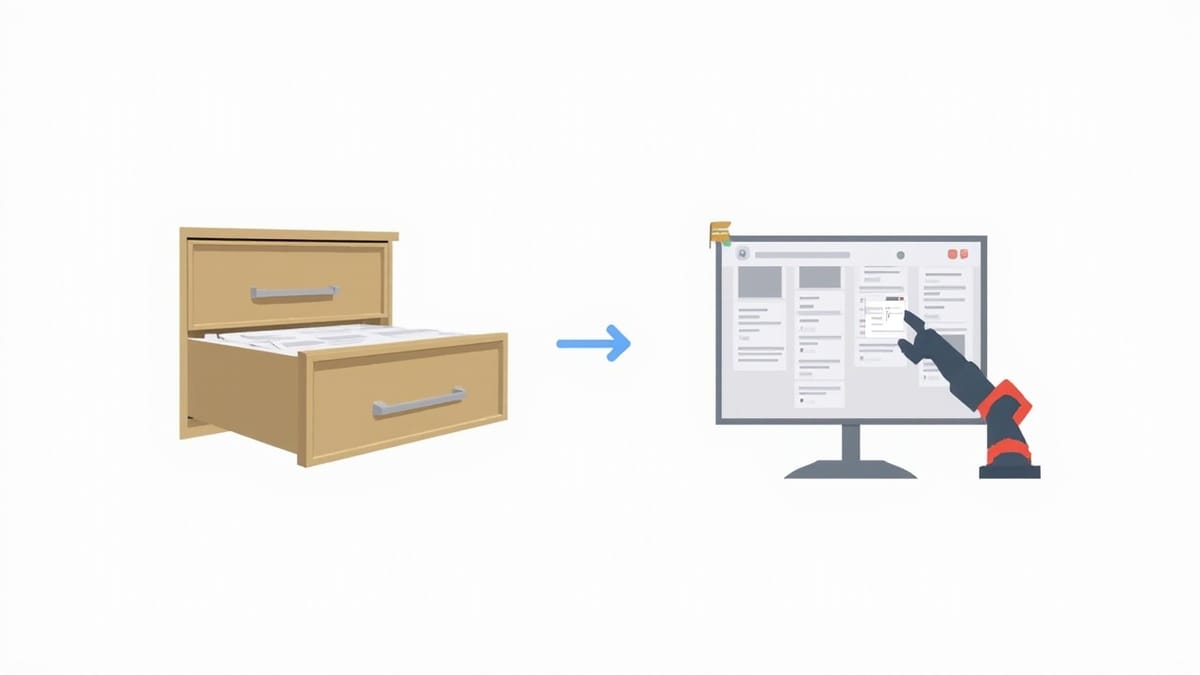
Test case management is the practice of organizing, tracking, and maintaining test cases throughout a product's lifecycle. Done well, it gives QA teams confidence that they've covered the right scenarios and gives stakeholders visibility into release readiness. Done poorly, it becomes a documentation burden that nobody maintains or trusts.
This guide covers the practices that keep test case management useful as products and teams scale.
What Goes in a Test Case
A test case has one job: describe exactly what to do and what to expect, clearly enough that any tester can execute it consistently. Ambiguity in test cases leads to inconsistent results — testers fill gaps with their own assumptions, and "passed" means different things to different people.
Required elements:
Title: [Verb phrase describing the scenario]
  Example: "User can reset password via email link"
  Not: "Password reset" (too vague)

Preconditions: System state before the test begins
  Example: "User account exists, user is not logged in"

Steps: Numbered, specific actions
  Each step: Action → Expected Result

Test Data: Specific values to use (not "enter valid email")
  Example: "Email: test-user@example.com (exists in system)"
  Not: "Use a valid email"

Priority: Critical / High / Medium / Low
  Critical: Failure blocks release
  High: Major feature, no workaround
  Medium: Important but has workaround
Low: Nice-to-have, cosmeticStep quality check: Read each step aloud. If a tester could interpret it differently from how you intended, rewrite it.
Bad step:
3. Enter invalid data in the form
Expected: Error message appearsGood step:
3. Enter "not-an-email" in the email field and leave password blank
   Expected: "Invalid email format" error appears under email field,
             "Password is required" error appears under password field,
Submit button remains disabledOrganizing Test Suites
Test suite structure should match your product's structure, not your team's structure. A suite organized by "QA team alpha" vs. "QA team beta" loses meaning when team composition changes. Structure by feature area instead:
Project: Payment Platform
├── Checkout Flow
│   ├── Cart Management
│   ├── Address Entry
│   ├── Payment Methods
│   │   ├── Credit Card
│   │   ├── PayPal
│   │   └── Apple Pay
│   └── Order Confirmation
├── Subscription Management
│   ├── Plan Selection
│   ├── Upgrade / Downgrade
│   └── Cancellation
├── Invoices and Receipts
└── Refunds and DisputesHierarchy depth: 2-4 levels is optimal. Deeper hierarchies are hard to navigate. Flatter hierarchies lose discoverability.
Naming conventions: Be consistent. Either "User can X" or "X works correctly" for all cases — don't mix styles. Tool-agnostic names age better than "TC-001" sequential IDs.
Writing at the Right Level of Abstraction
Test cases can be too detailed or too abstract. Both cause problems.
Too detailed (brittle):
3. Click the element with CSS selector ".btn-primary.checkout-btn"This breaks when the UI is restyled. The intent is lost.
Too abstract (not executable):
3. Complete the checkout processDifferent testers will do different things.
Right level:
3. Click the "Proceed to Checkout" button in the cart summary
Expected: Checkout form loads with shipping address section visiblePlatform-independent, clear about the user-visible element, specific about the expected outcome.
Traceability: Linking Tests to Requirements
Every test case should link to the requirement it verifies. This isn't bureaucracy — it has practical benefits:
- Coverage gaps: Generate a requirements × test matrix. Any requirement with no linked tests is a coverage gap.
- Impact analysis: When a requirement changes, find all tests that need updating.
- Release sign-off: Demonstrate to stakeholders that every acceptance criterion has been tested.
In Jira-based tools (Xray, Zephyr Scale), use the issue link types "Tests" / "Is Tested By". In TestRail, use the References field to store story IDs. In Qase, use the Requirements section or description links.
Minimum traceability: Every Critical and High priority test case should have at least one linked requirement.
Test Case Lifecycle
Test cases have a lifecycle like code. They're created, reviewed, executed, and eventually deprecated:
Draft → Review → Approved → Deprecated
- Draft: Created but not validated. Not used in test runs.
- Review: Being checked by a senior QA or domain expert.
- Approved: Ready for execution. Used in test runs.
- Deprecated: Feature removed or test superseded. Archived, not deleted.
Never delete historical test cases. You lose execution history — including proof of what was tested for compliance, and the ability to understand what previously existed.
Managing Test Data
Test data is where most test case maintenance pain comes from. Common problems:
Hardcoded credentials that expire: Test users, tokens, and keys embedded in test steps become invalid and break tests.
Solution: Store test credentials in environment variables or a secrets vault. Reference them by name in test steps: "Use credentials from TEST_USER_EMAIL and TEST_USER_PASSWORD environment variables."
Environment-specific data: URLs, database IDs, and configuration values that differ between staging and production.
Solution: Store environment-specific values in configuration, not in test cases. Tests reference configuration keys.
State assumptions: "Test assumes user has no previous orders." If the test environment is shared, another test might create orders.
Solution: Either create test users for each test run, or explicitly set up and tear down state in test preconditions.
Automation Status Tracking
As teams automate, track which test cases have automated coverage:
Automation Status field:
- Not Automated: Manual only
- Automated: Automated, linked to test code
- To Be Automated: Queued for automation
- Cannot Be Automated: Requires human judgment (e.g., visual design review, physical hardware)
Filter test runs by automation status to create manual-only execution cycles and automated CI runs separately.
Linking test cases to code: Use the test case ID in your automation code:
// Jest / Playwright
describe('User Authentication', () => {
  // TC-123: User can log in with valid credentials
  test('logs in with valid credentials', async () => {
    // test implementation
  });
});# pytest with Qase/Xray
@pytest.mark.qase(123) # TC-123
def test_user_can_log_in():
# test implementationWhen you run the automation, results are reported back to the corresponding test case in your management tool.
Transitioning from Manual to Automated Testing
The transition from a manual test suite to an automated one is gradual. Common mistakes:
Mistake 1: Automating everything at once Automation requires maintenance. Automate the highest-value scenarios first: core user flows, critical business logic, regression checks for past bugs.
Mistake 2: Automating poor tests Automating a vague manual test produces a vague, brittle automated test. Fix the test case before automating it.
Mistake 3: Deleting manual tests when automated Keep the manual test case but update Automation Status to "Automated." The manual test documents the intent and can be re-executed manually when automation breaks.
Priority order for automation:
- Smoke tests (critical paths, run on every deploy)
- Regression tests for known bugs (prevent recurrence)
- Data-driven tests (same flow with many input variations)
- Happy path E2E tests for core features
- Edge cases with high customer impact
Maintenance: Keeping Tests Current
Test cases decay. Products change, UIs are redesigned, APIs evolve. A test suite that isn't maintained is actively harmful — testers waste time executing tests that no longer reflect the product, and false "passed" results create false confidence.
Schedule regular reviews: Every sprint or monthly for fast-moving products. Review test cases for the features that changed.
Owner assignment: Assign test suites to QA engineers who own those product areas. Unowned test suites rot.
Execution feedback loop: When a tester marks a test "blocked" or "invalid" because the steps don't match the current UI, they should update the test case immediately — not note it in comments and move on.
Tag stale tests: Add a label needs-review to test cases that haven't been executed in 6+ months. Review them in the next planning session — delete, update, or archive.
Measuring Test Suite Health
Metrics that indicate a healthy test suite:
- Execution rate: % of cases executed in the last sprint. Below 60%: test cases aren't being used.
- Pass rate trend: Improving? Declining? Sudden drops indicate regressions or test breakage.
- Flakiness rate: % of runs where the same test alternates pass/fail. Above 5%: systematic test quality issues.
- Time to execute: Total time for a full regression run. Over 8 hours for manual: test suite too large.
- Coverage gaps: Requirements without linked test cases.
Review these metrics quarterly. They indicate where to invest QA effort.
Beyond Test Case Management
Test case management tools track what tests exist and how they've been executed. They don't continuously monitor your live application. The gap between a test run and the next test run is coverage-free time.
HelpMeTest monitors your deployed application continuously — running functional tests on a schedule and alerting when behavior changes. Tests are defined in plain English, making them accessible to product managers and QA engineers alike, without requiring test automation expertise. It complements your test case management tool by providing coverage between planned test runs.
Summary
Effective test case management:
- Write specific, executable test cases with clear steps, data, and expected results
- Organize by product area, not team or tool artifacts
- Maintain traceability to requirements — at minimum for Critical and High priority tests
- Track automation status to coordinate manual and automated execution
- Plan the transition to automation methodically — smoke tests first, then regression
- Review regularly — test cases without maintenance become liabilities
- Measure health — execution rate, pass rate trend, and flakiness indicate suite quality
The goal is a test suite that the whole team trusts: QA engineers who can execute it consistently, developers who understand what's covered, and stakeholders who can read the results without explanation.