
Selenium Grid vs Cloud Testing Services: Which Should You Choose?
Every team doing cross-browser testing eventually faces the same decision: run your own Selenium Grid, or pay for a cloud testing service?

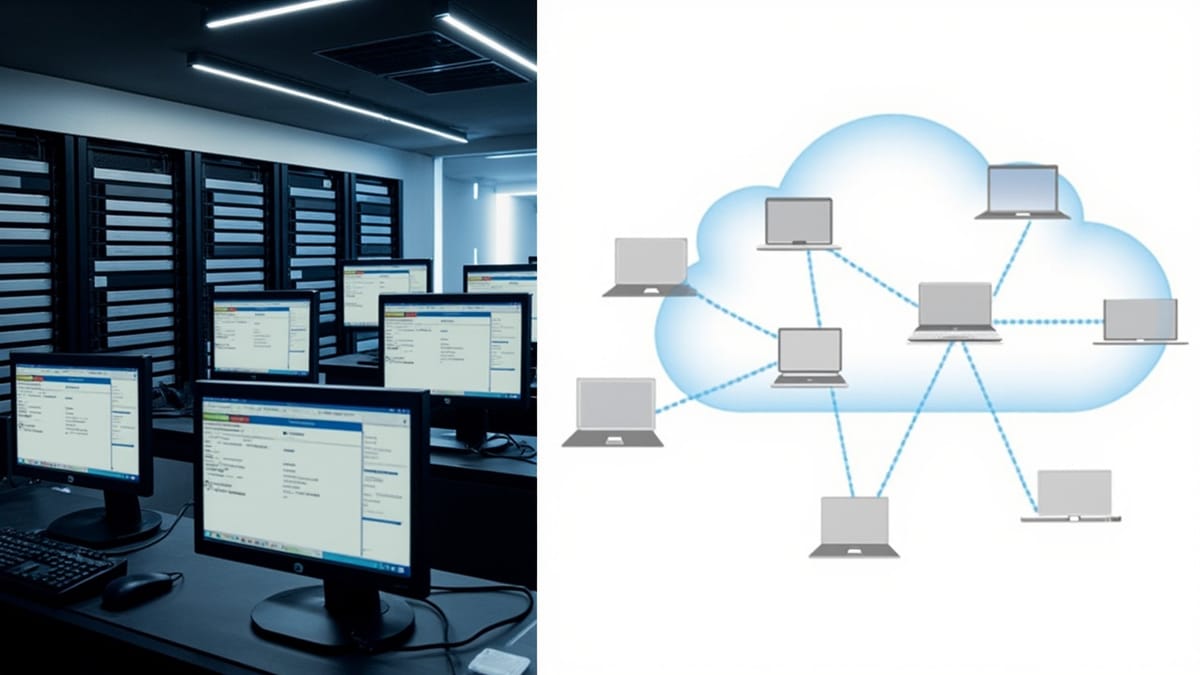
Every team doing cross-browser testing eventually faces the same decision: run your own Selenium Grid, or pay for a cloud testing service? Both approaches work. The right answer depends on your team's size, budget, compliance requirements, and how much time you want to spend managing infrastructure versus writing tests.
This guide gives you an honest comparison of self-hosted Selenium Grid against the major cloud providers — BrowserStack, Sauce Labs, and LambdaTest — with enough technical detail to make the decision without guessing.
What Selenium Grid Is
Selenium Grid distributes test execution across multiple machines. It has two components:
- Hub: The central coordinator. Receives test requests from your WebDriver client and routes them to an available Node.
- Node: A machine that runs browsers. Registers itself with the Hub and executes test sessions.
Grid 4 (the current version, released with Selenium 4) replaced the Hub/Node terminology with a more detailed architecture: Router, Distributor, Session Map, Event Bus, and Node. For most practical purposes, you still think of it as a central server that dispatches tests to browser machines.
The key point: you own and operate everything. You provision the servers, install browsers and drivers, configure the network, handle SSL, and scale capacity up or down.
Setting Up a Basic Selenium Grid with Docker Compose
Docker Compose is the fastest way to run Grid locally or on a single server. The official Selenium images handle browser installation and driver management for you.
Create a docker-compose.yml:
version: "3.8"

services:
  selenium-hub:
    image: selenium/hub:4.18.1
    container_name: selenium-hub
    ports:
      - "4442:4442"
      - "4443:4443"
      - "4444:4444"
    environment:
      - GRID_MAX_SESSION=16
      - GRID_BROWSER_TIMEOUT=300
      - GRID_TIMEOUT=300

  chrome:
    image: selenium/node-chrome:4.18.1
    shm_size: "2gb"
    depends_on:
      - selenium-hub
    environment:
      - SE_EVENT_BUS_HOST=selenium-hub
      - SE_EVENT_BUS_PUBLISH_PORT=4442
      - SE_EVENT_BUS_SUBSCRIBE_PORT=4443
      - SE_NODE_MAX_SESSIONS=4
      - SE_NODE_SESSION_TIMEOUT=300
      - SE_VNC_NO_PASSWORD=1
    deploy:
      replicas: 2

  firefox:
    image: selenium/node-firefox:4.18.1
    shm_size: "2gb"
    depends_on:
      - selenium-hub
    environment:
      - SE_EVENT_BUS_HOST=selenium-hub
      - SE_EVENT_BUS_PUBLISH_PORT=4442
      - SE_EVENT_BUS_SUBSCRIBE_PORT=4443
      - SE_NODE_MAX_SESSIONS=4
      - SE_NODE_SESSION_TIMEOUT=300
    deploy:
      replicas: 2

  edge:
    image: selenium/node-edge:4.18.1
    shm_size: "2gb"
    depends_on:
      - selenium-hub
    environment:
      - SE_EVENT_BUS_HOST=selenium-hub
      - SE_EVENT_BUS_PUBLISH_PORT=4442
      - SE_EVENT_BUS_SUBSCRIBE_PORT=4443
      - SE_NODE_MAX_SESSIONS=4
    deploy:
replicas: 1Start the Grid:
docker compose up -d --scale chrome=2 --scale firefox=2Verify it is running:
curl http://localhost:4444/status | python3 -m json.toolYou should see registered nodes and available session slots in the response.
Connect your tests to the Grid by pointing WebDriver at the Hub URL:
# Python example
from selenium import webdriver
from selenium.webdriver.common.desired_capabilities import DesiredCapabilities

options = webdriver.ChromeOptions()
options.add_argument("--headless")
options.add_argument("--no-sandbox")
options.add_argument("--disable-dev-shm-usage")

driver = webdriver.Remote(
    command_executor="http://localhost:4444/wd/hub",
    options=options
)

driver.get("https://example.com")
print(driver.title)
driver.quit()For Java with TestNG:
// Java example
import org.openqa.selenium.WebDriver;
import org.openqa.selenium.chrome.ChromeOptions;
import org.openqa.selenium.remote.RemoteWebDriver;
import java.net.URL;

ChromeOptions options = new ChromeOptions();
options.addArguments("--headless", "--no-sandbox", "--disable-dev-shm-usage");

WebDriver driver = new RemoteWebDriver(
    new URL("http://localhost:4444/wd/hub"),
    options
);

driver.get("https://example.com");
System.out.println(driver.getTitle());
driver.quit();The Real Cost of Self-Hosted Grid
Running your own Grid is not free — it is free of per-session fees. The costs shift to infrastructure and engineering time.
Infrastructure costs for a production-grade Grid that supports 20 parallel Chrome sessions:
- 5 Node machines (4 Chrome sessions each): t3.large on AWS is ~$60/month each = $300/month
- Hub machine: t3.medium = ~$35/month
- Storage and data transfer: ~$20/month
- Total: roughly $355/month in compute alone
For comparison, BrowserStack's Automate plan with 5 parallel sessions is around $149/month. But that 5-session cloud plan cannot scale instantly to 20 sessions without a plan upgrade.
Engineering time is the cost most teams underestimate:
- Browser and driver version updates require manual Docker image updates and rollouts
- Chrome and Firefox release new major versions every 4–6 weeks
- Safari cannot run on Linux (Safari only runs on macOS), so self-hosted Grid cannot test Safari without macOS hardware
- Grid nodes crash and sessions get stuck in zombie states; someone has to monitor and restart them
- Debugging test failures requires SSH-ing into nodes and checking logs manually
Most teams spend 2–4 hours per month on Grid maintenance. At $150/hour engineering cost, that is $300–600/month in hidden labor cost.
Comparison Table
| Feature | Selenium Grid (self-hosted) | BrowserStack | Sauce Labs | LambdaTest |
|---|---|---|---|---|
| Cost model | Infrastructure + ops time | Per parallel session + plan | Per minute or session | Per parallel session |
| Starting price | ~$50/month (small server) | ~$29/month (1 parallel) | ~$49/month | ~$15/month |
| Browser coverage | Chrome, Firefox, Edge (no Safari without macOS) | 3000+ browser/OS combos | 3000+ combos | 3000+ combos |
| Safari testing | Requires Mac hardware | Yes (real macOS VMs) | Yes | Yes |
| Mobile testing | Requires Appium + real devices or emulators | Real devices (App Automate) | Real devices | Real devices + emulators |
| Maintenance burden | High (you own everything) | None | None | None |
| CI integration | Manual setup | Native SDKs, GitHub Actions | Native SDKs | Native SDKs |
| Debugging tools | Basic (VNC viewer) | Video, network logs, console logs, visual diffs | Full session replay, extended debugging | Video, network logs, visual UI testing |
| Parallel limits | Limited by your hardware | Plan-based, scales to enterprise | Plan-based | Plan-based |
| Session recording | Via VNC or custom setup | Built-in video + screenshots | Built-in session replay | Built-in video |
| Test observability | None (DIY with Allure/ReportPortal) | Test Observability addon | Insights dashboard | Smart UI testing |
| Compliance | Full control, data stays with you | Data leaves your network | Data leaves your network | Data leaves your network |
| Flaky test detection | DIY | Yes (Test Observability) | Yes (Insights) | Yes |
| Uptime SLA | You are responsible | 99.9% guaranteed | 99.9% guaranteed | 99.9% guaranteed |
Sauce Labs prices by the minute for older plans and by parallel session for newer plans; pricing is the most complex of the three cloud providers and worth requesting a quote for teams above 5 developers.
LambdaTest is the most affordable entry point but has fewer real devices and less mature debugging tooling than BrowserStack or Sauce Labs.
When to Use Self-Hosted Selenium Grid
There are specific situations where running your own Grid makes more sense than paying for cloud:
Compliance and data residency requirements. If your tests run against production-like data (even anonymized), some regulated industries (healthcare, finance, government) require that test traffic stays within your network perimeter. Cloud providers offer private cloud and enterprise plans that address some of these concerns, but a self-hosted Grid eliminates the question entirely.
High test volume with predictable parallelism. If you run 5000 tests per day, all of which fit in 20 parallel sessions, the economics of cloud can tip against you. Calculate: 5000 tests × average 90 seconds each ÷ 20 sessions = 375 minutes of wall clock time per day, but 5000 × 90s = 125 hours of session time. At $0.05/minute (cloud pricing), that is $375/day or $11,250/month. A fixed 20-session self-hosted Grid costs $400–600/month in infrastructure. At that scale, self-hosted wins on cost.
Custom browser builds or internal browser distributions. Enterprises that ship modified Chromium builds (for internal apps or specialized environments) cannot test them on public cloud infrastructure. Self-hosted Grid lets you install any browser binary.
Air-gapped environments. Systems with no internet access cannot reach cloud provider APIs. Grid is the only option.
Training and learning. Running Grid locally is an excellent way to learn how WebDriver protocol works, understand session management, and build intuition about browser automation fundamentals.
When to Use Cloud Testing Services
Cloud services outperform self-hosted Grid in the majority of typical product team scenarios:
Cross-browser and cross-OS coverage. Safari on macOS is the main driver here. Getting real macOS hardware for a CI-friendly Grid requires dedicated Mac minis (~$2500 each) or EC2 Mac instances ($25–30/day). Cloud providers have this infrastructure ready.
Mobile browser and native app testing. Real device testing with Appium requires physical devices, charging infrastructure, device management software, and significant setup. Cloud providers maintain pools of real iOS and Android devices. For teams without a dedicated QA lab, this is not practical to self-host.
Small to medium teams (1–20 developers). The engineering time to maintain a Grid often exceeds the cost of a cloud subscription. Teams in this range get more leverage from writing tests than from managing infrastructure.
Debugging and observability needs. Cloud providers record video of every session, capture network HAR files, log browser console output, and provide visual diffs between screenshots. Reproducing a failure you saw on CI requires viewing the session recording — on a self-hosted Grid, you need to configure VNC, session recording tools, and log aggregation yourself.
Scaling for release cycles. Test suite load is uneven — it spikes before releases and is quiet between them. Cloud services let you use 40 parallel sessions before a major release and drop to 5 the rest of the month. Self-hosted Grid is sized for peak load, paying for capacity even when idle.
Hybrid Approach with Zalenium and KEDA
Some teams run a hybrid: a small self-hosted Grid for routine CI runs and cloud overflow for peak demand or for Safari/mobile.
Zalenium (open source, maintained by the Zalando team) extends Selenium Grid to route sessions to cloud providers when local capacity is exhausted. Your tests always hit the same Grid URL; Zalenium decides whether to run locally or proxy to BrowserStack:
# zalenium docker-compose snippet
zalenium:
  image: dosel/zalenium:3
  ports:
    - "4444:4444"
  volumes:
    - /tmp/videos:/home/seluser/videos
    - /var/run/docker.sock:/var/run/docker.sock
  environment:
    - BROWSERSTACK=true
    - BROWSER_STACK_USER=${BROWSERSTACK_USERNAME}
    - BROWSER_STACK_KEY=${BROWSERSTACK_ACCESS_KEY}
    - SAUCE_LABS=false
    - MAX_DOCKER_SELENIUM_CONTAINERS=8
- DESIRED_CONTAINERS=2KEDA (Kubernetes Event-Driven Autoscaling) is the modern approach for teams running Grid on Kubernetes. KEDA scales Node deployments based on the Grid's pending session queue length. When 20 tests are waiting and only 5 sessions are available, KEDA provisions more Node pods automatically. When the queue drains, it scales back down.
# KEDA ScaledObject for Selenium Node
apiVersion: keda.sh/v1alpha1
kind: ScaledObject
metadata:
  name: selenium-node-chrome-scaler
spec:
  scaleTargetRef:
    name: selenium-node-chrome
  minReplicaCount: 1
  maxReplicaCount: 10
  triggers:
    - type: selenium-grid
      metadata:
        url: "http://selenium-hub:4444/graphql"
        browserName: "chrome"
        sessionBrowserName: "chrome"
        browserVersion: "latest"
unsafeSsl: "true"This hybrid approach gives you cost control (pay only for compute you use), keeps routine runs fast on local infrastructure, and handles burst load through autoscaling rather than always-on capacity.
Making the Decision
Run through these questions:
- Do you need Safari testing? If yes and you do not have Mac hardware, cloud wins automatically.
- Do you need mobile device testing? If yes, cloud wins unless you have a dedicated device lab.
- Do you have compliance requirements that prevent sending test traffic offsite? If yes, self-hosted is required.
- How many parallel sessions do you need at peak? Calculate the monthly cloud cost at peak. Compare to infrastructure plus engineering time. If cloud is cheaper, use cloud.
- Is your team smaller than 20 engineers? Cloud is almost always better — the operational overhead of Grid is a significant burden for small teams.
- Do you have significant test data (hundreds of GB of test artifacts)? Self-hosted gives you control over storage; cloud providers charge for artifact retention.
For most product teams building web applications, a cloud provider for cross-browser and mobile, combined with local Playwright runs for fast feedback during development, is the pragmatic choice. Self-hosted Grid makes sense when you have specific compliance constraints or when your test volume is large enough that the math works out in your favor.
The worst outcome is spending two weeks building and maintaining a self-hosted Grid to save $150/month when your engineers cost $150/hour. Calculate the actual numbers for your situation before committing either way.
