Testing Right-to-Left (RTL) Language Support in Web Apps
Right-to-left language support is one of the most visually complex parts of internationalization.

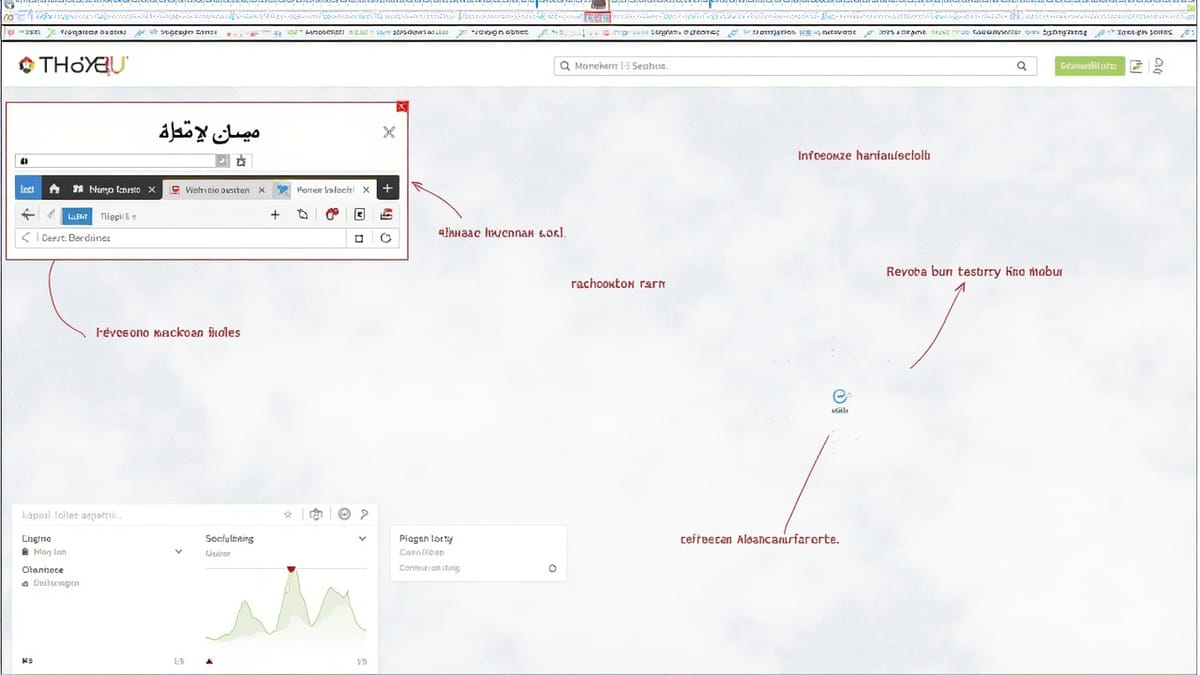
Right-to-left language support is one of the most visually complex parts of internationalization. When a user switches to Arabic or Hebrew, the entire layout must mirror: navigation moves from right to left, text alignment flips, icons with directional meaning reverse, and form inputs realign. Testing this requires a different mindset than LTR i18n testing—you're not just verifying that strings appear, you're verifying that the visual hierarchy makes sense when read from right to left.
Understanding RTL Rendering
Browsers handle RTL text rendering automatically when the dir attribute is set:
<html lang="ar" dir="rtl">With this declaration:
- Text flows right-to-left
- Block elements stack normally (top to bottom)
- Inline elements flow right-to-left
margin-leftandmargin-rightdo NOT automatically flippadding-leftandpadding-rightdo NOT automatically flip
This last point is the source of most RTL layout bugs. If you write margin-left: 16px to add space to the right of an icon in LTR, that same margin appears to the left in RTL, breaking the layout.
CSS Logical Properties
The modern solution to RTL layout bugs is CSS logical properties:
| Physical property | Logical property |
|---|---|
margin-left |
margin-inline-start |
margin-right |
margin-inline-end |
padding-left |
padding-inline-start |
padding-right |
padding-inline-end |
border-left |
border-inline-start |
text-align: left |
text-align: start |
float: left |
float: inline-start |
Logical properties respect the dir attribute automatically. A test that checks layout in both LTR and RTL modes will catch violations of this rule.
Setting Up RTL Tests with Jest and React Testing Library
The simplest RTL test wrapper sets dir on a container element:
// src/test-utils/renderRTL.jsx
import { render } from '@testing-library/react';

export function renderRTL(ui, options = {}) {
  return render(ui, {
    ...options,
    wrapper: ({ children }) => (
      <div dir="rtl" lang="ar">
        {children}
      </div>
    ),
  });
}

export function renderLTR(ui, options = {}) {
  return render(ui, {
    ...options,
    wrapper: ({ children }) => (
      <div dir="ltr" lang="en">
        {children}
      </div>
    ),
  });
}For applications that set dir globally based on locale, wrap with your i18n provider:
// src/test-utils/renderWithLocale.jsx
import { render } from '@testing-library/react';
import { IntlProvider } from 'react-intl';
import arMessages from '../locales/ar.json';
import enMessages from '../locales/en.json';

const RTL_LOCALES = ['ar', 'he', 'fa', 'ur'];

export function renderWithLocale(ui, locale = 'en') {
  const isRTL = RTL_LOCALES.includes(locale);
  const messages = locale === 'ar' ? arMessages : enMessages;

  return render(
    <html dir={isRTL ? 'rtl' : 'ltr'} lang={locale}>
      <IntlProvider locale={locale} messages={messages}>
        {ui}
      </IntlProvider>
    </html>
  );
}Testing Bidirectional Text Content
Bidirectional (bidi) text occurs when an RTL document contains LTR content like English words, URLs, or numbers. The Unicode bidirectional algorithm handles this, but you must verify it doesn't break layout:
// src/components/ProductTitle/ProductTitle.jsx
export function ProductTitle({ arabicName, englishName, price }) {
  return (
    <div className="product-title">
      <h1>{arabicName}</h1>
      <span className="subtitle" dir="ltr">{englishName}</span>
      <span className="price">{price}</span>
    </div>
  );
}// src/components/ProductTitle/ProductTitle.test.jsx
import { renderWithLocale, screen } from '../test-utils';
import { ProductTitle } from './ProductTitle';
describe('ProductTitle bidi text', () => {
it('renders Arabic name in RTL context', () => {
renderWithLocale(
<ProductTitle arabicName="قميص" englishName="Shirt" price="٢٩٫٩٩" />,
'ar'
);
expect(screen.getByText('قميص')).toBeInTheDocument();
});
it('renders English name with explicit LTR direction', () => {
renderWithLocale(
<ProductTitle arabicName="قميص" englishName="Shirt" price="٢٩٫٩٩" />,
'ar'
);
const subtitle = screen.getByText('Shirt');
expect(subtitle).toHaveAttribute('dir', 'ltr');
});
it('renders price correctly in Arabic locale', () => {
renderWithLocale(
<ProductTitle arabicName="قميص" englishName="Shirt" price="٢٩٫٩٩" />,
'ar'
);
expect(screen.getByText('٢٩٫٩٩')).toBeInTheDocument();
});
});Testing Text Direction on the HTML Element
The most fundamental RTL test: verify that the application sets dir="rtl" when an RTL locale is active.
// src/App.test.jsx
import { render, screen } from '@testing-library/react';
import { App } from './App';
import { I18nProvider } from './providers/I18nProvider';

describe('App RTL support', () => {
  test('sets dir=ltr for English', () => {
    render(
      <I18nProvider locale="en">
        <App />
      </I18nProvider>
    );
    expect(document.documentElement).toHaveAttribute('dir', 'ltr');
  });

  test('sets dir=rtl for Arabic', () => {
    render(
      <I18nProvider locale="ar">
        <App />
      </I18nProvider>
    );
    expect(document.documentElement).toHaveAttribute('dir', 'rtl');
  });

  test('sets dir=rtl for Hebrew', () => {
    render(
      <I18nProvider locale="he">
        <App />
      </I18nProvider>
    );
    expect(document.documentElement).toHaveAttribute('dir', 'rtl');
  });
});Testing Icon Directionality
Icons with directional meaning—arrows, chevrons, back buttons—must flip in RTL. Test this explicitly:
// src/components/BackButton/BackButton.jsx
export function BackButton({ onClick, label }) {
  return (
    <button onClick={onClick} className="back-button">
      <svg className="back-icon" aria-hidden="true">
        <use href="#icon-arrow-left" />
      </svg>
      {label}
    </button>
  );
}/* In CSS */
[dir="rtl"] .back-icon {
transform: scaleX(-1);
}// src/components/BackButton/BackButton.test.jsx
import { renderLTR, renderRTL, screen } from '../test-utils';
import { BackButton } from './BackButton';
describe('BackButton icon direction', () => {
test('icon is not mirrored in LTR mode', () => {
renderLTR(<BackButton label="Back" onClick={() => {}} />);
const icon = document.querySelector('.back-icon');
const style = window.getComputedStyle(icon);
// In jsdom, CSS from stylesheets may not apply — check the class or style directly
expect(icon).not.toHaveStyle({ transform: 'scaleX(-1)' });
});
test('icon is mirrored in RTL mode', () => {
renderRTL(<BackButton label="Back" onClick={() => {}} />);
// When dir=rtl is set on an ancestor, the CSS rule applies
// jsdom doesn't compute inherited CSS, so check the ancestor's dir attribute
const container = document.querySelector('[dir="rtl"]');
expect(container).toBeInTheDocument();
// Visual verification is better done with Playwright screenshot tests
});
});For directional icon mirroring, Playwright screenshot tests are more reliable than unit tests because jsdom does not compute inherited CSS from stylesheets.
Playwright RTL End-to-End Tests
// tests/rtl-layout.spec.ts
import { test, expect } from '@playwright/test';

test.describe('RTL layout', () => {
  test.use({ locale: 'ar-SA' });

  test.beforeEach(async ({ page }) => {
    await page.goto('/');
  });

  test('html element has dir=rtl', async ({ page }) => {
    const dir = await page.getAttribute('html', 'dir');
    expect(dir).toBe('rtl');
  });

  test('navigation is mirrored in RTL', async ({ page }) => {
    const nav = page.locator('nav');
    const logo = page.locator('.logo');

    const navBox = await nav.boundingBox();
    const logoBox = await logo.boundingBox();

    if (navBox && logoBox) {
      // In RTL, the logo should be on the right side of the nav
      const logoRightEdge = logoBox.x + logoBox.width;
      const navRightEdge = navBox.x + navBox.width;
      const spaceFromRight = navRightEdge - logoRightEdge;

      // Logo should be within 50px of the right edge of the nav
      expect(spaceFromRight).toBeLessThan(50);
    }
  });

  test('form inputs are right-aligned', async ({ page }) => {
    await page.goto('/contact');
    const inputs = page.locator('input[type="text"], input[type="email"]');

    for (const input of await inputs.all()) {
      const direction = await input.evaluate(el =>
        window.getComputedStyle(el).direction
      );
      expect(direction).toBe('rtl');
    }
  });

  test('text content flows right to left', async ({ page }) => {
    const paragraph = page.locator('main p').first();
    const direction = await paragraph.evaluate(el =>
      window.getComputedStyle(el).direction
    );
    expect(direction).toBe('rtl');
  });

  test('no text overflow in RTL mode', async ({ page }) => {
    // Check for overflow by comparing scrollWidth to clientWidth
    const hasOverflow = await page.evaluate(() => {
      const elements = document.querySelectorAll('h1, h2, h3, button, a');
      for (const el of elements) {
        if (el.scrollWidth > el.clientWidth + 1) {
          console.log('Overflow in:', el.textContent?.trim(), el.tagName);
          return true;
        }
      }
      return false;
    });
    expect(hasOverflow).toBe(false);
  });
});Testing Arabic Numerals
Arabic uses Eastern Arabic numerals (٠١٢٣٤٥٦٧٨٩) in some contexts. Verify that your application formats numbers appropriately for the locale:
// tests/arabic-numbers.spec.ts
import { test, expect } from '@playwright/test';

test.describe('Arabic numeral formatting', () => {
  test.use({ locale: 'ar-SA' });

  test('price is displayed in Western or Eastern Arabic numerals', async ({ page }) => {
    await page.goto('/products');
    const price = page.locator('[data-testid="price"]').first();
    const text = await price.textContent();

    // Accept both Western (0-9) and Eastern Arabic (٠-٩) numerals
    const hasNumerals = /[\d٠-٩]/.test(text ?? '');
    expect(hasNumerals).toBe(true);
  });
});Testing Arabic Text Rendering
Arabic letters connect to adjacent letters and change shape based on position (initial, medial, final, isolated). Test that Arabic text renders without character isolation or incorrect shaping:
test('Arabic product name renders as connected text', async ({ page }) => {
  await page.goto('/products/arabic-item');

  // Take a screenshot of the product name element for visual verification
  const title = page.locator('h1');
  await expect(title).toHaveScreenshot('arabic-product-title.png');
});This screenshot test catches font-loading failures that would render Arabic text as isolated characters (each letter floating separately) rather than connected script.
Edge Cases to Test
Mixed content (bidi): An Arabic sentence containing an English URL or product code. Test that the bidi algorithm renders this correctly by checking element boundaries.
Numeric punctuation: Arabic uses ٫ (Arabic decimal separator) and , differently. If your app formats numbers server-side, verify that the output matches user expectations.
Input text direction: When an Arabic user types in a text field, the cursor starts on the right and moves left. Set dir="auto" on inputs to let the browser determine direction from the first character typed.
Date picker direction: Calendar widgets must mirror in RTL. Days of the week should run right-to-left (Saturday on the left, Friday on the right for Arabic, which uses a Saturday–Friday week).
Scrolling direction: In RTL mode, horizontal scroll position starts at the right edge. scrollLeft of 0 means the right edge is visible, not the left. CSS scroll-behavior: smooth and JavaScript scroll calculations must account for this.
What jsdom Cannot Test
jsdom does not fully support:
- Computed CSS from stylesheets (it doesn't load stylesheets from the filesystem)
- Bounding box calculations (
.getBoundingClientRect()returns zeros) window.getComputedStyle()for inherited properties- Canvas and SVG rendering
For anything that requires visual layout verification, use Playwright. RTL tests split naturally: unit tests for logic (direction attribute, string content), Playwright tests for layout (alignment, mirroring, overflow).
Summary
RTL testing has two layers: unit tests that verify the application sets dir="rtl" for RTL locales, and Playwright E2E tests that verify the visual layout is correctly mirrored. Use CSS logical properties (margin-inline-start, padding-inline-end) in application code to prevent physical property bugs. Test icon directionality, text overflow, form input alignment, and navigation mirroring explicitly. For Arabic text rendering, screenshot tests provide coverage that no assertion can match.