
RESTler: Stateful REST API Fuzzing Tutorial

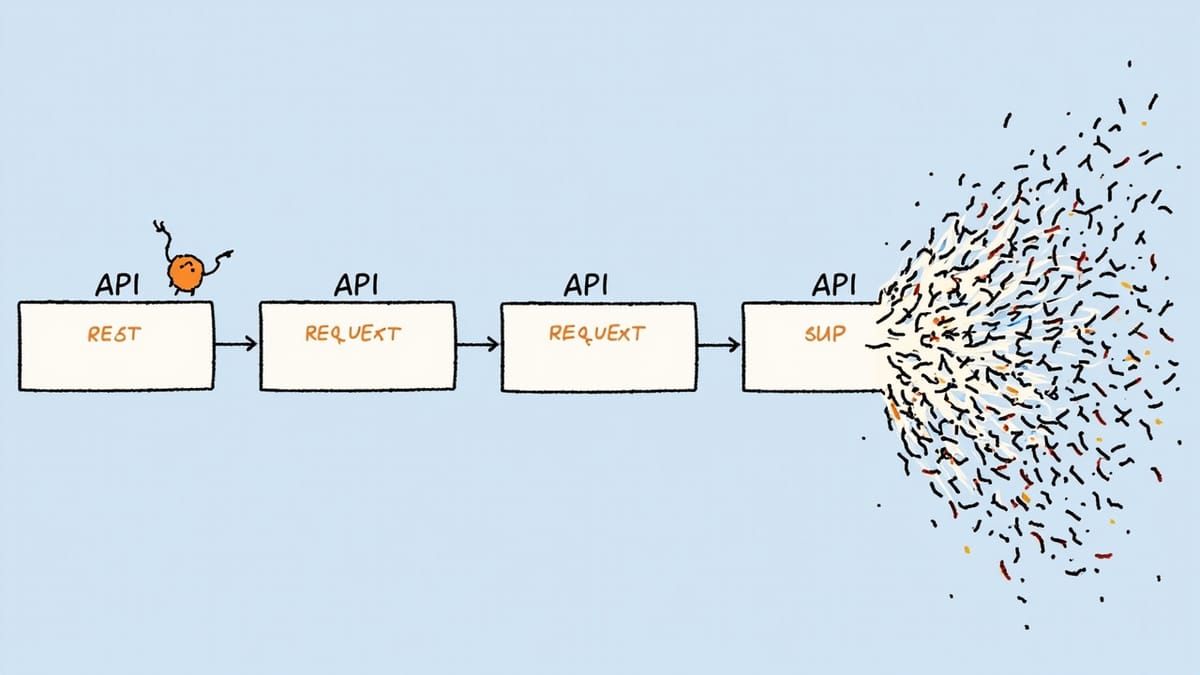
RESTler is a stateful REST API fuzzer from Microsoft Research. Unlike simple fuzzers that hit each endpoint independently, RESTler infers the relationships between API calls — it knows that you must create a user before you can update it, and that updating requires the ID returned by creation. This stateful awareness lets RESTler discover a class of bugs that request-level tools miss entirely.
What Makes RESTler Different
Most API fuzzers treat each endpoint as independent. They send requests to POST /users, GET /users/{id}, and DELETE /users/{id} separately, without understanding that these operations form a sequence.
RESTler analyzes your OpenAPI spec to infer dependencies:
- The
idreturned byPOST /usersis used inGET /users/{id}andDELETE /users/{id} - The
account_idfromPOST /accountsis needed inPOST /accounts/{account_id}/transactions - The order resource ID from order creation is required for order status updates
By understanding these relationships, RESTler generates realistic multi-step sequences and fuzzes the transitions between them. This finds bugs like:
- Resources that can be accessed after deletion
- Operations that succeed when they should fail based on missing prerequisites
- Race conditions in resource lifecycle management
- State-dependent authorization failures
Installation
RESTler requires .NET 6 or later:
# Install .NET 6 runtime (Ubuntu/Debian)
wget https://packages.microsoft.com/config/ubuntu/22.04/packages-microsoft-prod.deb -O packages-microsoft-prod.deb
sudo dpkg -i packages-microsoft-prod.deb
sudo apt update
sudo apt install -y dotnet-runtime-6.0

# Or on macOS with Homebrew
brew install dotnetDownload and install RESTler:
# Get the latest release
RESTLER_VERSION="9.2.4"
wget "https://github.com/microsoft/restler-fuzzer/releases/download/v${RESTLER_VERSION}/restler_bin_linux.zip"
unzip restler_bin_linux.zip -d restler_bin

# Verify installation
dotnet restler_bin/restler/Restler.dll --versionProject Setup
Create a working directory for your fuzzing project:
mkdir api-fuzzing && cd api-fuzzing

# Create a simple directory structure
mkdir -p restler_working_dirPoint RESTler at your OpenAPI spec:
# If your spec is local
cp /path/to/openapi.json .

# If your API exposes its spec
curl http://localhost:8080/openapi.json -o openapi.jsonCompiling the Grammar
RESTler first compiles your OpenAPI spec into a fuzzing grammar — a model of which API calls can be made in which order:
dotnet restler_bin/restler/Restler.dll compile \
--api_spec openapi.jsonThis creates a Compile directory containing:
grammar.py— the inferred request sequencesdict.json— a dictionary of values to useconfig.json— compilation metadata
Inspect the grammar to understand what RESTler inferred:
# From Compile/grammar.py
# RESTler inferred: POST /users must happen before GET /users/{userId}
# because userId appears in the POST response and the GET path

primitives.restler_static_string("POST /users HTTP/1.1\r\n")
# ... creates user, extracts id from response
primitives.restler_static_string("GET /users/")
primitives.restler_custom_payload_uuid4_suffix("userId")  # uses extracted id
primitives.restler_static_string(" HTTP/1.1\r\n")Running the Fuzzer
Three modes of increasing aggressiveness:
Test mode — verify compilation and basic connectivity:
dotnet restler_bin/restler/Restler.dll test \
  --grammar_file Compile/grammar.py \
  --dictionary_file Compile/dict.json \
  --settings restler_settings.json \
  --target_ip localhost \
--target_port 8080Fuzz-lean mode — quick fuzzing run for CI:
dotnet restler_bin/restler/Restler.dll fuzz-lean \
  --grammar_file Compile/grammar.py \
  --dictionary_file Compile/dict.json \
  --settings restler_settings.json \
  --target_ip localhost \
--target_port 8080Fuzz mode — thorough fuzzing (run in dedicated environments):
dotnet restler_bin/restler/Restler.dll fuzz \
  --grammar_file Compile/grammar.py \
  --dictionary_file Compile/dict.json \
  --settings restler_settings.json \
  --target_ip localhost \
  --target_port 8080 \
--time_budget 1--time_budget 1 means 1 hour. Adjust based on your needs.
Settings Configuration
Create restler_settings.json to configure authentication and behavior:
{
  "Authentication": {
    "Token": {
      "location": "Header",
      "header_field_name": "Authorization",
      "token_refresh_interval": 300,
      "token_refresh_cmd": "echo Bearer test-token-123"
    }
  },
  "IgnoreDependencies": false,
  "IgnoreFeedback": false,
  "MaxRequestExecutionTime": 30,
  "MaxCombinations": 20,
  "MaxSequenceLength": 10,
  "DisableSslValidation": true
}For dynamic token refresh (your auth token expires):
{
  "Authentication": {
    "Token": {
      "location": "Header",
      "header_field_name": "Authorization",
      "token_refresh_interval": 300,
      "token_refresh_cmd": "python3 get_token.py"
    }
  }
}Where get_token.py prints a fresh token to stdout.
Reading the Results
After a fuzz run, RESTler creates a FuzzLean or Fuzz directory with:
FuzzLean/
├── logs/
│   ├── main.log           # High-level execution log
│   ├── network.log        # All HTTP traffic
│   └── bug_buckets/       # Organized bug findings
│       ├── main_driver_500_1.json  # 500 errors
│       ├── invalid_dynamic_object_1.json
│       └── payload_body_checker_500_1.json
└── coverage/
└── coverage_summary.txtEach bug bucket entry contains the exact request sequence that triggered the bug:
{
  "sequence": [
    {
      "request": "POST /api/users HTTP/1.1\r\nContent-Type: application/json\r\n\r\n{\"name\": \"test\"}",
      "response": "201 Created ... {\"id\": \"abc123\"}"
    },
    {
      "request": "DELETE /api/users/abc123 HTTP/1.1\r\n",
      "response": "200 OK"
    },
    {
      "request": "GET /api/users/abc123 HTTP/1.1\r\n",
      "response": "200 OK ... {\"id\": \"abc123\"}"  // Bug: should be 404
    }
  ],
  "bug_type": "main_driver_500",
  "checker": "main_driver"
}This tells you exactly how to reproduce: create user → delete user → GET deleted user → still returns 200 instead of 404.
Custom Value Dictionaries
RESTler generates random values, but you can provide realistic ones in dict.json:
{
  "restler_fuzzable_string": ["admin", "test-user", "user@example.com", "' OR 1=1--"],
  "restler_fuzzable_int": [0, -1, 1, 2147483647, -2147483648],
  "restler_fuzzable_bool": [true, false],
  "restler_fuzzable_number": [0.0, -1.5, 3.14, 1e308],
  "restler_custom_payload": {
    "/users/{userId}": ["existing-user-id-from-seed-data"]
  }
}Include security-oriented values to find injection bugs:
- SQL injection patterns:
' OR '1'='1,1; DROP TABLE users - Path traversal:
../../../etc/passwd,..%2f..%2f - XSS payloads:
<script>alert(1)</script>
Bug Classes RESTler Finds
Use-after-delete: Resource is accessible after being deleted. Happens when deletion doesn't properly clean up or when soft-delete logic has gaps.
Server errors (500s) in valid sequences: The API returns 500 for a request sequence that should succeed according to the spec. This is always a bug — valid inputs must not crash the server.
Unauthorized access via sequence manipulation: An operation succeeds when it shouldn't based on the state of other resources. For example, a user can access another user's data by manipulating the sequence of resource creation.
Schema violations: The API returns data that doesn't match the OpenAPI schema, even in normal operation.
Resource leakage: Resources created during one sequence appear accessible in unrelated sequences — state isolation bugs.
CI/CD Integration
GitHub Actions with RESTler:
name: RESTler API Fuzzing
on:
  schedule:
    - cron: '0 2 * * *'  # Nightly, not on every PR
  workflow_dispatch:

jobs:
  fuzz:
    runs-on: ubuntu-latest
    steps:
      - uses: actions/checkout@v3

      - name: Setup .NET
        uses: actions/setup-dotnet@v3
        with:
          dotnet-version: '6.0.x'

      - name: Download RESTler
        run: |
          wget https://github.com/microsoft/restler-fuzzer/releases/download/v9.2.4/restler_bin_linux.zip
          unzip restler_bin_linux.zip -d restler_bin

      - name: Start API
        run: docker-compose up -d api

      - name: Wait for API
        run: |
          until curl -f http://localhost:8080/health; do sleep 2; done

      - name: Get OpenAPI spec
        run: curl http://localhost:8080/openapi.json -o openapi.json

      - name: Compile grammar
        run: |
          dotnet restler_bin/restler/Restler.dll compile \
            --api_spec openapi.json

      - name: Run fuzz-lean
        run: |
          dotnet restler_bin/restler/Restler.dll fuzz-lean \
            --grammar_file Compile/grammar.py \
            --dictionary_file Compile/dict.json \
            --settings restler_settings.json \
            --target_ip localhost \
            --target_port 8080
        continue-on-error: true

      - name: Upload results
        uses: actions/upload-artifact@v3
        if: always()
        with:
          name: restler-results
          path: FuzzLean/

      - name: Check for bugs
        run: |
          if ls FuzzLean/logs/bug_buckets/*.json 2>/dev/null | grep -q .; then
            echo "RESTler found bugs!"
            cat FuzzLean/logs/bug_buckets/*.json
            exit 1
fiRunning RESTler on a schedule (nightly) rather than every PR is common — thorough fuzzing takes time, and you want to avoid slowing down developer feedback loops.
Limitations and Workarounds
Inference gaps: RESTler may not correctly infer all dependencies, especially when IDs are nested or relationships are implicit. Fix this by annotating your OpenAPI spec with clearer response schemas, or manually edit the compiled grammar.
Cleanup: RESTler creates real resources in your API. Use a dedicated test environment and clean up after each run:
# Clean up after fuzzing
psql $TEST_DB_URL -c "TRUNCATE TABLE users, accounts CASCADE;"Authenticated multi-tenant APIs: If your API has tenant isolation, RESTler with a single auth token tests within one tenant. You'll need custom logic to test cross-tenant isolation.
RESTler is most valuable for APIs with rich resource lifecycles — REST APIs where resources have multiple states, relationships, and lifecycle operations. For simple CRUD APIs, Schemathesis may be more efficient. For complex APIs with stateful workflows, RESTler's sequence inference finds bugs nothing else will.