
Testing Firmware on Raspberry Pi and Microcontrollers

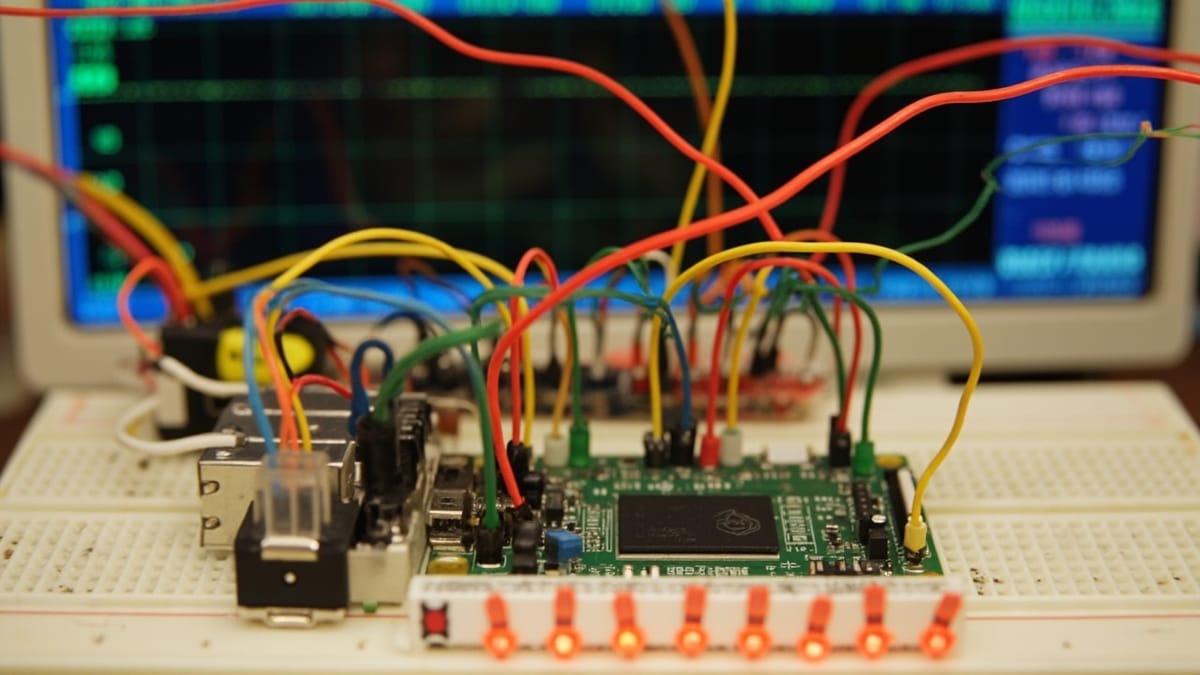
Testing firmware on Raspberry Pi and microcontrollers bridges the gap between host-based unit tests and full hardware integration testing. This post covers pytest-embedded for Espressif targets, MicroPython test patterns, GPIO and serial interface testing, mocking hardware peripherals with a secondary controller, and building CI/CD pipelines that execute tests on real physical hardware connected to self-hosted runners.
Key Takeaways
pytest-embedded brings pytest's fixture model to on-target firmware testing. It handles flashing, serial capture, and DUT lifecycle management — you write plain Python test functions and assertions.
A Raspberry Pi makes an excellent test controller for other microcontrollers. Its GPIO, I2C, SPI, and UART peripherals can stimulate and monitor a DUT while pytest runs on the Pi itself.
Serial output is the most reliable channel for test results from bare-metal devices. Semihosting is fragile across debugger versions; UART to a host-side pytest fixture is portable across any MCU.
Mock peripherals with a secondary microcontroller, not software fakes alone. A Pi Pico wired to the DUT can simulate temperature sensors, motor drivers, or button presses with correct timing and electrical characteristics.
Self-hosted GitHub Actions runners with USB-attached hardware are the production pattern. One runner per board family; matrix jobs dispatch test builds to the correct runner by label.
The Target Hardware Testing Problem
Host-based unit tests with Unity or CppUTest catch logic bugs quickly, but they miss an entire class of problems:
- Hardware timing. A bit-bang SPI implementation that passes host tests may violate setup/hold times on real silicon.
- Peripheral initialization order. The UART that works in isolation may hang if I2C is initialized first due to shared clock resources.
- Power-up sequencing. Brownout behavior, capacitor charge time, and voltage rail sequencing only exist on real hardware.
- Signal integrity. A sensor reading that rounds correctly in simulation may produce garbage with a 10 cm cable and 60 Hz interference.
On-target testing closes these gaps. The challenge is making it automated, repeatable, and integrated into CI.
pytest-embedded for ESP32 and Other Targets
pytest-embedded is an Espressif-maintained framework that extends pytest for embedded targets. It supports ESP32 (via esptool), generic serial targets, QEMU, and custom DUT backends.
Installation
pip install pytest-embedded pytest-embedded-serial-esp pytest-embedded-idfA Basic Test with pytest-embedded
Assume you have an ESP-IDF project with a test app that prints structured output to UART:
/* test_app/main/test_main.c */
#include <stdio.h>
#include "unity.h"
#include "driver/gpio.h"

void test_gpio_output_high(void) {
    gpio_config_t cfg = {
        .pin_bit_mask = (1ULL << GPIO_NUM_2),
        .mode = GPIO_MODE_OUTPUT,
    };
    gpio_config(&cfg);
    gpio_set_level(GPIO_NUM_2, 1);

    /* Read back through loopback (GPIO_NUM_2 connected to GPIO_NUM_4) */
    gpio_set_direction(GPIO_NUM_4, GPIO_MODE_INPUT);
    int level = gpio_get_level(GPIO_NUM_4);
    TEST_ASSERT_EQUAL(1, level);
}

void app_main(void) {
    UNITY_BEGIN();
    RUN_TEST(test_gpio_output_high);
    UNITY_END();
}The pytest test file:
# test_gpio.py
import pytest

@pytest.mark.esp32
@pytest.mark.supported_targets
def test_gpio_output(dut):
    """Flash the test app and verify GPIO loopback works."""
    dut.expect("Running test_gpio_output_high...")
    dut.expect("PASS")
dut.expect("1 Tests 0 Failures 0 Ignored")Run it with:
pytest test_gpio.py \
  --target esp32 \
  --port /dev/ttyUSB0 \
  --baud 115200 \
-vpytest-embedded handles flashing via esptool.py before the test, captures UART output, and matches against dut.expect() patterns.
Fixtures and DUT Lifecycle
# conftest.py
import pytest
from pytest_embedded import Dut

@pytest.fixture
def dut(request):
    """Custom DUT fixture with 10-second boot timeout."""
    with Dut(
        app_path="build",
        port="/dev/ttyUSB0",
        baud=115200,
        boot_timeout=10,
        flash=True,
    ) as dut:
        yield dut

@pytest.fixture
def dut_no_flash():
    """Re-use already-flashed DUT for faster iteration."""
    with Dut(port="/dev/ttyUSB0", baud=115200, flash=False) as dut:
yield dutRaspberry Pi as Test Controller
For microcontrollers without an ESP-IDF-style test framework, a Raspberry Pi connected to the DUT over UART, GPIO, SPI, or I2C makes an excellent test controller. The Pi runs pytest; the DUT runs production firmware with a minimal test protocol.
Hardware Setup
Wire the DUT to the Pi:
| DUT Pin | Pi Pin | Purpose |
|---|---|---|
| TX (UART) | RXD (GPIO 15, Pin 10) | DUT debug output |
| RX (UART) | TXD (GPIO 14, Pin 8) | Test commands to DUT |
| GND | GND | Common ground |
| GPIO_OUT | GPIO 17 (Pin 11) | DUT output under test |
| RESET | GPIO 27 (Pin 13) | Pi controls DUT reset |
Power the DUT from a bench supply or from the Pi's 3.3 V rail if current allows.
Test Controller Script
# test_dut_uart.py — runs on Raspberry Pi

import serial
import RPi.GPIO as GPIO
import time
import pytest

DUT_UART = "/dev/serial0"
DUT_RESET_PIN = 27
DUT_GPIO_MONITOR = 17

@pytest.fixture(autouse=True)
def setup_gpio():
    GPIO.setmode(GPIO.BCM)
    GPIO.setup(DUT_RESET_PIN, GPIO.OUT, initial=GPIO.HIGH)
    GPIO.setup(DUT_GPIO_MONITOR, GPIO.IN)
    yield
    GPIO.cleanup()

@pytest.fixture
def dut_serial():
    ser = serial.Serial(DUT_UART, baudrate=115200, timeout=2.0)
    yield ser
    ser.close()

def reset_dut():
    """Pulse reset line low for 100ms."""
    GPIO.output(DUT_RESET_PIN, GPIO.LOW)
    time.sleep(0.1)
    GPIO.output(DUT_RESET_PIN, GPIO.HIGH)
    time.sleep(0.5)  # boot delay

def wait_for_response(ser, expected: str, timeout: float = 2.0) -> str:
    """Read UART until expected string appears."""
    deadline = time.time() + timeout
    buf = ""
    while time.time() < deadline:
        chunk = ser.read(ser.in_waiting or 1).decode("utf-8", errors="replace")
        buf += chunk
        if expected in buf:
            return buf
    raise TimeoutError(f"Expected '{expected}' not received. Got: {buf!r}")

class TestLEDBlink:
    def test_led_on_command(self, dut_serial):
        reset_dut()
        wait_for_response(dut_serial, "READY")

        dut_serial.write(b"LED ON\r\n")
        wait_for_response(dut_serial, "OK")

        # Verify the GPIO pin actually went high
        level = GPIO.input(DUT_GPIO_MONITOR)
        assert level == GPIO.HIGH, f"LED GPIO not high after LED ON command: {level}"

    def test_led_blink_rate(self, dut_serial):
        reset_dut()
        wait_for_response(dut_serial, "READY")

        dut_serial.write(b"LED BLINK 500\r\n")  # 500ms period
        wait_for_response(dut_serial, "OK")

        # Measure actual toggle times using GPIO interrupt timestamps
        edges = []
        def record_edge(channel):
            edges.append(time.time())

        GPIO.add_event_detect(
            DUT_GPIO_MONITOR,
            GPIO.BOTH,
            callback=record_edge
        )

        time.sleep(3.0)  # record 6 edges
        GPIO.remove_event_detect(DUT_GPIO_MONITOR)

        assert len(edges) >= 4, f"Too few edges: {len(edges)}"

        periods = [edges[i+1] - edges[i] for i in range(len(edges)-1)]
        avg_half_period_ms = (sum(periods) / len(periods)) * 1000
        assert 240 < avg_half_period_ms < 260, \
f"Blink half-period {avg_half_period_ms:.1f}ms, expected ~250ms"Testing MicroPython Firmware
MicroPython exposes a Python REPL over UART, making it uniquely accessible to test automation. The mpremote tool and the pyboard.py script from the MicroPython repository can execute code on the device and capture output.
Using mpremote for Test Execution
# Run a script on the device and print output
mpremote connect /dev/ttyACM0 run test_sensors.py

# Mount local directory and run tests
mpremote connect /dev/ttyACM0 mount . run tests/test_main.pyA MicroPython Test Module
# tests/test_main.py — executed on the MicroPython device
import sys
import machine

class TestRunner:
    def __init__(self):
        self.passed = 0
        self.failed = 0

    def assertEqual(self, a, b, msg=""):
        if a == b:
            self.passed += 1
        else:
            self.failed += 1
            print(f"FAIL: {msg or ''} expected {b!r}, got {a!r}")

    def assertTrue(self, cond, msg=""):
        if cond:
            self.passed += 1
        else:
            self.failed += 1
            print(f"FAIL: {msg or 'condition is False'}")

    def summary(self):
        total = self.passed + self.failed
        print(f"\n{self.passed}/{total} tests passed")
        return self.failed == 0

def test_adc_range(t):
    """ADC reading should be in valid 12-bit range."""
    adc = machine.ADC(machine.Pin(34))
    adc.atten(machine.ADC.ATTN_11DB)
    for _ in range(10):
        value = adc.read()
        t.assertTrue(0 <= value <= 4095, f"ADC value {value} out of range")

def test_i2c_scan(t):
    """I2C bus should detect the expected sensor at address 0x68."""
    i2c = machine.I2C(0, scl=machine.Pin(22), sda=machine.Pin(21), freq=100000)
    devices = i2c.scan()
    t.assertTrue(0x68 in devices, f"MPU-6050 not found. Devices: {[hex(d) for d in devices]}")

def test_uart_loopback(t):
    """UART TX→RX loopback via physical wire."""
    uart = machine.UART(1, baudrate=9600, tx=17, rx=16)
    uart.write(b"HELLO")
    import time; time.sleep_ms(50)
    data = uart.read()
    t.assertEqual(data, b"HELLO", "UART loopback")

t = TestRunner()
test_adc_range(t)
test_i2c_scan(t)
test_uart_loopback(t)
ok = t.summary()
sys.exit(0 if ok else 1)Pytest Wrapper for MicroPython Tests
# test_micropython.py — runs on host, executes on device via mpremote
import subprocess
import pytest

DEVICE_PORT = "/dev/ttyACM0"

def run_on_device(script_path: str) -> tuple[int, str]:
    result = subprocess.run(
        ["mpremote", "connect", DEVICE_PORT, "run", script_path],
        capture_output=True,
        text=True,
        timeout=30
    )
    return result.returncode, result.stdout + result.stderr

def test_sensor_suite():
    rc, output = run_on_device("tests/test_main.py")
    print(output)
    assert rc == 0, f"MicroPython tests failed:\n{output}"
assert "0 tests passed" not in outputMocking Hardware Peripherals with a Secondary Microcontroller
Software fakes work for unit tests, but on-target integration tests need electrical signals. A secondary microcontroller (Pi Pico, Arduino, or another ESP32) can act as a hardware mock.
Pi Pico as SPI Peripheral Simulator
Wire a Pi Pico in SPI slave mode to the DUT's SPI master. The Pico returns pre-programmed responses, simulating a sensor that the DUT reads:
# Pico firmware — CircuitPython SPI slave
import busio
import board
import digitalio

# SPI slave on Pico
spi = busio.SPI(clock=board.GP2, MOSI=board.GP3, MISO=board.GP4)

# Simulated temperature sensor: returns 23.5°C in sensor encoding
SIMULATED_TEMP_BYTES = bytes([0x17, 0x80])  # big-endian, 0x1780 = 23.5 in sensor format

cs = digitalio.DigitalInOut(board.GP5)
cs.direction = digitalio.Direction.INPUT

while True:
    if not cs.value:  # CS asserted (active low)
        spi.readinto(bytearray(2))           # discard DUT command
spi.write(SIMULATED_TEMP_BYTES) # send simulated responseThe DUT under test reads this response and processes it through its production sensor driver. The test on the Pi host verifies the DUT's output:
def test_temperature_read_from_mock_sensor(dut_serial):
    reset_dut()
    wait_for_response(dut_serial, "READY")

    dut_serial.write(b"READ TEMP\r\n")
    response = wait_for_response(dut_serial, "TEMP=")

    # Parse "TEMP=23.5" from DUT output
    temp_str = response.split("TEMP=")[1].split("\r")[0]
    temp = float(temp_str)
assert abs(temp - 23.5) < 0.2, f"Temperature {temp} not within 0.2 of 23.5"CI/CD with Physical Devices
Self-Hosted GitHub Actions Runner
# On the Raspberry Pi that has devices attached:
mkdir actions-runner && cd actions-runner
curl -o actions-runner-linux-arm64.tar.gz \
  https://github.com/actions/runner/releases/download/v2.315.0/actions-runner-linux-arm64-2.315.0.tar.gz
tar xzf actions-runner-linux-arm64.tar.gz
./config.sh \
  --url https://github.com/your-org/your-repo \
  --token YOUR_RUNNER_TOKEN \
  --labels "self-hosted,raspberry-pi,esp32,stm32"
sudo ./svc.sh install
sudo ./svc.sh startGitHub Actions Workflow
# .github/workflows/on-target-tests.yml
name: On-Target Firmware Tests

on:
  push:
    branches: [main, dev]
  pull_request:

jobs:
  build:
    runs-on: ubuntu-latest
    steps:
      - uses: actions/checkout@v4

      - name: Build firmware
        run: |
          idf.py build
          # or: cmake -B build && cmake --build build

      - name: Upload firmware artifact
        uses: actions/upload-artifact@v4
        with:
          name: firmware-binaries
          path: build/*.bin

  test-esp32:
    needs: build
    runs-on: [self-hosted, raspberry-pi, esp32]
    steps:
      - uses: actions/checkout@v4

      - name: Download firmware
        uses: actions/download-artifact@v4
        with:
          name: firmware-binaries
          path: build/

      - name: Install test dependencies
        run: pip install pytest pytest-embedded pytest-embedded-serial-esp

      - name: Run on-target tests
        run: |
          pytest tests/target/ \
            --target esp32 \
            --port /dev/ttyUSB0 \
            --junitxml=results/esp32-results.xml \
            -v

      - name: Upload test results
        if: always()
        uses: actions/upload-artifact@v4
        with:
          name: test-results-esp32
          path: results/

  test-stm32:
    needs: build
    runs-on: [self-hosted, raspberry-pi, stm32]
    steps:
      - uses: actions/checkout@v4

      - name: Download firmware
        uses: actions/download-artifact@v4
        with:
          name: firmware-binaries
          path: build/

      - name: Flash and test via pyocd
        run: |
          pyocd flash build/firmware.hex --target stm32f411retx
          pytest tests/serial/ \
            --port /dev/ttyACM0 \
            --junitxml=results/stm32-results.xml \
-vHandling Flaky Hardware in CI
Physical hardware in CI introduces failure modes that host tests never see.
USB device enumeration. After a firmware crash, the USB CDC device may not re-enumerate for 2–5 seconds. Add a retry loop in your test fixtures.
Port name stability. /dev/ttyUSB0 may become /dev/ttyUSB1 after a hub power cycle. Use udev rules to create stable symlinks:
# /etc/udev/rules.d/99-esp32-dev.rules
SUBSYSTEM=="tty", ATTRS{idVendor}=="10c4", ATTRS{idProduct}=="ea60", \
ATTRS{serial}=="0001", SYMLINK+="ttyESP32-DUT1"Watchdog resets. If your DUT has a watchdog enabled, long test pauses may trigger a reset mid-test. Disable the watchdog via a compile-time flag in test builds, or feed it from a test fixture background thread.
Serial line noise. USB-serial adapters near switching power supplies accumulate bit errors. Set PYTHONUNBUFFERED=1 and use expect() with generous timeouts rather than fixed-time sleep() calls.
Conclusion
Testing firmware on Raspberry Pi and microcontrollers is no longer a specialist activity requiring custom test rigs. The combination of pytest-embedded, mpremote, python-serial, and RPi.GPIO gives embedded teams a coherent test stack that runs on real hardware with the same workflow as any other CI pipeline. The key architectural decision — whether to use a secondary MCU as a hardware mock or to test purely over serial protocol — depends on the physical complexity of the device interface. Either way, the goal is the same: confidence that the firmware that ships behaves correctly on the actual silicon, in the actual electrical environment, not just in simulation.