E2E i18n Testing with Playwright: Multi-Locale Test Suites


Unit tests verify that translation keys are correct; end-to-end tests verify that the application actually delivers the right experience when a real user visits with a specific locale. Playwright's projects configuration makes multi-locale E2E testing practical—you define locale-specific configurations once and the entire test suite runs against each locale. This guide covers the full setup.
Playwright Projects for Multi-Locale Testing
The core feature enabling multi-locale testing in Playwright is projects. Each project can have its own use configuration including locale, timezoneId, and custom baseURL.
// playwright.config.ts
import { defineConfig, devices } from '@playwright/test';

export default defineConfig({
  testDir: './tests',
  fullyParallel: true,
  retries: process.env.CI ? 2 : 0,
  workers: process.env.CI ? 4 : undefined,

  projects: [
    {
      name: 'chromium-en-US',
      use: {
        ...devices['Desktop Chrome'],
        locale: 'en-US',
        timezoneId: 'America/New_York',
      },
    },
    {
      name: 'chromium-de-DE',
      use: {
        ...devices['Desktop Chrome'],
        locale: 'de-DE',
        timezoneId: 'Europe/Berlin',
      },
    },
    {
      name: 'chromium-fr-FR',
      use: {
        ...devices['Desktop Chrome'],
        locale: 'fr-FR',
        timezoneId: 'Europe/Paris',
      },
    },
    {
      name: 'chromium-ar-SA',
      use: {
        ...devices['Desktop Chrome'],
        locale: 'ar-SA',
        timezoneId: 'Asia/Riyadh',
      },
    },
  ],
});When you run npx playwright test, each test runs four times—once per locale project. The browser's navigator.language, date formatting, and number formatting all respect the configured locale.
Locale-Aware Fixtures
Creating a fixture that exposes the current locale lets tests make locale-aware assertions without hardcoding strings:
// tests/fixtures.ts
import { test as base } from '@playwright/test';

type I18nFixture = {
  locale: string;
  t: (key: string) => string;
};

// Load translation messages
import enMessages from '../src/locales/en.json';
import deMessages from '../src/locales/de.json';
import frMessages from '../src/locales/fr.json';
import arMessages from '../src/locales/ar.json';

const allMessages: Record<string, Record<string, string>> = {
  'en-US': enMessages,
  'de-DE': deMessages,
  'fr-FR': frMessages,
  'ar-SA': arMessages,
};

function getNestedValue(obj: Record<string, unknown>, key: string): string {
  return key.split('.').reduce((acc: unknown, part) => {
    if (acc && typeof acc === 'object') return (acc as Record<string, unknown>)[part];
    return undefined;
  }, obj) as string ?? key;
}

export const test = base.extend<I18nFixture>({
  locale: async ({ }, use, testInfo) => {
    // Extract locale from the project name
    const projectName = testInfo.project.name;
    const locale = projectName.split('-').slice(1).join('-') || 'en-US';
    await use(locale);
  },

  t: async ({ locale }, use) => {
    const messages = allMessages[locale] ?? enMessages;
    await use((key: string) => getNestedValue(messages as Record<string, unknown>, key));
  },
});

export { expect } from '@playwright/test';Now tests can reference translations by key:
// tests/navigation.spec.ts
import { test, expect } from './fixtures';

test('navigation shows correct home label', async ({ page, t }) => {
  await page.goto('/');
  await expect(page.getByRole('link', { name: t('nav.home') })).toBeVisible();
});

test('navigation shows correct about label', async ({ page, t }) => {
  await page.goto('/');
  await expect(page.getByRole('link', { name: t('nav.about') })).toBeVisible();
});This test runs in all four locales without modification. Each locale gets its own t() function that translates keys into the correct language.
Testing Date and Number Rendering
Date and number formatting depends on the browser locale. Playwright automatically sets the locale, so your application's Intl.DateTimeFormat and Intl.NumberFormat calls will use the configured locale:
// tests/product-page.spec.ts
import { test, expect } from './fixtures';

test('price displays in locale-appropriate format', async ({ page, locale }) => {
  await page.goto('/products/widget');

  const priceElement = page.locator('[data-testid="product-price"]');
  await expect(priceElement).toBeVisible();

  const priceText = await priceElement.textContent();

  if (locale === 'en-US') {
    // $29.99
    expect(priceText).toMatch(/\$29\.99/);
  } else if (locale === 'de-DE') {
    // 29,99 €
    expect(priceText).toMatch(/29,99/);
    expect(priceText).toContain('€');
  } else if (locale === 'fr-FR') {
    // 29,99 €
    expect(priceText).toMatch(/29,99/);
  }
});For date assertions, use regex patterns that match locale-appropriate formats:
test('order date displays in locale-appropriate format', async ({ page, locale }) => {
  await page.goto('/orders/12345');

  const dateElement = page.locator('[data-testid="order-date"]');
  const dateText = await dateElement.textContent();

  const datePatterns: Record<string, RegExp> = {
    'en-US': /\d{1,2}\/\d{1,2}\/\d{2,4}/, // 1/15/2026
    'de-DE': /\d{1,2}\.\d{1,2}\.\d{2,4}/, // 15.1.2026
    'fr-FR': /\d{1,2}\/\d{1,2}\/\d{4}/, // 15/01/2026
    'ar-SA': /\d/, // Arabic numeral dates — just verify numeric content exists
  };

  expect(dateText).toMatch(datePatterns[locale] ?? /\d/);
});Locale-Specific Base URLs
Some applications serve locale-specific content from different URLs (/en/, /de/, /fr/). Configure base URLs per project:
// playwright.config.ts
projects: [
  {
    name: 'en',
    use: {
      locale: 'en-US',
      baseURL: 'https://app.example.com/en',
    },
  },
  {
    name: 'de',
    use: {
      locale: 'de-DE',
      baseURL: 'https://app.example.com/de',
    },
  },
],Tests use relative URLs that resolve against the configured baseURL:
test('homepage loads in correct locale', async ({ page, t }) => {
  await page.goto('/'); // resolves to https://app.example.com/de/ in the 'de' project
  await expect(page).toHaveTitle(t('page.home.title'));
});Testing RTL Layout
Arabic and Hebrew require right-to-left layout. The ar-SA project will set the locale, but your application also needs to set dir="rtl" on the HTML element. Verify this in E2E tests:
// tests/rtl.spec.ts
import { test, expect } from '@playwright/test';

test.describe('RTL layout', () => {
  test.use({ locale: 'ar-SA' });

  test('html element has rtl direction', async ({ page }) => {
    await page.goto('/');
    const dir = await page.getAttribute('html', 'dir');
    expect(dir).toBe('rtl');
  });

  test('navigation is right-aligned in RTL mode', async ({ page }) => {
    await page.goto('/');
    const nav = page.locator('nav');
    const box = await nav.boundingBox();
    const viewport = page.viewportSize();

    if (box && viewport) {
      // In RTL, the nav should be closer to the right edge
      // Check that there's more space on the left than the right
      const spaceFromRight = viewport.width - (box.x + box.width);
      expect(spaceFromRight).toBeLessThan(box.x);
    }
  });

  test('text direction is rtl in content area', async ({ page }) => {
    await page.goto('/');
    const main = page.locator('main');
    const direction = await main.evaluate(el =>
      window.getComputedStyle(el).direction
    );
    expect(direction).toBe('rtl');
  });
});Testing Login Flows Across Locales
Authentication flows often use locale-specific error messages. Test them directly:
// tests/auth.spec.ts
import { test, expect } from './fixtures';

test('login form shows localized validation error', async ({ page, t }) => {
  await page.goto('/login');

  // Attempt login with empty credentials
  await page.getByRole('button', { name: t('auth.submit') }).click();

  // Error message should appear in the correct locale
  await expect(
    page.getByText(t('auth.errors.emailRequired'))
  ).toBeVisible();
});

test('login form shows localized password error', async ({ page, t }) => {
  await page.goto('/login');
  await page.getByLabel(t('auth.email')).fill('user@example.com');
  await page.getByRole('button', { name: t('auth.submit') }).click();

  await expect(
    page.getByText(t('auth.errors.passwordRequired'))
  ).toBeVisible();
});Visual Regression Testing for Locale Layouts
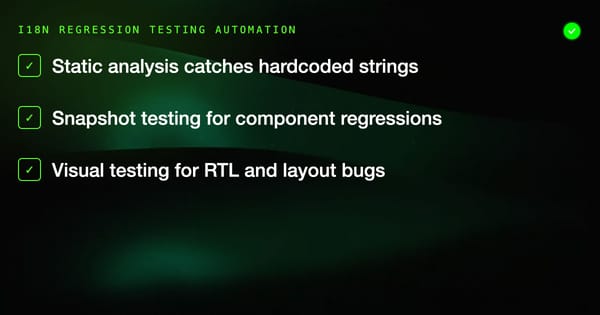
Playwright's screenshot comparison is valuable for catching layout overflow in languages like German (30% longer strings) or Arabic (bidirectional text):
// tests/visual-i18n.spec.ts
import { test, expect } from '@playwright/test';

test('product card layout does not overflow in any locale', async ({ page }) => {
  await page.goto('/products');
  await expect(page.locator('.product-grid')).toHaveScreenshot(`product-grid.png`);
});Playwright automatically names screenshots using the project name when saved, so product-grid.png becomes product-grid-chromium-de-DE.png in the snapshots directory. Each locale gets its own baseline.
Update snapshots with:
npx playwright test --update-snapshotsCI Configuration
# .github/workflows/e2e-i18n.yml
name: E2E i18n Tests

on: [push, pull_request]

jobs:
  test-i18n:
    runs-on: ubuntu-latest
    steps:
      - uses: actions/checkout@v4
      - uses: actions/setup-node@v4
        with:
          node-version: '20'
      - run: npm ci
      - run: npx playwright install --with-deps chromium
      - run: npx playwright test
        env:
          BASE_URL: ${{ secrets.STAGING_URL }}
      - uses: actions/upload-artifact@v4
        if: failure()
        with:
          name: playwright-report
path: playwright-report/Filtering by Locale in Development
During development, run only the German locale tests:
npx playwright test --project=chromium-de-DEOr run only RTL tests:
npx playwright test tests/rtl.spec.tsCommon Pitfalls
Hardcoding expected text: Tests that assert expect(page.getByText('Home')) will fail in non-English locales. Use the t() fixture to reference translation keys.
Timezone-dependent date tests: A test that asserts a date string may pass in Berlin but fail in New York because the same UTC timestamp renders as different calendar dates. Always set timezoneId in project configuration.
Assuming LTR layout selectors: Selectors like .nav-right may not work in RTL mode if the layout direction is reversed. Use semantic roles (getByRole) instead of position-based class names.
Missing locale data on the server: If your application renders on the server, verify that the server also respects the Accept-Language header or locale parameter. Playwright sets the browser locale but does not automatically modify HTTP headers unless you configure it explicitly.
Summary
Multi-locale E2E testing with Playwright is primarily a configuration problem. Define projects with locale and timezone settings, build a t() fixture from your translation files, use semantic selectors via roles and labels, and let Playwright run the full suite across all locales in parallel. The result is a test suite that catches locale-specific regressions as reliably as single-locale tests catch functional regressions.