Phoenix LiveView Testing: live/2, Interactions, Forms, and JS Hooks

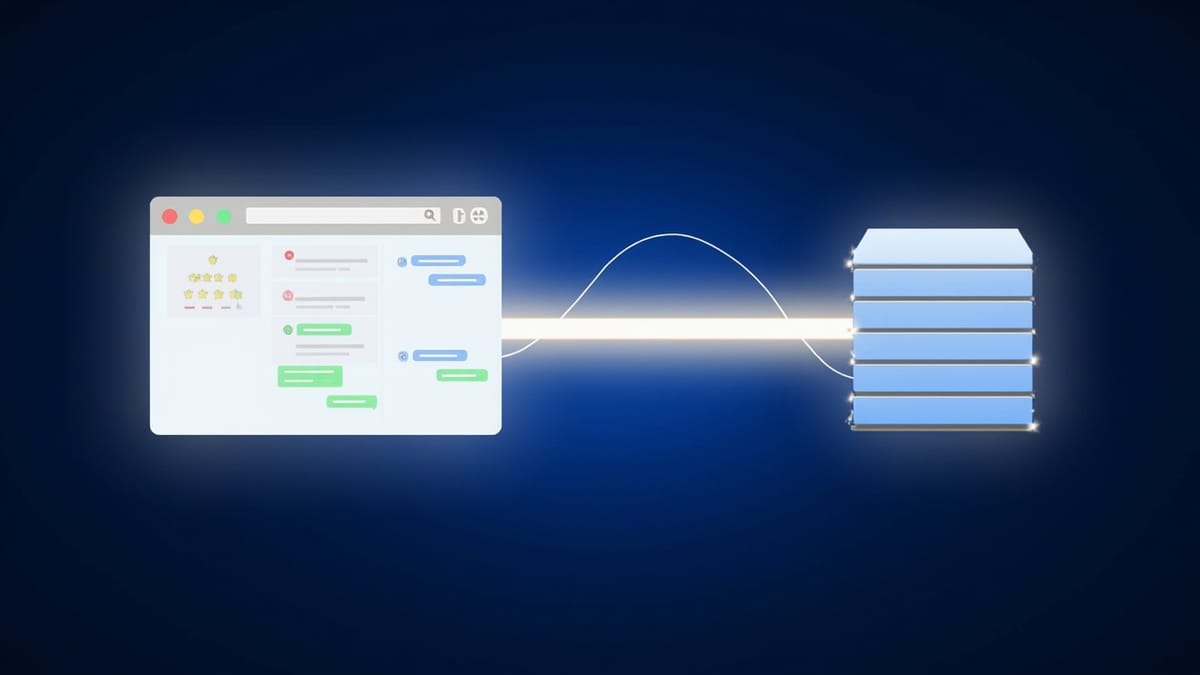
Phoenix LiveView's test module gives you a full server-side rendering environment without a browser. This post covers mounting views, simulating user interactions, testing navigation, form submission, JS hook callbacks, and real-time push events — all in fast, deterministic ExUnit tests.
LiveView moved the rendering loop to the server, and that same decision makes testing straightforward: you test against the rendered HTML and the server-side state, not a browser's DOM. The Phoenix.LiveViewTest module gives you live/2 to mount views, render_click/2 to fire events, and a set of assertion helpers that let you verify what users actually see.
Setting Up LiveView Tests
Add Phoenix.LiveViewTest to your test case template:
defmodule MyAppWeb.ConnCase do
  use ExUnit.CaseTemplate

  using do
    quote do
      import Plug.Conn
      import Phoenix.ConnTest
      import Phoenix.LiveViewTest
      alias MyAppWeb.Router.Helpers, as: Routes
      @endpoint MyAppWeb.Endpoint
    end
  end

  setup tags do
    :ok = Ecto.Adapters.SQL.Sandbox.checkout(MyApp.Repo)
    unless tags[:async] do
      Ecto.Adapters.SQL.Sandbox.mode(MyApp.Repo, {:shared, self()})
    end
    {:ok, conn: Phoenix.ConnTest.build_conn()}
  end
endMounting a LiveView with live/2
defmodule MyAppWeb.ProductLiveTest do
  use MyAppWeb.ConnCase, async: true

  import Phoenix.LiveViewTest

  alias MyApp.Factory

  setup do
    product = Factory.insert!(:product, name: "Widget", price: 29_99)
    {:ok, product: product}
  end

  test "renders product details", %{conn: conn, product: product} do
    {:ok, view, html} = live(conn, ~p"/products/#{product.id}")

    assert html =~ "Widget"
    assert html =~ "$29.99"
  end
endlive/2 returns {:ok, view, html} where view is a LiveViewTest.View struct you use for subsequent interactions, and html is the initial rendered markup. Always check the initial html for static content; use render(view) later to get the current HTML after interactions.
Simulating Click Events
LiveView components respond to phx-click attributes. Use render_click/2 to fire them:
test "adds product to cart", %{conn: conn, product: product} do
  {:ok, view, _html} = live(conn, ~p"/products/#{product.id}")

  html = render_click(view, "add_to_cart", %{"product_id" => product.id})

  assert html =~ "Added to cart"
  assert html =~ "1 item"
end

test "increments quantity on repeated clicks", %{conn: conn, product: product} do
  {:ok, view, _html} = live(conn, ~p"/products/#{product.id}")

  render_click(view, "add_to_cart", %{"product_id" => product.id})
  html = render_click(view, "add_to_cart", %{"product_id" => product.id})

  assert html =~ "2 items"
endFor elements inside nested live_component/3, target the component:
test "removes item via component event", %{conn: conn, product: product} do
  {:ok, view, _html} = live(conn, ~p"/cart")

  html =
    view
    |> element("#cart-item-#{product.id} button[phx-click='remove']")
    |> render_click()

  refute html =~ product.name
endelement/2 selects a DOM element by CSS selector and render_click/1 fires its phx-click event. This is more robust than passing event names directly — it tests that the button exists and has the right event wired up.
Testing Forms
For phx-change and phx-submit events, use render_change/2 and render_submit/2:
defmodule MyAppWeb.RegistrationLiveTest do
  use MyAppWeb.ConnCase, async: true

  import Phoenix.LiveViewTest

  test "shows validation errors on invalid input", %{conn: conn} do
    {:ok, view, _html} = live(conn, ~p"/register")

    html = render_change(view, "validate", %{
      "user" => %{"email" => "not-an-email", "password" => "short"}
    })

    assert html =~ "must have the @ sign"
    assert html =~ "should be at least 8 character"
  end

  test "creates account on valid submission", %{conn: conn} do
    {:ok, view, _html} = live(conn, ~p"/register")

    assert {:ok, conn} =
      view
      |> form("#registration-form", user: %{
        email: "new@example.com",
        password: "securepassword"
      })
      |> render_submit()
      |> follow_redirect(conn, ~p"/dashboard")

    assert conn.resp_body =~ "Welcome"
  end
endform/3 selects a form element, pre-fills it, and returns a FormElement struct. render_submit/1 fires both the phx-change (optional) and phx-submit events. If submission triggers a redirect via push_navigate/2 or redirect/2, follow_redirect/2 follows it and returns the resulting conn.
Testing Navigation with assert_patch and assert_navigate
When a LiveView patches the URL without a full page reload, use assert_patch/2:
test "search updates URL query params", %{conn: conn} do
  {:ok, view, _html} = live(conn, ~p"/products")

  render_change(view, "search", %{"query" => "widget"})

  assert_patch(view, ~p"/products?q=widget")
  assert render(view) =~ "Widget Pro"
  refute render(view) =~ "Gadget Plus"
endFor full navigation (LiveView to LiveView), use assert_navigate/2:
test "clicking product navigates to detail page", %{conn: conn, product: product} do
  {:ok, view, _html} = live(conn, ~p"/products")

  assert {:ok, detail_view, html} =
    view
    |> element("a[href='/products/#{product.id}']")
    |> render_click()
    |> follow_redirect(conn)

  assert html =~ product.name
endTesting Real-Time Pushes
When the server calls send(self(), :some_message) or uses Process.send_after/3 to schedule updates, you need to trigger those messages in tests:
test "live counter updates automatically", %{conn: conn} do
  {:ok, view, html} = live(conn, ~p"/dashboard/stats")

  assert html =~ "Loading..."

  # Simulate the timer firing
  send(view.pid, :tick)

  assert render(view) =~ "Active Users:"
  refute render(view) =~ "Loading..."
endFor PubSub-driven updates, broadcast directly:
test "order status updates via pubsub", %{conn: conn, order: order} do
  {:ok, view, _html} = live(conn, ~p"/orders/#{order.id}")

  MyAppWeb.Endpoint.broadcast("order:#{order.id}", "status_changed", %{
    status: "shipped",
    tracking: "1Z999"
  })

  assert render(view) =~ "Shipped"
  assert render(view) =~ "1Z999"
endTesting LiveComponents in Isolation
LiveComponents (modules using Phoenix.LiveComponent) can be tested in isolation with live_isolated/3:
defmodule MyAppWeb.SearchBoxComponentTest do
  use MyAppWeb.ConnCase, async: true

  import Phoenix.LiveViewTest

  test "calls parent with search query on submit", %{conn: conn} do
    {:ok, view, _html} =
      live_isolated(conn, MyAppWeb.SearchBoxComponent,
        id: "search-box",
        placeholder: "Search..."
      )

    render_submit(view, "search", %{"query" => "elixir"})

    assert render(view) =~ ~r/data-query="elixir"/
  end
endTesting JS Hooks
JS hooks run in the browser, so you cannot test their JavaScript side in ExUnit. What you can test is the server behavior that hooks interact with: the phx-hook element is mounted, custom events pushed via pushEvent trigger the right handlers, and handle_event callbacks respond correctly.
For the server side:
defmodule MyAppWeb.ChartLiveTest do
  use MyAppWeb.ConnCase, async: true

  import Phoenix.LiveViewTest

  test "chart hook element is rendered with correct data attributes", %{conn: conn} do
    {:ok, _view, html} = live(conn, ~p"/analytics")

    assert html =~ ~r/phx-hook="Chart"/
    assert html =~ ~r/data-series="\[/
  end

  test "responds to data_loaded event from hook", %{conn: conn} do
    {:ok, view, _html} = live(conn, ~p"/analytics")

    # Simulate pushEvent from the JS hook
    html = render_hook(view, "data_loaded", %{"points" => 42})

    assert html =~ "42 data points"
  end
endrender_hook/3 is the server-side equivalent of this.pushEvent("event", payload) from a JS hook.
Testing Authentication and Redirects
For protected routes, use conn with a logged-in user:
setup %{conn: conn} do
  user = Factory.insert!(:user)
  conn = log_in_user(conn, user)
  {:ok, conn: conn, user: user}
end

test "unauthenticated users are redirected to login", %{conn: conn} do
  unauthenticated = Phoenix.ConnTest.build_conn()

  assert {:error, {:redirect, %{to: "/login"}}} =
    live(unauthenticated, ~p"/dashboard")
end

test "authenticated users see dashboard", %{conn: conn, user: user} do
  {:ok, _view, html} = live(conn, ~p"/dashboard")
  assert html =~ user.email
endlog_in_user/2 is a helper generated by mix phx.gen.auth — it sets the session token on the conn.
Putting It Together: A Full Flow Test
defmodule MyAppWeb.CheckoutLiveTest do
  use MyAppWeb.ConnCase, async: false  # shared sandbox for multi-step test

  import Phoenix.LiveViewTest

  setup %{conn: conn} do
    user = Factory.insert!(:user)
    product = Factory.insert!(:product, name: "Elixir Book", price: 39_99, stock: 5)
    conn = log_in_user(conn, user)
    {:ok, conn: conn, user: user, product: product}
  end

  test "full checkout flow", %{conn: conn, product: product} do
    # Step 1: Browse to product
    {:ok, view, _html} = live(conn, ~p"/products/#{product.id}")
    assert render(view) =~ "Elixir Book"

    # Step 2: Add to cart
    render_click(view, "add_to_cart", %{"product_id" => product.id})

    # Step 3: Go to cart
    {:ok, cart_view, html} = live(conn, ~p"/cart")
    assert html =~ "Elixir Book"
    assert html =~ "$39.99"

    # Step 4: Submit checkout form
    assert {:ok, conn} =
      cart_view
      |> form("#checkout-form", payment: %{card: "4242424242424242", expiry: "12/28"})
      |> render_submit()
      |> follow_redirect(conn, ~p"/orders")

    # Step 5: Verify order created
    assert conn.resp_body =~ "Order confirmed"
  end
endKey Takeaways
live/2mounts a LiveView and returns the initial HTML — always verify static content here.- Use
element/2+render_click/1for click events to simultaneously verify the element exists and has the right event. form/3+render_submit/1handles form testing;follow_redirect/2chases navigation after submission.assert_patch/2checks URL changes without page reloads; use it for search filters and pagination.- Send messages directly to
view.pidor broadcast via PubSub to trigger real-time updates in tests. render_hook/3simulates JS hook events pushed to the server — test the server-side handler, not the JS.