Pact Contract Testing: Complete Guide for Microservices

Pact contract testing solves one of the hardest problems in microservices: how do you know that your services will work together without running a full integration test suite? This guide covers Pact from the ground up — what it is, how consumer-driven contracts work, and how to integrate Pact into your development workflow.
What Is Pact?
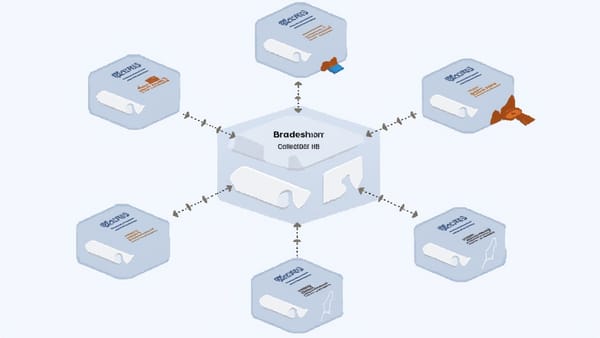
Pact is an open-source framework for consumer-driven contract testing. It records how a consumer service expects to interact with a provider service, then verifies that the provider actually meets those expectations — without needing both services running simultaneously.
The key insight: integration test failures usually happen because of API contract mismatches. A consumer expects a field that the provider stopped sending. A provider changes a field name. Pact catches these breaks at the API boundary without requiring deployed environments.
How Consumer-Driven Contract Testing Works
The Pact workflow has four steps:
- Consumer writes a test that defines what it sends and what response it expects
- Pact generates a contract (the "pact" file) from that test
- Provider verifies the contract — Pact replays the interactions against the real provider
- Results are shared via Pact Broker so both sides know if the contract holds
The consumer defines the contract. The provider verifies it. If the provider changes something the consumer depends on, the contract verification fails before deployment.
Setting Up Pact in a Node.js Consumer
Install the Pact library:
npm install --save-dev @pact-foundation/pactWrite a consumer test for a user service:
const { Pact } = require('@pact-foundation/pact');
const { expect } = require('chai');
const path = require('path');
const axios = require('axios');

const provider = new Pact({
  consumer: 'UserDashboard',
  provider: 'UserService',
  port: 1234,
  log: path.resolve(process.cwd(), 'logs', 'pact.log'),
  dir: path.resolve(process.cwd(), 'pacts'),
  logLevel: 'INFO',
});

describe('User Service', () => {
  before(() => provider.setup());
  after(() => provider.finalize());
  afterEach(() => provider.verify());

  describe('GET /users/:id', () => {
    before(() => {
      return provider.addInteraction({
        state: 'user 123 exists',
        uponReceiving: 'a request for user 123',
        withRequest: {
          method: 'GET',
          path: '/users/123',
          headers: {
            Accept: 'application/json',
          },
        },
        willRespondWith: {
          status: 200,
          headers: {
            'Content-Type': 'application/json',
          },
          body: {
            id: 123,
            name: 'Alice Smith',
            email: 'alice@example.com',
            role: 'admin',
          },
        },
      });
    });

    it('returns user data', async () => {
      const user = await getUserById(123);
      expect(user.id).to.equal(123);
      expect(user.name).to.equal('Alice Smith');
      expect(user.role).to.equal('admin');
    });
  });
});

async function getUserById(id) {
  const response = await axios.get(`http://localhost:1234/users/${id}`, {
    headers: { Accept: 'application/json' },
  });
  return response.data;
}When this test runs, Pact:
- Starts a mock server on port 1234
- Records the interaction (request + response)
- Verifies your consumer code calls the mock correctly
- Writes the pact file to the
pacts/directory
The pact file in JSON format describes exactly what the consumer expects.
Using Matchers for Flexible Contracts
Hard-coded values create brittle contracts. Use Pact matchers to be precise about what actually matters:
const { Matchers } = require('@pact-foundation/pact');
const { like, term, eachLike, integer } = Matchers;

provider.addInteraction({
  state: 'user 123 exists',
  uponReceiving: 'a request for user 123',
  withRequest: {
    method: 'GET',
    path: '/users/123',
  },
  willRespondWith: {
    status: 200,
    body: {
      id: integer(123),           // Must be an integer (not specifically 123)
      name: like('Alice Smith'),  // Must be a string (not specifically "Alice Smith")
      email: term({               // Must match this regex
        generate: 'alice@example.com',
        matcher: '^[^@]+@[^@]+\\.[^@]+$',
      }),
      tags: eachLike('admin'),    // Must be an array with at least one string element
    },
  },
});like() checks the type, not the value. term() validates format with a regex. eachLike() validates array structure. Use matchers to avoid coupling tests to specific test data that will change.
Provider Verification
On the provider side, verify that the contracts from consumers are satisfied:
const { Verifier } = require('@pact-foundation/pact');
const path = require('path');

describe('Provider verification', () => {
  it('validates the expectations of UserDashboard', () => {
    return new Verifier({
      provider: 'UserService',
      providerBaseUrl: 'http://localhost:3001',

      // Load pacts from file system (for local dev)
      pactUrls: [
        path.resolve(__dirname, '../pacts/UserDashboard-UserService.json'),
      ],

      // Provider state setup (matches "state" in consumer test)
      stateHandlers: {
        'user 123 exists': async () => {
          // Set up test data in your database or mock
          await db.users.upsert({ id: 123, name: 'Alice Smith', email: 'alice@example.com', role: 'admin' });
        },
        'no users exist': async () => {
          await db.users.deleteAll();
        },
      },

      publishVerificationResult: true,
      providerVersion: process.env.GIT_COMMIT,
    }).verifyProvider();
  });
});State handlers are crucial — they set up the test data your provider needs to satisfy each interaction. The state name in the provider must match exactly the state field in the consumer interaction.
Pact Broker
The Pact Broker is a shared server that stores pact files and verification results. It's what makes Pact work in a team environment:
- Consumers publish pacts after tests pass
- Providers fetch pacts from the broker for verification
- The
can-i-deploycommand checks if a version is safe to deploy
Setting Up Pact Broker
Run with Docker:
version: '3'
services:
  pact-broker:
    image: pactfoundation/pact-broker:latest
    ports:
      - "9292:9292"
    environment:
      PACT_BROKER_DATABASE_URL: postgres://user:password@db/pactbroker
      PACT_BROKER_BASE_URL: http://localhost:9292

  db:
    image: postgres:15
    environment:
      POSTGRES_USER: user
      POSTGRES_PASSWORD: password
POSTGRES_DB: pactbrokerPactFlow is the hosted version — no self-hosting required. Free tier available for small teams.
Publishing Pacts to Broker
Update your consumer test to publish:
const provider = new Pact({
  consumer: 'UserDashboard',
  provider: 'UserService',
  dir: path.resolve(process.cwd(), 'pacts'),
  pactfileWriteMode: 'merge',
});Publish using the Pact CLI:
pact-broker publish ./pacts \
  --consumer-app-version=$(git rev-parse HEAD) \
  --broker-base-url=http://your-pact-broker \
  --broker-token=$PACT_BROKER_TOKEN \
--tag=$(git branch --show-current)Provider Verification from Broker
Update provider verification to pull from broker:
new Verifier({
  provider: 'UserService',
  providerBaseUrl: 'http://localhost:3001',

  // Pull from broker instead of file system
  pactBrokerUrl: 'http://your-pact-broker',
  pactBrokerToken: process.env.PACT_BROKER_TOKEN,
  consumerVersionSelectors: [
    { mainBranch: true },      // Latest version from main branch
    { deployedOrReleased: true }, // Currently deployed versions
  ],

  publishVerificationResult: true,
  providerVersion: process.env.GIT_COMMIT,
  providerVersionBranch: process.env.GIT_BRANCH,
}).verifyProvider();CI/CD Integration
In CI, the sequence is:
Consumer pipeline:
steps:
  - name: Run consumer tests and publish pacts
    run: |
      npm test  # Generates pact files
      pact-broker publish ./pacts \
        --consumer-app-version=${{ github.sha }} \
        --broker-base-url=$PACT_BROKER_URL \
        --broker-token=$PACT_BROKER_TOKEN \
        --tag=${{ github.ref_name }}

  - name: Can I deploy?
    run: |
      pact-broker can-i-deploy \
        --pacticipant UserDashboard \
        --version=${{ github.sha }} \
        --to-environment=production \
        --broker-base-url=$PACT_BROKER_URL \
--broker-token=$PACT_BROKER_TOKENProvider pipeline:
steps:
  - name: Start provider service
    run: npm start &

  - name: Verify pacts from broker
    run: npm run test:pact  # Runs provider verification

  - name: Can I deploy?
    run: |
      pact-broker can-i-deploy \
        --pacticipant UserService \
        --version=${{ github.sha }} \
--to-environment=productioncan-i-deploy queries the broker: "Has every consumer pact been verified against this provider version?" If any consumer has an unverified pact, deployment is blocked. This is the mechanism that prevents breaking changes from reaching production.
What Pact Catches (and What It Doesn't)
Pact catches:
- Missing response fields that consumers depend on
- Changed field names or data types
- Changed HTTP status codes
- Request format changes the provider no longer accepts
Pact doesn't catch:
- Business logic bugs (wrong calculation, incorrect state transitions)
- Performance regressions
- Data quality issues (returns the right fields but wrong values)
- Infrastructure failures
Pact is a contract testing tool, not a replacement for integration tests. Use both: Pact for API contract verification, integration tests for business behavior verification.
Integrating with End-to-End Testing
Pact contract testing and end-to-end testing are complementary. Tools like HelpMeTest handle the end-to-end layer — running Robot Framework and Playwright tests against deployed environments. Pact handles the API contract layer in CI before deployment. Together, they give you fast contract verification early in the pipeline and behavioral verification after deployment. HelpMeTest's usage-based pricing ($0.003/run) covers cloud-hosted E2E testing without infrastructure management.
Summary
Pact contract testing for microservices:
- Consumer tests define expectations and generate pact files
- Provider verification confirms those expectations are met
- Pact Broker shares contracts and verification results
can-i-deploygates deployments on contract compatibility- CI integration ensures contracts are verified on every change
The payoff is catching API breaking changes before they reach production — without running full integration environments for every PR.
Try HelpMeTest for end-to-end test coverage that complements your Pact contract testing strategy.