OpenText Functional Testing: Enterprise QA With UFT One and ALM
OpenText (formerly Micro Focus, formerly HP) operates the largest portfolio of legacy enterprise testing tools.

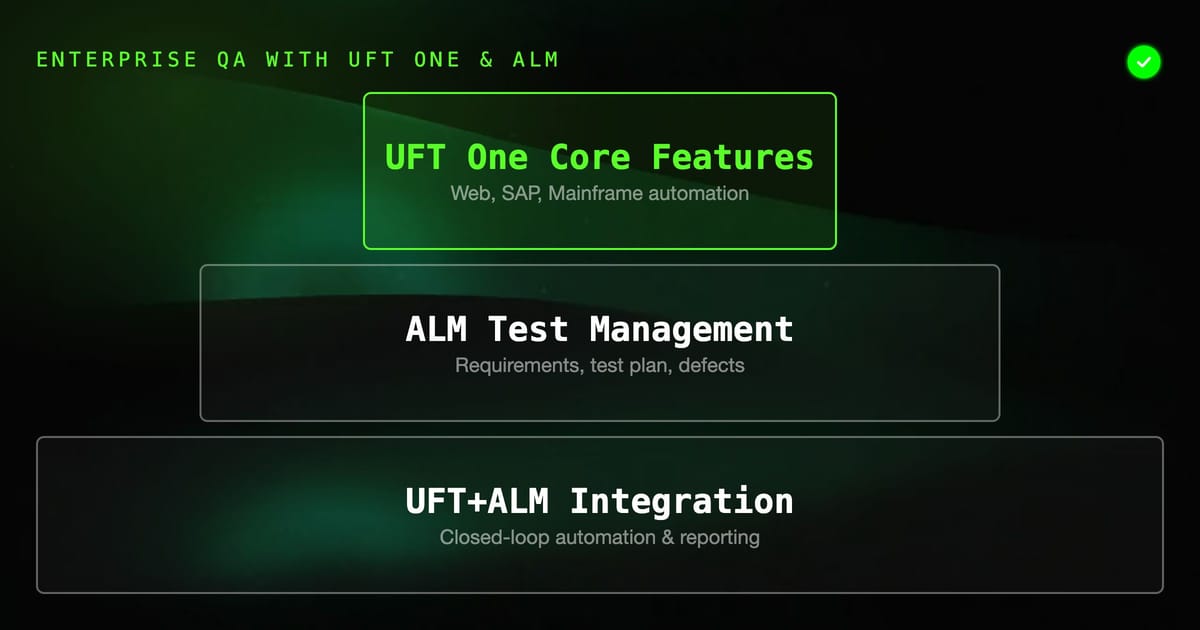
OpenText (formerly Micro Focus, formerly HP) operates the largest portfolio of legacy enterprise testing tools. UFT One (Unified Functional Testing), ALM (Application Lifecycle Management), LoadRunner, and Fortify together cover the full testing lifecycle at enterprise scale. For organizations already invested in this ecosystem, understanding how the tools work together is essential.
This guide covers the OpenText functional testing suite — primarily UFT One and ALM — for teams either evaluating the platform or working within an existing OpenText deployment.
The OpenText Testing Portfolio
OpenText's testing tools map to specific phases of the testing lifecycle:
| Tool | Purpose |
|---|---|
| UFT One | Functional test automation (web, desktop, SAP, mobile, API) |
| ALM Octane | Modern test management (agile-first, cloud) |
| ALM (classic) | Traditional test management and defect tracking |
| LoadRunner | Performance and load testing |
| Fortify | Application security testing (SAST/DAST) |
| StormRunner | Cloud-based load testing |
Most enterprise teams start with UFT One + ALM — the functional testing combination that has the longest history and widest enterprise deployment.
UFT One: Architecture and Capabilities
UFT One is the successor to HP QuickTest Professional (QTP), which was acquired by Micro Focus, which was then acquired by OpenText. The tool has a 25+ year history in enterprise testing.
Core capabilities:
- Web testing: Chrome, Firefox, Edge via browser add-ins
- Desktop testing: Windows applications via object recognition
- SAP testing: Native SAP GUI automation (a major competitive differentiator)
- Mobile testing: Via UFT Mobile (formerly Mobile Center)
- API testing: REST/SOAP service testing
- Mainframe testing: Green screen terminal applications
The combination of web, SAP, and mainframe support in a single tool is UFT One's primary enterprise value proposition. No other tool matches this breadth.
VBScript test language:
UFT One tests are written in VBScript, using an object-oriented model where page elements are first-class objects:
' Navigate and interact with a web page
Browser("MyApp").Navigate "https://app.example.com"
Browser("MyApp").Page("Login").WebEdit("username").Set "john@example.com"
Browser("MyApp").Page("Login").WebEdit("password").SetSecure "encryptedpassword"
Browser("MyApp").Page("Login").WebButton("Login").Click

' Verify outcome
If Browser("MyApp").Page("Dashboard").Exist(5) Then
    Reporter.ReportEvent micPass, "Login", "Dashboard loaded successfully"
Else
    Reporter.ReportEvent micFail, "Login", "Dashboard did not appear after 5 seconds"
End IfObject repository:
The object repository stores UI element definitions (selectors, properties, hierarchy) in a central XML file. Tests reference objects by logical name, not by selector string. When a selector changes, update it once in the repository — all tests automatically use the new definition.
ALM: Application Lifecycle Management
ALM is OpenText's test management platform. It covers requirements, test planning, test execution, and defect management in an integrated workflow.
Key ALM modules:
- Requirements: Store user stories, functional requirements, and traceability links to tests
- Test Plan: Organize test cases in a hierarchical tree. Test cases contain test steps.
- Test Lab: Create test sets (execution groups), run tests, record results
- Defects: Integrated bug tracker linked to test failures
Creating a test in ALM:
- Go to Test Plan module
- Create a subject (folder):
Functional > Authentication - Create a test:
Login with valid credentials - Add test steps:
- Step 1: Navigate to login page | Expected: Login form visible
- Step 2: Enter valid email and password | Expected: Fields accept input
- Step 3: Click Login button | Expected: Redirect to dashboard
- Link to requirements: Associate the test with
REQ-AUTH-001
Running tests in ALM:
- Go to Test Lab module
- Create a Test Set:
Sprint 24 Regression - Add tests from Test Plan to the Test Set
- Assign to testers
- Execute: manually or via UFT One automation linked to the test set
ALM shows a real-time dashboard of test execution status across the test set.
UFT One + ALM Integration
The power of the OpenText ecosystem is the integration between UFT One (automation) and ALM (management):
- Test cases in ALM have an "Automation" field that links to a UFT One test script
- When a Test Set in ALM runs, it invokes UFT One via the ALM Remote Agent
- Results flow back to ALM automatically — pass/fail status, screenshots, UFT report
- Failures in UFT One automatically create defects in ALM with the test failure context
This creates a closed loop: requirements → test cases (ALM) → automated scripts (UFT One) → results → defects (ALM).
CI/CD Integration
UFT One integrates with Jenkins via the UFT One Jenkins plugin:
// Jenkinsfile with UFT One execution
pipeline {
    agent { label 'windows-uft' }  // Must run on Windows with UFT installed

    stages {
        stage('Run UFT Tests') {
            steps {
                uftScenarioLoad testSets: [
                    [testId: 1001],  // ALM Test Set IDs
                    [testId: 1002]
                ],
                almServerUrl: 'https://alm.company.com/qcbin',
                almUserName: env.ALM_USER,
                almUserPassword: env.ALM_PASS,
                almDomain: 'DEFAULT',
                almProject: 'MyProject'
            }
        }
    }

    post {
        always {
            // Publish UFT results
            publishHTML target: [
                reportDir: 'results',
                reportFiles: 'index.html',
                reportName: 'UFT Test Results'
            ]
        }
    }
}The constraint: UFT One tests must run on a Windows agent. Linux-based CI runners require a Windows remote execution node or Windows container (limited support).
Azure DevOps integration uses the UFT One extension from the Marketplace:
- task: UFTTestRunnerTask@2
  inputs:
    testSets: '1001'
    almServerUrl: '$(ALM_SERVER_URL)'
    almUserName: '$(ALM_USER)'
    almUserPassword: '$(ALM_PASSWORD)'
    almDomain: 'DEFAULT'
almProject: '$(ALM_PROJECT)'Licensing and Cost
OpenText uses a seat-based licensing model for UFT One. Licenses are either:
- Concurrent (floating): N licenses shared across a team — any N users can run UFT at the same time
- Named user: Fixed to a specific user
ALM is separately licensed per user.
Rough pricing (varies significantly by volume and contract):
- UFT One: $2,000–$5,000 per concurrent license/year
- ALM: $500–$2,000 per user/year
- Optional add-ons: UFT Mobile, AI-powered object recognition module
For a team of 10 testers with 5 concurrent UFT licenses and 10 ALM seats, expect $20,000–$40,000 annually in licensing. Larger enterprises negotiate significant discounts through enterprise agreements.
Modern Alternatives Within OpenText
OpenText has been updating its portfolio for modern practices:
- ALM Octane: A modern replacement for classic ALM with better CI/CD integration, native agile board, and REST API. Cloud-hosted option available.
- UFT One AI: AI-powered object recognition that reduces test maintenance when UI changes
- UFT Developer (formerly LeanFT): Code-based testing in Java/C#/Python using the UFT engine, for developer-oriented teams
Teams migrating from classic ALM + UFT One may find ALM Octane reduces the Windows dependency for test management while maintaining UFT One for automation.
When OpenText Makes Sense
The OpenText testing suite makes sense when:
- SAP is in your stack: UFT One's SAP support is unmatched
- You have existing ALM investment: Migration cost is high; if ALM is working, the switching cost often exceeds the benefit
- Mainframe testing required: Limited alternatives exist
- Enterprise compliance requirements: ALM's requirement traceability and audit trail satisfy regulated industry compliance
- OpenText ALM is already your project management tool: The all-in-one story has value at scale
For teams without these specific requirements — especially pure-web application teams — modern alternatives (Playwright, Robot Framework, HelpMeTest) deliver faster setup, better developer experience, and significantly lower cost.
Summary
OpenText UFT One and ALM represent the established enterprise testing ecosystem. The tools work well together, have deep support for enterprise application types (SAP, mainframe, Windows desktop), and satisfy compliance requirements at scale. The costs — licensing, Windows infrastructure, VBScript skill requirements — are significant. For teams with an existing OpenText investment, optimizing within the ecosystem is often more practical than migrating. For teams evaluating tools fresh, the specialized enterprise requirements (SAP, mainframe, compliance) should drive the decision.