Testing in Nx Monorepos: Affected Tests, Task Pipelines & Caching
Running your full test suite on every commit stops being practical the moment your monorepo grows beyond a handful of packages.

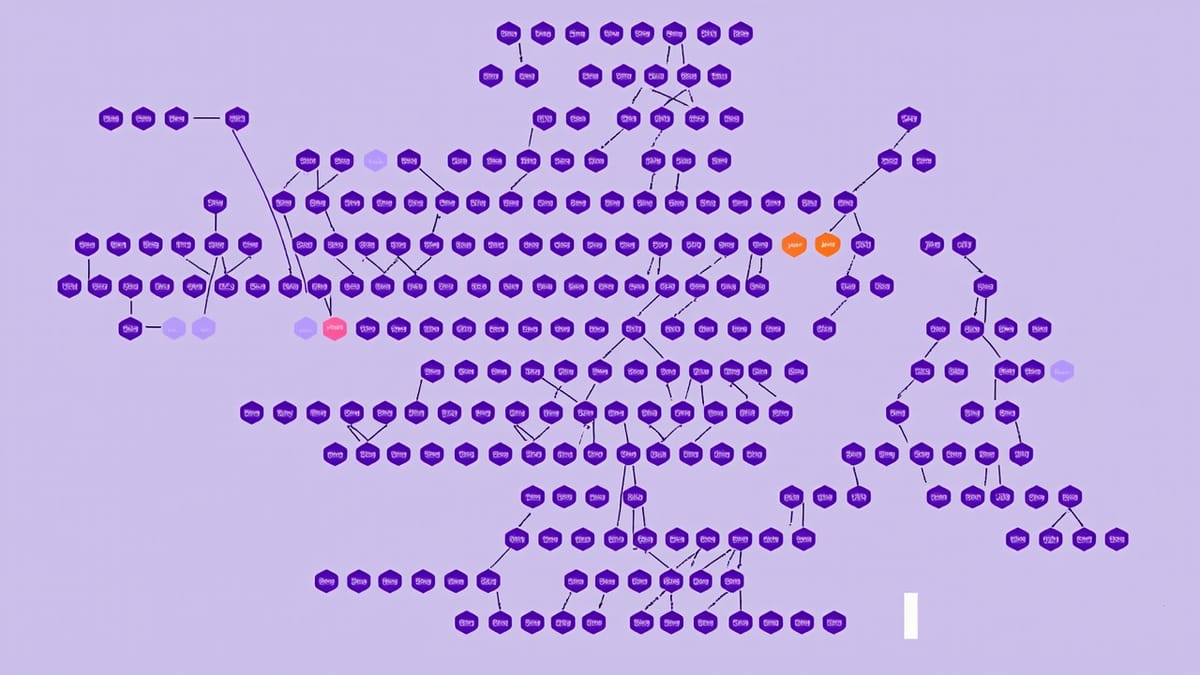
Running your full test suite on every commit stops being practical the moment your monorepo grows beyond a handful of packages. When you have 40 applications and 80 shared libraries, waiting 45 minutes for unrelated tests to pass is a tax on every engineer's time. Nx solves this through a combination of project graph analysis, affected command filtering, and distributed task caching. This guide walks through each of those mechanisms in detail, with real configuration examples you can drop into your own repo.
Understanding the Nx Project Graph
Before you can run only the tests that matter, Nx needs to understand which packages depend on which. That understanding lives in the project graph — a directed acyclic graph that maps every library and application in your workspace to its dependencies.
Nx builds this graph automatically by reading your tsconfig.json path aliases, package.json dependencies, and explicit declarations in project.json. You can inspect it at any time:
nx graphThis opens an interactive browser visualization. More useful in automation is the JSON output:
nx graph --file=graph.jsonThe graph is the foundation for everything else Nx does with testing. When you tell Nx to run affected tests, it walks this graph to determine the blast radius of your changes.
Running Affected Tests
The nx affected command compares your current working tree (or a specific commit range) against a base ref and identifies which projects have changed — either directly or because one of their dependencies changed.
# Compare against main branch
nx affected:test --base=main --head=HEAD

# Compare against a specific commit
nx affected:test --base=abc123 --head=def456

# In CI, compare against the last successful run
nx affected:test --base=origin/mainThe --base flag is the key lever. In pull request CI, you typically set it to the target branch. In trunk-based development, you might set it to the last known good commit.
Configuring the Base in nx.json
Rather than passing --base every time, set a default in nx.json:
{
  "affected": {
    "defaultBase": "main"
  }
}Now nx affected:test works without flags in local development. CI can still override with explicit flags when needed.
What Counts as "Affected"
Nx considers a project affected if:
- Any file in that project's source directory changed
- Any project it depends on (directly or transitively) is affected
- Global files listed in
implicitDependencieschanged
You can declare implicit dependencies in nx.json to catch configuration changes that touch everything:
{
  "implicitDependencies": {
    ".eslintrc.json": "*",
    "babel.config.js": "*",
    "jest.config.base.js": "*"
  }
}When jest.config.base.js changes, every project becomes affected. This is the right behavior — a change to your base Jest config could break any test in the repo.
Configuring Jest in Nx
Nx generates Jest configuration for each project, but the defaults are worth understanding so you can tune them.
A typical generated jest.config.ts for a library looks like this:
import { getJestProjectsAsync } from '@nx/jest';

export default {
  projects: await getJestProjectsAsync(),
};And the per-project config at libs/my-lib/jest.config.ts:
export default {
  displayName: 'my-lib',
  preset: '../../jest.preset.js',
  testEnvironment: 'node',
  transform: {
    '^.+\\.[tj]s$': ['ts-jest', { tsconfig: '<rootDir>/tsconfig.spec.json' }],
  },
  moduleFilePatterns: ['**/*.spec.ts', '**/*.test.ts'],
  coverageDirectory: '../../coverage/libs/my-lib',
};The root jest.preset.js holds shared configuration that all projects inherit:
const nxPreset = require('@nx/jest/preset').default;

module.exports = {
  ...nxPreset,
  coverageReporters: ['lcov', 'text'],
  collectCoverageFrom: [
    'src/**/*.{ts,tsx}',
    '!src/**/*.spec.{ts,tsx}',
    '!src/index.ts',
  ],
};Configuring Test Targets in project.json
Each project's project.json defines the test target that nx affected:test invokes:
{
  "targets": {
    "test": {
      "executor": "@nx/jest:jest",
      "outputs": ["{workspaceRoot}/coverage/libs/my-lib"],
      "options": {
        "jestConfig": "libs/my-lib/jest.config.ts",
        "passWithNoTests": true
      },
      "configurations": {
        "ci": {
          "ci": true,
          "codeCoverage": true,
          "coverageThreshold": {
            "global": {
              "branches": 80,
              "functions": 80,
              "lines": 80,
              "statements": 80
            }
          }
        }
      }
    }
  }
}The ci configuration activates when you run nx affected:test --configuration=ci, enabling coverage and stricter thresholds without affecting local development flow.
Task Pipeline Caching
Nx caches the results of tasks based on the inputs that affect them. If nothing in a project or its dependencies has changed since the last run, Nx replays the cached result without executing the task.
Caching is configured per-target in nx.json:
{
  "targetDefaults": {
    "test": {
      "inputs": [
        "default",
        "^default",
        "{workspaceRoot}/jest.preset.js",
        "{workspaceRoot}/jest.config.ts"
      ],
      "outputs": ["{workspaceRoot}/coverage/libs/{projectName}"],
      "cache": true
    }
  }
}The inputs array defines what can invalidate the cache:
"default"— source files in the project"^default"— source files in dependencies (the^prefix means "and all dependencies")- Explicit file patterns for shared configuration
When the cache hits, you see something like:
> nx run my-lib:test  [local cache]

 PASS   my-lib  libs/my-lib/src/my-lib.spec.ts (cached)

———————————————————————————————————————————————

 NX   Successfully ran target test for project my-lib (12ms)

Nx read the output from the cache instead of running the command for 1 out of 1 tasks.Twelve milliseconds instead of several seconds. Across a large repo, this compounds quickly.
Nx Cloud for Distributed Caching
Local caching only helps the machine that ran the task. Nx Cloud extends this to share cache across your entire team and CI infrastructure. When one CI run caches a test result, subsequent runs — on different machines — replay from cache.
Setup is straightforward:
nx connect-to-nx-cloudThis adds nxCloudAccessToken to nx.json and enables remote caching. From that point, cache hits are shared across all runs authenticated with the same token.
For self-hosted options, Nx Cloud also supports custom remote cache backends via the @nx/nx-cloud package or community-maintained alternatives like nx-remotecache-s3.
E2E Testing in Nx
E2E tests are expensive to run, so Nx's affected detection is even more valuable here than for unit tests.
A typical Nx E2E application configured with Playwright:
{
  "name": "my-app-e2e",
  "targets": {
    "e2e": {
      "executor": "@nx/playwright:playwright",
      "outputs": ["{workspaceRoot}/dist/.playwright/apps/my-app-e2e"],
      "options": {
        "config": "apps/my-app-e2e/playwright.config.ts"
      },
      "configurations": {
        "production": {
          "baseUrl": "https://your-production-url.com"
        }
      }
    }
  },
  "implicitDependencies": ["my-app"]
}The implicitDependencies declaration ensures that when my-app changes, my-app-e2e becomes affected. Without it, Nx has no way to know the E2E suite is related to the application.
CI Integration
A complete GitHub Actions workflow using Nx affected:
name: CI

on:
  push:
    branches: [main]
  pull_request:

jobs:
  test:
    runs-on: ubuntu-latest
    steps:
      - uses: actions/checkout@v4
        with:
          fetch-depth: 0  # Required for nx affected to compare branches

      - uses: actions/setup-node@v4
        with:
          node-version: 20
          cache: 'npm'

      - run: npm ci

      - uses: nrwl/nx-set-shas@v4
        # Sets NX_BASE and NX_HEAD environment variables
        # NX_BASE = last successful commit on the base branch
        # NX_HEAD = current HEAD

      - run: npx nx affected:test --base=$NX_BASE --head=$NX_HEAD --configuration=ci --parallel=3

      - run: npx nx affected:lint --base=$NX_BASE --head=$NX_HEAD --parallel=5

- run: npx nx affected:build --base=$NX_BASE --head=$NX_HEAD --parallel=3The nrwl/nx-set-shas action is important. It sets NX_BASE to the last successful commit rather than just origin/main, preventing a broken base commit from making every subsequent run look like everything is affected.
Parallelization
The --parallel flag controls how many tasks Nx runs concurrently. The right value depends on your runner's CPU count and memory:
# Run up to 5 test suites in parallel
nx affected:test --parallel=5

# Unlimited parallelism (use carefully)
nx affected:test --parallel=0For memory-intensive tests (anything involving databases, heavy mocks, or browser automation), conservative parallelism prevents OOM crashes in CI.
Built-in Test Targets and Generators
When you generate a library or application with Nx, it scaffolds the test target automatically:
nx generate @nx/node:library my-lib --unitTestRunner=jest
nx generate @nx/react:application my-app --unitTestRunner=jest --e2eTestRunner=playwrightThese generators wire up the executor, create the jest config, and add the target to project.json. For existing projects without a test target, you can add one with the add-jest generator:
nx generate @nx/jest:configuration --project=my-libThis retrofits Jest onto an existing project — useful when you're migrating an older monorepo to Nx incrementally.
Monitoring Test Reliability Over Time
Nx's affected detection is powerful, but it surfaces a new problem: flaky tests that only appear for certain packages. When nx affected:test runs a subset of your suite on every PR, a flaky test in a rarely-changed package can go unnoticed for weeks.
Tools like HelpMeTest can monitor your test runs over time, tracking which tests flake, which packages have degrading coverage, and whether your cache hit rates are actually saving the time you expect. This kind of observability is especially valuable in monorepos where the test surface is large and partially hidden by smart filtering.
Practical Patterns
Skipping Affected for Critical Paths
Some packages are so foundational that you want to always test them, regardless of affected detection. You can declare this with a separate always-test step in CI:
- name: Always test core packages
  run: npx nx run-many --target=test --projects=core-lib,shared-utils --configuration=ci

- name: Test affected packages
run: npx nx affected:test --base=$NX_BASE --head=$NX_HEAD --configuration=ciTag-Based Test Grouping
Nx's tagging system lets you group projects and run tests by group rather than by project name:
{
  "tags": ["scope:auth", "type:library"]
}# Run all tests for the auth scope
nx run-many --target=test --projects=tag:scope:authThis is useful for domain-scoped test runs — running all auth-related tests before deploying the auth service, for example.
Enforcing Module Boundaries
Nx's module boundary lint rules prevent cross-domain imports that would create unwanted graph edges and expand the blast radius of changes:
{
  "rules": {
    "@nx/enforce-module-boundaries": [
      "error",
      {
        "depConstraints": [
          {
            "sourceTag": "scope:checkout",
            "onlyDependOnLibsWithTags": ["scope:checkout", "scope:shared"]
          }
        ]
      }
    ]
  }
}Tighter module boundaries mean smaller affected sets, which means faster test runs.
Summary
Nx's testing infrastructure is built around one core idea: only do the work that changes require. The project graph makes this safe — Nx knows exactly which packages a change can affect, and it propagates that knowledge transitively. Caching makes it fast — results from unchanged work are never recomputed. And the affected command ties it together in a CLI interface that works the same locally and in CI.
The investment to set this up correctly — tuning implicitDependencies, configuring inputs for cache correctness, wiring up nrwl/nx-set-shas in CI — pays off every day in the form of faster feedback loops and lower CI costs.
Start with nx affected:test --base=main locally and see what it catches. Then layer in remote caching and CI integration. By the time your monorepo hits 100 packages, the infrastructure will already be doing the hard work for you.