
Mock Service Worker (MSW): Intercept API Calls in Tests
Most API mocking libraries intercept calls at the code level — patching fetch, wrapping axios, or monkey-patching network modules.

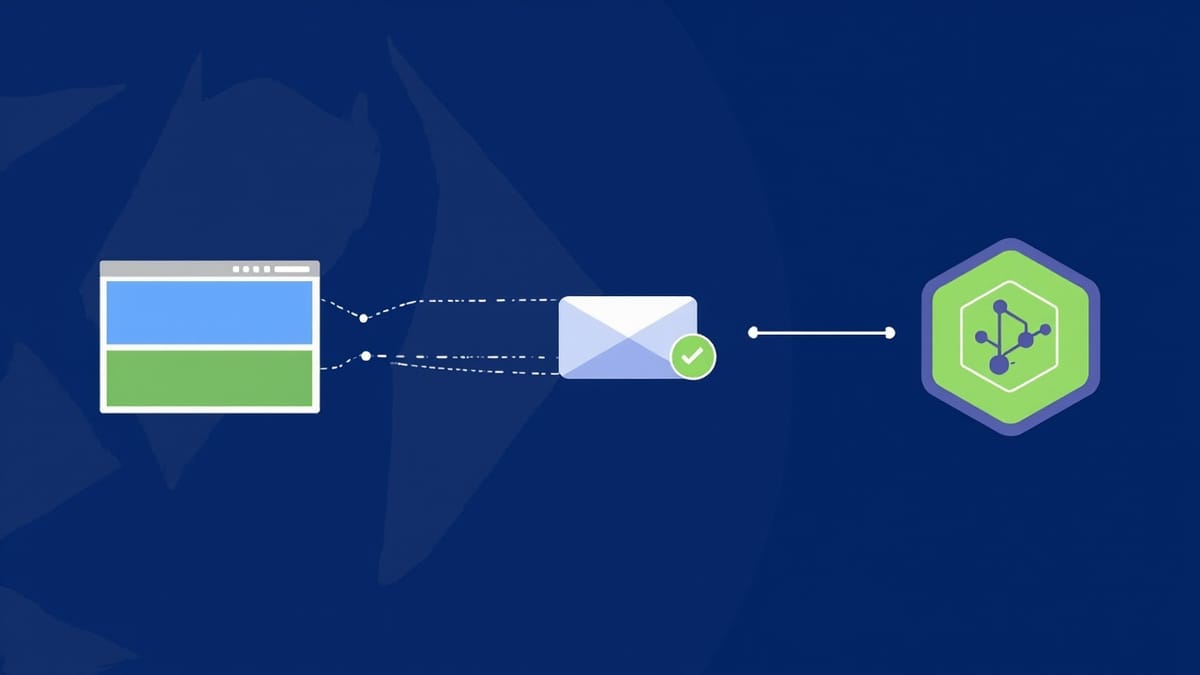
Most API mocking libraries intercept calls at the code level — patching fetch, wrapping axios, or monkey-patching network modules. This approach breaks easily when libraries change internals or when you switch HTTP clients.
Mock Service Worker (MSW) takes a different approach. In browsers, it registers an actual service worker that intercepts network requests at the network level. In Node.js, it intercepts at the network layer using @mswjs/interceptors. Your application code makes real network calls — MSW just intercepts them before they leave the process.
This makes MSW one of the most realistic API mocking solutions available. Your application behaves the same way in tests as it does in production.
How MSW Works
In the browser:
- MSW registers a service worker (
mockServiceWorker.js) in your browser - The service worker intercepts all outgoing fetch/XHR requests
- MSW matches the request against your handler definitions
- The handler returns a mocked response
- Your application receives the response as if it came from the real server
In Node.js (for Jest, Vitest, etc.): MSW uses @mswjs/interceptors to patch Node's http and https modules at a low level, intercepting requests before they hit the network.
The same handler definitions work in both environments — write once, use everywhere.
Installation
npm install msw --save-devFor TypeScript projects, types are included.
Defining Handlers
Handlers are the core of MSW. They map request patterns to mock responses.
REST handlers
// handlers.js
import { http, HttpResponse } from 'msw'

export const handlers = [
  http.get('/api/users', () => {
    return HttpResponse.json([
      { id: 1, name: 'Alice', email: 'alice@example.com' },
      { id: 2, name: 'Bob', email: 'bob@example.com' },
    ])
  }),

  http.get('/api/users/:id', ({ params }) => {
    const { id } = params
    return HttpResponse.json({ id: Number(id), name: 'Alice', email: 'alice@example.com' })
  }),

  http.post('/api/users', async ({ request }) => {
    const body = await request.json()
    return HttpResponse.json({ id: 3, ...body }, { status: 201 })
  }),

  http.delete('/api/users/:id', () => {
    return new HttpResponse(null, { status: 204 })
  }),
]GraphQL handlers
import { graphql, HttpResponse } from 'msw'

export const graphqlHandlers = [
  graphql.query('GetUser', ({ variables }) => {
    return HttpResponse.json({
      data: {
        user: {
          id: variables.id,
          name: 'Alice',
          email: 'alice@example.com',
        },
      },
    })
  }),

  graphql.mutation('CreateUser', ({ variables }) => {
    return HttpResponse.json({
      data: {
        createUser: {
          id: '3',
          ...variables.input,
        },
      },
    })
  }),
]Browser Setup
Generate the service worker file:
npx msw init public/ --saveThis creates public/mockServiceWorker.js. Commit this file — it needs to be served by your development server.
Create a browser setup file:
// src/mocks/browser.js
import { setupWorker } from 'msw/browser'
import { handlers } from './handlers'

export const worker = setupWorker(...handlers)Start the worker in development mode:
// src/index.js (or main.tsx for React)
async function enableMocking() {
  if (process.env.NODE_ENV !== 'development') {
    return
  }

  const { worker } = await import('./mocks/browser')
  return worker.start({
    onUnhandledRequest: 'warn', // warn about requests without a handler
  })
}

enableMocking().then(() => {
  // Start your app
  ReactDOM.createRoot(document.getElementById('root')).render(<App />)
})Node.js Setup (for Jest and Vitest)
Create a server setup file:
// src/mocks/server.js
import { setupServer } from 'msw/node'
import { handlers } from './handlers'

export const server = setupServer(...handlers)Configure your test setup file:
// jest.setup.js (or setupTests.ts)
import { server } from './src/mocks/server'

beforeAll(() => server.listen({
  onUnhandledRequest: 'error', // fail tests on unhandled requests
}))

afterEach(() => server.resetHandlers()) // reset overrides between tests
afterAll(() => server.close())Add to Jest config:
{
  "jest": {
    "setupFilesAfterFramework": ["./jest.setup.js"]
  }
}Writing Tests with MSW
Testing React components
// UserProfile.test.jsx
import { render, screen, waitFor } from '@testing-library/react'
import { server } from '../mocks/server'
import { http, HttpResponse } from 'msw'
import UserProfile from './UserProfile'

test('displays user data', async () => {
  render(<UserProfile userId="1" />)

  await waitFor(() => {
    expect(screen.getByText('Alice')).toBeInTheDocument()
  })
})

test('displays error when user not found', async () => {
  // Override the handler for this specific test
  server.use(
    http.get('/api/users/:id', () => {
      return HttpResponse.json(
        { message: 'User not found' },
        { status: 404 }
      )
    })
  )

  render(<UserProfile userId="999" />)

  await waitFor(() => {
    expect(screen.getByText('User not found')).toBeInTheDocument()
  })
})Testing async state and loading states
import { http, HttpResponse, delay } from 'msw'

test('shows loading spinner while fetching', async () => {
  server.use(
    http.get('/api/users', async () => {
      await delay(100) // Simulate network latency
      return HttpResponse.json([])
    })
  )

  render(<UserList />)

  expect(screen.getByTestId('loading-spinner')).toBeInTheDocument()

  await waitFor(() => {
    expect(screen.queryByTestId('loading-spinner')).not.toBeInTheDocument()
  })
})Testing error scenarios
import { http, HttpResponse } from 'msw'

test('handles network errors gracefully', async () => {
  server.use(
    http.get('/api/users', () => {
      return HttpResponse.error() // Simulates a network error
    })
  )

  render(<UserList />)

  await waitFor(() => {
    expect(screen.getByText(/failed to load/i)).toBeInTheDocument()
  })
})

test('handles server errors', async () => {
  server.use(
    http.get('/api/users', () => {
      return HttpResponse.json(
        { error: 'Internal server error' },
        { status: 500 }
      )
    })
  )

  render(<UserList />)

  await waitFor(() => {
    expect(screen.getByText(/something went wrong/i)).toBeInTheDocument()
  })
})Next.js Setup
Next.js requires separate configuration for browser and server-side code.
Browser mocking
Place the browser setup in a layout or provider component:
// app/providers.tsx (App Router)
'use client'

import { useEffect } from 'react'

async function initMocks() {
  if (typeof window === 'undefined') return
  if (process.env.NODE_ENV !== 'development') return

  const { worker } = await import('../mocks/browser')
  await worker.start({ onUnhandledRequest: 'bypass' })
}

export function Providers({ children }) {
  useEffect(() => {
    initMocks()
  }, [])

  return children
}API Route mocking in tests
For Next.js API routes or server components, use the Node.js server setup in your test files. Since Next.js runs server code in Node.js, the same msw/node setup applies.
// __tests__/api.test.js
import { createMocks } from 'node-mocks-http'
import { server } from '../src/mocks/server'
import handler from '../pages/api/users'

test('GET /api/users returns user list', async () => {
  const { req, res } = createMocks({ method: 'GET' })
  await handler(req, res)
  expect(res.statusCode).toBe(200)
})Playwright Integration
MSW can run alongside Playwright browser tests. Use the browser integration and start MSW before your tests:
// playwright.config.js
import { defineConfig } from '@playwright/test'

export default defineConfig({
  use: {
    baseURL: 'http://localhost:3000',
  },
  webServer: {
    command: 'npm run dev', // starts your app with MSW enabled
    url: 'http://localhost:3000',
    reuseExistingServer: !process.env.CI,
  },
})For Playwright-specific handler overrides, you can use the msw package in page evaluate calls or configure environment variables to switch mock behavior.
Handler Organization
As your mock surface grows, organize handlers by feature:
src/mocks/
  handlers/
    users.js
    products.js
    auth.js
    payments.js
  handlers.js    # re-exports all handlers
  browser.js     # browser worker setup
server.js # Node.js server setup// handlers.js
import { userHandlers } from './handlers/users'
import { productHandlers } from './handlers/products'
import { authHandlers } from './handlers/auth'
export const handlers = [
...userHandlers,
...productHandlers,
...authHandlers,
]Runtime Handler Overrides
In tests, you frequently need to override the default handlers for specific scenarios. MSW provides server.use() for this:
// Adds a one-time handler that takes priority over defaults
server.use(
  http.get('/api/users', () => {
    return HttpResponse.json([], { status: 200 })
  })
)

// After each test, server.resetHandlers() removes overrides
afterEach(() => server.resetHandlers())For permanent overrides (when you want to change the base behavior for the rest of the test suite):
// This persists until explicitly reset
server.use(
  http.get('/api/config', () => {
    return HttpResponse.json({ feature_flags: { dark_mode: true } })
  }),
  { once: false }
)Advantages Over Other Approaches
| Feature | MSW | nock | jest.mock |
|---|---|---|---|
| Works in browser | ✓ | ✗ | ✗ |
| Works in Node | ✓ | ✓ | ✓ |
| Same handlers for both | ✓ | ✗ | ✗ |
| Tests real fetch/axios | ✓ | Partial | ✗ |
| GraphQL support | ✓ | ✗ | Manual |
| TypeScript support | ✓ | ✓ | ✓ |
Conclusion
MSW's network-level interception gives you a level of realism that code-patching mocks can't match. Your application makes actual network requests. The service worker or Node.js interceptor catches them. Your app never knows the difference.
This means your tests validate real behavior — the HTTP client configuration, request serialization, response parsing — not just the mock surface you set up. When you remove MSW from the equation in production, your application behaves exactly as tested.
For React, Vue, Next.js, or any browser-based application, MSW is worth the initial setup overhead. Once the handlers are defined, adding new test scenarios becomes straightforward.

