
Keyboard Navigation Testing for SPAs and Complex UI Components

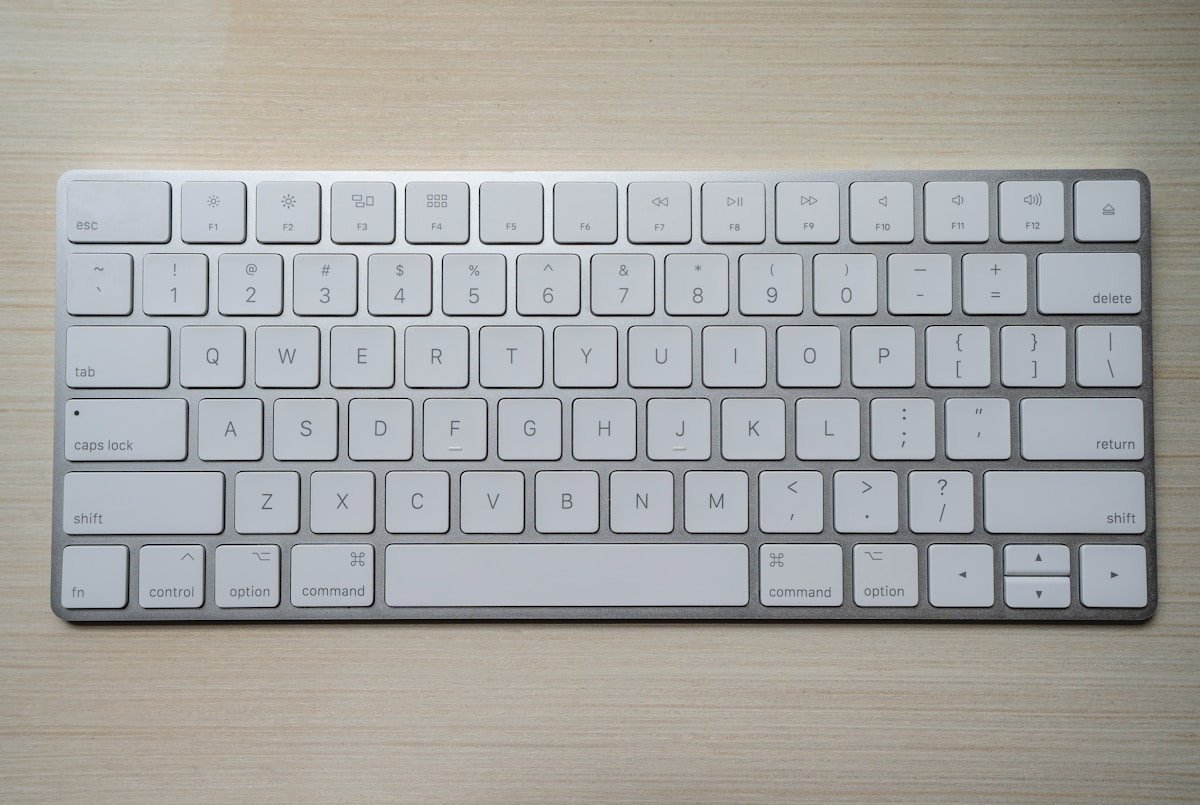
Keyboard accessibility is the most testable aspect of accessibility — and the most commonly broken in modern SPAs. Route changes, dynamic modals, virtualized lists, and custom widgets all create keyboard traps, focus loss, and unpredictable tab order. This guide covers systematic keyboard navigation testing for complex interactive applications.
The Keyboard Navigation Contract
Every interactive application must satisfy these invariants:
- All interactive elements reachable by Tab — no mouse-only controls
- Visible focus indicator on every focused element — user always knows where they are
- No focus traps — user can always Tab out (except intentional modal traps)
- Logical tab order — Tab sequence matches visual/reading order
- Focus preserved across state changes — modal open/close, content updates, route changes
- ARIA widget keyboard patterns implemented — menus, tabs, trees, grids follow WAI-ARIA spec
Automated tools catch some of these (1, 4 partially, visible focus partially). The rest require keyboard-only testing.
SPA-Specific Challenges
Focus loss on route change
When a SPA navigates, the browser doesn't reload — the DOM updates in-place. Native browser focus management (moving focus to the top) doesn't happen. The focused element from the previous route often disappears, leaving focus in limbo.
Symptoms: After clicking a nav link, Tab does nothing, or focus jumps unpredictably.
Correct pattern: Move focus to a consistent landmark after route change.
// React Router v6 focus management
import { useEffect, useRef } from 'react';
import { useLocation } from 'react-router-dom';

function RouteChangeAnnouncer() {
  const { pathname } = useLocation();
  const headingRef = useRef(null);

  useEffect(() => {
    // Move focus to page heading after route change
    // Small delay to ensure new content is rendered
    const timer = setTimeout(() => {
      const heading = document.querySelector('h1');
      if (heading) {
        // Temporarily make heading focusable if it isn't
        if (!heading.hasAttribute('tabindex')) {
          heading.setAttribute('tabindex', '-1');
          // Remove after focus so it's not in tab order
          heading.addEventListener('blur', () => {
            heading.removeAttribute('tabindex');
          }, { once: true });
        }
        heading.focus();
      }
    }, 100);

    return () => clearTimeout(timer);
  }, [pathname]);

  return null;
}

// Also announce route change to screen readers
function RouteAnnouncer() {
  const { pathname } = useLocation();
  const [announcement, setAnnouncement] = useState('');

  useEffect(() => {
    const title = document.title;
    setAnnouncement(`Navigated to ${title}`);
  }, [pathname]);

  return (
    <div
      role="status"
      aria-live="polite"
      aria-atomic="true"
      style={{ position: 'absolute', left: '-9999px' }}
    >
      {announcement}
    </div>
  );
}Focus management in dynamic lists
Virtualized lists (react-virtual, TanStack Virtual) render only visible items. When the user keyboards through a list and reaches the bottom of the rendered window, items outside the viewport don't exist in the DOM.
// Custom hook for keyboard navigation in virtualized list
function useVirtualListKeyboard(items, rowVirtualizer) {
  const [focusedIndex, setFocusedIndex] = useState(0);

  const handleKeyDown = useCallback((e) => {
    switch (e.key) {
      case 'ArrowDown': {
        e.preventDefault();
        const next = Math.min(focusedIndex + 1, items.length - 1);
        setFocusedIndex(next);
        // Scroll to ensure item is in rendered range
        rowVirtualizer.scrollToIndex(next, { align: 'auto' });
        break;
      }
      case 'ArrowUp': {
        e.preventDefault();
        const prev = Math.max(focusedIndex - 1, 0);
        setFocusedIndex(prev);
        rowVirtualizer.scrollToIndex(prev, { align: 'auto' });
        break;
      }
      case 'Home':
        e.preventDefault();
        setFocusedIndex(0);
        rowVirtualizer.scrollToIndex(0);
        break;
      case 'End':
        e.preventDefault();
        setFocusedIndex(items.length - 1);
        rowVirtualizer.scrollToIndex(items.length - 1);
        break;
    }
  }, [focusedIndex, items.length, rowVirtualizer]);

  // Focus the right DOM element after scroll+render
  useEffect(() => {
    const timer = setTimeout(() => {
      const el = document.querySelector(`[data-index="${focusedIndex}"]`);
      el?.focus();
    }, 16); // after render frame
    return () => clearTimeout(timer);
  }, [focusedIndex]);

  return { focusedIndex, handleKeyDown };
}Scroll-triggered content (infinite scroll)
When new items load at the bottom, existing tab order is preserved. The problem: users navigating by keyboard have no indication that new content loaded. Add a live region:
function InfiniteScrollList({ items, onLoadMore, isLoading }) {
  const [newItemCount, setNewItemCount] = useState(0);
  const prevLength = useRef(items.length);

  useEffect(() => {
    if (items.length > prevLength.current) {
      setNewItemCount(items.length - prevLength.current);
      prevLength.current = items.length;
    }
  }, [items.length]);

  return (
    <>
      <ul>{items.map(item => <li key={item.id}>{item.name}</li>)}</ul>

      {/* Announce new items to screen readers */}
      <div role="status" aria-live="polite" aria-atomic="true" className="sr-only">
        {newItemCount > 0 && `${newItemCount} more items loaded`}
      </div>

      <button
        onClick={onLoadMore}
        aria-label={`Load more items (${items.length} loaded so far)`}
      >
        {isLoading ? 'Loading...' : 'Load more'}
      </button>
    </>
  );
}Testing Complex ARIA Widgets
Menu and menubar
WAI-ARIA menu pattern requires specific keyboard behavior that differs from a list:
Enter / Space    → opens menu
Escape           → closes menu, returns focus to trigger
ArrowDown        → first item (when menu opens), then next item
ArrowUp          → last item (when menu opens), then previous item
Home / End       → first / last item
Type-ahead → jump to item starting with typed characterTest procedure (keyboard only):
- Tab to menu button
- Press Enter → menu opens, first item focused
- Arrow Down → second item focused
- Arrow Up → first item focused (wraps from first to last)
- Type first letter of an item → focus jumps to that item
- Escape → menu closes, focus returns to menu button
- Re-open, press Tab → menu closes, focus moves to next focusable element after button
// Test with Playwright
test('Dropdown menu keyboard navigation', async ({ page }) => {
  await page.goto('/');

  // Tab to menu button
  await page.keyboard.press('Tab');
  await expect(page.locator('[aria-haspopup="menu"]')).toBeFocused();

  // Open menu
  await page.keyboard.press('Enter');
  await expect(page.locator('[role="menu"]')).toBeVisible();

  // First item should be focused
  const firstItem = page.locator('[role="menuitem"]').first();
  await expect(firstItem).toBeFocused();

  // Arrow navigation
  await page.keyboard.press('ArrowDown');
  const secondItem = page.locator('[role="menuitem"]').nth(1);
  await expect(secondItem).toBeFocused();

  // Close with Escape
  await page.keyboard.press('Escape');
  await expect(page.locator('[role="menu"]')).not.toBeVisible();
  await expect(page.locator('[aria-haspopup="menu"]')).toBeFocused();
});Data grid / table
Complex grids require two-dimensional keyboard navigation:
Tab              → move to next cell (or next element after grid)
Shift+Tab        → previous cell
Arrow keys       → navigate cells within grid
Enter            → enter edit mode for cell
Escape           → exit edit mode
Page Up/Down     → scroll grid
Home/End         → first/last cell in row
Ctrl+Home/End → first/last cell in entire grid// Grid keyboard handler
function DataGrid({ rows, columns }) {
const [focusedCell, setFocusedCell] = useState({ row: 0, col: 0 });
const [editingCell, setEditingCell] = useState(null);
const gridRef = useRef(null);
const handleKeyDown = (e, rowIdx, colIdx) => {
const maxRow = rows.length - 1;
const maxCol = columns.length - 1;
switch (e.key) {
case 'ArrowRight':
e.preventDefault();
setFocusedCell({ row: rowIdx, col: Math.min(colIdx + 1, maxCol) });
break;
case 'ArrowLeft':
e.preventDefault();
setFocusedCell({ row: rowIdx, col: Math.max(colIdx - 1, 0) });
break;
case 'ArrowDown':
e.preventDefault();
setFocusedCell({ row: Math.min(rowIdx + 1, maxRow), col: colIdx });
break;
case 'ArrowUp':
e.preventDefault();
setFocusedCell({ row: Math.max(rowIdx - 1, 0), col: colIdx });
break;
case 'Enter':
e.preventDefault();
setEditingCell({ row: rowIdx, col: colIdx });
break;
case 'Escape':
setEditingCell(null);
break;
case 'Home':
e.preventDefault();
if (e.ctrlKey) {
setFocusedCell({ row: 0, col: 0 });
} else {
setFocusedCell({ row: rowIdx, col: 0 });
}
break;
}
};
// Focus management effect
useEffect(() => {
const cell = gridRef.current?.querySelector(
`[data-row="${focusedCell.row}"][data-col="${focusedCell.col}"]`
);
cell?.focus();
}, [focusedCell]);
return (
<div role="grid" aria-label="Data table" ref={gridRef}>
{rows.map((row, rowIdx) => (
<div role="row" key={row.id}>
{columns.map((col, colIdx) => (
<div
key={col.key}
role="gridcell"
tabIndex={focusedCell.row === rowIdx && focusedCell.col === colIdx ? 0 : -1}
data-row={rowIdx}
data-col={colIdx}
onKeyDown={(e) => handleKeyDown(e, rowIdx, colIdx)}
aria-selected={focusedCell.row === rowIdx && focusedCell.col === colIdx}
>
{editingCell?.row === rowIdx && editingCell?.col === colIdx
? <input defaultValue={row[col.key]} autoFocus />
: row[col.key]
}
</div>
))}
</div>
))}
</div>
);
}Tree view
ArrowDown        → next visible node
ArrowUp          → previous visible node
ArrowRight       → expand node / move to first child
ArrowLeft        → collapse node / move to parent
Enter / Space    → activate node
Home             → first node
End → last visible nodeTab Order Verification
Automated tab order extraction
// playwright-tab-order.js
async function getTabOrder(page, container = 'body') {
  const order = [];
  const containerEl = await page.locator(container).elementHandle();

  // Inject helper to get all focusable elements in order
  const focusableElements = await page.evaluate((el) => {
    const focusable = el.querySelectorAll(
      'a[href], button:not([disabled]), input:not([disabled]), select:not([disabled]), textarea:not([disabled]), [tabindex]:not([tabindex="-1"]), details > summary'
    );

    return Array.from(focusable).map((node, idx) => ({
      idx,
      tag: node.tagName.toLowerCase(),
      text: node.textContent?.trim().slice(0, 50),
      role: node.getAttribute('role'),
      tabindex: node.getAttribute('tabindex'),
      id: node.id,
      testId: node.getAttribute('data-testid')
    }));
  }, containerEl);

  return focusableElements;
}

// Usage in test:
const tabOrder = await getTabOrder(page, 'main');
console.log('Tab order:');
tabOrder.forEach((el, i) => {
  console.log(`  ${i + 1}. <${el.tag}> "${el.text}" (${el.role || 'native'})`);
});

// Assert specific order
expect(tabOrder[0].testId).toBe('skip-link');
expect(tabOrder[1].testId).toBe('main-nav-home');Detecting illogical tab order
async function detectTabOrderIssues(page) {
  const issues = [];

  const elements = await page.evaluate(() => {
    const focusable = document.querySelectorAll(
      'a[href], button:not([disabled]), input, select, textarea, [tabindex]:not([tabindex="-1"])'
    );

    return Array.from(focusable).map(el => {
      const rect = el.getBoundingClientRect();
      return {
        tag: el.tagName,
        text: el.textContent?.trim().slice(0, 30),
        tabindex: parseInt(el.getAttribute('tabindex') || '0'),
        top: rect.top,
        left: rect.left
      };
    });
  });

  // Check for positive tabindex (bad practice — breaks natural order)
  const positiveTabindex = elements.filter(el => el.tabindex > 0);
  if (positiveTabindex.length > 0) {
    issues.push({
      type: 'positive-tabindex',
      message: 'Elements with tabindex > 0 override natural tab order',
      elements: positiveTabindex
    });
  }

  // Check for visually backwards order (rough heuristic)
  let prevTop = 0;
  let reversals = 0;
  for (const el of elements.filter(e => e.tabindex === 0)) {
    if (el.top < prevTop - 50) { // 50px threshold for tolerance
      reversals++;
    }
    prevTop = el.top;
  }

  if (reversals > 2) {
    issues.push({
      type: 'visual-order-mismatch',
      message: `${reversals} tab order reversals detected vs. visual order`,
    });
  }

  return issues;
}Skip Links
Skip links let keyboard users bypass repetitive navigation. They're required for WCAG 2.4.1 (Bypass Blocks, Level A).
<!-- First element in <body> -->
<a href="#main-content" class="skip-link">Skip to main content</a>

<style>
.skip-link {
  position: absolute;
  left: -9999px;
  top: auto;
  overflow: hidden;
  z-index: 999;
}

.skip-link:focus {
  left: 50%;
  transform: translateX(-50%);
  top: 1rem;
  padding: 0.5rem 1rem;
  background: #000;
  color: #fff;
  border: 2px solid #fff;
  border-radius: 4px;
}
</style>

<main id="main-content" tabindex="-1">
  <!-- tabindex="-1" required so focus can be programmatically set -->
</main>Test that skip links work:
test('Skip link skips navigation', async ({ page }) => {
  await page.goto('/');

  // First Tab should reach skip link
  await page.keyboard.press('Tab');
  const skipLink = page.locator('.skip-link');
  await expect(skipLink).toBeFocused();
  await expect(skipLink).toBeVisible();

  // Activating skip link moves focus to main
  await page.keyboard.press('Enter');
  await expect(page.locator('#main-content')).toBeFocused();

  // Verify user is past navigation
  await page.keyboard.press('Tab');
  const focused = page.locator(':focus');
  const focusedText = await focused.textContent();
  // Should be first interactive element in main content, not nav links
  expect(focusedText).not.toContain('Home');
  expect(focusedText).not.toContain('About');
});Focus Indicator Testing
Automated visibility check
async function checkFocusVisibility(page, selector) {
  const element = page.locator(selector);
  await element.focus();

  // Get computed outline style
  const styles = await element.evaluate(el => {
    const computed = window.getComputedStyle(el);
    return {
      outline: computed.outline,
      outlineWidth: computed.outlineWidth,
      outlineColor: computed.outlineColor,
      outlineStyle: computed.outlineStyle,
      boxShadow: computed.boxShadow
    };
  });

  // Check if there's any visible focus indicator
  const hasOutline = styles.outlineStyle !== 'none' &&
    parseFloat(styles.outlineWidth) > 0;
  const hasBoxShadow = styles.boxShadow !== 'none';

  return {
    selector,
    hasVisibleFocus: hasOutline || hasBoxShadow,
    styles
  };
}

// Test all buttons
const focusableSelectors = await page.locator('button, a, input, select').all();
const results = await Promise.all(
  focusableSelectors.slice(0, 20).map(el =>
    el.evaluate(node => node.getAttribute('data-testid') || node.tagName).then(id =>
      checkFocusVisibility(page, `[data-testid="${id}"]`).catch(() => null)
    )
  )
);Common focus indicator failures
/* ❌ Removes focus outline globally — WCAG violation */
* { outline: none; }
*:focus { outline: none; }

/* ✅ Remove default, replace with custom */
:focus-visible {
  outline: 2px solid #005fcc;
  outline-offset: 2px;
}

/* ✅ Use :focus-visible to avoid showing focus on mouse click */
button:focus:not(:focus-visible) {
  outline: none;
}
button:focus-visible {
  outline: 3px solid #005fcc;
  outline-offset: 3px;
}Playwright Keyboard Testing Utilities
// keyboard-testing.js — reusable utilities

export async function tabToElement(page, targetTestId, maxTabs = 50) {
  for (let i = 0; i < maxTabs; i++) {
    await page.keyboard.press('Tab');
    const focused = await page.evaluate(() =>
      document.activeElement?.getAttribute('data-testid')
    );
    if (focused === targetTestId) return true;
  }
  throw new Error(`Could not reach [data-testid="${targetTestId}"] within ${maxTabs} tabs`);
}

export async function verifyFocusTrap(page, containerSelector) {
  const container = page.locator(containerSelector);
  const focusable = await container.locator(
    'a[href], button:not([disabled]), input, [tabindex="0"]'
  ).all();

  if (focusable.length === 0) throw new Error('No focusable elements in container');

  // Tab through all elements, verify focus stays inside
  for (let i = 0; i < focusable.length + 2; i++) {
    await page.keyboard.press('Tab');
    const activeElement = await page.evaluate(() => document.activeElement);
    const isInside = await container.evaluate((container, active) =>
      container.contains(active), activeElement
    );

    if (!isInside) {
      throw new Error(`Focus escaped container at step ${i + 1}`);
    }
  }
  return true;
}

export async function verifyEscapeCloses(page, triggerSelector, dialogSelector) {
  await page.locator(triggerSelector).focus();
  await page.keyboard.press('Enter');
  await expect(page.locator(dialogSelector)).toBeVisible();

  await page.keyboard.press('Escape');
  await expect(page.locator(dialogSelector)).not.toBeVisible();
  await expect(page.locator(triggerSelector)).toBeFocused();
}Keyboard navigation testing in SPAs is not about running an automated scan — it's about simulating real keyboard user journeys. Route changes, dynamic content, and complex widgets each create unique failure modes. Automate what you can (tab order extraction, focus indicator CSS checks, Playwright keyboard tests), and build a manual keyboard test checklist for the patterns automation can't cover (logical flow, screen reader interaction, cognitive coherence of the focus journey).