
k6 for Chaos Testing: Fault Injection and Resilience Scenarios

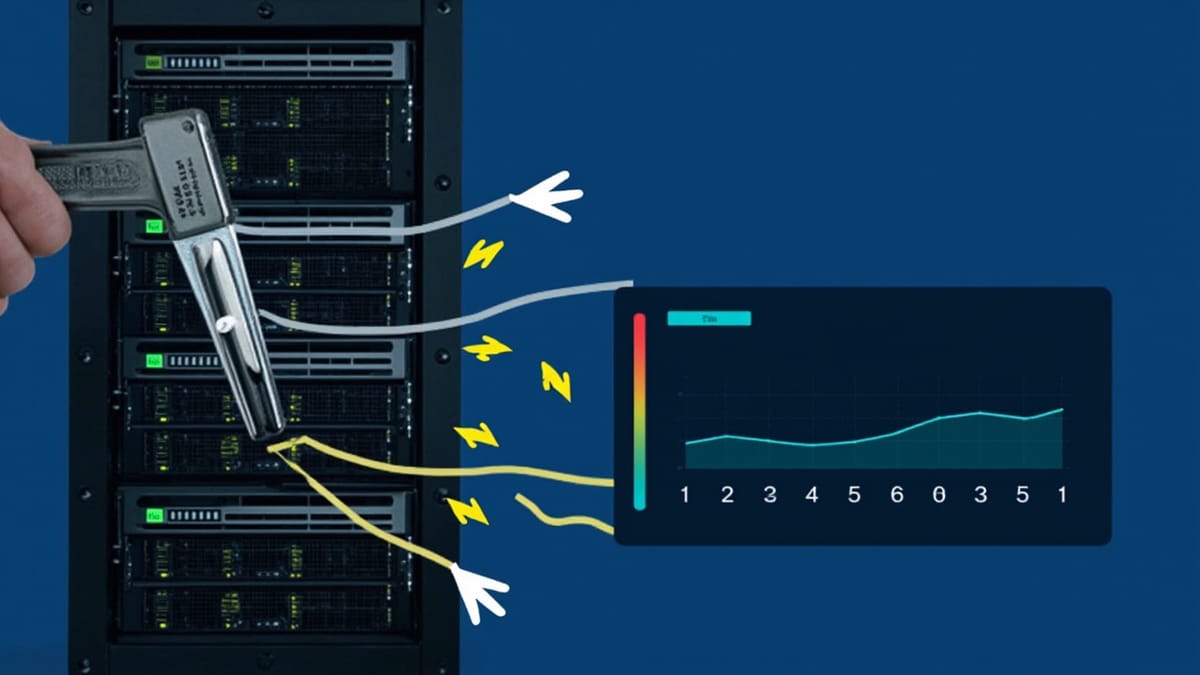
k6 is known as a load testing tool. What's less known is that it's also effective for chaos testing — simulating fault conditions, injecting failures at the application layer, and validating resilience under degraded conditions.
This guide covers k6's chaos capabilities: the k6 Disruptor extension, fault injection patterns, and building resilience test scenarios alongside your load tests.
k6 Beyond Load Testing
Standard k6 tests measure how your application performs under traffic. Chaos k6 tests measure how your application behaves under failure:
| Load test | Chaos test |
|---|---|
| 1000 concurrent users | 1000 users + 30% of requests failing |
| P99 latency under peak load | P99 latency when database is slow |
| How many requests per second | How many users get errors when service B is down |
The same scripting language, the same execution model — different failure scenarios injected.
The k6 Disruptor
The xk6-disruptor extension adds fault injection capabilities to k6:
# Install k6 with the disruptor extension
go install go.k6.io/xk6/cmd/xk6@latest
xk6 build --with github.com/grafana/xk6-disruptorOr use the pre-built Docker image:
docker pull grafana/xk6-disruptorThe Disruptor targets two layers:
- Pod Disruptor — injects faults directly into Kubernetes pods (requires cluster access)
- Service Disruptor — injects faults at the Kubernetes service level (affects traffic routing)
Basic Fault Injection
HTTP Faults
Inject errors and delays into HTTP traffic for a target service:
import { ServiceDisruptor } from 'k6/x/disruptor';
import http from 'k6/http';
import { check } from 'k6';

export default function () {
  // Inject faults: 50% of requests get a 500 error, all requests get 100ms delay
  const disruptor = new ServiceDisruptor('api-service', 'production');

  disruptor.injectHTTPFaults({
    averageDelay: '100ms',
    delayVariation: '50ms',
    errorRate: 0.5,
    errorCode: 500,
    excludedTargets: [{ path: '/health' }],
  }, '30s');  // Duration: 30 seconds

  // Measure application behavior during fault injection
  const response = http.get('https://api.example.com/users');

  check(response, {
    'handles errors gracefully': (r) => r.status === 200 || r.status === 503,
    'responds within timeout': (r) => r.timings.duration < 5000,
    'returns valid content-type': (r) => r.headers['Content-Type'] !== undefined,
  });
}Pod Termination
Kill specific pods during a test:
import { PodDisruptor } from 'k6/x/disruptor';

export function setup() {
  const disruptor = new PodDisruptor({
    namespace: 'production',
    select: { labels: { app: 'api-server' } },
  });

  // Terminate 1 pod every 30 seconds
  disruptor.terminatePods({
    count: 1,
    duration: '120s',
    interval: '30s',
  });
}

export default function () {
  // Your regular load test here — runs during pod termination
  const res = http.get('https://api.example.com/endpoint');
  check(res, { 'status was 200': (r) => r.status === 200 });
}Resilience Scenarios
Scenario 1: Degraded Database
Test application behavior when the database is slow:
import { ServiceDisruptor } from 'k6/x/disruptor';
import http from 'k6/http';
import { check, sleep } from 'k6';
import { Rate, Trend } from 'k6/metrics';

const errorRate = new Rate('errors');
const latency = new Trend('latency');

export const options = {
  scenarios: {
    normal_load: {
      executor: 'constant-vus',
      vus: 50,
      duration: '5m',
    },
  },
  thresholds: {
    errors: ['rate<0.01'],     // Less than 1% errors during database slowdown
    latency: ['p(99)<2000'],   // P99 under 2 seconds even with slow DB
  },
};

export function setup() {
  // Inject 500ms database latency via database service
  const disruptor = new ServiceDisruptor('postgresql', 'database');
  disruptor.injectHTTPFaults({ averageDelay: '500ms' }, '4m');
}

export default function () {
  const start = Date.now();
  const res = http.get('https://api.example.com/dashboard', { timeout: '10s' });

  const duration = Date.now() - start;
  latency.add(duration);
  errorRate.add(res.status !== 200);

  check(res, {
    'no 500 errors': (r) => r.status !== 500,
    'returned data': (r) => r.body.length > 0,
  });

  sleep(1);
}If the threshold fails — P99 exceeds 2 seconds or error rate exceeds 1% — you've found a case where slow database propagates to user-visible failures. The fix is typically connection pooling, read replicas, or caching.
Scenario 2: Downstream Service Outage
Test what happens when a third-party service is unavailable:
import { ServiceDisruptor } from 'k6/x/disruptor';
import http from 'k6/http';
import { check } from 'k6';

export const options = {
  stages: [
    { duration: '2m', target: 50 },    // Ramp up while service is healthy
    { duration: '2m', target: 50 },    // Fault injection period
    { duration: '2m', target: 50 },    // Recovery period
    { duration: '1m', target: 0 },     // Ramp down
  ],
};

export function setup() {
  // Simulate payment service being down for 2 minutes starting at 2 min mark
  const disruptor = new ServiceDisruptor('payment-service', 'production');

  // Wait 2 minutes (while VUs ramp up), then inject for 2 minutes
  sleep(120);
  disruptor.injectHTTPFaults({ errorRate: 1.0, errorCode: 503 }, '2m');
}

export default function () {
  // Checkout should gracefully degrade when payment service is down
  const checkoutRes = http.post('https://api.example.com/checkout', {
    amount: 99.99,
    currency: 'USD',
  });

  check(checkoutRes, {
    // Either succeed or return a clear error — no silent failures
    'handled gracefully': (r) => [200, 503, 422].includes(r.status),
    'has error message': (r) => r.status !== 503 || JSON.parse(r.body).error !== undefined,
    'not a 500': (r) => r.status !== 500,
  });
}Scenario 3: Memory Pressure
Combine a load test with CPU/memory pressure to test behavior under resource contention:
import { PodDisruptor } from 'k6/x/disruptor';
import http from 'k6/http';
import { check, sleep } from 'k6';

export const options = {
  vus: 100,
  duration: '5m',
  thresholds: {
    http_req_duration: ['p(95)<1000'],
    http_req_failed: ['rate<0.05'],
  },
};

export function setup() {
  const disruptor = new PodDisruptor({
    namespace: 'production',
    select: { labels: { app: 'api-server' } },
  });

  // Consume CPU resources on the pods
  disruptor.injectPodFaults({
    cpuHog: { load: 80 },    // Consume 80% CPU
    duration: '4m',
  });
}

export default function () {
  const res = http.get('https://api.example.com/search?q=test');

  check(res, {
    'search works under pressure': (r) => r.status === 200,
    'returns results': (r) => JSON.parse(r.body).results !== undefined,
  });

  sleep(0.5);
}Without the Disruptor: Application-Level Chaos
If you can't use the Disruptor (non-Kubernetes environment, no cluster access), k6 can simulate chaos at the application level by exercising edge cases:
Simulating Slow Responses
import http from 'k6/http';
import { check } from 'k6';

export const options = {
  vus: 50,
  duration: '3m',
  thresholds: {
    // Application should set reasonable timeouts
    http_req_duration: ['p(95)<5000'],
    http_req_failed: ['rate<0.1'],
  },
};

export default function () {
  // Hit the "slow" endpoint — or use query params to trigger slow path
  const res = http.get('https://api.example.com/reports/complex', {
    timeout: '10s',  // k6 client timeout
    headers: {
      'X-Simulate-Latency': '3000',  // If your app supports it
    },
  });

  check(res, {
    'timeout handled': (r) => r.status !== 0,
    'not a server error': (r) => r.status < 500,
  });
}Concurrent Conflict Scenarios
import http from 'k6/http';
import { check } from 'k6';

// Simulate race conditions: many users hitting the same resource
export const options = {
  vus: 200,
  iterations: 500,
};

export default function () {
  // All VUs try to claim the same limited-quantity item
  const res = http.post('https://api.example.com/inventory/item-123/reserve', {
    quantity: 1,
    userId: `user-${__VU}`,
  });

  check(res, {
    // Exactly one user should succeed
    'clear success or failure': (r) => [200, 409, 400].includes(r.status),
    'no duplicate reservations': (r) => {
      // Status 409 = already reserved (correct)
      // Status 200 = reserved successfully (correct, but should only happen once)
      // Status 500 = race condition bug (incorrect)
      return r.status !== 500;
    },
  });
}Integrating with CI/CD
Run chaos tests in your pipeline after deployment, before full traffic:
# GitHub Actions example
chaos-test:
  needs: [deploy-staging]
  runs-on: ubuntu-latest
  steps:
    - uses: actions/checkout@v4

    - name: Install k6 with Disruptor
      run: |
        docker pull grafana/xk6-disruptor

    - name: Run chaos tests
      env:
        K6_CLOUD_TOKEN: ${{ secrets.K6_CLOUD_TOKEN }}
        KUBECONFIG: ${{ secrets.STAGING_KUBECONFIG }}
      run: |
        docker run --rm \
          -e KUBECONFIG=/config \
          -v $KUBECONFIG:/config \
          -v $(pwd)/tests:/tests \
          grafana/xk6-disruptor \
          run /tests/chaos/database-latency.js

    - name: Upload results
      if: always()
      uses: actions/upload-artifact@v4
      with:
        name: chaos-test-results
path: results.jsonReading Chaos Test Results
k6 chaos test results tell you whether your application's failure handling works:
✓ handles errors gracefully............: 94.20% ✓ 4710 ✗ 290
✗ responds within timeout..............: 87.50% ✓ 4375 ✗ 625
✓ returned data........................: 100.00% ✓ 5000 ✗ 0

     ✗ { scenario:normal_load }
      ↳  87% — ✓ 4375 / ✗ 625

http_req_duration.......: avg=2.1s   min=98ms   med=1.8s   max=12.4s   p(90)=4.2s   p(99)=8.1s
http_req_failed.........: 5.80% ✓ 290 ✗ 471012.5% of requests exceeded timeout → your timeout is misconfigured or too aggressive. 5.8% error rate → above the threshold. Now you know exactly where the resilience gap is.
When to Use k6 for Chaos
k6 chaos testing makes sense when:
- You want to combine load testing and chaos in a single script
- Your team already uses k6 for performance testing
- You're running on Kubernetes and have access to the cluster
- You want scripted, reproducible chaos experiments in version control
For infrastructure-level chaos (killing nodes, partitioning networks, exhausting resources), dedicated tools like Chaos Mesh, Litmus, or Gremlin give you more control. k6 fills the application-layer gap between "load test" and "infrastructure chaos."