
How to Write Test Cases: A Practical Guide with Examples

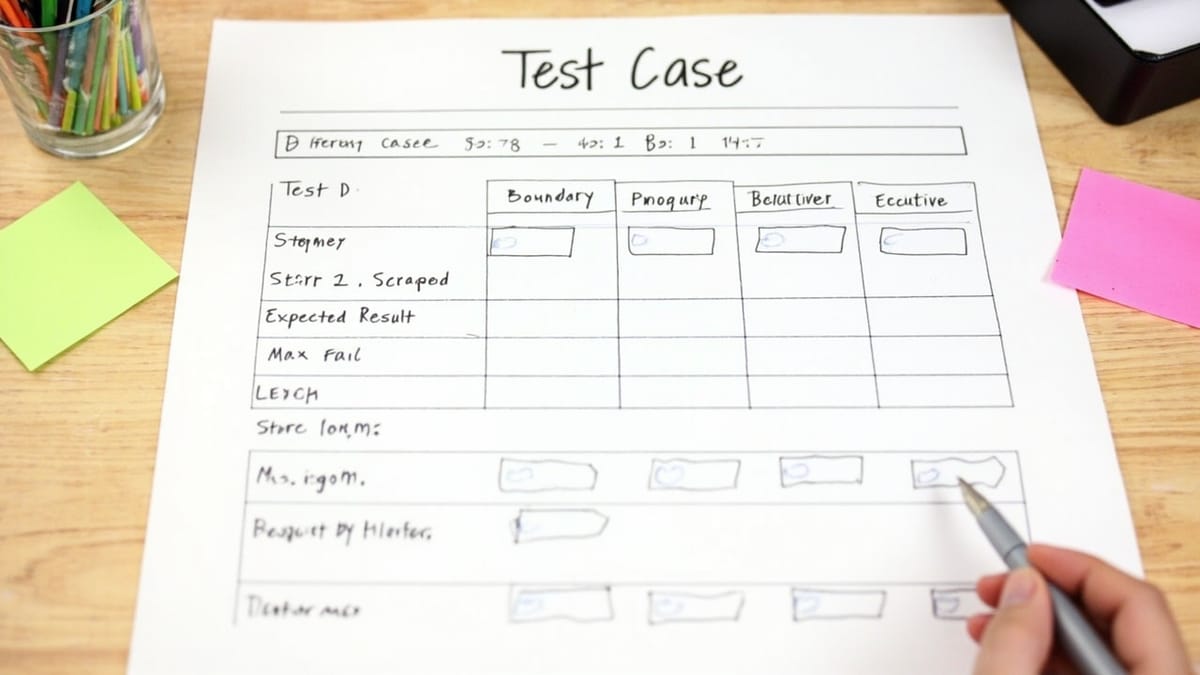
A test case describes a specific scenario to verify that software behaves correctly. Good test cases are precise enough to repeat reliably, cover both happy paths and edge cases, and are written before or alongside the code they test. This guide covers the standard format, how to identify what to test, and how manual test cases become automated tests.
Key Takeaways
One test case = one specific scenario. Don't combine multiple behaviors into a single test case. "Login works" is not a test case. "Login with valid credentials redirects to dashboard" is.
Every test case needs expected results. Testers can't verify anything without knowing what "correct" looks like. "User can log in" tells you nothing. "User sees dashboard with their name in the header" is verifiable.
Cover negative cases, not just happy paths. Most bugs live in edge cases: empty inputs, invalid formats, boundary values, network errors, expired sessions. Write at least one negative test for every positive test.
Pre-conditions prevent false results. If your test requires a logged-in user, state that. A test case run from the wrong starting state gives you unreliable results — passing or failing for the wrong reasons.
Manual test cases are a design document for automation. Well-written manual test cases translate directly into automated tests. If you can't describe the steps precisely, you can't automate them reliably.
What Is a Test Case?
A test case is a documented procedure that verifies a specific behavior in a software system. It defines:
- The starting state (preconditions)
- The steps to perform
- The data to use
- The expected outcome
Test cases are the basic unit of QA work. A test suite is a collection of test cases. A test plan describes which test suites to run and when.
Test Case vs Test Scenario
These terms are often confused:
Test scenario: A high-level description of what to test.
"Verify that the login feature works correctly"
Test case: A specific, executable procedure.
"Login with valid email and password → verify redirect to /dashboard with username in header"
A single test scenario typically generates multiple test cases — one for each variation (valid input, invalid input, edge cases, etc.).
Test Case Format
A standard test case includes these fields:
| Field | Description |
|---|---|
| Test Case ID | Unique identifier (TC-001, LOGIN-03) |
| Title | Short description of what's being tested |
| Preconditions | Required state before the test starts |
| Test Steps | Numbered sequence of actions |
| Test Data | Specific inputs to use |
| Expected Result | What correct behavior looks like |
| Priority | High / Medium / Low |
| Status | Pass / Fail / Blocked / Not Run |
Example: Login Test Case
Test Case ID: AUTH-001
Title: Login with valid credentials
Preconditions:
- User account exists: email
test@example.com, passwordPassword123! - User is not logged in
- Browser is at
https://app.example.com/login
Test Steps:
- Enter
test@example.comin the Email field - Enter
Password123!in the Password field - Click the "Sign In" button
Test Data:
- Email:
test@example.com - Password:
Password123!
Expected Result:
- User is redirected to
/dashboard - Dashboard header shows "Welcome, Test User"
- No error messages are displayed
Priority: High
Test Case ID: AUTH-002
Title: Login with incorrect password shows error message
Preconditions:
- User account exists:
test@example.com - User is on the login page
Test Steps:
- Enter
test@example.comin the Email field - Enter
wrongpasswordin the Password field - Click "Sign In"
Expected Result:
- User remains on the login page
- Error message "Invalid email or password" is displayed
- Password field is cleared
- Email field retains the entered value
Priority: High
How to Identify What to Test
Requirements-Based Testing
Start with the functional requirements. For each requirement, write at least:
- One positive test case (correct behavior with valid input)
- One negative test case (behavior with invalid input)
Requirement: "Users must verify their email before accessing the dashboard"
Test cases:
- Unverified user attempting to access dashboard is redirected to verification page
- Verified user accessing dashboard lands on dashboard successfully
- Clicking verification link in email verifies account and redirects to dashboard
- Expired verification link shows appropriate error message
- Re-sending verification email sends a new link
User Flow Testing
Walk through each user flow end-to-end and document test cases for each step.
Flow: Purchase a product
- Guest user adds item to cart
- Guest user proceeds to checkout
- Guest user fills in shipping address
- Guest user completes payment with valid card
- Guest user receives order confirmation email
- Order appears in admin dashboard
Each step generates multiple test cases covering the happy path and error states.
Boundary Value Analysis
Test at the edges of valid input ranges, not just the middle.
Example: Password length requirement (8-64 characters)
| Test Case | Input | Expected |
|---|---|---|
| Below minimum | 7 characters | Error: "Password too short" |
| At minimum | 8 characters | Accepted |
| Middle | 32 characters | Accepted |
| At maximum | 64 characters | Accepted |
| Above maximum | 65 characters | Error: "Password too long" |
Example: Age input (must be 18+)
| Test Case | Input | Expected |
|---|---|---|
| Below minimum | 17 | Rejected |
| At boundary | 18 | Accepted |
| Above boundary | 19 | Accepted |
| Maximum valid | 120 | Accepted |
| Above maximum | 121 | Rejected |
| Non-numeric | "abc" | Rejected with format error |
Equivalence Partitioning
Group inputs into classes where all values in the class produce the same result. Test one value from each class.
Example: Email validation
| Class | Example | Expected |
|---|---|---|
| Valid email | user@example.com |
Accepted |
| Missing @ | userexample.com |
Rejected |
| Missing domain | user@ |
Rejected |
| Missing local part | @example.com |
Rejected |
| Multiple @ signs | user@@example.com |
Rejected |
| Valid with subdomain | user@mail.example.com |
Accepted |
Writing Positive and Negative Test Cases
Every feature needs both positive (happy path) and negative (error handling) test cases.
Positive Test Cases
Test that the system does the right thing when given correct input.
Checkout form — positive cases:
- Valid credit card with correct billing address → order placed
- Valid credit card with different shipping/billing address → order placed
- Guest checkout without creating account → order placed
- Applying valid promo code reduces total price
Negative Test Cases
Test that the system handles incorrect input gracefully.
Checkout form — negative cases:
- Expired credit card → error "Your card has expired"
- Declined card → error "Your card was declined"
- Invalid CVV → error "Your card's security code is incorrect"
- Empty required fields → field-level validation errors
- Applying expired promo code → error "This promo code has expired"
- Attempting checkout with empty cart → redirected to cart page
Edge Cases
Test unusual but valid scenarios that might expose bugs.
Checkout form — edge cases:
- Total of $0 after discount (100% off promo code)
- International address with non-Latin characters
- Extremely long shipping address (near database limit)
- Simultaneous checkout attempts for last item in stock
- Session expires during checkout process
Test Case Design Techniques
Decision Table Testing
Use when multiple conditions interact to produce different outcomes.
Example: Shipping calculator
| Condition | Case 1 | Case 2 | Case 3 | Case 4 |
|---|---|---|---|---|
| Order > $50 | Yes | Yes | No | No |
| Premium member | Yes | No | Yes | No |
| Free shipping | Yes | Yes | No | No |
State Transition Testing
Use when a system moves through different states.
Example: Order status flow
Pending → Processing → Shipped → Delivered
          ↓                      ↓
Cancelled ReturnedTest cases:
- Pending → Processing (when payment confirmed)
- Processing → Shipped (when tracking number added)
- Shipped → Delivered (when delivery confirmed)
- Pending → Cancelled (user cancels before processing)
- Delivered → Returned (within return window)
- Delivered → Returned (outside return window → rejected)
Pairwise Testing
When testing many input combinations, cover every pair of input values at least once. This catches most multi-variable bugs with far fewer test cases than full exhaustive testing.
Test Case Priorities
Not all test cases are equally important. Prioritize based on:
High priority:
- Core business flows (checkout, login, signup)
- Data loss scenarios
- Security-related features
- Features used by most users
Medium priority:
- Secondary flows
- Configuration options
- Edge cases of core features
Low priority:
- Rarely-used features
- Minor UI details
- Cosmetic issues
Manual vs Automated Test Cases
When to Automate
Automate test cases that are:
- Run frequently (every sprint, every commit)
- Stable (the feature doesn't change often)
- Well-defined (precise steps and expected results)
- Time-consuming manually (multi-step flows)
When to Keep Manual
Keep manual test cases for:
- Exploratory testing (finding unexpected bugs)
- One-time tests (migration verification)
- Tests requiring human judgment (visual design)
- Tests that change frequently
Converting Manual Test Cases to Automated Tests
A well-written manual test case maps directly to an automated test:
Manual test case:
Preconditions: User is on login page
Steps:
  1. Enter valid email
  2. Enter valid password
  3. Click Sign In
Expected: Redirect to /dashboardAutomated test (Playwright):
test('login with valid credentials redirects to dashboard', async ({ page }) => {
  await page.goto('/login');
  await page.getByLabel('Email').fill('test@example.com');
  await page.getByLabel('Password').fill('Password123!');
  await page.getByRole('button', { name: 'Sign in' }).click();
  await expect(page).toHaveURL('/dashboard');
});Automated test (Robot Framework):
Login With Valid Credentials Redirects To Dashboard
    Go To    /login
    Fill Text    label=Email    test@example.com
    Fill Text    label=Password    Password123!
    Click Button    Sign in
Location Should Be /dashboardTest Case Documentation
Minimal Documentation
Not every team needs a formal test management tool. For small teams, a simple spreadsheet or markdown table works:
| ID | Title | Steps | Expected | Priority | Status |
|----|-------|-------|----------|----------|--------|
| TC-001 | Login - valid credentials | 1. Enter valid email/pw 2. Click Sign In | Redirect to dashboard | High | Pass |
| TC-002 | Login - wrong password | 1. Enter valid email, wrong pw 2. Click Sign In | Error message shown | High | Pass |When to Use Test Management Tools
Use tools like TestRail, Zephyr, or Qase when:
- Large team with many testers
- Regulatory compliance requires traceability
- Need to link test cases to requirements
- Complex test execution reporting needed
Common Test Case Mistakes
Too vague: "Verify login works" — no steps, no expected result, not repeatable.
Multiple behaviors in one test: "Login, add to cart, and checkout" — when it fails, you don't know which part failed.
Missing preconditions: Test requires logged-in user but doesn't state that. Fails inconsistently.
No expected result: "Click Submit and check the response" — check for what?
Testing implementation, not behavior: "Verify the POST request returns 200" instead of "Verify the form submission shows a success message." Tests should reflect user experience.
Skipping negative cases: Only testing that valid input works, not that invalid input fails gracefully.
Example: Complete Test Suite for a Registration Form
Feature: User registration form with email, password, and name fields.
Test Cases:
- REG-001 — Register with all valid inputs → account created, verification email sent
- REG-002 — Register with existing email → error "Email already in use"
- REG-003 — Register with invalid email format → field error "Please enter a valid email"
- REG-004 — Register with password below minimum length → error "Password must be at least 8 characters"
- REG-005 — Register with password at minimum length (8 chars) → accepted
- REG-006 — Register with empty name → error "Name is required"
- REG-007 — Register with name containing only spaces → error "Name is required"
- REG-008 — Register with very long name (255+ chars) → accepted or graceful truncation
- REG-009 — Register with SQL injection in name field → no database error, stored as literal text
- REG-010 — Register with XSS payload in name → displayed as text, not executed
- REG-011 — Submit form twice rapidly → only one account created
- REG-012 — Verification email link works → account verified, redirect to dashboard
- REG-013 — Expired verification link → error with option to resend
This set covers the happy path, all validation rules, security basics, and edge cases.
Writing test cases manually and then converting them to code? HelpMeTest turns plain English test descriptions into automated Playwright tests — write once, run automatically.