
GitLab CI Tutorial: Complete Guide to CI/CD Pipelines (2026)

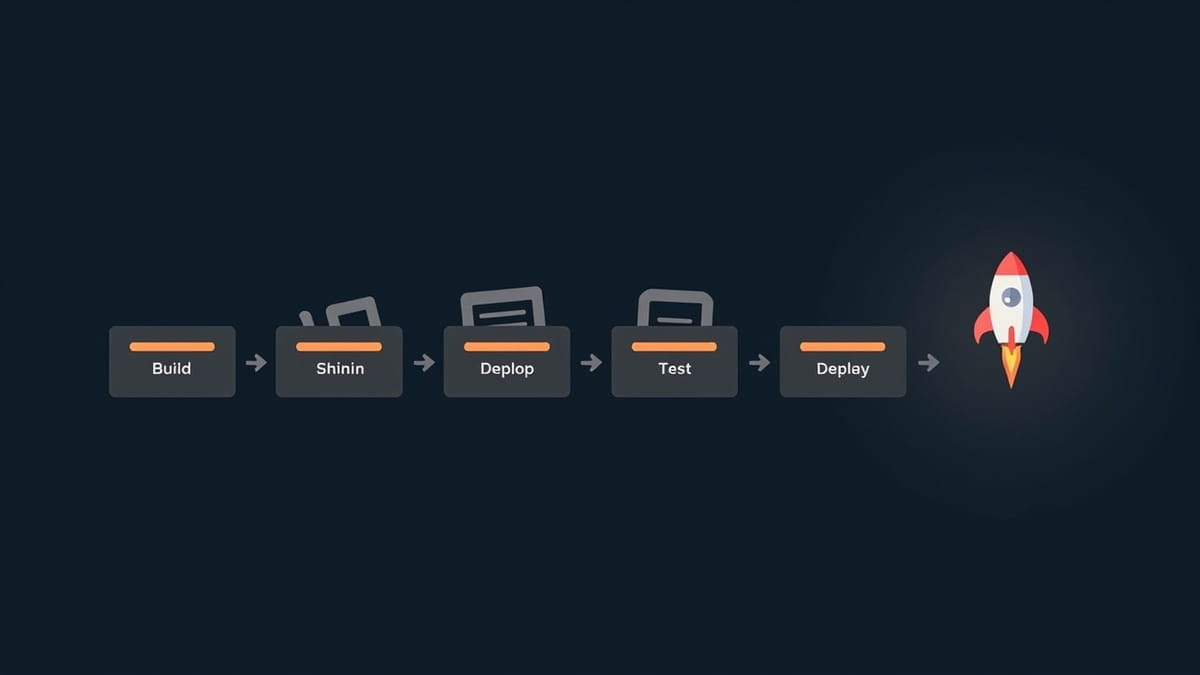
GitLab CI/CD automates your build, test, and deploy pipeline using a .gitlab-ci.yml file in your repository root. Define stages (build, test, deploy), write jobs that run shell commands inside Docker containers, and GitLab Runners execute them on every push. This guide covers everything from your first pipeline to advanced features like caching, artifacts, and parallel testing.
Key Takeaways
Everything lives in .gitlab-ci.yml. Your entire pipeline is code — checked into the repo, versioned, reviewed in MRs. There is no separate UI configuration to manage.
Stages run sequentially; jobs within a stage run in parallel. Define stages: [build, test, deploy] and GitLab runs all jobs in build first, then all test jobs simultaneously, then deploy.
Runners execute your jobs. GitLab.com provides shared runners (free up to limits). For private repos or custom environments, register your own runners with gitlab-runner register.
Use cache for dependencies, artifacts for outputs. Cache speeds up installs (node_modules, pip packages). Artifacts pass files between jobs (test results, build outputs).
only/except and rules control when jobs run. Gate deployments behind branch conditions — deploy to staging on develop, to production on main only.
What Is GitLab CI/CD?
GitLab CI/CD is a built-in continuous integration and delivery system. Every time you push code, GitLab automatically runs your pipeline — a series of jobs defined in .gitlab-ci.yml that build, test, and optionally deploy your application.
Unlike external CI tools (Jenkins, CircleCI), GitLab CI is integrated directly into GitLab. No webhooks to configure, no separate accounts, no plugins to install.
Your First Pipeline
Create .gitlab-ci.yml in your repository root:
# .gitlab-ci.yml — a minimal working pipeline

stages:
  - test

run-tests:
  stage: test
  image: node:20
  script:
    - npm install
- npm testPush this file and GitLab immediately starts a pipeline. Navigate to CI/CD → Pipelines in your project to see it run.
What this does:
- Defines one stage:
test - Creates one job:
run-tests - Runs inside a Node.js 20 Docker container
- Executes
npm installthennpm test
Core Concepts
Stages
Stages define the order of execution. Jobs in the same stage run in parallel; stages run sequentially.
stages:
  - build      # runs first
  - test       # runs after build
- deploy # runs after all tests passJobs
A job is the basic unit of work. Each job must belong to a stage.
build-app:
  stage: build
  script:
    - echo "Building the application"
    - npm run build

run-unit-tests:
  stage: test
  script:
    - npm run test:unit

run-integration-tests:
  stage: test          # same stage — runs in parallel with unit tests
  script:
- npm run test:integrationImage
image specifies the Docker image to run your job inside. Without it, GitLab uses its default image.
job-name:
  image: python:3.11-slim   # Use Python 3.11
  script:
    - python --version
    - pip install -r requirements.txt
- pytestCommon images:
node:20— Node.jspython:3.11— Pythonruby:3.2— Rubygolang:1.21— Goopenjdk:17— Javadocker:24— Docker CLI
A Real-World Pipeline Example
# .gitlab-ci.yml — Node.js app with build, test, and deploy

stages:
  - install
  - test
  - build
  - deploy

variables:
  NODE_ENV: test

# Cache node_modules between jobs and pipelines
cache:
  key:
    files:
      - package-lock.json
  paths:
    - node_modules/

install-dependencies:
  stage: install
  image: node:20
  script:
    - npm ci
  artifacts:
    paths:
      - node_modules/
    expire_in: 1 hour

lint:
  stage: test
  image: node:20
  script:
    - npm run lint
  needs: [install-dependencies]

unit-tests:
  stage: test
  image: node:20
  script:
    - npm run test:unit -- --coverage
  coverage: '/Lines\s*:\s*(\d+\.?\d*)%/'
  artifacts:
    reports:
      coverage_report:
        coverage_format: cobertura
        path: coverage/cobertura-coverage.xml
    when: always
  needs: [install-dependencies]

build-production:
  stage: build
  image: node:20
  script:
    - npm run build
  artifacts:
    paths:
      - dist/
    expire_in: 1 day
  only:
    - main
    - develop

deploy-staging:
  stage: deploy
  image: alpine:latest
  script:
    - echo "Deploying to staging..."
    - ./deploy.sh staging
  environment:
    name: staging
    url: https://staging.example.com
  only:
    - develop

deploy-production:
  stage: deploy
  image: alpine:latest
  script:
    - echo "Deploying to production..."
    - ./deploy.sh production
  environment:
    name: production
    url: https://example.com
  only:
    - main
when: manual # Require manual approvalEnvironment Variables
Built-in Variables
GitLab provides many pre-defined variables you can use in any job:
print-info:
  script:
    - echo "Branch: $CI_COMMIT_BRANCH"
    - echo "Commit: $CI_COMMIT_SHA"
    - echo "Commit short: $CI_COMMIT_SHORT_SHA"
    - echo "Pipeline: $CI_PIPELINE_ID"
    - echo "Job: $CI_JOB_ID"
    - echo "Project: $CI_PROJECT_NAME"
    - echo "Registry: $CI_REGISTRY_IMAGE"
- echo "Default branch: $CI_DEFAULT_BRANCH"Commonly used:
$CI_COMMIT_BRANCH— current branch name$CI_COMMIT_SHA— full commit hash$CI_PIPELINE_ID— unique pipeline ID$CI_PROJECT_URL— project URL$CI_REGISTRY_IMAGE— Docker registry path for the project
Custom Variables
Set custom variables in Settings → CI/CD → Variables. Mark sensitive values as Masked (hidden in logs) and Protected (only available on protected branches).
deploy:
  script:
- curl -X POST $DEPLOY_WEBHOOK_URL # $DEPLOY_WEBHOOK_URL set in SettingsOr define non-secret variables directly in .gitlab-ci.yml:
variables:
  APP_VERSION: "2.1.0"
  BUILD_ENV: "production"

build:
  script:
- echo "Building version $APP_VERSION for $BUILD_ENV"Caching and Artifacts
Cache
Cache persists files between pipeline runs to speed up repeated installs.
# Cache Python packages
cache:
  key: "$CI_COMMIT_REF_SLUG"
  paths:
    - .venv/
    - pip-cache/

install:
  stage: install
  script:
    - python -m venv .venv
    - source .venv/bin/activate
- pip install --cache-dir pip-cache -r requirements.txtCache key strategies:
$CI_COMMIT_REF_SLUG— per branch (different cache for each branch)$CI_PROJECT_ID— shared across all branches- Key based on lock file — invalidates when dependencies change:
cache:
  key:
    files:
      - requirements.txt    # Cache invalidates when requirements.txt changes
  paths:
- .venv/Artifacts
Artifacts pass files from one job to a later job, and are downloadable from the GitLab UI.
build:
  stage: build
  script:
    - npm run build
  artifacts:
    paths:
      - dist/           # Available to all downstream jobs
    expire_in: 7 days   # Clean up after 7 days

deploy:
  stage: deploy
  script:
    - ls dist/          # dist/ folder from build job is here
- ./deploy.sh dist/Artifact reports — special artifacts that GitLab renders in the UI:
tests:
  script:
    - pytest --junitxml=report.xml
  artifacts:
    reports:
      junit: report.xml    # Shows test results in MR widget
when: always # Upload even if tests failControlling When Jobs Run
only and except (Legacy)
deploy-production:
  script: ./deploy.sh production
  only:
    - main              # Only run on main branch

run-tests:
  script: npm test
  except:
- tags # Don't run tests on git tagsrules (Recommended)
rules is more powerful and replaces only/except:
deploy-production:
  script: ./deploy.sh
  rules:
    - if: $CI_COMMIT_BRANCH == "main"        # Run on main
    - if: $CI_MERGE_REQUEST_ID               # Run in MR pipelines
      when: never                            # But skip in MRs

run-on-schedule:
  script: npm run full-test-suite
  rules:
- if: $CI_PIPELINE_SOURCE == "schedule" # Only on scheduled pipelinesCommon rules conditions:
$CI_COMMIT_BRANCH == "main"— specific branch$CI_MERGE_REQUEST_ID— only in merge request pipelines$CI_PIPELINE_SOURCE == "schedule"— scheduled pipeline$CI_PIPELINE_SOURCE == "push"— triggered by git pushchanges: ["src/**/*"]— only when specific files changed
needs (DAG Pipelines)
needs creates a directed acyclic graph — a job starts as soon as its dependencies finish, not waiting for the entire stage.
build-frontend:
  stage: build
  script: npm run build:frontend

build-backend:
  stage: build
  script: ./gradlew build

test-frontend:
  stage: test
  needs: [build-frontend]    # Starts immediately when build-frontend finishes
  script: npm run test:e2e

test-backend:
  stage: test
  needs: [build-backend]     # Starts immediately when build-backend finishes
script: ./gradlew testRunning Tests in GitLab CI
Python (pytest)
stages:
  - test

test:
  stage: test
  image: python:3.11
  before_script:
    - pip install -r requirements.txt
  script:
    - pytest tests/ -v --junitxml=junit.xml --cov=app --cov-report=xml
  coverage: '/TOTAL.*\s+(\d+%)$/'
  artifacts:
    reports:
      junit: junit.xml
      coverage_report:
        coverage_format: cobertura
        path: coverage.xml
when: alwaysNode.js (Jest)
test:
  stage: test
  image: node:20
  cache:
    key:
      files:
        - package-lock.json
    paths:
      - node_modules/
  before_script:
    - npm ci
  script:
    - npm test -- --ci --coverage
  artifacts:
    reports:
      junit: junit.xml
when: alwaysEnd-to-End Tests with Playwright
e2e-tests:
  stage: test
  image: mcr.microsoft.com/playwright:v1.42.0-jammy
  script:
    - npm ci
    - npx playwright test
  artifacts:
    when: on_failure
    paths:
      - playwright-report/
expire_in: 7 daysParallel Testing
Split a slow test suite across multiple jobs:
test:
  stage: test
  image: node:20
  parallel: 4           # Creates 4 identical jobs
  script:
    - npm ci
    # Use $CI_NODE_INDEX and $CI_NODE_TOTAL to split tests
- npx jest --shard=$CI_NODE_INDEX/$CI_NODE_TOTALDocker in GitLab CI
Build and Push Docker Images
variables:
  DOCKER_IMAGE: $CI_REGISTRY_IMAGE:$CI_COMMIT_SHORT_SHA

build-image:
  stage: build
  image: docker:24
  services:
    - docker:24-dind
  variables:
    DOCKER_TLS_CERTDIR: "/certs"
  before_script:
    - docker login -u $CI_REGISTRY_USER -p $CI_REGISTRY_PASSWORD $CI_REGISTRY
  script:
    - docker build -t $DOCKER_IMAGE .
    - docker push $DOCKER_IMAGE
    - docker tag $DOCKER_IMAGE $CI_REGISTRY_IMAGE:latest
- docker push $CI_REGISTRY_IMAGE:latestUse Your Image in Later Jobs
deploy:
  stage: deploy
  image: $CI_REGISTRY_IMAGE:$CI_COMMIT_SHORT_SHA
  script:
- ./start-app.shRunners
GitLab Runners execute your jobs. GitLab.com provides shared runners (Linux, macOS, Windows). For self-hosted GitLab or custom environments, register your own.
Register a Runner
On your server:
# Install gitlab-runner
curl -L --output /usr/local/bin/gitlab-runner \
  https://gitlab-runner-downloads.s3.amazonaws.com/latest/binaries/gitlab-runner-linux-amd64
chmod +x /usr/local/bin/gitlab-runner

# Register (interactive — gets URL and token from GitLab Settings → CI/CD → Runners)
gitlab-runner registerRunner Tags
Tags route specific jobs to specific runners:
deploy-production:
  stage: deploy
  tags:
    - production-runner    # Only runs on runner with this tag
  script:
- ./deploy.shRegister a runner with tags: gitlab-runner register --tag-list production-runner
Include and Extend (DRY Pipelines)
include — Import Other YAML Files
include:
  - local: '.gitlab/ci/build.yml'        # From this repo
  - project: 'team/shared-ci'             # From another GitLab project
    file: '/templates/node.yml'
- template: 'Security/SAST.gitlab-ci.yml' # GitLab built-in templateextends — Reuse Job Configuration
.base-test:                    # Hidden job (prefix with .)
  image: node:20
  cache:
    paths:
      - node_modules/
  before_script:
    - npm ci

unit-tests:
  extends: .base-test          # Inherits image, cache, before_script
  script:
    - npm run test:unit

integration-tests:
  extends: .base-test
  script:
- npm run test:integration!reference — Reference Specific Keys
.common-cache:
  cache:
    key:
      files:
        - package-lock.json
    paths:
      - node_modules/

test:
  cache: !reference [.common-cache, cache]
  script:
- npm testEnvironments and Deployments
deploy-staging:
  script:
    - ./deploy.sh staging
  environment:
    name: staging
    url: https://staging.example.com
    on_stop: stop-staging    # Optional teardown job

stop-staging:
  script:
    - ./teardown.sh staging
  environment:
    name: staging
    action: stop
  when: manual

deploy-production:
  script:
    - ./deploy.sh production
  environment:
    name: production
    url: https://example.com
  when: manual              # Require manual trigger
  only:
- mainNavigate to Deployments → Environments to see the history of all deployments, with links to commits and the ability to roll back.
Adding End-to-End Tests with HelpMeTest
After deployment, run automated browser tests against your live environment using HelpMeTest:
stages:
  - build
  - test
  - deploy
  - verify

deploy-staging:
  stage: deploy
  script:
    - ./deploy.sh staging
  environment:
    name: staging
    url: https://staging.example.com
  only:
    - develop

e2e-verification:
  stage: verify
  image: node:20
  needs: [deploy-staging]
  script:
    - npx helpmetest run --url https://staging.example.com
  only:
- developHelpMeTest runs AI-powered tests written in plain language:
*** Test Cases ***
User Can Log In and See Dashboard
    Go To       https://staging.example.com/login
    Fill In     Email     ${TEST_USER_EMAIL}
    Fill In     Password  ${TEST_USER_PASSWORD}
    Click       Sign In
    Should Be On    /dashboard
    Should See      Welcome

User Can Complete Checkout
    Go To       https://staging.example.com/products
    Click       Add to Cart
    Go To       /cart
    Click       Proceed to Checkout
Should See Order SummaryThese tests run on every deployment, catch regressions before production, and self-heal when the UI changes — no selector maintenance required.
Common Pipeline Patterns
Fail Fast — Run Cheap Tests First
stages:
  - lint           # Fast — catches trivial errors first
  - unit-test      # Fast — in-memory, no I/O
  - integration    # Slower — needs services
- e2e # Slowest — needs deployed appDeploy Only After All Tests Pass
deploy:
  stage: deploy
  needs:
    - job: unit-tests
      artifacts: false
    - job: integration-tests
      artifacts: false
    - job: e2e-tests
      artifacts: false
  script:
- ./deploy.shScheduled Pipelines (Nightly Builds)
nightly-full-test:
  script:
    - npm run test:full -- --slow-threshold 0
  rules:
- if: $CI_PIPELINE_SOURCE == "schedule"Set the schedule in CI/CD → Schedules in GitLab.
Review Apps (Deploy MR Branches)
deploy-review:
  stage: deploy
  script:
    - ./deploy-review.sh $CI_MERGE_REQUEST_IID
  environment:
    name: review/$CI_COMMIT_REF_SLUG
    url: https://$CI_MERGE_REQUEST_IID.review.example.com
    on_stop: stop-review
  rules:
    - if: $CI_MERGE_REQUEST_ID

stop-review:
  stage: deploy
  script:
    - ./teardown-review.sh $CI_MERGE_REQUEST_IID
  environment:
    name: review/$CI_COMMIT_REF_SLUG
    action: stop
  when: manual
  rules:
- if: $CI_MERGE_REQUEST_IDDebugging Pipeline Failures
Read Job Logs
Click any failed job in CI/CD → Pipelines to see the full output. Look for the first red line — that's usually the root cause.
Run a Job Locally
Test your pipeline job locally before pushing:
# Install gitlab-runner locally
gitlab-runner exec docker unit-testsCI=true Environment Variable
GitLab sets CI=true in all jobs. If your scripts behave differently in CI, check for this variable.
Print Environment for Debugging
debug-env:
  stage: test
  script:
    - env | sort | grep CI_    # Print all CI_ variables
when: manual # Only runs when manually triggeredQuick Reference
| Concept | YAML Key |
|---|---|
| Define stages | stages: [build, test, deploy] |
| Assign job to stage | stage: test |
| Set Docker image | image: node:20 |
| Run commands | script: [npm install, npm test] |
| Run before every job | before_script: [...] |
| Cache files | cache: {paths: [node_modules/]} |
| Pass files between jobs | artifacts: {paths: [dist/]} |
| Run only on branch | rules: - if: $CI_COMMIT_BRANCH == "main" |
| Skip on condition | rules: - if: ... when: never |
| Require manual trigger | when: manual |
| Run in parallel | parallel: N |
| Start early (DAG) | needs: [job-name] |
| Reuse config | extends: .base-job |
Conclusion
GitLab CI/CD turns your repository into a fully automated pipeline. Define stages, write jobs, and GitLab handles the rest — running builds, tests, and deployments on every push.
The key principles:
- Stages are sequential; jobs within a stage are parallel — use this for speed
- Cache for installs, artifacts for outputs — keep jobs fast and connected
- Use
rulesoveronly/except— more flexible and composable needsfor DAG pipelines — don't wait for an entire stage when only one job matters
For complete CI/CD coverage, pair your GitLab pipeline with automated browser testing from HelpMeTest — write tests in plain language, run them on every deployment, and get self-healing tests that survive UI changes.