
GitHub Actions for E2E Testing: Complete Integration Guide (2026)

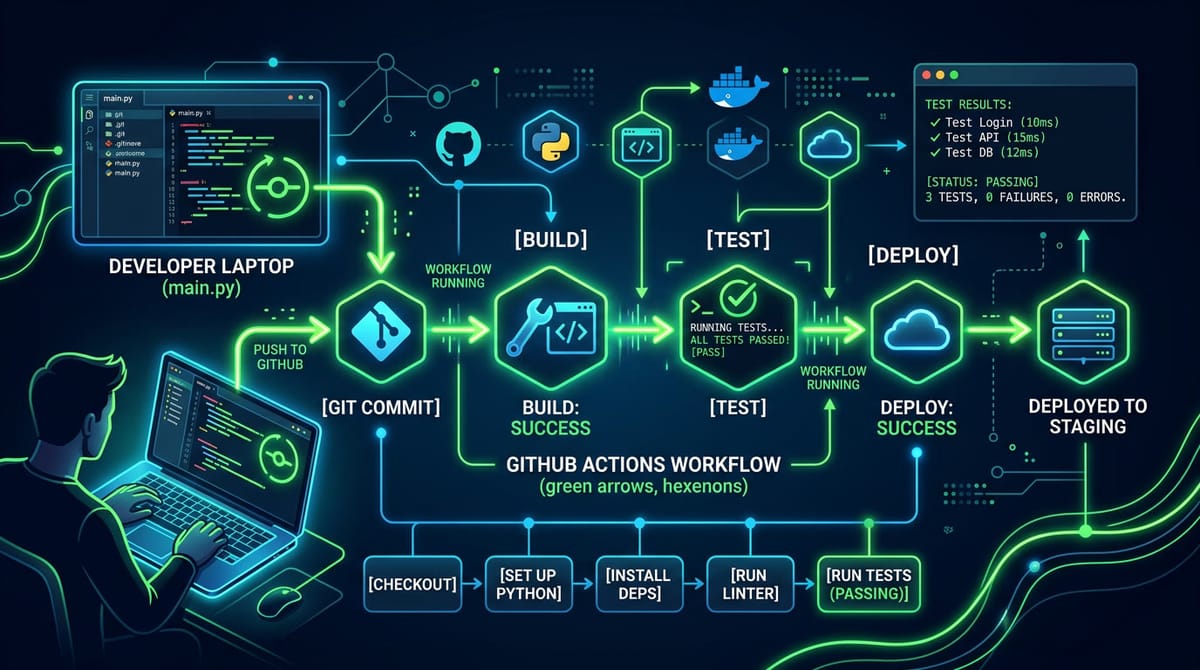
You added Playwright tests to your project. They pass locally every time. Then you push to GitHub, the Actions workflow runs, and half the tests fail with "Target page, context or browser has been closed" — a message that explains nothing. You've just entered the browser-in-CI rabbit hole.
Key Takeaways
Browser setup is the hardest part of E2E testing in GitHub Actions. Playwright requires specific system dependencies, and missing a single one causes silent failures that look nothing like the actual problem.
Flaky tests are 3x more common in CI than locally. Timing differences between a fast development machine and a shared GitHub-hosted runner cause timeouts, race conditions, and element-not-found errors that never reproduce locally.
Parallel E2E tests in GitHub Actions require careful shard configuration. Run tests without sharding on a large suite and your pipeline takes 40+ minutes; shard incorrectly and tests fail due to shared state.
Cloud-hosted E2E testing eliminates browser management entirely. Tools like HelpMeTest run your tests in a managed cloud browser — your GitHub Actions job becomes two lines instead of forty.
E2E testing in GitHub Actions is a solved problem in theory. In practice, it's where engineering teams lose hours to configuration they didn't expect to write.
This guide is for developers who already have Playwright tests (or are about to write them) and want a reliable CI pipeline. We'll cover the full setup, every common failure mode, and a faster path that skips browser management entirely.
Why E2E Tests Belong in GitHub Actions
Unit tests are fast and run everywhere. E2E tests are slow and picky. The temptation is to run them manually before releases, but that's exactly how production bugs slip through.
Every meaningful regression story follows the same arc: someone merged a PR, didn't run the full E2E suite because it takes 15 minutes locally, and pushed code that broke the checkout flow. Users found it before the team did.
Running E2E tests on every pull request — or at minimum on every push to main — changes that dynamic. Failures surface in the same place the code lives: the pull request, with a direct link to which test failed and what it asserted.
At HelpMeTest, we integrate with GitHub Actions the same way: tests run on every push, results stream back to the PR, and the helpmetest deploy command links each test run to the exact commit that triggered it. When a test fails after a deploy, you know exactly which change caused it.
Setting Up Playwright in GitHub Actions
The Minimal Workflow
Start with the official Playwright approach. Create .github/workflows/e2e.yml:
name: E2E Tests

on:
  push:
    branches: [main]
  pull_request:
    branches: [main]

jobs:
  e2e:
    runs-on: ubuntu-latest
    steps:
      - uses: actions/checkout@v4

      - uses: actions/setup-node@v4
        with:
          node-version: 20
          cache: npm

      - name: Install dependencies
        run: npm ci

      - name: Install Playwright browsers
        run: npx playwright install --with-deps chromium

      - name: Run E2E tests
run: npx playwright testThis works. For a small project with a handful of tests, it's sufficient.
Why --with-deps Matters
npx playwright install chromium installs the Chromium binary but not its system dependencies. On a fresh Ubuntu runner, this causes tests to fail immediately with:
browserType.launch: Target page, context or browser has been closed
Host system is missing dependencies!The --with-deps flag runs playwright install-deps automatically — it uses apt-get to install the 50+ shared libraries Chromium requires. Skip it and you'll spend 30 minutes tracing a browser crash to a missing libgbm.so.
Caching Browser Downloads
Playwright browser binaries are large (Chrome is ~170MB). Without caching, every CI run downloads them from scratch. Add a cache:
- name: Cache Playwright browsers
  uses: actions/cache@v4
  with:
    path: ~/.cache/ms-playwright
    key: playwright-${{ runner.os }}-${{ hashFiles('**/package-lock.json') }}
    restore-keys: |
      playwright-${{ runner.os }}-

- name: Install Playwright browsers
run: npx playwright install --with-deps chromiumCache hits skip the download but still run --with-deps to install system libraries (which aren't cached). The combined install time drops from ~2 minutes to ~30 seconds on a cache hit.
The Painful Parts of Browser Testing in CI
Timing Failures That Don't Reproduce Locally
Your development machine has 32GB RAM and a fast CPU. GitHub-hosted runners have 7GB RAM and 2 vCPUs shared across multiple jobs. A test that comfortably waits 2 seconds for an animation locally hits a timeout at 1.8 seconds in CI.
The fix isn't increasing timeouts everywhere — that just makes the test suite slower. The real fix is writing tests that wait for state, not time:
// Wrong — assumes 2 seconds is enough
await page.waitForTimeout(2000);
await page.click('#submit');

// Right — waits for the actual condition
await page.waitForSelector('#submit:not([disabled])');
await page.click('#submit');For network-dependent operations:
// Wait for the API response, not a fixed time
const responsePromise = page.waitForResponse('/api/checkout');
await page.click('#pay-button');
await responsePromise;Flaky Tests From Shared State
E2E tests that work in isolation fail when run in parallel because they share database state, session cookies, or test data. Common symptoms:
- Tests pass when run individually, fail in the full suite
- Order-dependent failures (test B passes only if test A ran first)
- "User already exists" errors in signup tests
The solution is test isolation: each test creates its own data and cleans up after itself. For authenticated tests, use Playwright's storageState to save and restore sessions without re-running login flows:
// Create authenticated state once (in global setup)
const browser = await chromium.launch();
const page = await browser.newPage();
await page.goto('/login');
await page.fill('#email', 'test@example.com');
await page.fill('#password', 'testpassword');
await page.click('button[type=submit]');
await page.context().storageState({ path: 'playwright/.auth/user.json' });
await browser.close();

// Reuse in tests — no re-login
test.use({ storageState: 'playwright/.auth/user.json' });Screenshot Artifacts on Failure
When a test fails in CI, you need to see what the browser saw. Playwright supports automatic screenshots and traces on failure:
// playwright.config.ts
export default defineConfig({
  use: {
    screenshot: 'only-on-failure',
    trace: 'on-first-retry',
    video: 'retain-on-failure',
  },
});Upload them as GitHub Actions artifacts:
- name: Upload test artifacts
  uses: actions/upload-artifact@v4
  if: failure()
  with:
    name: playwright-report
    path: playwright-report/
retention-days: 7The trace viewer (accessible via npx playwright show-trace) gives you a full timeline of every action, network request, and assertion — critical for debugging intermittent failures.
Parallel E2E Tests in GitHub Actions
Sharding With Matrix Strategy
A 200-test E2E suite running serially takes 20-40 minutes. Sharding splits the suite across multiple parallel runners:
jobs:
  e2e:
    runs-on: ubuntu-latest
    strategy:
      fail-fast: false
      matrix:
        shard: [1, 2, 3, 4]

    steps:
      - uses: actions/checkout@v4
      - uses: actions/setup-node@v4
        with:
          node-version: 20
          cache: npm
      - run: npm ci
      - run: npx playwright install --with-deps chromium

      - name: Run E2E tests (shard ${{ matrix.shard }}/4)
        run: npx playwright test --shard=${{ matrix.shard }}/4

      - name: Upload shard report
        uses: actions/upload-artifact@v4
        if: always()
        with:
          name: playwright-report-shard-${{ matrix.shard }}
path: playwright-report/With 4 shards, a 40-minute suite becomes 10 minutes. The fail-fast: false setting ensures all shards complete even if one fails — important for getting complete failure information.
Merging Shard Reports
Each shard produces a partial HTML report. Merge them in a follow-up job:
  merge-reports:
    needs: e2e
    runs-on: ubuntu-latest
    if: always()
    steps:
      - uses: actions/checkout@v4
      - uses: actions/setup-node@v4
        with:
          node-version: 20
      - run: npm ci
      - name: Download shard reports
        uses: actions/download-artifact@v4
        with:
          pattern: playwright-report-shard-*
          merge-multiple: true
      - name: Merge reports
        run: npx playwright merge-reports --reporter html ./all-blob-reports
      - name: Upload merged report
        uses: actions/upload-artifact@v4
        with:
          name: playwright-report-merged
path: playwright-reportA Faster Path: Cloud-Hosted E2E Tests
The workflow above works. But you've now written ~80 lines of YAML, added caching logic, configured sharding, and you're still debugging occasional libgbm errors on new runner images.
The alternative: run tests in a managed cloud browser and trigger them from GitHub Actions with two lines.
HelpMeTest Integration
HelpMeTest runs your E2E tests in a cloud browser — Robot Framework + Playwright under the hood, no browser setup on your side. Your GitHub Actions job installs the CLI and runs tests by tag:
name: E2E Tests

on:
  push:
    branches: [main]
  pull_request:
    branches: [main]

jobs:
  e2e:
    runs-on: ubuntu-latest
    steps:
      - name: Install HelpMeTest CLI
        run: curl -fsSL https://helpmetest.com/install | bash

      - name: Run E2E tests
        run: helpmetest test tag:ci
        env:
HELPMETEST_API_TOKEN: ${{ secrets.HELPMETEST_API_TOKEN }}That's the complete workflow. No browser installation, no dependency management, no sharding configuration. Tests run in parallel by default in the cloud.
Full Pipeline With Deploy Tracking
For a complete CI/CD integration — running tests, tracking the deployment, and confirming production health:
name: Deploy + Test

on:
  push:
    branches: [main]

jobs:
  deploy:
    runs-on: ubuntu-latest
    steps:
      - uses: actions/checkout@v4

      - name: Deploy application
        run: ./scripts/deploy.sh

      - name: Install HelpMeTest CLI
        run: curl -fsSL https://helpmetest.com/install | bash

      - name: Run smoke tests
        run: helpmetest test tag:smoke
        env:
          HELPMETEST_API_TOKEN: ${{ secrets.HELPMETEST_API_TOKEN }}

      - name: Track deployment
        run: helpmetest deploy myapp --env production
        env:
          HELPMETEST_API_TOKEN: ${{ secrets.HELPMETEST_API_TOKEN }}

      - name: Confirm production heartbeat
        run: helpmetest health "production" "30m"
        env:
HELPMETEST_API_TOKEN: ${{ secrets.HELPMETEST_API_TOKEN }}The helpmetest deploy step records which commit triggered the deployment. If a test starts failing after this commit, the dashboard shows exactly which deploy caused it — no manual correlation needed.
What Gets Skipped
When tests run in the HelpMeTest cloud, your CI runner doesn't need:
- Chromium installation (~170MB)
- System browser dependencies (50+ packages)
- Cache management for browser binaries
- Shard configuration for parallel execution (handled automatically)
- Screenshot/trace artifact upload (available in the HelpMeTest dashboard)
Exit code 0 means all tests passed; exit code 1 means failures. The same contract as Playwright's own CLI, so existing failure handling in your pipeline works without changes.
GitHub Actions Secrets Setup
Add your HelpMeTest API token to GitHub:
- Go to your repository → Settings → Secrets and variables → Actions
- Click New repository secret
- Name:
HELPMETEST_API_TOKEN - Value: your token from the HelpMeTest dashboard (Settings → API Tokens)
- Click Add secret
For organization-wide secrets (shared across multiple repos):
- Go to Organization → Settings → Secrets and variables → Actions
- Add the token as an organization secret
- Grant access to specific repositories or all repositories
Tagging Tests for CI
Whether you're using Playwright directly or HelpMeTest, tagging tests by intent lets you run the right subset in CI.
In Playwright
// Mark as smoke test — runs on every push
test('@smoke User can sign in', async ({ page }) => {
  await page.goto('/login');
  // ...
});

// Mark as regression — runs nightly
test('@regression Checkout handles expired cards', async ({ page }) => {
  // ...
});Run by tag in GitHub Actions:
- name: Run smoke tests
  run: npx playwright test --grep @smoke

- name: Run full regression suite
run: npx playwright test --grep @regressionIn HelpMeTest
Tags use key:value format and attach to tests in the dashboard. Run by tag:
# On every PR — fast subset
- run: helpmetest test tag:smoke

# On merge to main — full suite
- run: helpmetest test tag:ci

# Nightly regression
- run: helpmetest test tag:regressionA common pattern: tag:smoke tests cover critical paths (login, checkout, key user flows) and run in under 2 minutes. tag:ci is the broader suite for merge validation. tag:regression is the exhaustive overnight run.
Environment Variables and Test Configuration
Passing Environment-Specific URLs
- name: Run E2E tests
  run: npx playwright test
  env:
    BASE_URL: https://staging.myapp.com
API_URL: https://api-staging.myapp.comIn Playwright config:
export default defineConfig({
  use: {
    baseURL: process.env.BASE_URL || 'http://localhost:3000',
  },
});Testing Against a Preview Environment
Many teams deploy a preview environment for each pull request (Vercel, Railway, or a Kubernetes namespace per branch) and run E2E tests against it:
jobs:
  preview-e2e:
    runs-on: ubuntu-latest
    steps:
      - name: Deploy to preview
        id: deploy
        run: |
          PREVIEW_URL=$(./scripts/deploy-preview.sh)
          echo "url=$PREVIEW_URL" >> $GITHUB_OUTPUT

      - name: Run E2E against preview
        run: npx playwright test
        env:
BASE_URL: ${{ steps.deploy.outputs.url }}This ensures every pull request is tested against actual deployed code, not a local mock.
Debugging Failures in CI
Reproducing CI Failures Locally
When a test fails only in CI, the fastest path to a fix is reproducing the CI environment locally using the same Docker image GitHub Actions uses:
docker run --rm -v $(pwd):/app -w /app mcr.microsoft.com/playwright:v1.50.0-noble bash -c "
  npm ci && npx playwright install --with-deps chromium && npx playwright test
"This runs your tests in an environment identical to the Ubuntu GitHub-hosted runner.
Using PWDEBUG in CI
Set PWDEBUG=1 to get step-by-step execution with pauses (only useful in non-headless mode, so combine with a VNC session or use Playwright's --headed flag in a self-hosted runner).
For CI debugging, traces are more practical. Enable on failure, download the artifact, and inspect:
npx playwright show-trace trace.zipThe trace viewer shows every action, screenshot at each step, network requests, and console logs. A failing assertion with a trace almost always shows exactly what the page looked like when the assertion ran.
HelpMeTest Interactive Debugging
HelpMeTest includes a real-time debugging session: helpmetest agent claude debugger opens a live browser session where you can inspect the failing test step by step, see exactly what the selector matched, and verify the fix before committing.
Complete Reference: GitHub Actions Workflows
Pull Request Workflow (Fast — Under 5 Minutes)
name: PR Tests

on:
  pull_request:
    branches: [main, develop]

jobs:
  smoke:
    name: Smoke Tests
    runs-on: ubuntu-latest
    timeout-minutes: 10
    steps:
      - uses: actions/checkout@v4
      - uses: actions/setup-node@v4
        with:
          node-version: 20
          cache: npm
      - run: npm ci
      - name: Install Playwright
        run: npx playwright install --with-deps chromium
      - name: Run smoke tests
        run: npx playwright test --grep @smoke
      - name: Upload report
        uses: actions/upload-artifact@v4
        if: failure()
        with:
          name: playwright-smoke-report
path: playwright-report/Main Branch Workflow (Full Suite)
name: Main Branch E2E

on:
  push:
    branches: [main]

jobs:
  e2e:
    name: E2E Tests (Shard ${{ matrix.shard }}/4)
    runs-on: ubuntu-latest
    timeout-minutes: 30
    strategy:
      fail-fast: false
      matrix:
        shard: [1, 2, 3, 4]
    steps:
      - uses: actions/checkout@v4
      - uses: actions/setup-node@v4
        with:
          node-version: 20
          cache: npm
      - run: npm ci
      - name: Cache Playwright
        uses: actions/cache@v4
        with:
          path: ~/.cache/ms-playwright
          key: playwright-${{ runner.os }}-${{ hashFiles('**/package-lock.json') }}
      - name: Install Playwright
        run: npx playwright install --with-deps chromium
      - name: Run tests
        run: npx playwright test --shard=${{ matrix.shard }}/4
        env:
          BASE_URL: ${{ vars.STAGING_URL }}
      - uses: actions/upload-artifact@v4
        if: always()
        with:
          name: blob-report-${{ matrix.shard }}
          path: blob-report/

  merge-reports:
    needs: e2e
    runs-on: ubuntu-latest
    if: always()
    steps:
      - uses: actions/checkout@v4
      - uses: actions/setup-node@v4
        with:
          node-version: 20
      - run: npm ci
      - uses: actions/download-artifact@v4
        with:
          pattern: blob-report-*
          merge-multiple: true
      - run: npx playwright merge-reports --reporter html ./blob-report
      - uses: actions/upload-artifact@v4
        with:
          name: playwright-report
          path: playwright-report
retention-days: 14HelpMeTest Workflow (Cloud Tests — Minimal Config)
name: E2E Tests

on:
  push:
    branches: [main]
  pull_request:
    branches: [main]

jobs:
  e2e:
    runs-on: ubuntu-latest
    timeout-minutes: 15
    steps:
      - name: Install HelpMeTest CLI
        run: curl -fsSL https://helpmetest.com/install | bash

      - name: Run smoke tests (on PR)
        if: github.event_name == 'pull_request'
        run: helpmetest test tag:smoke
        env:
          HELPMETEST_API_TOKEN: ${{ secrets.HELPMETEST_API_TOKEN }}

      - name: Run full suite (on main)
        if: github.event_name == 'push'
        run: helpmetest test tag:ci
        env:
          HELPMETEST_API_TOKEN: ${{ secrets.HELPMETEST_API_TOKEN }}

      - name: Track deployment
        if: github.event_name == 'push'
        run: helpmetest deploy ${{ github.event.repository.name }} --env production
        env:
HELPMETEST_API_TOKEN: ${{ secrets.HELPMETEST_API_TOKEN }}FAQ
How long should E2E tests take in GitHub Actions?
Smoke tests (10-20 critical path tests): under 3 minutes. Full E2E suite (100-300 tests): 5-15 minutes with parallelization. Anything over 20 minutes signals a need for more aggressive sharding or a cloud testing infrastructure.
Should I run E2E tests on every pull request?
Run smoke tests on every PR, full regression on merge to main. This keeps PR feedback fast (under 5 minutes) while maintaining full coverage before code reaches production.
Why do tests pass locally but fail in GitHub Actions?
Three main causes: missing browser dependencies (fix: --with-deps), timing assumptions baked into tests (fix: wait for state not time), and test isolation failures (fix: each test creates its own data). Enable traces on failure to identify which.
Can I run E2E tests against localhost in GitHub Actions?
Yes. Start your server as a service container or in a background step. For HelpMeTest cloud tests against a local server, use the proxy: helpmetest proxy start :3000 creates a public tunnel to your localhost that the cloud browser can reach.
How do I get a HelpMeTest API token?
Sign up at helpmetest.com — usage-based pricing with a 14-day free trial. After login, go to Settings → API Tokens to create a token. Add it to GitHub Actions as HELPMETEST_API_TOKEN in your repository secrets.
What's the difference between --with-deps and playwright install-deps?
They're equivalent for most purposes. playwright install --with-deps downloads the browser binary AND installs system dependencies in one command. playwright install-deps installs only system dependencies (useful when the binary is already cached).
How do I prevent one test failure from failing the entire shard?
Playwright's --max-failures flag stops execution after N failures: playwright test --max-failures=5. For parallel shards, fail-fast: false in the matrix strategy ensures all shards complete even if one fails, giving you a complete picture of all failures.



