End-to-End Testing Guide: What It Is, Tools, and Best Practices (2026)
End-to-end testing (E2E testing) is the practice of testing a complete application workflow from start to finish, simulating exactly what a real user does.

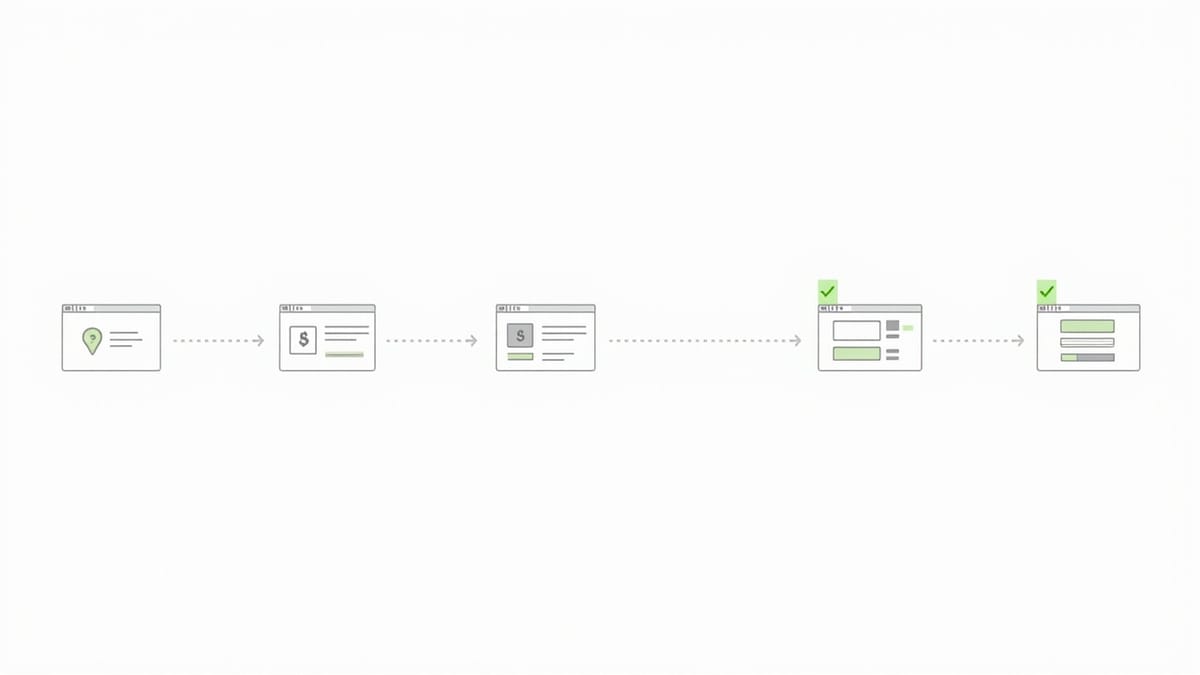
Your unit tests pass. Your integration tests pass. And yet users keep reporting broken checkouts, failed logins, and data that doesn't save. End-to-end testing is the safety net that catches what all your other tests miss — because it actually simulates what a real user does.
Key Takeaways
End-to-end testing validates complete user workflows, not individual functions. A test that logs in, adds items to a cart, and completes checkout catches more real bugs than 50 unit tests combined.
E2E tests are slower and more brittle than unit tests — write them for critical paths only. The login flow, checkout, core user journey. Not every button click.
Playwright is the current industry standard for E2E testing in 2026: auto-waits, multi-browser, TypeScript-native, fast. Cypress is still widely used but is losing ground for complex apps.
Test data and environment isolation are the biggest E2E pain points. Shared test databases, flaky external dependencies, and tests that depend on each other's state are the root of most failures.
AI-powered E2E testing (like HelpMeTest) removes the code barrier — write tests in plain English, run them on a schedule, get alerts when they break. No Playwright expertise required.
End-to-end testing (E2E testing) is the practice of testing a complete application workflow from start to finish, simulating exactly what a real user does. An E2E test opens a browser, navigates to your app, performs a series of actions — login, fill a form, submit, verify the result — and asserts that everything worked correctly.
Unlike unit tests (which test isolated functions) or integration tests (which test component interactions), E2E tests exercise the entire system: frontend, backend, database, external APIs, everything together.
This guide covers what E2E testing is, how to write E2E tests with Playwright and Cypress, which tools to use, and best practices for 2026.
This article is for developers and QA engineers who want to understand E2E testing, choose the right tools, and build a reliable E2E test suite.
What Is End-to-End Testing?
End-to-end testing verifies that an application works correctly from the user's perspective, through all layers of the system.
The name comes from the idea of testing from one end of the system (the user interface) to the other end (the database, external APIs, or final outputs), with every component in between exercised along the way.
A Simple E2E Test Example
Here's what a login E2E test looks like in plain English:
- Open the browser and navigate to
https://myapp.com/login - Enter a valid username and password
- Click the "Sign In" button
- Verify the user is redirected to the dashboard
- Verify the user's name appears in the navigation bar
- Verify the session is authenticated (access a protected resource)
Every one of those steps touches a different part of the system: the frontend UI, the authentication API, the session management service, the database that stores user records, and the authorization middleware on protected routes. One test, six assertions, the entire critical path validated.
E2E Testing vs. Other Test Types
| Test Type | What It Tests | Speed | Reliability | Coverage |
|---|---|---|---|---|
| Unit tests | Individual functions | Very fast | Very high | Isolated logic |
| Integration tests | Component interactions | Fast | High | Service boundaries |
| E2E tests | Complete user workflows | Slow | Lower | Full system |
| Manual testing | Exploratory scenarios | Very slow | Low | Human judgment |
According to the Google Testing Blog, the recommended test ratio is roughly 70% unit, 20% integration, and 10% E2E — the "testing pyramid." E2E tests are expensive to write and maintain, so they should cover only the most critical user journeys.
Why E2E Testing Matters
Unit tests don't catch integration failures. A unit test for your payment function passes. A unit test for your order creation function passes. But when they interact — with a real database, real network calls, real session state — things break. E2E tests catch this.
Manual testing doesn't scale. Running a full regression manually before every release takes days. With E2E tests running in CI, you get feedback in minutes.
Users experience E2E failures. When your app breaks for a user, it breaks at the E2E level — they can't complete a flow. Unit test failures are invisible to users; E2E test failures map directly to user-reported bugs.
What to Test with E2E Tests
Not everything deserves an E2E test. E2E tests are expensive — slow to run, brittle to maintain, and slow to write. Reserve them for:
Critical User Paths (Always E2E)
- Authentication: Login, logout, password reset, session expiry
- Core business flows: Checkout, signup, payment, subscription
- Data integrity flows: Create → read → update → delete cycles
- Cross-service interactions: Anything that touches 3+ services
Good E2E Candidates
- Onboarding flows: First-time user experience through setup
- Export/import features: Download a report, import a CSV
- Notification flows: Trigger action → verify email/SMS received
- Permission boundaries: Verify users can't access what they shouldn't
Poor E2E Candidates (Use Unit/Integration Instead)
- Individual form field validation (unit test)
- Error message copy (snapshot test)
- Pure UI layout and styling (visual test)
- API response format (integration test)
- Business logic calculations (unit test)
Writing E2E Tests with Playwright
Playwright is the leading E2E testing framework in 2026. It supports Chromium, Firefox, and WebKit, has built-in auto-waiting, runs tests in parallel, and is TypeScript-native.
Installation
npm init playwright@latestThis sets up a playwright.config.ts and an example test. Your tests go in the tests/ directory.
Your First Playwright E2E Test
import { test, expect } from '@playwright/test';

test('user can log in and see dashboard', async ({ page }) => {
  // Navigate to the login page
  await page.goto('https://myapp.com/login');

  // Fill in credentials
  await page.fill('[data-testid="email"]', 'test@example.com');
  await page.fill('[data-testid="password"]', 'SecurePass123');

  // Submit the form
  await page.click('[data-testid="login-button"]');

  // Verify redirect to dashboard
  await expect(page).toHaveURL('/dashboard');

  // Verify user name appears in navigation
  await expect(page.locator('[data-testid="user-name"]')).toContainText('Test User');
});Playwright automatically waits for elements to be visible and interactive — no manual waitFor calls needed in most cases.
A Complete Checkout E2E Test
import { test, expect } from '@playwright/test';

test('authenticated user can complete checkout', async ({ page }) => {
  // Start authenticated (use stored session state)
  await page.goto('https://myapp.com/products');

  // Add product to cart
  await page.click('[data-testid="product-1"] [data-testid="add-to-cart"]');

  // Verify cart count updated
  await expect(page.locator('[data-testid="cart-count"]')).toHaveText('1');

  // Navigate to cart
  await page.click('[data-testid="cart-icon"]');
  await expect(page).toHaveURL('/cart');

  // Proceed to checkout
  await page.click('[data-testid="checkout-button"]');

  // Fill shipping details
  await page.fill('[data-testid="shipping-address"]', '123 Main St');
  await page.fill('[data-testid="city"]', 'New York');
  await page.fill('[data-testid="zip"]', '10001');

  // Submit order
  await page.click('[data-testid="place-order"]');

  // Verify order confirmation
  await expect(page.locator('[data-testid="order-confirmation"]')).toBeVisible();
  await expect(page.locator('[data-testid="order-number"]')).toContainText('ORD-');
});Authentication State Management
Re-logging in at the start of every test is slow and creates flaky tests. Playwright supports saved authentication state:
// auth.setup.ts — run once, save session
import { test as setup } from '@playwright/test';

setup('authenticate', async ({ page }) => {
  await page.goto('/login');
  await page.fill('[name="email"]', process.env.TEST_USER_EMAIL!);
  await page.fill('[name="password"]', process.env.TEST_USER_PASSWORD!);
  await page.click('[type="submit"]');
  await page.waitForURL('/dashboard');

  // Save session state for all tests
  await page.context().storageState({ path: 'playwright/.auth/user.json' });
});// playwright.config.ts
export default defineConfig({
projects: [
{
name: 'setup',
testMatch: /auth\.setup\.ts/,
},
{
name: 'tests',
use: { storageState: 'playwright/.auth/user.json' },
dependencies: ['setup'],
},
],
});Now every test starts already authenticated — 10x faster test runs.
Writing E2E Tests with Cypress
Cypress is a popular E2E framework known for its interactive test runner, real-time reloading, and developer-friendly API. It runs tests inside the browser, which gives it unique debugging capabilities.
Installation
npm install cypress --save-dev
npx cypress openA Login Test in Cypress
describe('User Authentication', () => {
  it('logs in with valid credentials', () => {
    cy.visit('/login');

    cy.get('[data-cy="email"]').type('test@example.com');
    cy.get('[data-cy="password"]').type('SecurePass123');
    cy.get('[data-cy="login-button"]').click();

    cy.url().should('include', '/dashboard');
    cy.get('[data-cy="user-name"]').should('contain', 'Test User');
  });

  it('shows error with invalid credentials', () => {
    cy.visit('/login');

    cy.get('[data-cy="email"]').type('wrong@example.com');
    cy.get('[data-cy="password"]').type('wrongpassword');
    cy.get('[data-cy="login-button"]').click();

    cy.get('[data-cy="error-message"]').should('be.visible');
    cy.url().should('include', '/login');
  });
});Playwright vs. Cypress: Which to Choose?
| Feature | Playwright | Cypress |
|---|---|---|
| Browser support | Chromium, Firefox, WebKit | Chrome, Firefox, Edge |
| Language | TypeScript, JavaScript, Python, Java, .NET | JavaScript/TypeScript only |
| Parallel execution | Native, fast | Requires Cypress Cloud (paid) |
| Auto-waiting | Yes, intelligent | Yes, but less sophisticated |
| Mobile testing | Emulation only | Emulation only |
| Speed | Faster (out of browser) | Slower (in browser) |
| Debugging | Trace Viewer | Interactive Test Runner |
| Price | Free, open source | Free tier + paid Cloud |
Recommendation for 2026: Start with Playwright unless your team already has deep Cypress expertise. Playwright is faster, has better parallel execution, and supports more languages.
E2E Testing Tools Comparison
Beyond Playwright and Cypress, here are the major E2E testing tools:
| Tool | Best For | Language | Price |
|---|---|---|---|
| Playwright | Modern web apps, TypeScript projects | JS/TS/Python/Java/.NET | Free |
| Cypress | React/Vue apps, interactive debugging | JavaScript/TypeScript | Free + paid Cloud |
| Selenium | Legacy projects, Java shops | Multi-language | Free |
| WebdriverIO | Selenium wrapper with modern API | JavaScript | Free |
| TestCafe | No local browser installation | JavaScript | Free |
| HelpMeTest | No-code E2E testing, 24/7 monitoring | Plain English | Usage-based ($0.003/run) |
When to Use Selenium
Selenium is the grandfather of E2E testing — it's been around since 2004 and has the widest language support. In 2026, you'd choose Selenium if:
- Your organization has existing Selenium infrastructure
- Your team uses Java, Python, Ruby, or C# and doesn't want to switch
- You need to test legacy browser environments
For new projects, Playwright or Cypress will be faster and easier to maintain.
E2E Testing Best Practices
1. Use Test IDs, Not CSS Selectors
CSS classes and IDs change when designs change. data-testid attributes are stable:
<!-- Fragile -->
<button class="btn-primary checkout-submit">Place Order</button>

<!-- Stable -->
<button data-testid="place-order-button" class="btn-primary checkout-submit">Place Order</button>// Fragile
page.click('.btn-primary.checkout-submit');
// Stable
page.click('[data-testid="place-order-button"]');2. Keep Tests Independent
Each test must set up its own state and clean up after itself. Tests that depend on each other create ordering dependencies and make failures cascade:
// Bad — depends on previous test having created a user
test('user can update profile', async ({ page }) => {
  // Assumes user was created by the previous test
  await page.goto('/profile');
  ...
});

// Good — each test creates its own data
test('user can update profile', async ({ page }) => {
  const user = await createTestUser(); // fresh user every time
  await loginAs(page, user);
  await page.goto('/profile');
  ...
});3. Isolate Test Environments
Run E2E tests against a dedicated test environment, never production. Use:
- Separate database with seed data
- Stubbed external services (payment gateways, email providers)
- Fixed test accounts with known credentials
- Cleanup scripts that reset state between test runs
4. Run E2E Tests in CI, Not Just Locally
E2E tests should run on every pull request. Configure them in your CI pipeline:
# .github/workflows/e2e.yml
name: E2E Tests

on: [pull_request]

jobs:
  e2e:
    runs-on: ubuntu-latest
    steps:
      - uses: actions/checkout@v4
      - uses: actions/setup-node@v4
        with:
          node-version: 20
      - run: npm ci
      - run: npx playwright install --with-deps chromium
      - run: npx playwright test
        env:
          BASE_URL: ${{ secrets.STAGING_URL }}
          TEST_USER_EMAIL: ${{ secrets.TEST_USER_EMAIL }}
          TEST_USER_PASSWORD: ${{ secrets.TEST_USER_PASSWORD }}
      - uses: actions/upload-artifact@v4
        if: failure()
        with:
          name: playwright-report
path: playwright-report/5. Write Meaningful Failure Messages
When an E2E test fails, it should be obvious why:
// Vague
await expect(page.locator('#confirmation')).toBeVisible();

// Descriptive
await expect(
  page.locator('[data-testid="order-confirmation"]'),
  'Order confirmation page should display after successful checkout'
).toBeVisible();6. Limit E2E Test Count
A common mistake is writing E2E tests for everything. A suite of 500 E2E tests that takes 45 minutes to run is worse than a suite of 50 critical-path tests that runs in 5 minutes.
Rule of thumb: If a test scenario can be covered by a unit test or integration test, don't write an E2E test for it.
E2E Testing Without Code: The AI Alternative
Writing and maintaining E2E test code requires real expertise. Playwright tests break when selectors change. CI configuration is complex. Debugging flaky tests takes hours.
HelpMeTest is a no-code E2E testing platform where you write tests in plain English:
1. Go to https://myapp.com/login
2. Enter email "test@example.com" and password "SecurePass123"
3. Click Sign In
4. Verify the URL contains "/dashboard"
5. Verify "Test User" appears in the navigationThat's the entire test. No TypeScript. No selectors. No CI configuration. HelpMeTest runs it on a real browser, on a schedule, and alerts you when it fails.
What HelpMeTest does differently:
- 24/7 monitoring: Runs your E2E tests every 5 minutes. If checkout breaks at 2 AM, you know before users do.
- No selector maintenance: The AI finds elements by what they do, not their CSS class. When your designer changes a class name, the test keeps working.
- Zero infrastructure: No Playwright setup, no CI configuration, no browser drivers. Sign up and start in 5 minutes.
- Team-accessible: PMs, QA leads, and founders can write and understand tests — not just engineers.
Pricing: Usage-based, $0.003 per test run, no base fee. Includes unlimited tests, unlimited parallel execution, and 6-month data retention. 14-day free trial (card required).
For teams that need to ship fast without becoming E2E testing experts, HelpMeTest handles the infrastructure while your engineers focus on the product.
E2E Testing Anti-Patterns to Avoid
The "Full Regression E2E" Trap
Writing E2E tests for every feature leads to a slow, fragile test suite. Test only critical paths with E2E. Use unit and integration tests for everything else.
Hard-coded Credentials in Tests
// Never do this
await page.fill('[name="password"]', 'ActualProductionPassword123!');Use environment variables or a secrets manager. Hard-coded credentials end up in git history.
sleep() Instead of waitFor
// Fragile — assumes 2 seconds is always enough
await page.waitForTimeout(2000);

// Correct — waits for the actual condition
await expect(page.locator('[data-testid="spinner"]')).toBeHidden();
await expect(page.locator('[data-testid="results"]')).toBeVisible();Testing Only the Happy Path
Most bugs live in error states. Write tests for:
- Network failures (server returns 500)
- Validation errors (invalid form input)
- Permission errors (unauthorized access attempt)
- Empty states (no data to display)
Shared Test Databases
Tests that run in parallel on a shared database corrupt each other's data. Use database transactions that roll back, per-test database schemas, or generate unique test data per test run.
E2E Testing in CI/CD
Integrating E2E tests into your CI/CD pipeline prevents broken builds from reaching users.
Recommended Pipeline Structure
Push code
  → Unit tests (< 1 min)
  → Integration tests (< 3 min)
  → Deploy to staging
  → E2E critical path tests (< 10 min)
  → Deploy to production
→ E2E smoke tests on production (< 2 min)Run E2E tests against staging before deploying to production. Run a smaller smoke test suite against production after deploy to verify the deployment succeeded.
Parallel Test Execution
Playwright runs tests in parallel by default across workers. For large suites, distribute across multiple machines:
// playwright.config.ts
export default defineConfig({
  workers: process.env.CI ? 4 : undefined,
  retries: process.env.CI ? 2 : 0,
  reporter: process.env.CI ? 'github' : 'html',
});2 retries in CI accounts for network flakiness without hiding real failures.
FAQ
What is end-to-end testing?
End-to-end testing (E2E testing) is a software testing methodology that validates complete user workflows by simulating real user interactions from start to finish. An E2E test opens a browser, navigates through the application, performs actions like login or checkout, and verifies that the entire system — frontend, backend, database, and external services — works correctly together.
What is the difference between E2E testing and integration testing?
Integration testing verifies that individual components work together correctly at the API or service boundary level. E2E testing verifies complete user workflows through the entire application stack, including the user interface. Integration tests are faster and more targeted; E2E tests are slower but validate the full user experience.
Which is better, Playwright or Cypress?
For most new projects in 2026, Playwright is the better choice. It is faster, supports more languages (TypeScript, Python, Java, .NET, JavaScript), has better parallel execution built-in without additional cost, and supports all major browsers including WebKit (Safari). Cypress has an excellent interactive test runner and is still a good choice if your team already uses it or needs its unique debugging features.
How many E2E tests should I write?
Write E2E tests only for your most critical user flows — authentication, core business actions (checkout, signup, key CRUD operations), and cross-service integrations. A well-maintained suite of 20–50 focused E2E tests is more valuable than 500 fragile tests covering every feature. Most of your test coverage should come from unit tests and integration tests.
How do I handle flaky E2E tests?
Flakiness in E2E tests usually comes from timing issues (using sleep() instead of proper waiting), shared test data (tests interfering with each other), or environmental instability. Fix flakiness by: using framework auto-wait instead of setTimeout, isolating test data per test, using data-testid attributes instead of CSS selectors, and running tests against a stable isolated environment.
Can I do E2E testing without writing code?
Yes. Tools like HelpMeTest let you write E2E tests in plain English — describe the steps a user takes, and the platform runs them on a real browser. This is especially useful for teams where QA engineers, product managers, or founders need to write tests without Playwright or Cypress expertise. HelpMeTest also provides 24/7 scheduled monitoring, so tests run continuously even when no one is watching.
What is a smoke test vs an E2E test?
A smoke test is a subset of E2E tests — typically 5–10 tests that verify the most critical parts of the application are working after a deployment. The term comes from hardware testing: if you turn on a new circuit board and it doesn't smoke, it probably works. In software, running smoke tests after a deploy quickly confirms that the application started correctly and core flows are functional.
How do I set up E2E tests in GitHub Actions?
Install your E2E framework (Playwright: npx playwright install), add a workflow YAML file that runs your test command (npx playwright test) on pull requests, and store your test credentials as repository secrets. Playwright has an official GitHub Actions reporter that integrates directly with PR status checks. See the CI/CD section in this guide for a complete example.
End-to-end testing is the final safety net between your codebase and your users. Unit tests verify logic. Integration tests verify connections. E2E tests verify that real users can actually do real things in your application.
Start with your most critical user flow — usually login — and work outward. Keep your suite small, fast, and focused. Run it on every PR.
If you want to skip the Playwright learning curve entirely, HelpMeTest lets you write E2E tests in plain English and run them on a schedule, 24/7. Free to start.