Edge Computing Testing: Latency, Reliability, and Offline-First Testing
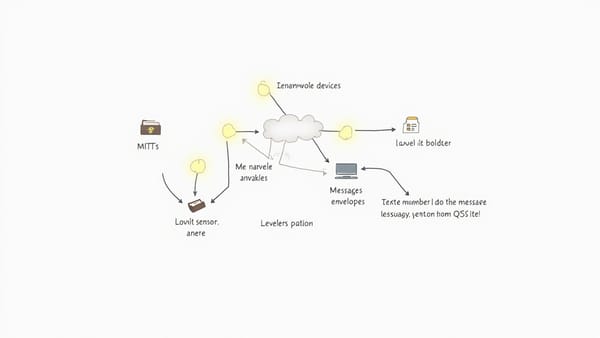
Edge computing moves computation closer to where data is generated — onto gateways, on-premise servers, and microcontrollers at the network edge.


Edge computing moves computation closer to where data is generated — onto gateways, on-premise servers, and microcontrollers at the network edge. This solves real problems: lower latency for time-sensitive decisions, continued operation when the WAN link goes down, and reduced bandwidth costs when you have hundreds of sensors streaming at 100Hz. But it also creates a testing problem. You now have distributed state, intermittent connectivity, and real-time constraints — all of which behave very differently from a request-response web service.
This post covers the three core challenges in edge computing testing — latency, reliability, and offline-first behavior — and gives you concrete techniques to test each.
Latency Testing at the Edge
Why Edge Latency Is Different
Cloud round-trip latency for a typical API call is 50–200ms. At the edge, your requirements might be 5ms or 20ms — not because users are impatient, but because a robotic arm needs to stop within 10ms of a sensor trigger, or a safety interlock needs to open a valve before pressure exceeds threshold.
At these timescales, you're not measuring network round trips. You're measuring processing pipeline latency: sensor interrupt → data acquisition → filtering → decision logic → actuator command.
Instrumenting Your Pipeline
Build latency measurement into the application itself, not just the test harness:
// edge_pipeline.c
#include "pipeline.h"
#include "hal.h"

typedef struct {
    uint32_t t_interrupt;
    uint32_t t_acquisition;
    uint32_t t_filtered;
    uint32_t t_decision;
    uint32_t t_command;
} pipeline_timing_t;

pipeline_result_t run_pipeline(sensor_data_t *input, pipeline_timing_t *timing) {
    timing->t_interrupt = hal_get_timestamp_us();

    raw_value_t raw = acquire_sensor_data(input);
    timing->t_acquisition = hal_get_timestamp_us();

    filtered_value_t filtered = apply_kalman_filter(&raw);
    timing->t_filtered = hal_get_timestamp_us();

    decision_t decision = evaluate_safety_condition(&filtered);
    timing->t_decision = hal_get_timestamp_us();

    if (decision.action_required) {
        send_actuator_command(decision.command);
    }
    timing->t_command = hal_get_timestamp_us();

    return (pipeline_result_t){ .decision = decision, .timing = *timing };
}Now write tests that assert on the timing breakdown, not just the result:
def test_pipeline_meets_latency_budget(device):
    """End-to-end pipeline must complete within 15ms."""
    timings = []
    for _ in range(1000):
        result = device.run_pipeline_with_timing()
        total_us = result["t_command"] - result["t_interrupt"]
        timings.append(total_us)

    p50 = sorted(timings)[500]
    p99 = sorted(timings)[990]
    p999 = sorted(timings)[999]

    assert p50 < 5000,  f"p50 latency {p50}µs exceeds 5ms budget"
    assert p99 < 12000, f"p99 latency {p99}µs exceeds 12ms budget"
assert p999 < 15000, f"p99.9 latency {p999}µs exceeds 15ms budget"Testing p99 and p99.9 latency matters more than average latency for safety-critical systems. A pipeline that averages 3ms but spikes to 50ms at p99.9 is not safe.
Load Testing the Edge Node
Edge nodes often handle multiple sensor streams simultaneously. Use a custom async load generator to stress-test the edge node's processing capacity:
# edge_load_test.py
import asyncio
import aiohttp
import time

async def send_sensor_payload(session, endpoint, payload):
    start = time.monotonic_ns()
    async with session.post(endpoint, json=payload) as resp:
        await resp.json()
        return (time.monotonic_ns() - start) / 1_000_000  # ms

async def run_load_test(endpoint, concurrency=50, duration_sec=30):
    latencies = []
    deadline = time.monotonic() + duration_sec

    async with aiohttp.ClientSession() as session:
        while time.monotonic() < deadline:
            tasks = [
                send_sensor_payload(session, endpoint, {
                    "sensor_id": f"sensor_{i}",
                    "value": 23.4 + i * 0.1,
                    "timestamp": int(time.time() * 1000)
                })
                for i in range(concurrency)
            ]
            results = await asyncio.gather(*tasks, return_exceptions=True)
            latencies.extend(r for r in results if isinstance(r, float))

    latencies.sort()
    n = len(latencies)
    print(f"Requests: {n}")
    print(f"p50:  {latencies[n//2]:.1f}ms")
    print(f"p95:  {latencies[int(n*0.95)]:.1f}ms")
    print(f"p99:  {latencies[int(n*0.99)]:.1f}ms")
    print(f"max:  {latencies[-1]:.1f}ms")

asyncio.run(run_load_test("http://edge-node:8080/ingest"))Reliability Testing
Simulating Network Partitions
Edge nodes must behave correctly when WAN connectivity is lost. Use tc netem (Linux traffic control) to simulate network conditions in your test environment:
# Simulate 200ms latency with 50ms jitter and 1% packet loss
tc qdisc add dev eth0 root netem delay 200ms 50ms distribution normal loss 1%

# Simulate complete WAN outage
tc qdisc add dev eth0 root netem loss 100%

# Remove simulation
tc qdisc del dev eth0 rootIn Python tests, wrap this in a context manager:
import subprocess
from contextlib import contextmanager

@contextmanager
def network_condition(interface="eth0", latency_ms=0, loss_pct=0, corrupt_pct=0):
    """Apply tc netem network conditions for the duration of the block."""
    args = ["tc", "qdisc", "add", "dev", interface, "root", "netem"]
    if latency_ms:
        args += ["delay", f"{latency_ms}ms"]
    if loss_pct:
        args += ["loss", f"{loss_pct}%"]
    if corrupt_pct:
        args += ["corrupt", f"{corrupt_pct}%"]

    subprocess.run(args, check=True)
    try:
        yield
    finally:
        subprocess.run(["tc", "qdisc", "del", "dev", interface, "root"],
                       capture_output=True)


def test_edge_node_stores_data_during_wan_outage(edge_node, cloud_backend):
    sensor_readings = []

    # Generate readings during a 30-second simulated outage
    with network_condition(loss_pct=100):
        for i in range(30):
            reading = edge_node.ingest_sensor_reading({"value": 20.0 + i})
            sensor_readings.append(reading["id"])
            time.sleep(1)

    # After outage resolves, all readings should sync to cloud within 60s
    deadline = time.time() + 60
    synced = set()
    while time.time() < deadline and len(synced) < len(sensor_readings):
        for reading_id in sensor_readings:
            if cloud_backend.has_reading(reading_id):
                synced.add(reading_id)
        time.sleep(2)

    assert len(synced) == len(sensor_readings), \
f"Only {len(synced)}/{len(sensor_readings)} readings synced after outage"Testing Reconnection and Retry Logic
When the WAN link comes back, the edge node needs to drain its local buffer without overwhelming the cloud backend. Test that reconnection is graceful:
def test_reconnection_does_not_flood_backend(edge_node, cloud_backend, metrics_collector):
    # Accumulate 1000 readings during a simulated outage
    with network_condition(loss_pct=100):
        for i in range(1000):
            edge_node.ingest_sensor_reading({"value": float(i)})

    # Restore connectivity and monitor upload rate
    upload_rates = metrics_collector.capture_rate("cloud_upload_rps", duration_sec=60)

    max_rate = max(upload_rates)
    assert max_rate < 100, \
        f"Upload rate spiked to {max_rate} RPS on reconnect — possible thundering herd"

    # All data should eventually arrive
    time.sleep(120)
assert cloud_backend.count_readings_from(edge_node.id) >= 1000Offline-First Testing
The Offline-First Contract
An offline-first edge application must guarantee:
- Local writes always succeed — never block on network availability
- Reads serve local cache — stale data with a timestamp is better than an error
- Conflicts are resolved deterministically — when the same record is modified locally and remotely, the merge is predictable
- Sync is eventual and complete — nothing is lost, even after extended outages
Write explicit tests for each of these contracts.
class TestOfflineFirstContract:

    def test_local_write_succeeds_without_network(self, edge_node):
        with network_condition(loss_pct=100):
            result = edge_node.write_config({"threshold": 42.0})
            assert result["status"] == "accepted"
            assert result["synced"] == False  # stored locally, not yet synced

    def test_read_returns_cached_data_without_network(self, edge_node):
        # Prime the cache
        edge_node.write_config({"threshold": 42.0})
        time.sleep(1)  # let it sync while online

        with network_condition(loss_pct=100):
            config = edge_node.read_config()
            assert config["threshold"] == 42.0
            assert config["_cache_age_sec"] is not None
            assert config["_cache_age_sec"] < 300  # stale but fresh enough

    def test_conflict_resolution_last_write_wins(self, edge_node, cloud_backend):
        # Set up a conflict: edge and cloud both write different values
        with network_condition(loss_pct=100):
            edge_node.write_config({"threshold": 30.0})

        # Simultaneously update in cloud
        cloud_backend.write_config(edge_node.id, {"threshold": 50.0})

        # Restore network — conflict resolution should run
        time.sleep(10)

        final_edge = edge_node.read_config()
        final_cloud = cloud_backend.read_config(edge_node.id)
        assert final_edge["threshold"] == final_cloud["threshold"], \
"Edge and cloud diverged after conflict resolution"Testing Local Storage Limits
Edge devices have finite storage. Test what happens when the local buffer fills up:
def test_storage_full_drops_oldest_data(edge_node, cloud_backend):
    """When storage is full, edge should drop oldest readings, not newest."""
    max_records = edge_node.get_storage_capacity()

    with network_condition(loss_pct=100):
        for i in range(max_records + 100):
            edge_node.ingest_sensor_reading({
                "sequence": i,
                "value": float(i)
            })

    time.sleep(30)
    synced = cloud_backend.get_readings_from(edge_node.id, ordered_by="sequence")

    assert len(synced) <= max_records

    # The retained readings should be the NEWEST (highest sequence numbers)
    sequences = [r["sequence"] for r in synced]
    assert min(sequences) >= 100, \
"Expected oldest readings to be dropped, but found early sequence numbers"Testing Time Synchronization
Edge nodes often run without reliable NTP access. Timestamps from edge devices can drift significantly. Test that your system handles clock skew gracefully:
def test_system_handles_clock_skew_gracefully(edge_node, cloud_backend):
    """Readings with timestamps up to 5 minutes in the future should be accepted."""
    future_timestamp = int(time.time() * 1000) + (5 * 60 * 1000)  # 5 min ahead

    result = edge_node.ingest_sensor_reading({
        "value": 25.0,
        "device_timestamp_ms": future_timestamp
    })

    assert result["status"] == "accepted"
    assert result.get("clock_skew_warning") is True

    time.sleep(5)
assert cloud_backend.has_reading_with_device_ts(future_timestamp)Testing Cross-Architecture Compatibility
Edge nodes run on ARM, MIPS, x86, and RISC-V. Use QEMU in CI to test the same binaries across architectures:
# .github/workflows/edge-cross-arch.yml
jobs:
  cross-arch-test:
    strategy:
      matrix:
        platform: [linux/amd64, linux/arm64, linux/arm/v7]
    runs-on: ubuntu-latest
    steps:
      - uses: docker/setup-qemu-action@v3
      - uses: docker/setup-buildx-action@v3
      - name: Build and test on ${{ matrix.platform }}
        run: |
          docker buildx build \
            --platform ${{ matrix.platform }} \
            --target test \
            --load \
            -t edge-app:test-${{ matrix.platform }} .
          docker run --rm edge-app:test-${{ matrix.platform }} \
pytest tests/edge/ -vKey Takeaways
- Test latency at the percentile level — p99 and p99.9 matter for real-time edge workloads; averages are misleading
- Use
tc netemto simulate network conditions — packet loss, latency, corruption, and complete partitions - Write explicit offline-first contract tests — local writes, cached reads, conflict resolution, and storage limits
- Test clock skew tolerance — edge devices drift and your system must handle it without data loss
- Load test the edge node itself — it's a constrained device, not a horizontally scalable cloud service
- Validate cross-architecture — an ARM gateway is not the same execution environment as your x86 dev machine
Edge computing changes the failure model from "service unavailable" to "operating in degraded mode." Your tests need to verify that degraded mode is actually graceful.