
Testing Microsoft Dynamics 365: EasyRepro, Power Automate, and API Testing

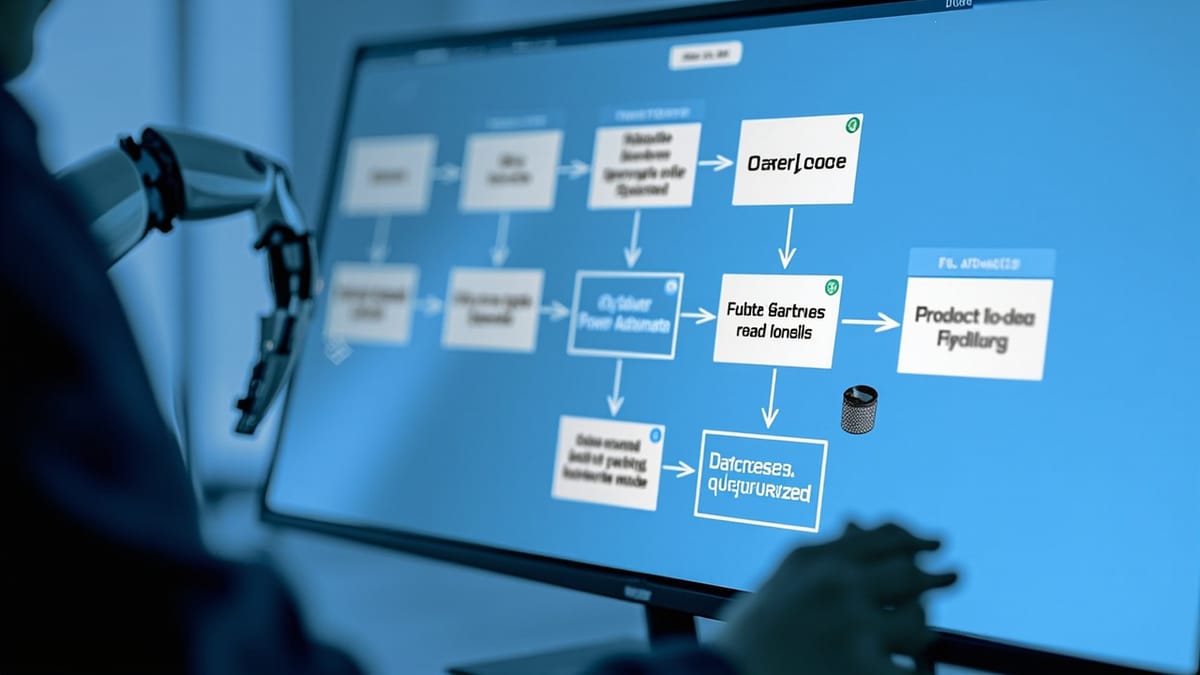
Dynamics 365 UI testing requires EasyRepro — Microsoft's open-source Selenium wrapper that understands D365's dynamic control IDs. This guide covers EasyRepro setup, Dataverse API testing, Power Automate flow testing, and integrating everything into CI.
Why Dynamics 365 Testing Is Hard
Testing Dynamics 365 with standard Selenium fails almost immediately:
- Dynamic control IDs — D365 generates control IDs like
systemuser_9dced1f3-87b0-4eb6-bb47-ecb4d22b4a62_namethat change per session - Web API complexity — the Dataverse API uses OData syntax, not REST/JSON conventions
- Power Platform dependencies — flows, business rules, and plugins all fire on entity operations
- Authentication — Azure AD OAuth, not basic auth
- Model-driven app architecture — forms, grids, and subgrids behave differently from standard web forms
EasyRepro solves the first problem. For the rest, you need a layered testing strategy.
EasyRepro: D365 UI Automation
EasyRepro is Microsoft's open-source Selenium wrapper for Dynamics 365. It provides stable selectors for D365 controls regardless of the dynamic IDs.
Installation
dotnet add package Microsoft.Dynamics365.UIAutomation.Api
dotnet add package Microsoft.Dynamics365.UIAutomation.BrowserOr via Package Manager:
Install-Package Microsoft.Dynamics365.UIAutomation.ApiBasic Test Setup
using Microsoft.Dynamics365.UIAutomation.Api;
using Microsoft.Dynamics365.UIAutomation.Browser;
using Xunit;

public class AccountTests : IDisposable
{
    private readonly WebClient _client;
    private readonly XrmApp _xrmApp;

    public AccountTests()
    {
        var browser = new BrowserOptions
        {
            BrowserType = BrowserType.Chrome,
            Headless = true,
            PrivateMode = true
        };

        _client = new WebClient(browser);
        _xrmApp = new XrmApp(_client);
    }

    [Fact]
    public void CreateAccount_ValidData_SavesSuccessfully()
    {
        // Authenticate
        _xrmApp.OnlineLogin.Login(
            new Uri("https://yourorg.crm.dynamics.com"),
            Environment.GetEnvironmentVariable("D365_USERNAME"),
            Environment.GetEnvironmentVariable("D365_PASSWORD")
        );

        // Navigate to Accounts
        _xrmApp.Navigation.OpenApp("Sales Hub");
        _xrmApp.Navigation.OpenSubArea("Sales", "Accounts");

        // Create new account
        _xrmApp.CommandBar.ClickCommand("New");

        // Fill form fields using EasyRepro's field API
        _xrmApp.Entity.SetValue("name", "Contoso Ltd");
        _xrmApp.Entity.SetValue("telephone1", "+1-555-0100");
        _xrmApp.Entity.SetValue(new OptionSet
        {
            Name = "industrycode",
            Value = "Technology"
        });

        // Save
        _xrmApp.Entity.Save();

        // Assert
        string accountName = _xrmApp.Entity.GetValue("name");
        Assert.Equal("Contoso Ltd", accountName);
    }

    public void Dispose()
    {
        _xrmApp.Dispose();
        _client.Dispose();
    }
}Testing Subgrids
Subgrids (related entity lists inside a form) require specific EasyRepro methods:
[Fact]
public void AccountContacts_AddRelatedContact_AppearsInSubgrid()
{
    // Navigate to existing account
    _xrmApp.Navigation.OpenEntityById("account", new Guid("your-account-id"));

    // Open Contacts subgrid
    _xrmApp.Entity.SubGrid.ClickCommand("Contacts", "Add Existing Contact");

    // Search for and select a contact
    _xrmApp.Lookup.Search("Jane Smith");
    _xrmApp.Lookup.SelectResult(0);

    // Verify contact appears in subgrid
    var contacts = _xrmApp.Entity.SubGrid.GetSubGridItems("Contacts");
    Assert.Contains(contacts, c => c.Title == "Jane Smith");
}Testing Business Process Flows
Business Process Flows (BPF) are a key D365 feature — test stage transitions:
[Fact]
public void OpportunityBPF_QualifyStage_AdvancesToPropose()
{
    _xrmApp.Navigation.OpenEntityById("opportunity", _opportunityId);

    // Assert current stage
    string currentStage = _xrmApp.BusinessProcessFlow.GetActiveStage("Opportunity Sales Process");
    Assert.Equal("Qualify", currentStage);

    // Fill required stage fields
    _xrmApp.BusinessProcessFlow.SetValue("budgetamount", "50000");
    _xrmApp.BusinessProcessFlow.SetValue("purchasetimeframe", "This Quarter");

    // Advance stage
    _xrmApp.BusinessProcessFlow.NextStage("Opportunity Sales Process");

    // Verify new stage
    string newStage = _xrmApp.BusinessProcessFlow.GetActiveStage("Opportunity Sales Process");
    Assert.Equal("Develop", newStage);
}Dataverse Web API Testing
The Dataverse API uses OData v4. Test it directly with standard HTTP clients:
Authentication Setup
// Get OAuth token for Dataverse
public async Task<string> GetAccessToken()
{
    var app = ConfidentialClientApplicationBuilder
        .Create(Environment.GetEnvironmentVariable("CLIENT_ID"))
        .WithClientSecret(Environment.GetEnvironmentVariable("CLIENT_SECRET"))
        .WithAuthority($"https://login.microsoftonline.com/{Environment.GetEnvironmentVariable("TENANT_ID")}")
        .Build();

    var result = await app.AcquireTokenForClient(
        new[] { "https://yourorg.crm.dynamics.com/.default" }
    ).ExecuteAsync();

    return result.AccessToken;
}CRUD Tests with OData
[Fact]
public async Task CreateAccount_ViaApi_ReturnsCreatedId()
{
    var token = await GetAccessToken();
    var client = new HttpClient();
    client.DefaultRequestHeaders.Authorization = new AuthenticationHeaderValue("Bearer", token);
    client.DefaultRequestHeaders.Add("OData-MaxVersion", "4.0");
    client.DefaultRequestHeaders.Add("OData-Version", "4.0");
    client.DefaultRequestHeaders.Add("Prefer", "return=representation");

    var payload = new
    {
        name = "Test Account",
        telephone1 = "+1-555-0100",
        industrycode = 7 // Technology
    };

    var response = await client.PostAsJsonAsync(
        "https://yourorg.api.crm.dynamics.com/api/data/v9.2/accounts",
        payload
    );

    Assert.Equal(HttpStatusCode.Created, response.StatusCode);

    var body = await response.Content.ReadFromJsonAsync<JsonElement>();
    string accountId = body.GetProperty("accountid").GetString();
    Assert.NotNull(accountId);

    // Cleanup
    await client.DeleteAsync($"https://yourorg.api.crm.dynamics.com/api/data/v9.2/accounts({accountId})");
}Testing OData Queries
[Fact]
public async Task QueryAccounts_FilterByIndustry_ReturnsMatchingRecords()
{
    var token = await GetAccessToken();
    // ... setup client

    var response = await client.GetAsync(
        "https://yourorg.api.crm.dynamics.com/api/data/v9.2/accounts" +
        "?$filter=industrycode eq 7" +  // Technology
        "&$select=name,industrycode,telephone1" +
        "&$top=10"
    );

    Assert.Equal(HttpStatusCode.OK, response.StatusCode);

    var body = await response.Content.ReadFromJsonAsync<JsonElement>();
    var accounts = body.GetProperty("value").EnumerateArray().ToList();

    Assert.All(accounts, account =>
        Assert.Equal(7, account.GetProperty("industrycode").GetInt32())
    );
}Testing Power Automate Flows
Power Automate flows are notoriously difficult to test because they run asynchronously in the cloud. Use a combination of strategies:
Strategy 1: Trigger and Wait
[Fact]
public async Task PowerAutomateFlow_OnAccountCreate_SendsWelcomeEmail()
{
    // Arrange: Create account that triggers the flow
    var accountId = await CreateTestAccount("Flow Test Account");

    // Wait for flow to execute (flows typically run within 30s)
    await Task.Delay(TimeSpan.FromSeconds(30));

    // Assert: Check the email log (if stored in Dataverse)
    var emailLogs = await QueryEmailLogs(accountId);
    Assert.Single(emailLogs, e => e.Subject.Contains("Welcome"));

    // Cleanup
    await DeleteAccount(accountId);
}Strategy 2: Check Flow Run History via Power Automate API
public async Task<bool> WaitForFlowSuccess(string flowId, string triggerEntityId, int timeoutSeconds = 60)
{
    var token = await GetPowerPlatformToken();
    var startTime = DateTime.UtcNow;

    while (DateTime.UtcNow - startTime < TimeSpan.FromSeconds(timeoutSeconds))
    {
        var runs = await GetFlowRuns(flowId, token);
        var recentRun = runs.FirstOrDefault(r =>
            r.StartTime > startTime &&
            r.TriggerBody.Contains(triggerEntityId)
        );

        if (recentRun?.Status == "Succeeded") return true;
        if (recentRun?.Status == "Failed")
            throw new Exception($"Flow failed: {recentRun.Error}");

        await Task.Delay(3000);
    }

    throw new TimeoutException($"Flow did not complete within {timeoutSeconds}s");
}Strategy 3: Use Child Flows for Testability
Structure complex flows as a parent + child flows. The child flow encapsulates testable logic and can be triggered directly via HTTP:
Parent Flow: On Account Create
  → Trigger: Dataverse - When a row is added
  → Step: Run Child Flow: Process New Account


Child Flow: Process New Account (HTTP trigger)
  → Input: accountId, accountName, email
  → Logic: Send welcome email, create follow-up task
→ Output: success/failure statusThe child flow can be tested by hitting its HTTP endpoint directly without needing to create an account.
CI/CD Integration with Azure DevOps
# azure-pipelines.yml
trigger:
  - main

pool:
  vmImage: 'windows-latest'  # EasyRepro requires Windows for Chrome

variables:
  D365_USERNAME: $(d365Username)
  D365_PASSWORD: $(d365Password)

stages:
  - stage: ApiTests
    displayName: Dataverse API Tests
    jobs:
      - job: RunApiTests
        steps:
          - task: DotNetCoreCLI@2
            displayName: Run Dataverse API Tests
            inputs:
              command: test
              projects: '**/*ApiTests.csproj'
              arguments: '--filter Category=API --logger trx --results-directory TestResults'

          - task: PublishTestResults@2
            inputs:
              testResultsFormat: VSTest
              testResultsFiles: 'TestResults/*.trx'

  - stage: UITests
    displayName: EasyRepro UI Tests
    dependsOn: ApiTests
    jobs:
      - job: RunUITests
        steps:
          - task: DotNetCoreCLI@2
            displayName: Run EasyRepro Tests
            inputs:
              command: test
              projects: '**/*UITests.csproj'
arguments: '--filter Category=UI --logger trx'Monitoring Dynamics 365
Post-deployment monitoring catches issues that tests can't:
# Monitor D365 instance availability
helpmetest health dynamics365-instance 5m

# Monitor a specific API endpoint
helpmetest health d365-accounts-api 5mCombined with EasyRepro regression tests in CI, this gives you both pre-deployment verification and post-deployment observability.
Summary
Dynamics 365 testing has three layers:
- EasyRepro — UI tests using Microsoft's own D365-aware Selenium wrapper; stable across UI updates
- Dataverse Web API — OData-based CRUD and query tests; fast, headless, CI-friendly
- Power Automate — trigger-and-verify pattern with flow run history; async by nature
Gate deployments on API test results first (fast), then UI tests (slower), then manual verification of complex flow scenarios. This ordering maximizes CI feedback speed while catching the regressions that matter most.