
Testing Databricks Notebooks, Delta Live Tables, and PySpark Jobs

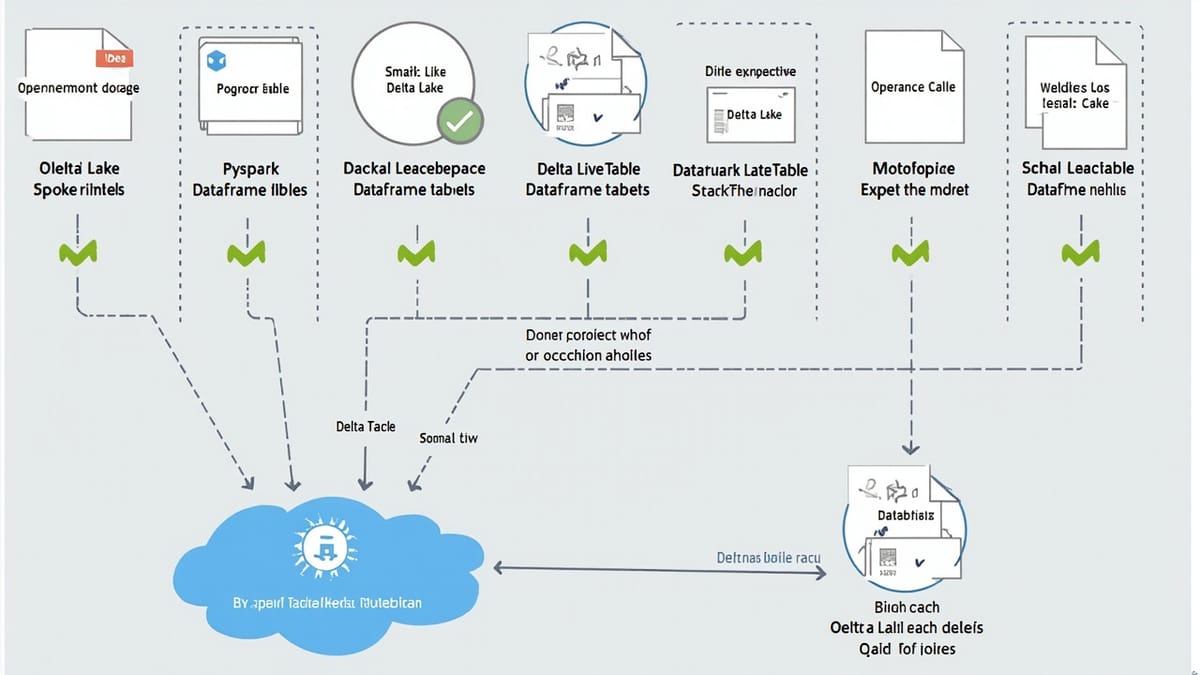
Databricks code is notoriously hard to test because notebooks mix presentation with logic, and Delta Live Tables pipelines only run inside Databricks. This guide covers extracting testable functions from notebooks, unit testing PySpark transformations with a local Spark session, testing DLT expect() constraints, and running the full suite in CI with Databricks Connect — without paying for a cluster on every PR.
Key Takeaways
Extract transformation logic from notebooks into importable modules. Notebooks are a UI concern; pure Python/PySpark functions can be tested independently with a local Spark session.
pyspark.testing.assertDataFrameEqual gives you row-order-independent DataFrame assertions. It's built into PySpark 3.5+ and handles schema comparison automatically.
DLT expect() constraints are first-class test hooks. Use EXPECT...ON VIOLATION DROP ROW or FAIL UPDATE to enforce data quality contracts inline, then verify quarantined row counts in tests.
Databricks Connect lets you run the same PySpark code against a real cluster from your laptop or CI. No cluster startup overhead — the session connects to an existing interactive cluster.
Delta table schema enforcement is testable. Write tests that try to insert schema-violating rows and assert on the AnalysisException — this documents your schema contracts in code.
The Databricks Testing Challenge
Databricks notebooks are a mixed bag for testing: they combine data exploration, transformation logic, and output visualization in a single file. Delta Live Tables (DLT) pipelines add another layer of complexity — you can't run them outside of Databricks. The result is code that's difficult to unit test and even harder to regression-test in CI.
The solution is a structured approach:
- Separate concerns — pull transformation logic into
.pymodules - Test locally with a lightweight Spark session (no cluster required)
- Test DLT constraints by running pipelines in development mode
- Run CI with Databricks Connect against a shared dev cluster
Setting Up a Local PySpark Test Environment
For unit tests, you don't need a Databricks cluster. A local Spark session covers the vast majority of transformation logic.
pip install pyspark==3.5.1 delta-spark==3.1.0 pytest chispa# tests/conftest.py
import pytest
from pyspark.sql import SparkSession
@pytest.fixture(scope="session")
def spark():
session = (
SparkSession.builder
.appName("test")
.master("local[2]")
.config("spark.sql.extensions", "io.delta.sql.DeltaSparkSessionExtension")
.config(
"spark.sql.catalog.spark_catalog",
"org.apache.spark.sql.delta.catalog.DeltaCatalog",
)
.config("spark.sql.shuffle.partitions", "2")
.config("spark.ui.enabled", "false")
.getOrCreate()
)
session.sparkContext.setLogLevel("ERROR")
yield session
session.stop()Unit Testing PySpark Transformations
The key discipline is keeping transformation logic in importable Python files, not buried in notebook cells.
# src/transforms/orders.py

from pyspark.sql import DataFrame
from pyspark.sql import functions as F
from pyspark.sql.types import StructType, StructField, StringType, DoubleType, DateType

def normalize_orders(df: DataFrame) -> DataFrame:
    """Normalize raw orders: filter cancelled, cast amounts, add processing_date."""
    return (
        df
        .filter(F.col("status") != "cancelled")
        .withColumn("amount_usd", F.col("amount_usd").cast(DoubleType()))
        .withColumn("processing_date", F.to_date(F.col("order_ts")))
        .drop("order_ts")
    )

def aggregate_daily_revenue(df: DataFrame) -> DataFrame:
    """Aggregate orders to daily revenue per region."""
    return (
        df
        .groupBy("processing_date", "region")
        .agg(
            F.sum("amount_usd").alias("total_revenue"),
            F.count("*").alias("order_count"),
            F.countDistinct("customer_id").alias("unique_customers"),
        )
        .orderBy("processing_date", "region")
)# tests/test_orders_transforms.py
import pytest
from pyspark.sql import Row
from pyspark.testing import assertDataFrameEqual
from src.transforms.orders import normalize_orders, aggregate_daily_revenue
def test_normalize_orders_filters_cancelled(spark):
input_df = spark.createDataFrame([
Row(order_id="o1", status="completed", amount_usd="100.0",
order_ts="2026-01-15 10:00:00", region="us-east", customer_id="c1"),
Row(order_id="o2", status="cancelled", amount_usd="50.0",
order_ts="2026-01-15 11:00:00", region="us-east", customer_id="c2"),
Row(order_id="o3", status="refunded", amount_usd="75.0",
order_ts="2026-01-15 12:00:00", region="eu-west", customer_id="c3"),
])
result = normalize_orders(input_df)
assert result.count() == 2
order_ids = {row["order_id"] for row in result.collect()}
assert "o2" not in order_ids
def test_normalize_orders_casts_amount(spark):
input_df = spark.createDataFrame([
Row(order_id="o1", status="completed", amount_usd="99.95",
order_ts="2026-01-15 10:00:00", region="us-east", customer_id="c1"),
])
result = normalize_orders(input_df).collect()
assert isinstance(result[0]["amount_usd"], float)
assert abs(result[0]["amount_usd"] - 99.95) < 0.001
def test_aggregate_daily_revenue(spark):
from datetime import date
from pyspark.sql.types import (
StructType, StructField, StringType, DoubleType, DateType
)
schema = StructType([
StructField("order_id", StringType()),
StructField("processing_date", DateType()),
StructField("region", StringType()),
StructField("amount_usd", DoubleType()),
StructField("customer_id", StringType()),
])
input_df = spark.createDataFrame([
("o1", date(2026, 1, 15), "us-east", 100.0, "c1"),
("o2", date(2026, 1, 15), "us-east", 200.0, "c1"),
("o3", date(2026, 1, 15), "eu-west", 150.0, "c2"),
], schema=schema)
result = aggregate_daily_revenue(input_df).collect()
assert len(result) == 2
us_row = next(r for r in result if r["region"] == "us-east")
assert us_row["total_revenue"] == 300.0
assert us_row["unique_customers"] == 1 # c1 appears twice but is one customerTesting Delta Table Schema Enforcement
Delta tables enforce schemas by default. Write tests that document and verify these contracts:
# tests/test_delta_schema.py
import pytest
from pyspark.sql import Row
from pyspark.sql.utils import AnalysisException
import tempfile, os

def test_delta_rejects_schema_mismatch(spark, tmp_path):
    delta_path = str(tmp_path / "orders_delta")

    # Create Delta table with strict schema
    initial_df = spark.createDataFrame([
        Row(order_id="o1", amount=100.0, status="completed"),
    ])
    initial_df.write.format("delta").save(delta_path)

    # Attempt to write a DataFrame with wrong column type
    bad_df = spark.createDataFrame([
        Row(order_id="o2", amount="not-a-number", status="pending"),
    ])

    with pytest.raises(AnalysisException):
        (
            bad_df.write.format("delta")
            .mode("append")
            .option("mergeSchema", "false")
            .save(delta_path)
        )


def test_delta_schema_evolution_with_merge(spark, tmp_path):
    delta_path = str(tmp_path / "products_delta")

    spark.createDataFrame([
        Row(product_id="p1", name="Widget"),
    ]).write.format("delta").save(delta_path)

    # Add a new column via mergeSchema
    spark.createDataFrame([
        Row(product_id="p2", name="Gadget", price=9.99),
    ]).write.format("delta").mode("append").option("mergeSchema", "true").save(delta_path)

    from delta.tables import DeltaTable
    table = DeltaTable.forPath(spark, delta_path)
    columns = [f.name for f in table.toDF().schema.fields]
    assert "price" in columns

    # Old row should have null for the new column
    p1 = table.toDF().filter("product_id = 'p1'").collect()[0]
assert p1["price"] is NoneTesting Delta Live Tables with expect()
DLT pipelines define data quality constraints using @dlt.expect, @dlt.expect_or_drop, and @dlt.expect_or_fail. These aren't testable with a local Spark session — but you can test the underlying transformation logic and verify constraint semantics via DLT's event log after a dev run.
# src/dlt_pipeline.py
import dlt
from pyspark.sql import functions as F

@dlt.table(name="raw_orders")
def raw_orders():
    return spark.readStream.format("cloudFiles").load("/data/orders/")

@dlt.table(name="validated_orders")
@dlt.expect("valid_amount", "amount_usd > 0")
@dlt.expect_or_drop("non_null_customer", "customer_id IS NOT NULL")
@dlt.expect_or_fail("non_null_order_id", "order_id IS NOT NULL")
def validated_orders():
    return dlt.read_stream("raw_orders").select(
        "order_id", "customer_id",
        F.col("amount_usd").cast("double"),
        "status",
)Test the constraint logic in isolation:
# tests/test_dlt_constraints.py

def test_expect_or_drop_null_customer(spark):
    """Simulate @dlt.expect_or_drop('non_null_customer', 'customer_id IS NOT NULL')."""
    input_df = spark.createDataFrame([
        {"order_id": "o1", "customer_id": "c1", "amount_usd": 100.0, "status": "ok"},
        {"order_id": "o2", "customer_id": None, "amount_usd": 50.0, "status": "ok"},
        {"order_id": "o3", "customer_id": "c3", "amount_usd": 75.0, "status": "ok"},
    ])

    # Apply the same filter DLT would apply for expect_or_drop
    result = input_df.filter("customer_id IS NOT NULL")
    assert result.count() == 2
    order_ids = {r["order_id"] for r in result.collect()}
    assert "o2" not in order_ids


def test_expect_or_fail_null_order_id(spark):
    """Simulate @dlt.expect_or_fail('non_null_order_id', 'order_id IS NOT NULL')."""
    bad_df = spark.createDataFrame([
        {"order_id": None, "customer_id": "c1", "amount_usd": 100.0},
    ])

    violations = bad_df.filter("order_id IS NULL").count()
assert violations > 0, "Should detect NULL order_id violations"After running a DLT pipeline in development mode, query the event log to verify constraint metrics:
def test_dlt_event_log_constraints(spark):
    """Query DLT event log to verify expectation pass/fail counts."""
    event_log = spark.read.format("delta").load(
        "/pipelines/my-pipeline/system/events"
    )

    expectations = (
        event_log
        .filter("event_type = 'flow_progress'")
        .selectExpr("details:flow_progress:data_quality:expectations")
        .filter("expectations IS NOT NULL")
    )
    # Assert that our critical constraint has zero failures in the last run
    # (Application-specific assertion based on your pipeline)
assert expectations.count() > 0Using Databricks Connect for CI
Databricks Connect 13.x (SDK v2) lets you run PySpark code on a remote cluster from your CI machine — no cluster startup, just attach to an existing interactive cluster.
# tests/conftest_connect.py  (used in CI only)
import pytest
from databricks.connect import DatabricksSession

@pytest.fixture(scope="session")
def spark():
    return (
        DatabricksSession.builder
        .serverless()  # or .remote(host=..., token=..., cluster_id=...)
        .getOrCreate()
)# .github/workflows/databricks-tests.yml
name: Databricks Tests
on: [pull_request]
jobs:
test:
runs-on: ubuntu-latest
steps:
- uses: actions/checkout@v4
- uses: actions/setup-python@v5
with:
python-version: "3.11"
- run: pip install databricks-connect==14.3.* pytest
- run: pytest tests/ -v --tb=short
env:
DATABRICKS_HOST: ${{ secrets.DATABRICKS_HOST }}
DATABRICKS_TOKEN: ${{ secrets.DATABRICKS_TOKEN }}
DATABRICKS_CLUSTER_ID: ${{ secrets.DATABRICKS_CI_CLUSTER_ID }}Keep a small, always-running single-node cluster for CI to avoid cold-start latency. Tag it ci-only and set auto-termination to 60 minutes as a safety net.
What to Test vs. What to Skip
Test these:
- PySpark transformation functions extracted from notebooks — filter, join, aggregation logic
- Delta table schema enforcement — mergeSchema behavior, type casting rejections
- DLT constraint logic — simulate expect_or_drop/fail with equivalent DataFrame filters
- Schema evolution — add column, rename column, assert backward compatibility
- Time-travel queries — read at previous version, verify historical data shape
- Notebook
%rundependencies — ensure imported modules have expected functions
Skip these:
- DLT pipeline orchestration itself — that's Databricks' responsibility
- Spark cluster sizing and autoscaling — infrastructure concern
- Delta log compaction and OPTIMIZE performance — operational, not logic testing
- MLflow experiment tracking — integration testing domain, not unit tests
- Unity Catalog permission boundaries — IAM/governance testing, needs real credentials

