
Cucumber + Selenium: End-to-End Browser Automation with BDD
Cucumber and Selenium are a classic combination: Cucumber provides the human-readable scenario layer, Selenium drives real browsers underneath.

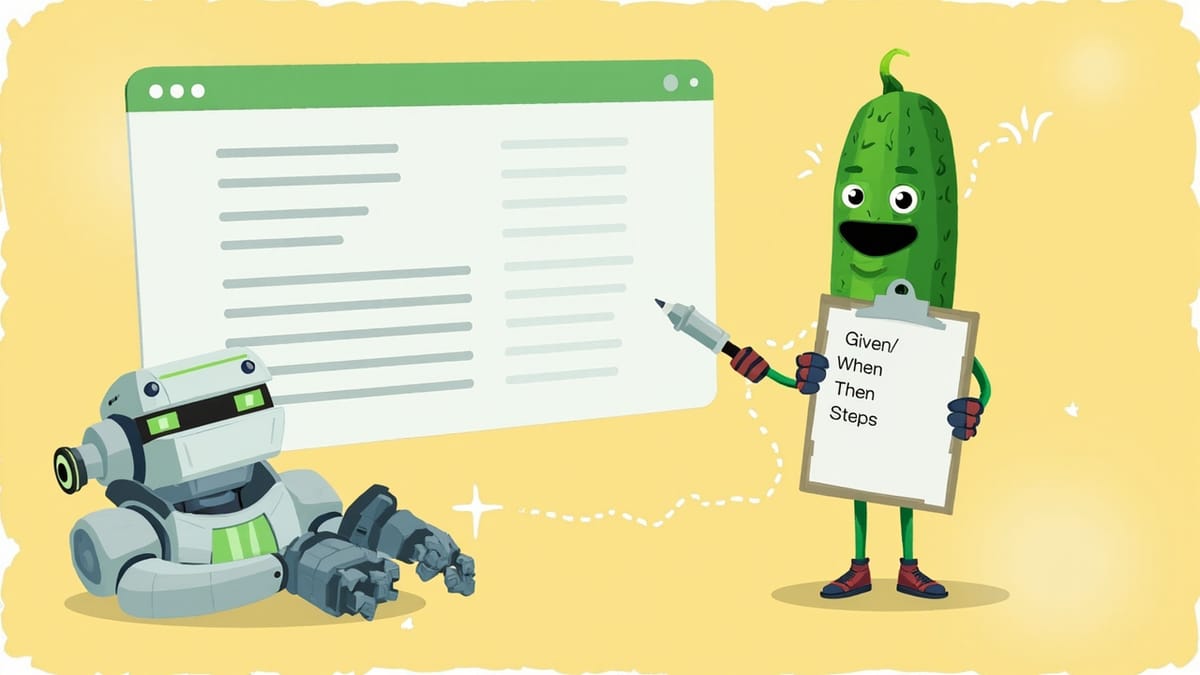
Cucumber and Selenium are a classic combination: Cucumber provides the human-readable scenario layer, Selenium drives real browsers underneath. Together they deliver automated acceptance tests that non-technical stakeholders can read and engineers can run in CI.
This guide covers the complete setup — Maven project, Page Object Model, parallel execution, and GitHub Actions — so your Cucumber + Selenium suite is production-ready from day one.
Why Combine Cucumber with Selenium?
Selenium alone gives you browser automation, but test code is pure Java/Python/etc that only developers can read. Cucumber adds a collaboration layer:
- Business analysts write or review Gherkin scenarios
- Developers implement step definitions backed by Selenium
- QA engineers run the suite and add new scenarios without touching Java
The .feature files become the living specification: they describe what the application must do, and failing scenarios pinpoint exactly which behaviour broke.
Project Setup (Maven + Java)
<!-- pom.xml -->
<dependencies>
  <!-- Cucumber -->
  <dependency>
    <groupId>io.cucumber</groupId>
    <artifactId>cucumber-java</artifactId>
    <version>7.15.0</version>
    <scope>test</scope>
  </dependency>
  <dependency>
    <groupId>io.cucumber</groupId>
    <artifactId>cucumber-junit-platform-engine</artifactId>
    <version>7.15.0</version>
    <scope>test</scope>
  </dependency>

  <!-- JUnit 5 -->
  <dependency>
    <groupId>org.junit.platform</groupId>
    <artifactId>junit-platform-suite</artifactId>
    <version>1.10.1</version>
    <scope>test</scope>
  </dependency>
  <dependency>
    <groupId>org.junit.jupiter</groupId>
    <artifactId>junit-jupiter</artifactId>
    <version>5.10.1</version>
    <scope>test</scope>
  </dependency>

  <!-- Selenium 4 -->
  <dependency>
    <groupId>org.seleniumhq.selenium</groupId>
    <artifactId>selenium-java</artifactId>
    <version>4.18.1</version>
    <scope>test</scope>
  </dependency>
  <dependency>
    <groupId>io.github.bonigarcia</groupId>
    <artifactId>webdrivermanager</artifactId>
    <version>5.7.0</version>
    <scope>test</scope>
  </dependency>

  <!-- Assertions -->
  <dependency>
    <groupId>org.assertj</groupId>
    <artifactId>assertj-core</artifactId>
    <version>3.25.1</version>
    <scope>test</scope>
  </dependency>
</dependencies>The Page Object Model
The Page Object Model (POM) is essential for maintainable Cucumber + Selenium tests. Each page in your application gets a corresponding class that encapsulates its selectors and interactions.
Without POM, selectors are scattered across step definitions. When a developer renames a CSS class, you update 20 files. With POM, you update one page class.
Page Object Example
// src/test/java/com/example/pages/LoginPage.java
package com.example.pages;

import org.openqa.selenium.*;
import org.openqa.selenium.support.*;
import org.openqa.selenium.support.ui.*;

import java.time.Duration;

public class LoginPage {

    private final WebDriver driver;
    private final WebDriverWait wait;

    @FindBy(id = "email")
    private WebElement emailField;

    @FindBy(id = "password")
    private WebElement passwordField;

    @FindBy(css = "button[type='submit']")
    private WebElement submitButton;

    @FindBy(css = ".error-alert")
    private WebElement errorAlert;

    public LoginPage(WebDriver driver) {
        this.driver = driver;
        this.wait = new WebDriverWait(driver, Duration.ofSeconds(10));
        PageFactory.initElements(driver, this);
    }

    public void open(String baseUrl) {
        driver.get(baseUrl + "/login");
        wait.until(ExpectedConditions.visibilityOf(emailField));
    }

    public void login(String email, String password) {
        emailField.clear();
        emailField.sendKeys(email);
        passwordField.clear();
        passwordField.sendKeys(password);
        submitButton.click();
    }

    public String getErrorMessage() {
        return wait.until(ExpectedConditions.visibilityOf(errorAlert)).getText();
    }

    public boolean isOnLoginPage() {
        return driver.getCurrentUrl().endsWith("/login");
    }
}// src/test/java/com/example/pages/DashboardPage.java
package com.example.pages;
import org.openqa.selenium.*;
import org.openqa.selenium.support.*;
import org.openqa.selenium.support.ui.*;
import java.time.Duration;
public class DashboardPage {
private final WebDriver driver;
private final WebDriverWait wait;
@FindBy(css = ".welcome-message")
private WebElement welcomeMessage;
@FindBy(css = ".user-menu")
private WebElement userMenu;
public DashboardPage(WebDriver driver) {
this.driver = driver;
this.wait = new WebDriverWait(driver, Duration.ofSeconds(10));
PageFactory.initElements(driver, this);
}
public boolean isLoaded() {
try {
wait.until(ExpectedConditions.urlContains("/dashboard"));
return true;
} catch (TimeoutException e) {
return false;
}
}
public String getWelcomeMessage() {
return wait.until(ExpectedConditions.visibilityOf(welcomeMessage)).getText();
}
}Shared Driver Management
Use a ScenarioContext class with Cucumber's PicoContainer to share the WebDriver across step definition classes within the same scenario:
<!-- Add to pom.xml -->
<dependency>
  <groupId>io.cucumber</groupId>
  <artifactId>cucumber-picocontainer</artifactId>
  <version>7.15.0</version>
  <scope>test</scope>
</dependency>// src/test/java/com/example/context/ScenarioContext.java
package com.example.context;
import io.github.bonigarcia.wdm.WebDriverManager;
import org.openqa.selenium.WebDriver;
import org.openqa.selenium.chrome.*;
public class ScenarioContext {
private WebDriver driver;
public final String baseUrl = System.getenv().getOrDefault(
"APP_BASE_URL", "https://your-app.example.com");
public WebDriver getDriver() {
if (driver == null) {
WebDriverManager.chromedriver().setup();
ChromeOptions options = new ChromeOptions();
if (!"false".equals(System.getenv("HEADLESS"))) {
options.addArguments("--headless=new");
}
options.addArguments(
"--no-sandbox",
"--disable-dev-shm-usage",
"--window-size=1920,1080"
);
driver = new ChromeDriver(options);
}
return driver;
}
public void quitDriver() {
if (driver != null) {
driver.quit();
driver = null;
}
}
}Step Definitions with Page Objects
// src/test/java/com/example/steps/LoginSteps.java
package com.example.steps;

import com.example.context.ScenarioContext;
import com.example.pages.*;
import io.cucumber.java.*;
import io.cucumber.java.en.*;

import static org.assertj.core.api.Assertions.assertThat;

public class LoginSteps {

    private final ScenarioContext ctx;
    private LoginPage loginPage;
    private DashboardPage dashboardPage;

    // PicoContainer injects ScenarioContext
    public LoginSteps(ScenarioContext ctx) {
        this.ctx = ctx;
    }

    @Before
    public void setUp() {
        loginPage = new LoginPage(ctx.getDriver());
        dashboardPage = new DashboardPage(ctx.getDriver());
    }

    @After
    public void tearDown(Scenario scenario) {
        if (scenario.isFailed()) {
            // Capture screenshot on failure
            var screenshot = (byte[]) ((org.openqa.selenium.TakesScreenshot) ctx.getDriver())
                .getScreenshotAs(org.openqa.selenium.OutputType.BYTES);
            scenario.attach(screenshot, "image/png", scenario.getName());
        }
        ctx.quitDriver();
    }

    @Given("I am on the login page")
    public void openLoginPage() {
        loginPage.open(ctx.baseUrl);
    }

    @When("I log in as {string} with password {string}")
    public void loginAs(String email, String password) {
        loginPage.login(email, password);
    }

    @Then("I should land on the dashboard")
    public void verifyDashboard() {
        assertThat(dashboardPage.isLoaded()).isTrue();
    }

    @Then("I should see a greeting for {string}")
    public void verifyGreeting(String name) {
        assertThat(dashboardPage.getWelcomeMessage()).containsIgnoringCase(name);
    }

    @Then("I should see the login error {string}")
    public void verifyLoginError(String expectedError) {
        assertThat(loginPage.getErrorMessage()).contains(expectedError);
    }
}Feature File
Feature: User Authentication

  @smoke
  Scenario: Login with valid credentials
    Given I am on the login page
    When I log in as "alice@example.com" with password "secret123"
    Then I should land on the dashboard
    And I should see a greeting for "Alice"

  @regression
  Scenario: Login with invalid password
    Given I am on the login page
    When I log in as "alice@example.com" with password "wrongpassword"
    Then I should see the login error "Invalid credentials"

  @regression
  Scenario Outline: Login for multiple users
    Given I am on the login page
    When I log in as "<email>" with password "<password>"
    Then I should land on the dashboard

    Examples:
      | email              | password  |
      | alice@example.com  | secret123 |
| bob@example.com | pass456 |Test Runner
// src/test/java/com/example/RunCucumberTest.java
package com.example;

import org.junit.platform.suite.api.*;

@Suite
@IncludeEngines("cucumber")
@SelectClasspathResource("features")
@ConfigurationParameter(
    key = "cucumber.plugin",
    value = "pretty, html:target/cucumber-reports/index.html, json:target/cucumber-reports/report.json"
)
@ConfigurationParameter(key = "cucumber.publish.quiet", value = "true")
public class RunCucumberTest {}Parallel Execution
Parallel execution reduces suite runtime significantly. Configure Surefire in pom.xml:
<plugin>
  <groupId>org.apache.maven.plugins</groupId>
  <artifactId>maven-surefire-plugin</artifactId>
  <version>3.2.2</version>
  <configuration>
    <properties>
      <configurationParameters>
        cucumber.execution.parallel.enabled=true
        cucumber.execution.parallel.config.strategy=dynamic
      </configurationParameters>
    </properties>
  </configuration>
</plugin>Important: With parallel execution each scenario needs its own browser instance. The ScenarioContext above handles this correctly because PicoContainer creates a new instance per scenario — each scenario gets its own ScenarioContext and therefore its own WebDriver.
Do not use a static WebDriver field — that breaks parallel execution.
Handling Dynamic Content
Browser tests often fail due to timing. Always use explicit waits:
// Bad - thread sleep is fragile
Thread.sleep(3000);

// Bad - implicit wait is global and interferes with negative checks
driver.manage().timeouts().implicitlyWait(Duration.ofSeconds(10));

// Good - explicit wait per operation
WebDriverWait wait = new WebDriverWait(driver, Duration.ofSeconds(10));
WebElement element = wait.until(
    ExpectedConditions.elementToBeClickable(By.cssSelector(".submit-btn"))
);
element.click();

// For custom conditions
wait.until(driver -> {
    String url = driver.getCurrentUrl();
    return url.contains("/dashboard") || url.contains("/error");
});Custom Selenium Helpers
Wrap common patterns in utility methods to keep step definitions clean:
public class SeleniumHelper {

    private final WebDriver driver;
    private final WebDriverWait wait;

    public SeleniumHelper(WebDriver driver) {
        this.driver = driver;
        this.wait = new WebDriverWait(driver, Duration.ofSeconds(15));
    }

    public void clickWhenReady(By locator) {
        wait.until(ExpectedConditions.elementToBeClickable(locator)).click();
    }

    public void typeIntoField(By locator, String text) {
        WebElement field = wait.until(ExpectedConditions.visibilityOfElementLocated(locator));
        field.clear();
        field.sendKeys(text);
    }

    public String getVisibleText(By locator) {
        return wait.until(ExpectedConditions.visibilityOfElementLocated(locator)).getText();
    }

    public void waitForUrl(String urlFragment) {
        wait.until(ExpectedConditions.urlContains(urlFragment));
    }

    public void scrollToElement(WebElement element) {
        ((JavascriptExecutor) driver)
            .executeScript("arguments[0].scrollIntoView(true);", element);
    }
}CI/CD Integration
GitHub Actions
name: Cucumber Selenium Tests

on:
  push:
    branches: [main]
  pull_request:
    branches: [main]

jobs:
  cucumber-tests:
    runs-on: ubuntu-latest

    steps:
      - uses: actions/checkout@v4

      - name: Set up JDK 17
        uses: actions/setup-java@v4
        with:
          java-version: "17"
          distribution: "temurin"

      - name: Cache Maven packages
        uses: actions/cache@v4
        with:
          path: ~/.m2
          key: ${{ runner.os }}-m2-${{ hashFiles('**/pom.xml') }}

      - name: Install Chrome
        uses: browser-actions/setup-chrome@latest

      - name: Run Cucumber tests
        run: mvn test -pl MyApp.AcceptanceTests
        env:
          APP_BASE_URL: https://staging.your-app.com
          HEADLESS: "true"

      - name: Publish HTML report
        uses: actions/upload-artifact@v4
        if: always()
        with:
          name: cucumber-report
          path: target/cucumber-reports/

      - name: Publish Test Results
        uses: EnricoMi/publish-unit-test-result-action@v2
        if: always()
        with:
files: target/surefire-reports/TEST-*.xmlTest Data Management
Keep test data out of feature files when possible. Use Cucumber hooks or @Before steps to seed data via API calls rather than navigating through the UI:
@Before("@needs-product-catalogue")
public void seedProductCatalogue() {
    // Call the app API directly to set up state
    given()
        .baseUri(ctx.baseUrl)
        .auth().oauth2(adminToken)
        .contentType("application/json")
        .body("""
            {"name": "Test Widget", "price": 9.99, "stock": 100}
            """)
        .post("/api/products")
        .then()
        .statusCode(201);
}This is far faster than navigating through an admin UI to create test data before each scenario.
Common Issues
StaleElementReferenceException: The DOM was updated between finding the element and interacting with it. Re-fetch the element inside a WebDriverWait rather than caching it across multiple steps.
ElementClickInterceptedException: Another element is overlapping your target (e.g. a cookie banner). Dismiss overlays in the @Before hook, or wait for them to disappear before clicking.
Tests pass locally, fail in CI: Usually a timing issue (CI machines are slower) or screen size (CI uses a different default). Set explicit window sizes and increase wait timeouts slightly for CI.
Memory leaks from unclosed browsers: Always quit the driver in @After. If your @After itself throws an exception, the driver may not close. Wrap driver.quit() in a try-finally or register a JVM shutdown hook.
What's Next
Once your Cucumber + Selenium suite is stable:
- Migrate from Selenium to Selenium + WebDriver BiDi for network interception and better CDP support
- Consider Playwright-Java as a modern alternative to Selenium — faster, auto-waiting, better parallel support
- Add visual regression checks with Percy or Applitools in your step definitions
- Implement custom reporting with Masterthought or Allure for richer analytics beyond the default HTML report
The Cucumber + Selenium stack has the largest community and the longest track record of any BDD + browser testing combination. It's not the fastest or newest option, but it's proven, well-documented, and will integrate with every CI system your team might use.
