C# Integration Testing with WebApplicationFactory: Complete Guide

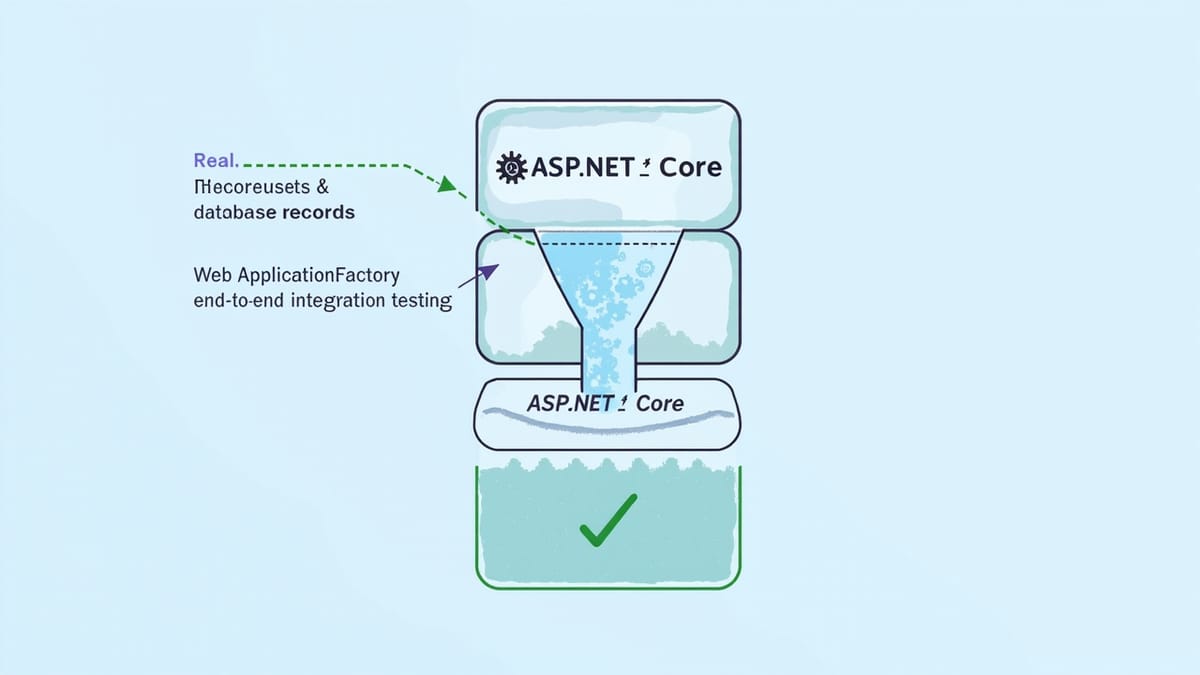
Integration testing in .NET means testing your application with real dependencies — real HTTP routing, real database queries, real middleware. WebApplicationFactory from Microsoft.AspNetCore.Mvc.Testing spins up your actual ASP.NET Core app in memory, letting you send real HTTP requests without a running server. This guide covers setup, database seeding, overriding services, testing authentication, and parallel test execution.
Key Takeaways
WebApplicationFactory runs your real app in memory. You get real routing, middleware, model binding, and dependency injection — without mocking any of it. This catches integration bugs that unit tests miss.
Use EF Core InMemory or Testcontainers for the database. InMemory is fast and zero-infrastructure. Testcontainers runs a real PostgreSQL/SQL Server in Docker — same engine as production, catches migration issues.
Override services with ConfigureTestServices. Replace production services (email, payment processor, external APIs) with test doubles inside WebApplicationFactory.WithWebHostBuilder. The rest of the app stays real.
Use IClassFixture<CustomWebApplicationFactory> to share the test server. Creating a new server per test class is slow. Share it with IClassFixture, but reset the database between tests.
Test auth by injecting a test JWT or bypassing middleware. Don't call your real auth provider in integration tests. Add a test auth scheme or seed a known user token.
Why Integration Tests?
Unit tests with mocks verify logic in isolation. Integration tests verify that the parts work together:
- Does the HTTP request hit the right controller action?
- Does the controller validate input correctly?
- Does the service call the repository with the right query?
- Does the repository produce correct SQL against a real database?
- Does the response serialize correctly?
You can have perfect unit test coverage and still have integration bugs. A misconfigured DI container, a wrong HTTP method on an endpoint, or a missing database migration won't be caught by mocks.
Setting Up WebApplicationFactory
Install the Package
dotnet add package Microsoft.AspNetCore.Mvc.TestingThis package includes WebApplicationFactory<TEntryPoint> — a test helper that creates an in-process test server from your actual Program.cs (or Startup.cs).
Basic Test
using Microsoft.AspNetCore.Mvc.Testing;
using Xunit;

public class ProductsApiTests : IClassFixture<WebApplicationFactory<Program>>
{
    private readonly HttpClient _client;

    public ProductsApiTests(WebApplicationFactory<Program> factory)
    {
        _client = factory.CreateClient();
    }

    [Fact]
    public async Task GetProducts_ReturnsOkWithList()
    {
        var response = await _client.GetAsync("/api/products");

        response.EnsureSuccessStatusCode();
        var body = await response.Content.ReadAsStringAsync();
        Assert.Contains("products", body);
    }
}WebApplicationFactory<Program> uses your real Program class (the entry point) to boot your app. The _client sends requests directly to the in-process server.
Custom Factory with Service Overrides
Production code connects to real databases, external APIs, and email services. In tests, you replace these with controlled alternatives:
public class TestWebApplicationFactory : WebApplicationFactory<Program>
{
    protected override void ConfigureWebHost(IWebHostBuilder builder)
    {
        builder.ConfigureTestServices(services =>
        {
            // Replace real DB with in-memory DB
            var descriptor = services.SingleOrDefault(
                d => d.ServiceType == typeof(DbContextOptions<AppDbContext>));
            if (descriptor != null) services.Remove(descriptor);

            services.AddDbContext<AppDbContext>(options =>
                options.UseInMemoryDatabase("IntegrationTestDb"));

            // Replace real email service
            services.AddSingleton<IEmailService, NullEmailService>();

            // Replace payment gateway with stub
            services.AddSingleton<IPaymentGateway, AlwaysSucceedPaymentGateway>();
        });
    }
}

// NullEmailService: does nothing but records calls
public class NullEmailService : IEmailService
{
    public List<(string To, string Subject)> SentEmails { get; } = new();

    public Task SendAsync(string to, string subject, string body)
    {
        SentEmails.Add((to, subject));
        return Task.CompletedTask;
    }
}Database Seeding
Tests need known data. Seed it in a fixture or reset it per test:
public class TestWebApplicationFactory : WebApplicationFactory<Program>
{
    protected override void ConfigureWebHost(IWebHostBuilder builder)
    {
        builder.ConfigureTestServices(services =>
        {
            // Remove real DbContext
            RemoveService<DbContextOptions<AppDbContext>>(services);

            services.AddDbContext<AppDbContext>(options =>
                options.UseInMemoryDatabase(Guid.NewGuid().ToString())); // unique per factory instance
        });
    }

    private static void RemoveService<T>(IServiceCollection services)
    {
        var descriptor = services.SingleOrDefault(d => d.ServiceType == typeof(T));
        if (descriptor != null) services.Remove(descriptor);
    }

    public void SeedDatabase(Action<AppDbContext> seed)
    {
        using var scope = Services.CreateScope();
        var db = scope.ServiceProvider.GetRequiredService<AppDbContext>();
        db.Database.EnsureCreated();
        seed(db);
        db.SaveChanges();
    }
}Usage:
public class OrdersApiTests : IClassFixture<TestWebApplicationFactory>
{
    private readonly HttpClient _client;
    private readonly TestWebApplicationFactory _factory;

    public OrdersApiTests(TestWebApplicationFactory factory)
    {
        _factory = factory;
        _client = factory.CreateClient();

        // Seed test data
        factory.SeedDatabase(db =>
        {
            db.Products.AddRange(
                new Product { Id = 1, Name = "Widget", Price = 9.99m },
                new Product { Id = 2, Name = "Gadget", Price = 24.99m }
            );
        });
    }

    [Fact]
    public async Task GetOrder_ExistingId_ReturnsOrder()
    {
        var response = await _client.GetAsync("/api/orders/1");
        response.EnsureSuccessStatusCode();

        var order = await response.Content.ReadFromJsonAsync<OrderDto>();
        Assert.NotNull(order);
        Assert.Equal(1, order.Id);
    }
}Using Testcontainers for Real Database Tests
InMemory databases don't support all SQL Server or PostgreSQL features (JSON columns, full-text search, migrations). Testcontainers runs real database containers:
dotnet add package Testcontainers.PostgreSqlpublic class PostgresIntegrationFactory : WebApplicationFactory<Program>, IAsyncLifetime
{
private readonly PostgreSqlContainer _postgres = new PostgreSqlBuilder()
.WithImage("postgres:16")
.WithDatabase("testdb")
.WithUsername("test")
.WithPassword("test")
.Build();
public async Task InitializeAsync()
{
await _postgres.StartAsync();
}
public new async Task DisposeAsync()
{
await _postgres.DisposeAsync();
}
protected override void ConfigureWebHost(IWebHostBuilder builder)
{
builder.ConfigureTestServices(services =>
{
RemoveService<DbContextOptions<AppDbContext>>(services);
services.AddDbContext<AppDbContext>(options =>
options.UseNpgsql(_postgres.GetConnectionString()));
});
}
}
public class RealDatabaseTests : IClassFixture<PostgresIntegrationFactory>
{
private readonly HttpClient _client;
public RealDatabaseTests(PostgresIntegrationFactory factory)
{
_client = factory.CreateClient();
// Run migrations against the real container
using var scope = factory.Services.CreateScope();
var db = scope.ServiceProvider.GetRequiredService<AppDbContext>();
db.Database.Migrate();
}
[Fact]
public async Task ComplexQuery_UsesJsonColumn_ReturnsFilteredResults()
{
// Tests that require real PostgreSQL behavior
var response = await _client.GetAsync("/api/reports?filter=active");
response.EnsureSuccessStatusCode();
}
}Testing Authentication
Option 1: Bypass Authentication Middleware
public class AuthBypassFactory : WebApplicationFactory<Program>
{
    protected override void ConfigureWebHost(IWebHostBuilder builder)
    {
        builder.ConfigureTestServices(services =>
        {
            services.AddAuthentication("Test")
                    .AddScheme<AuthenticationSchemeOptions, TestAuthHandler>(
                        "Test", options => { });
        });
    }
}

public class TestAuthHandler : AuthenticationHandler<AuthenticationSchemeOptions>
{
    public TestAuthHandler(
        IOptionsMonitor<AuthenticationSchemeOptions> options,
        ILoggerFactory logger,
        UrlEncoder encoder)
        : base(options, logger, encoder) { }

    protected override Task<AuthenticateResult> HandleAuthenticateAsync()
    {
        var claims = new[]
        {
            new Claim(ClaimTypes.Name, "testuser"),
            new Claim(ClaimTypes.NameIdentifier, "1"),
            new Claim(ClaimTypes.Role, "Admin"),
        };
        var identity = new ClaimsIdentity(claims, "Test");
        var principal = new ClaimsPrincipal(identity);
        var ticket = new AuthenticationTicket(principal, "Test");
        return Task.FromResult(AuthenticateResult.Success(ticket));
    }
}Option 2: Include Real JWT in Requests
private HttpClient CreateAuthenticatedClient(string role = "User")
{
    var token = GenerateTestJwt(userId: 1, role: role);
    var client = _factory.CreateClient();
    client.DefaultRequestHeaders.Authorization =
        new AuthenticationHeaderValue("Bearer", token);
    return client;
}

private string GenerateTestJwt(int userId, string role)
{
    var key = new SymmetricSecurityKey(
        Encoding.UTF8.GetBytes("test-secret-key-at-least-32-chars-long!!")
    );
    var credentials = new SigningCredentials(key, SecurityAlgorithms.HmacSha256);
    var token = new JwtSecurityToken(
        issuer: "test",
        audience: "test",
        claims: new[]
        {
            new Claim(ClaimTypes.NameIdentifier, userId.ToString()),
            new Claim(ClaimTypes.Role, role),
        },
        expires: DateTime.UtcNow.AddHours(1),
        signingCredentials: credentials
    );
    return new JwtSecurityTokenHandler().WriteToken(token);
}Testing HTTP Responses
[Fact]
public async Task CreateProduct_ValidData_Returns201WithLocation()
{
    var payload = new { Name = "New Widget", Price = 14.99m, CategoryId = 1 };
    var content = JsonContent.Create(payload);

    var response = await _client.PostAsync("/api/products", content);

    Assert.Equal(HttpStatusCode.Created, response.StatusCode);
    Assert.NotNull(response.Headers.Location);
    Assert.Contains("/api/products/", response.Headers.Location.ToString());

    var created = await response.Content.ReadFromJsonAsync<ProductDto>();
    Assert.Equal("New Widget", created!.Name);
    Assert.Equal(14.99m, created.Price);
}

[Fact]
public async Task CreateProduct_MissingName_Returns400WithValidationErrors()
{
    var payload = new { Price = 14.99m }; // Missing required Name
    var content = JsonContent.Create(payload);

    var response = await _client.PostAsync("/api/products", content);

    Assert.Equal(HttpStatusCode.BadRequest, response.StatusCode);
    var problem = await response.Content.ReadFromJsonAsync<ValidationProblemDetails>();
    Assert.Contains("Name", problem!.Errors.Keys);
}

[Fact]
public async Task GetProduct_NonExistentId_Returns404()
{
    var response = await _client.GetAsync("/api/products/99999");
    Assert.Equal(HttpStatusCode.NotFound, response.StatusCode);
}Testing Middleware
[Fact]
public async Task RateLimiting_ExceedLimit_Returns429()
{
    // Hit the endpoint 11 times (limit is 10)
    for (int i = 0; i < 10; i++)
    {
        await _client.GetAsync("/api/products");
    }

    var response = await _client.GetAsync("/api/products");
    Assert.Equal(HttpStatusCode.TooManyRequests, response.StatusCode);
}

[Fact]
public async Task CORS_CrossOriginRequest_ReturnsAllowOriginHeader()
{
    _client.DefaultRequestHeaders.Add("Origin", "https://allowed-origin.com");
    var response = await _client.GetAsync("/api/products");

    Assert.True(response.Headers.Contains("Access-Control-Allow-Origin"));
}Parallel Test Execution
Using a new database per test class prevents parallel tests from conflicting:
public class IsolatedDbFactory : WebApplicationFactory<Program>
{
    private readonly string _dbName = Guid.NewGuid().ToString();

    protected override void ConfigureWebHost(IWebHostBuilder builder)
    {
        builder.ConfigureTestServices(services =>
        {
            RemoveService<DbContextOptions<AppDbContext>>(services);
            services.AddDbContext<AppDbContext>(options =>
                options.UseInMemoryDatabase(_dbName)); // unique per factory instance
        });
    }
}Each test class gets its own IsolatedDbFactory with a unique database name, so tests run in parallel without interference.
Common Patterns
HttpClient Extensions for JSON
public static class HttpClientExtensions
{
    public static async Task<T?> GetJsonAsync<T>(this HttpClient client, string url)
    {
        var response = await client.GetAsync(url);
        response.EnsureSuccessStatusCode();
        return await response.Content.ReadFromJsonAsync<T>();
    }

    public static async Task<HttpResponseMessage> PostJsonAsync<T>(
        this HttpClient client, string url, T payload)
    {
        return await client.PostAsync(url, JsonContent.Create(payload));
    }
}

// Usage
var product = await _client.GetJsonAsync<ProductDto>("/api/products/1");Resetting Database Between Tests
public class TransactionalTestBase : IDisposable
{
    protected readonly AppDbContext DbContext;
    private readonly IDbContextTransaction _transaction;

    public TransactionalTestBase(IServiceScope scope)
    {
        DbContext = scope.ServiceProvider.GetRequiredService<AppDbContext>();
        _transaction = DbContext.Database.BeginTransaction();
    }

    public void Dispose()
    {
        _transaction.Rollback();
        _transaction.Dispose();
        DbContext.Dispose();
    }
}Integration Tests vs Unit Tests vs E2E
| Aspect | Unit Tests | Integration Tests | E2E Tests |
|---|---|---|---|
| Dependencies | All mocked | Real DB, fake external APIs | Real everything |
| Speed | Milliseconds | Seconds | Minutes |
| Confidence | Logic only | Component wiring | Full system |
| What they catch | Algorithm bugs | DI/routing/query bugs | UI and flow bugs |
| Tools | xUnit + Moq | WebApplicationFactory | Robot Framework, Playwright |
A complete test strategy uses all three layers. Integration tests with WebApplicationFactory are the missing middle layer that most teams skip — they cost more than unit tests but catch a different class of real-world bugs.
Complementing Integration Tests with HelpMeTest
WebApplicationFactory tests your API layer in memory. But they don't test:
- The browser UI
- Cross-service interactions in your production environment
- Real network behavior
- Third-party integrations
HelpMeTest fills that gap with Robot Framework + Playwright tests that run against your live deployed application. It catches issues like misconfigured CORS headers, CDN caching bugs, and authentication redirect loops that no in-process test can find.
Running WebApplicationFactory tests in your CI alongside HelpMeTest's live monitoring gives you confidence at every layer of the stack.