CI/CD Testing Best Practices: What to Test at Each Stage

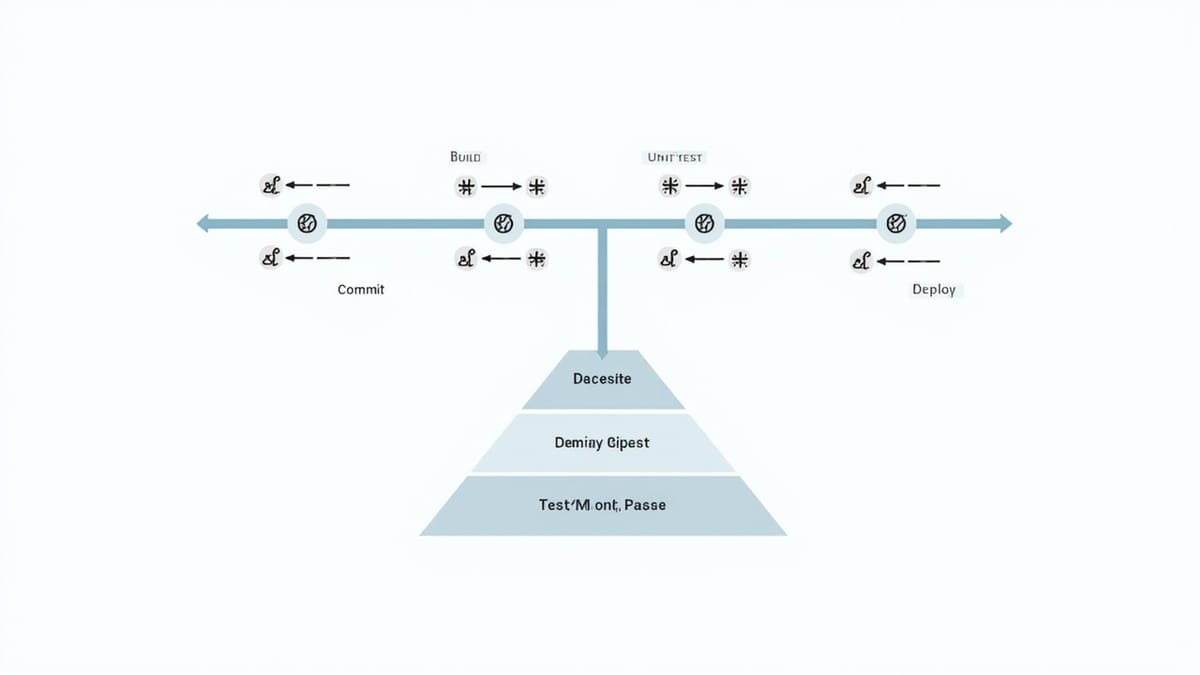
CI/CD pipelines exist to give developers fast, reliable feedback. When every commit triggers tests and deployment happens automatically, your pipeline's design directly affects both developer productivity and production reliability. Most teams get the tooling right but the strategy wrong — they run too many slow tests too early, or too few fast tests at all.
This guide covers what to test at each pipeline stage and how to structure your pipeline for maximum speed and signal.
The Testing Pyramid in CI/CD
The testing pyramid describes the right distribution of test types:
         /\
        /E2E\        ← Few, slow, high value
       /------\
      /  Integ  \    ← Some, medium speed
     /------------\
    /  Unit Tests  \ ← Many, fast, cheap
/--------------\Unit tests: Test individual functions and classes in isolation. Run in milliseconds. Should represent 60-70% of your test suite.
Integration tests: Test how components work together — your service with a real database, your API with a real HTTP client. Run in seconds. Should represent 20-30% of your suite.
E2E tests: Test complete user flows through the deployed application. Run in minutes. Should represent 10-15% of your suite, covering only the most critical paths.
Most teams invert this pyramid accidentally — they write many E2E tests because they're easy to reason about, and few unit tests because they require good design. This makes pipelines slow and unreliable.
What to Test at Each Stage
Stage 1: Pre-Commit (Developer Machine)
Fast checks that prevent pushing obviously broken code:
- Linting: Syntax errors, style violations (ESLint, Prettier, Ruff)
- Type checking: Compile-time errors (TypeScript, mypy, Flow)
- Fast unit tests: Functions with no external dependencies
Use pre-commit hooks (husky, pre-commit) to run these locally before code is pushed. Keep them under 10 seconds total — developers will disable slow pre-commit hooks.
# .pre-commit-config.yaml
repos:
  - repo: local
    hooks:
      - id: lint
        name: Lint
        entry: npm run lint
        language: system
        pass_filenames: false
      - id: unit-tests
        name: Fast unit tests
        entry: npm run test:unit -- --testPathPattern="utils|helpers"
        language: system
pass_filenames: falseStage 2: CI — Fast Feedback (< 5 minutes)
The first CI stage should give a pass/fail signal within 5 minutes. Anything slower loses the benefit of tight feedback loops.
What belongs here:
- Full unit test suite with coverage
- Linting and formatting checks (run in CI too, not just locally)
- Type checking
- Security scanning (Snyk, npm audit, Bandit)
- Build validation (does the code compile?)
# GitHub Actions example
jobs:
  fast-checks:
    runs-on: ubuntu-latest
    steps:
      - uses: actions/checkout@v4
      - uses: actions/setup-node@v4
        with:
          node-version: '20'
          cache: 'npm'
      - run: npm ci
      - run: npm run lint
      - run: npm run typecheck
      - run: npm run test:unit -- --coverage
- run: npm audit --audit-level=highThis stage should never take more than 5 minutes. If it does, your unit tests are too slow — they're hitting databases, making HTTP calls, or are just too many. Fix the tests, don't slow the pipeline.
Stage 3: CI — Integration Tests (5-15 minutes)
Integration tests verify that components work together correctly. They require real services:
What belongs here:
- Database integration: Real queries against a test database with schema applied
- API contract tests: Your service's HTTP interface
- Message queue integration: Pub/sub, event-driven flows
- Cache integration: Redis, Memcached
jobs:
  integration:
    needs: fast-checks
    runs-on: ubuntu-latest
    services:
      postgres:
        image: postgres:16
        env:
          POSTGRES_PASSWORD: testpass
          POSTGRES_DB: testdb
        ports:
          - 5432:5432
        options: --health-cmd pg_isready --health-interval 10s
    steps:
      - uses: actions/checkout@v4
      - uses: actions/setup-node@v4
        with:
          node-version: '20'
          cache: 'npm'
      - run: npm ci
      - run: npm run db:migrate
        env:
          DATABASE_URL: postgresql://postgres:testpass@localhost/testdb
      - run: npm run test:integration
        env:
DATABASE_URL: postgresql://postgres:testpass@localhost/testdbIntegration tests should use a fresh, isolated database per test run. Never share state between test runs — it makes failures non-deterministic and hard to debug.
Stage 4: CI — E2E Tests (Against Staging)
E2E tests run against a deployed environment, not a local server. This ensures you're testing what actually gets deployed.
What belongs here:
- Critical user flows: Login, checkout, core feature paths
- Cross-browser verification: Chrome, Firefox, Safari for web apps
- Mobile responsiveness: Key flows on mobile viewports
- Accessibility checks: Automated a11y scanning with Axe
jobs:
  e2e:
    needs: integration
    runs-on: ubuntu-latest
    steps:
      - uses: actions/checkout@v4
      - uses: actions/setup-node@v4
        with:
          node-version: '20'
          cache: 'npm'
      - run: npm ci
      - run: npx playwright install --with-deps chromium firefox
      - run: npx playwright test
        env:
          BASE_URL: https://staging.example.com
          TEST_USER_EMAIL: ${{ secrets.TEST_USER_EMAIL }}
          TEST_USER_PASSWORD: ${{ secrets.TEST_USER_PASSWORD }}
      - uses: actions/upload-artifact@v4
        if: failure()
        with:
          name: playwright-report
path: playwright-report/E2E tests should be selective — not comprehensive. Don't test every edge case in E2E. Test that the app loads, the critical flows work, and the main business scenarios complete successfully. Test edge cases at the unit level.
Stage 5: Post-Deploy — Smoke Tests
After deploying to production, run a short smoke test suite (under 2 minutes) that confirms the deployment succeeded:
- Can the homepage load?
- Can a user log in?
- Does the core feature work?
If smoke tests fail, trigger an automatic rollback before users are affected.
Shift-Left Testing
"Shift-left" means catching issues earlier in the development cycle. The earlier a bug is caught, the cheaper it is to fix:
- Caught in unit tests: 5 minutes to fix
- Caught in CI integration: 30 minutes to fix
- Caught in staging E2E: 2 hours to fix
- Caught in production: Days to fix (plus customer impact)
Shift-left in practice:
- Write tests before code — TDD forces you to think about edge cases upfront
- Run tests in IDEs — Jest Watch, pytest-watch keep tests running as you code
- Use static analysis — TypeScript, mypy, Rust's borrow checker catch entire classes of bugs before tests run
- Code review test coverage — Review tests as carefully as implementation code
Fast Feedback Loops
The goal is under 10 minutes from commit to CI pass/fail for the fast path. Techniques:
Fail fast: Order stages by speed. Run unit tests first. Don't start integration tests if unit tests fail.
Parallelize: Independent jobs should run simultaneously. Unit tests, linting, and type checking can all run in parallel.
Cache aggressively: Dependencies, build outputs, Docker layers. A cache hit saves 2-5 minutes on most pipelines.
Skip unchanged tests: Only run tests for changed code. Tools like nx affected, Turborepo, and pytest-testmon do this automatically.
Split large suites: Use test sharding to run large suites across multiple workers.
Test Data Management
Bad test data is the most common cause of flaky tests. Follow these rules:
Isolate test data: Each test creates its own data and cleans up after. Never read data created by another test.
Use factories, not fixtures: Factories create minimal, valid objects for each test. Global fixtures with complex state cause order-dependency bugs.
// Bad: Global fixture
beforeAll(async () => {
  await db.seed('users', userData);
});

// Good: Per-test factory
it('creates a user', async () => {
  const user = await UserFactory.create({ email: 'test@example.com' });
  const result = await api.getUser(user.id);
  expect(result.email).toBe('test@example.com');
  await user.destroy();
});Use transactions: Wrap each test in a database transaction and roll it back after. No cleanup code required.
Avoid time-dependent data: Tests that depend on "today's date" or "records created in the last hour" fail inconsistently. Use fixed timestamps or inject clock dependencies.
What Not to Test in CI/CD
Some things don't belong in automated CI/CD pipelines:
- Load and performance tests: Run separately, on a schedule, with dedicated infrastructure
- Security penetration testing: Requires human judgment; automate scanning, not pen testing
- Exploratory testing: By definition, unscripted; belongs in QA processes, not pipelines
- Visual regression at scale: Run on a subset of critical pages, not the entire app
Running these in CI adds minutes to every pipeline run without proportional benefit.
Testing the Living Application
CI/CD tests verify your code at deployment time. But applications need continuous verification after deployment too — checking that nothing broke overnight, that third-party integrations still work, that new infrastructure changes didn't affect behavior.
HelpMeTest monitors your deployed application continuously, running functional tests against the live app on a schedule. Tests are defined in plain English — no Playwright setup, no YAML pipelines. It complements your CI/CD pipeline by catching post-deployment regressions that only appear in production conditions.
Summary
Pre-commit: Linting, type checking, fast unit tests. Under 10 seconds.
CI fast stage: Full unit suite, security scanning, build validation. Under 5 minutes.
CI integration stage: Database, API, message queue tests against real services. Under 15 minutes.
CI E2E stage: Critical flows against staging. Under 20 minutes, parallelized.
Post-deploy: Smoke tests against production. Under 2 minutes.
The right pipeline design catches most bugs in the first two stages — fast, cheap, and developer-friendly. Reserve slow E2E tests for the flows that matter most. And never stop testing after deployment — your pipeline is a snapshot, but your application runs continuously.