
CAN Bus and Automotive ECU Testing: Tools, Protocols, and Best Practices

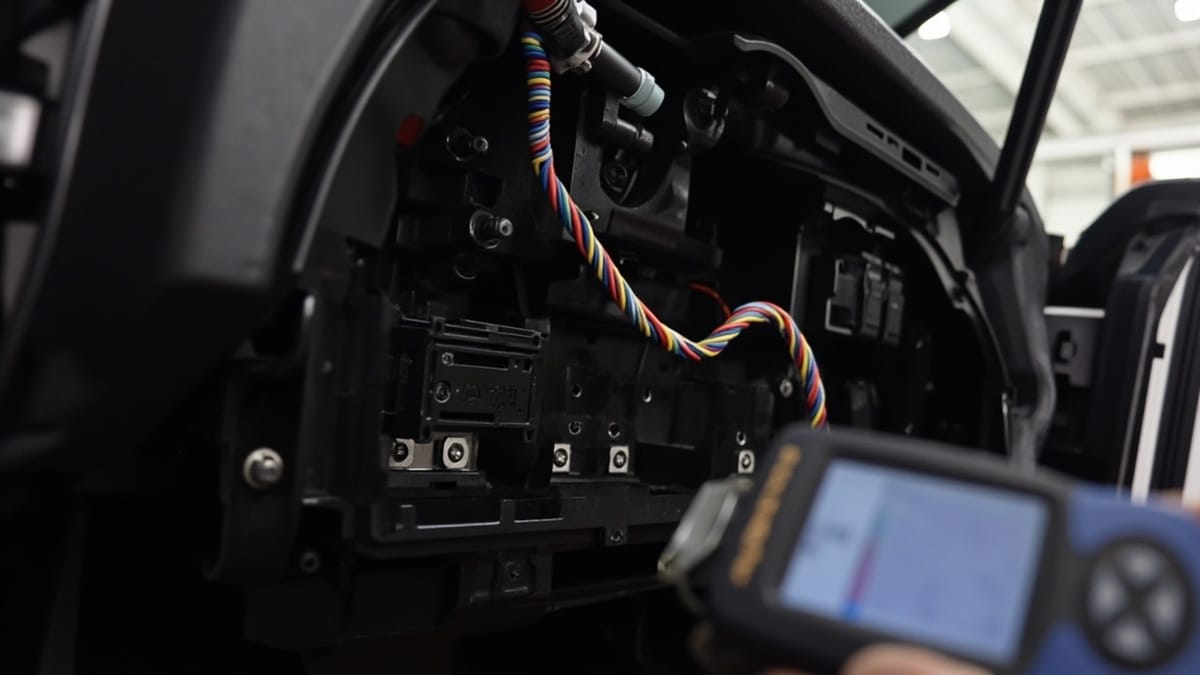
The Controller Area Network (CAN) bus is the backbone of automotive electronics: every modern vehicle carries tens of ECUs communicating over it. Testing those ECUs requires understanding the CAN protocol, the diagnostic layer (UDS/ISO 14229), the tools available for sniffing and simulation, and how to automate test scenarios that would otherwise require a fully assembled vehicle. This post covers all of that, from raw frame analysis to scripted regression suites.
Key Takeaways
CAN is a broadcast multi-master bus with hardware arbitration. Any node can transmit; the lowest arbitration ID wins. Understanding this prevents misreading bus traffic during tests.
DBC files are the lingua franca of CAN signal decoding. Without a DBC (or ARXML), raw CAN frames are just hex. Every test tool reads DBC files — keep them in version control alongside your firmware.
UDS (ISO 14229) is the standard diagnostic protocol. ECU flashing, DTC reading, and actuator control in test benches all go over UDS. Know the service IDs (0x10, 0x27, 0x22, 0x2E, 0x19) by heart.
python-can and cantools give you a free, scriptable CAN test stack. For teams that cannot afford CANalyzer licenses, the open-source stack handles 90% of ECU testing tasks.
AUTOSAR COM and PDU Router add layers above raw CAN. Testing an AUTOSAR ECU means testing signal packing via I-PDUs and the COM stack's filtering and timeout behavior, not just raw frames.
CAN Bus Protocol Fundamentals
The Controller Area Network was developed by Bosch in 1983 and became the dominant in-vehicle network because it solved three problems simultaneously: multi-master arbitration, error detection, and differential signaling for noise immunity in an electrically hostile environment.
Frame Structure
A standard CAN 2.0A frame (11-bit identifier) contains:
SOF | Arbitration ID (11b) | RTR | IDE | DLC (4b) | Data (0-8B) | CRC (15b) | ACK | EOFCAN 2.0B extends the arbitration ID to 29 bits. CAN-FD (Flexible Data Rate) adds a variable-rate data phase and up to 64 bytes of payload.
Key properties:
- Arbitration ID: lower ID = higher priority; frame with lowest ID wins bus access without collision
- DLC: Data Length Code — 0–8 bytes for classic CAN, 0–64 for CAN-FD
- CRC: 15-bit for classic CAN, 17 or 21-bit for CAN-FD
- ACK bit: any receiving node that receives the frame correctly drives this bit low — if no ACK, the transmitter retransmits
Error Handling
CAN has five error types: bit error, stuff error, CRC error, form error, and ACK error. Each node maintains transmit and receive error counters. A node exceeding 127 receive errors enters Error Passive state; exceeding 255 transmit errors causes Bus Off, where the node stops transmitting entirely.
For testing, this matters: an ECU under test can go Bus Off if test equipment floods the bus with malformed frames. Monitor error counters during stress tests.
Bit Timing
CAN bit timing is configured per-node with parameters: prescaler, sync segment, propagation segment, phase segment 1, and phase segment 2. For a 500 kbit/s bus at 80 MHz peripheral clock, a typical configuration:
/* STM32 CAN peripheral timing register */
CAN->BTR = (0 << 24) |   /* SJW = 1 Tq */
           (6 << 20) |   /* TS2 = 7 Tq */
           (9 << 16) |   /* TS1 = 10 Tq */
           (7 << 0);     /* BRP = 8, so Tq = 8/80MHz = 100ns */
/* Total: 1 + 10 + 7 = 18 Tq per bit = 18 * 100ns = 1800ns → ~555 kbit/s */
/* Adjust BRP for exact 500 kbit/s */Misconfigured bit timing is a common source of CAN communication failures on new hardware — always verify with an oscilloscope or logic analyzer before blaming firmware.
DBC Files: Signal Decoding
Raw CAN frames look like: 0x123 [4] 01 A2 00 FF. Without a DBC file, that is meaningless. A DBC file defines which bits within a frame encode which signal, its scaling, offset, and unit:
BO_ 291 EngineData: 8 Engine_ECU
 SG_ EngineRPM : 0|16@1+ (0.25,0) [0|16383.75] "rpm" Vector__XXX
 SG_ CoolantTemp : 16|8@1+ (0.5,-40) [0|87.5] "degC" Vector__XXX
 SG_ ThrottlePos : 24|8@1+ (0.392157,0) [0|100] "%" Vector__XXX
SG_ EngineLoad : 32|8@1+ (0.392157,0) [0|100] "%" Vector__XXX0|16@1+ means: start bit 0, length 16 bits, little-endian (@1), unsigned (+).
Physical value = raw_value × 0.25 + 0 → so raw 0x0BB8 = 3000 → 3000 × 0.25 = 750 RPM.
Keep DBC files in the same repository as your ECU firmware. They are the contract between ECUs.
Open-Source Tooling: python-can and cantools
For scripted testing without commercial tool licenses, python-can and cantools provide a complete CAN test stack.
pip install python-can cantoolsSniffing the Bus
import can
import cantools

# Load DBC
db = cantools.database.load_file("vehicle_network.dbc")

# Open CAN interface (Peak PCAN USB on Linux)
bus = can.interface.Bus(channel="PCAN_USBBUS1", bustype="pcan", bitrate=500000)

print("Listening for EngineData frames...")
for msg in bus:
    if msg.arbitration_id == 0x123:
        decoded = db.decode_message(msg.arbitration_id, msg.data)
        rpm  = decoded["EngineRPM"]
        temp = decoded["CoolantTemp"]
print(f"RPM={rpm:.0f} Temp={temp:.1f}°C")Sending Frames
import can
import cantools

db = cantools.database.load_file("vehicle_network.dbc")
bus = can.interface.Bus(channel="PCAN_USBBUS1", bustype="pcan", bitrate=500000)

# Encode and send a simulated accelerator pedal position
msg_def = db.get_message_by_name("AcceleratorPedal")
data = msg_def.encode({"PedalPosition": 42.5, "PedalValid": 1})

msg = can.Message(
    arbitration_id=msg_def.frame_id,
    data=data,
    is_extended_id=False
)
bus.send(msg)
print(f"Sent AcceleratorPedal: PedalPosition=42.5%")Automated ECU Response Test
import can
import cantools
import time
import threading

db = cantools.database.load_file("vehicle_network.dbc")
bus = can.interface.Bus(channel="PCAN_USBBUS1", bustype="pcan", bitrate=500000)

class CanMonitor(threading.Thread):
    def __init__(self):
        super().__init__(daemon=True)
        self.frames = {}

    def run(self):
        for msg in bus:
            decoded = None
            try:
                decoded = db.decode_message(msg.arbitration_id, msg.data)
            except KeyError:
                pass
            self.frames[msg.arbitration_id] = (msg.timestamp, decoded)

monitor = CanMonitor()
monitor.start()

# Send a torque request and check the engine ECU responds
torque_msg = db.get_message_by_name("TorqueRequest")
data = torque_msg.encode({"RequestedTorque": 120.0, "TorqueRequestValid": 1})
bus.send(can.Message(arbitration_id=torque_msg.frame_id, data=data))

time.sleep(0.1)  # allow ECU response time

engine_msg_id = db.get_message_by_name("EngineData").frame_id
assert engine_msg_id in monitor.frames, "ECU did not send EngineData in 100ms"

_, decoded = monitor.frames[engine_msg_id]
assert decoded["EngineLoad"] > 0, "Engine load should be non-zero after torque request"
print(f"PASS: EngineLoad = {decoded['EngineLoad']:.1f}%")UDS Diagnostics Testing (ISO 14229)
Unified Diagnostic Services is the protocol used for ECU flashing, DTC reading, end-of-line calibration, and actuator control. It runs over CAN (ISO 15765-2 transport), Ethernet (DoIP), or LIN.
Key UDS Services
| Service ID | Name | Purpose |
|---|---|---|
| 0x10 | DiagnosticSessionControl | Switch ECU between default, extended, programming sessions |
| 0x11 | ECUReset | Soft or hard reset |
| 0x27 | SecurityAccess | Seed/key authentication before write access |
| 0x22 | ReadDataByIdentifier | Read calibration values, sensor data, software version |
| 0x2E | WriteDataByIdentifier | Write calibration data |
| 0x14 | ClearDiagnosticInformation | Erase stored DTCs |
| 0x19 | ReadDTCInformation | Query stored faults |
| 0x31 | RoutineControl | Run ECU-side routines (actuator test, checksum verify) |
| 0x34/0x36/0x37 | Download sequence | Flash programming |
Python UDS Testing with udsoncan
import can
import isotp
import udsoncan
from udsoncan.connections import PythonIsoTpConnection
from udsoncan.client import Client
import udsoncan.services as services

# CAN transport layer
can_bus = can.interface.Bus("PCAN_USBBUS1", bustype="pcan", bitrate=500000)
isotp_layer = isotp.CanStack(
    bus=can_bus,
    address=isotp.Address(
        isotp.AddressingMode.Normal_11bits,
        txid=0x7E0,   # tester → ECU
        rxid=0x7E8    # ECU → tester
    )
)
conn = PythonIsoTpConnection(isotp_layer)

config = {
    "exception_on_negative_response": False,
    "security_algo": my_security_algo,  # your seed/key function
}

with Client(conn, config=config) as client:
    # 1. Open extended session
    response = client.change_session(services.DiagnosticSessionControl.Session.extendedDiagnosticSession)
    assert response.positive, f"Session change failed: {response.code}"

    # 2. Read software version
    response = client.read_data_by_identifier(0xF189)  # ECU software version number
    assert response.positive
    sw_version = response.service_data.values[0xF189]
    print(f"SW Version: {sw_version.decode()}")

    # 3. Read all active DTCs
    response = client.get_dtc_by_status_mask(0xFF)  # all DTCs
    assert response.positive
    dtcs = response.service_data.dtcs
    if dtcs:
        print(f"Active DTCs: {[hex(d.id) for d in dtcs]}")
    else:
        print("No active DTCs")

    # 4. Run actuator test (routine 0x0200 = fuel pump test)
    response = client.start_routine(0x0200)
    assert response.positive, "Fuel pump actuator test failed to start"
print("Fuel pump actuator test: RUNNING")Security Access (Seed/Key)
Most write operations require security access. The ECU sends a seed; the tester applies a key algorithm and sends the result:
def my_security_algo(level, seed, params):
    """
    Example: simple XOR key algorithm.
    Real algorithms are proprietary — obtain from ECU supplier.
    """
    key = bytearray(len(seed))
    secret = 0xA5B6C7D8
    for i, byte in enumerate(seed):
        key[i] = (byte ^ ((secret >> (i * 8)) & 0xFF)) & 0xFF
    return bytes(key)

# In client config:
config = {
    "security_algo": my_security_algo,
    "security_algo_params": None,
}

# Usage:
client.unlock_security_access(0x01) # level 1 = programming accessCANoe and CAPL Scripting (Vector)
Vector CANoe is the industry-standard tool for automotive network analysis and ECU testing. It includes:
- Multi-bus simulation (CAN, LIN, FlexRay, Ethernet)
- CAPL (Communication Access Programming Language) scripting
- Automated test execution with vTESTstudio
- Network node simulation for missing ECUs
A CAPL test function checking ECU response time:
// CAPL test script — check EngineData response within 10ms of TorqueRequest
variables {
  message TorqueRequest torqueMsg;
  message EngineData engineReply;
  msTimer responseTimer;
  int testPassed = 0;
}

testcase CheckEngineResponseTime() {
  torqueMsg.RequestedTorque = 100.0;
  torqueMsg.TorqueRequestValid = 1;

  output(torqueMsg);
  setTimer(responseTimer, 10);  // 10ms timeout

  on message EngineData {
    cancelTimer(responseTimer);
    if (engineReply.EngineLoad > 0) {
      testPassed = 1;
    }
  }

  on timer responseTimer {
    testStepFail("EngineData not received within 10ms");
  }

  wait(20);  // wait for completion

  if (testPassed) {
    testStepPass("EngineData received within 10ms");
  }
}PCAN Tools (Free Alternative)
Peak's pcanview and pcanbasic Python library are free alternatives for CAN analysis:
# Linux: use socketcan + peak driver
sudo modprobe peak_usb
ip link set can0 up type can bitrate 500000
candump can0 -t A   # timestamp + frames
cansend can0 123#DEADBEEFfrom peak.basic import PCANBasic, PCAN_USBBUS1, PCAN_BAUD_500K, PCAN_MESSAGE_STANDARD
pcan = PCANBasic()
pcan.Initialize(PCAN_USBBUS1, PCAN_BAUD_500K)
result, msg, timestamp = pcan.Read(PCAN_USBBUS1)
print(f"ID: {msg.ID:#x} Data: {bytes(msg.DATA[:msg.LEN]).hex()}")AUTOSAR Context
In AUTOSAR-based ECUs, application software does not write raw CAN frames. Instead, the COM stack packs signals into I-PDUs (Interface Protocol Data Units), which the PDU Router routes to the CAN Interface Layer, which hands them to the CAN Driver.
Testing an AUTOSAR ECU means understanding this stack:
- Signal level:
Com_SendSignal(signalId, &value)— application writes signal - I-PDU level: COM packs signals into I-PDU bytes per AUTOSAR COM configuration
- PDU Router level: routes I-PDU to correct transport layer
- CAN IF level: builds the CAN frame
- Driver level: hardware transmission
For black-box testing via CAN, you interact at the frame level. For white-box testing using AUTOSAR RTE stubs, you inject at the signal level. The DBC-derived AUTOSAR signal definitions ensure the two levels are consistent.
Test Automation Best Practices
Use periodic stimulus, not one-shot. Real ECU inputs (accelerator pedal, sensor outputs) are cyclic. Test scripts that send a single frame and wait for a response miss timing-dependent bugs. Send at the production rate (e.g., 10 ms for torque requests).
Log everything, always. CAN captures are cheap and invaluable for postmortem analysis. Use can.Logger to write ASC files that CANalyzer can open:
import can
logger = can.Logger("test_run_001.asc")
bus.listeners.append(logger)Test Bus Off recovery. Intentionally flood the bus to force a Bus Off condition, then verify the ECU recovers within the specified time and re-joins the network cleanly.
Validate message timing, not just content. Use timestamps to verify that cyclic messages arrive within the cycle time tolerance (typically ±10%). Late or missing messages indicate scheduler overload or task starvation.
Keep test scripts in version control. CAN test scripts are first-class code — they encode the requirements of how ECUs must behave. They belong in the same repository as the ECU firmware, reviewed and gated just like production code.
Conclusion
CAN bus testing spans multiple layers: raw frame timing and arbitration at the physical layer, signal encoding and DBC-based decoding at the data layer, UDS diagnostic services at the application layer, and ECU-level behavioral correctness at the system layer. Mastering each layer — and the tools that serve it — gives automotive embedded teams the ability to validate ECU behavior thoroughly before any vehicle integration, catching the class of bugs that only manifest under real network conditions.