
BlazeMeter CI/CD Integration: Automated Performance Testing in Your Pipeline
Running load tests manually after every deployment is a discipline that erodes over time.

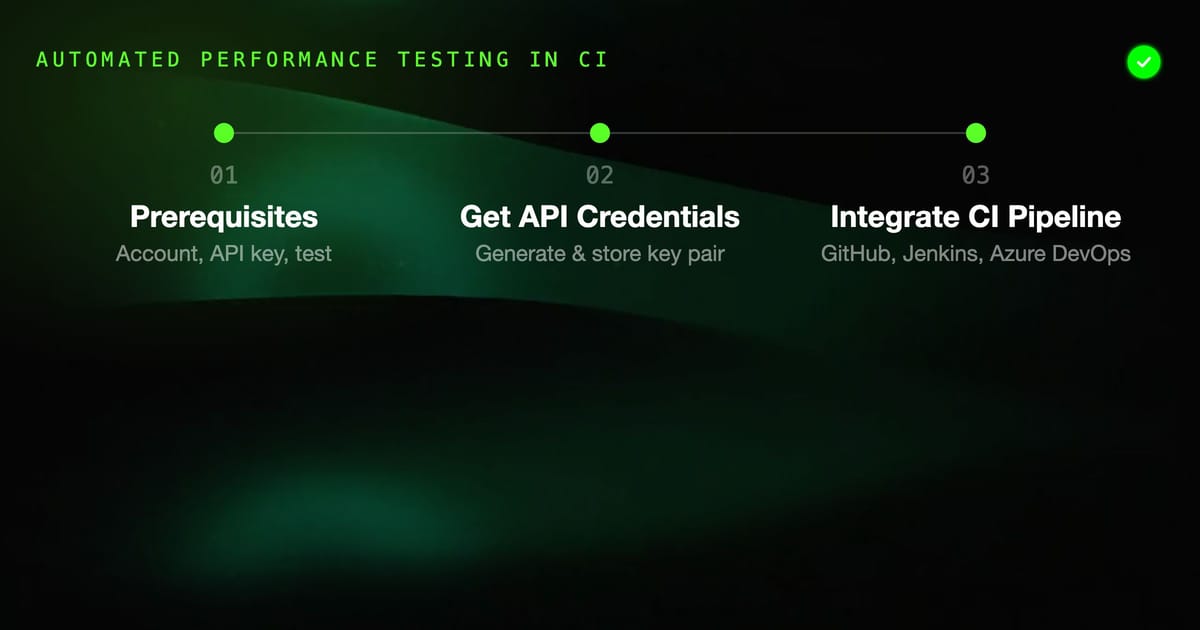
Running load tests manually after every deployment is a discipline that erodes over time. Teams get busy, deployments speed up, and performance regressions ship silently until a spike in traffic exposes them.
BlazeMeter's CI/CD integrations solve this by making performance testing an automatic gate in your deployment pipeline — the same way unit tests prevent logic regressions.
What BlazeMeter Brings to CI/CD
BlazeMeter adds to standard CI load testing:
- Cloud-based test execution: No injector machines to provision or maintain
- Test configuration via the API: Create, modify, and trigger tests programmatically
- Performance thresholds: Fail the pipeline if error rate > X% or response time > Yms
- Test comparison: Compare current run against a baseline or previous run
- Pre-built CI plugins: Native plugins for Jenkins, Azure DevOps, and TeamCity
Prerequisites
You'll need:
- A BlazeMeter account (free tier available, limited to 50 concurrent users and 10-minute tests)
- BlazeMeter API key and Secret (from your account settings)
- An existing test configured in BlazeMeter, or a JMeter/Taurus YAML script to upload
Getting Your API Credentials
- Log in to BlazeMeter
- Go to Settings > API Keys
- Generate a new key pair (API ID + API Secret)
- Store both securely — you'll use them in your CI environment secrets
BlazeMeter API Basics
Before looking at CI plugins, understand the core API operations:
# List your tests
curl -u "$BM_API_ID:$BM_API_SECRET" \
  "https://a.blazemeter.com/api/v4/tests"

# Get test details
curl -u "$BM_API_ID:$BM_API_SECRET" \
  "https://a.blazemeter.com/api/v4/tests/$TEST_ID"

# Start a test run
curl -u "$BM_API_ID:$BM_API_SECRET" \
  -X POST "https://a.blazemeter.com/api/v4/tests/$TEST_ID/start"

# Get master run status
curl -u "$BM_API_ID:$BM_API_SECRET" \
  "https://a.blazemeter.com/api/v4/masters/$MASTER_ID"

# Get run summary (after completion)
curl -u "$BM_API_ID:$BM_API_SECRET" \
"https://a.blazemeter.com/api/v4/masters/$MASTER_ID/reports/main/summary"GitHub Actions Integration
Basic Integration
name: Performance Tests

on:
  push:
    branches: [main]
  workflow_dispatch:
    inputs:
      test_id:
        description: 'BlazeMeter test ID'
        required: false
        default: '12345678'

jobs:
  performance:
    runs-on: ubuntu-latest

    steps:
      - name: Trigger BlazeMeter test
        id: run_test
        run: |
          # Start the test
          RESPONSE=$(curl -s -u "${{ secrets.BM_API_ID }}:${{ secrets.BM_API_SECRET }}" \
            -X POST "https://a.blazemeter.com/api/v4/tests/${{ github.event.inputs.test_id || '12345678' }}/start")

          MASTER_ID=$(echo $RESPONSE | python3 -c "import sys,json; print(json.load(sys.stdin)['result']['id'])")
          echo "master_id=$MASTER_ID" >> $GITHUB_OUTPUT
          echo "Started test run: $MASTER_ID"

      - name: Wait for test completion
        run: |
          MASTER_ID="${{ steps.run_test.outputs.master_id }}"

          while true; do
            STATUS=$(curl -s -u "${{ secrets.BM_API_ID }}:${{ secrets.BM_API_SECRET }}" \
              "https://a.blazemeter.com/api/v4/masters/$MASTER_ID" | \
              python3 -c "import sys,json; print(json.load(sys.stdin)['result']['status'])")

            echo "Test status: $STATUS"

            if [[ "$STATUS" == "ENDED" ]]; then
              break
            fi

            if [[ "$STATUS" == "ERROR" || "$STATUS" == "FAILED" ]]; then
              echo "Test failed with status: $STATUS"
              exit 1
            fi

            sleep 30
          done

      - name: Check performance thresholds
        run: |
          MASTER_ID="${{ steps.run_test.outputs.master_id }}"

          SUMMARY=$(curl -s -u "${{ secrets.BM_API_ID }}:${{ secrets.BM_API_SECRET }}" \
            "https://a.blazemeter.com/api/v4/masters/$MASTER_ID/reports/main/summary")

          ERROR_RATE=$(echo $SUMMARY | python3 -c "
          import sys, json
          data = json.load(sys.stdin)
          summary = data['result']['summary'][0]
          errors = summary.get('failed', 0)
          total = summary.get('hits', 1)
          print(round(errors/total*100, 2))
          ")

          AVG_RT=$(echo $SUMMARY | python3 -c "
          import sys, json
          data = json.load(sys.stdin)
          print(data['result']['summary'][0].get('avg', 0))
          ")

          echo "Error rate: $ERROR_RATE%"
          echo "Average response time: ${AVG_RT}ms"

          # Fail if error rate > 1%
          python3 -c "
          error_rate = $ERROR_RATE
          avg_rt = $AVG_RT

          if error_rate > 1.0:
              print(f'FAIL: Error rate {error_rate}% exceeds threshold of 1%')
              exit(1)

          if avg_rt > 2000:
              print(f'FAIL: Average response time {avg_rt}ms exceeds threshold of 2000ms')
              exit(1)

          print(f'PASS: Error rate={error_rate}%, Avg RT={avg_rt}ms')
"With Taurus Configuration Upload
If you manage test scripts in your repo:
      - name: Upload test script
        run: |
          # Upload Taurus YAML to BlazeMeter
          curl -s -u "${{ secrets.BM_API_ID }}:${{ secrets.BM_API_SECRET }}" \
            -F "file=@performance/load-test.yml" \
"https://a.blazemeter.com/api/v4/tests/$TEST_ID/files"Jenkins Integration
Jenkins BlazeMeter Plugin
Install the BlazeMeter plugin from the Jenkins Plugin Manager.
Configure credentials in Jenkins:
- Go to Manage Jenkins > Credentials
- Add BlazeMeter API Credentials
- Enter your API ID and Secret
Declarative Pipeline:
pipeline {
  agent any

  stages {
    stage('Performance Test') {
      steps {
        blazeMeterTest credentialsId: 'blazemeter-creds',
          testId: '12345678',
          workspaceId: '987654',
          serverUrl: 'https://a.blazemeter.com',
          notes: "Build ${BUILD_NUMBER} - ${GIT_COMMIT}",
          sessionProperties: "rampup=300,duration=600",
          mainTestFile: 'performance/load-test.jmx',
          additionalTestFiles: '',
          requireThresholds: true,
          errorFailedThreshold: 1,
          errorUnstableThreshold: 0.5,
          responseTimeFailedThreshold: 2000,
          responseTimeUnstableThreshold: 1500
      }
    }
  }

  post {
    always {
      publishHTML([
        reportDir: 'blazemeter-reports',
        reportFiles: 'index.html',
        reportName: 'BlazeMeter Report'
      ])
    }
  }
}Jenkins Scripted Pipeline
node {
  stage('Load Test') {
    def testId = '12345678'
    def apiId = credentials('blazemeter-api-id')
    def apiSecret = credentials('blazemeter-api-secret')

    // Trigger test
    def response = sh(
      script: """
        curl -s -u ${apiId}:${apiSecret} \
          -X POST "https://a.blazemeter.com/api/v4/tests/${testId}/start"
      """,
      returnStdout: true
    )

    def masterId = readJSON(text: response).result.id

    // Poll for completion
    timeout(time: 30, unit: 'MINUTES') {
      waitUntil {
        def status = sh(
          script: """
            curl -s -u ${apiId}:${apiSecret} \
              "https://a.blazemeter.com/api/v4/masters/${masterId}" | \
              python3 -c "import sys,json; print(json.load(sys.stdin)['result']['status'])"
          """,
          returnStdout: true
        ).trim()

        echo "Test status: ${status}"
        return status == 'ENDED'
      }
    }
  }
}Azure DevOps Integration
Azure DevOps has a BlazeMeter extension in the Marketplace.
YAML Pipeline
trigger:
  branches:
    include:
      - main

pool:
  vmImage: ubuntu-latest

variables:
  - group: blazemeter-credentials  # Variable group with BM_API_ID, BM_API_SECRET

stages:
  - stage: PerformanceTest
    displayName: Performance Testing
    jobs:
      - job: LoadTest
        displayName: BlazeMeter Load Test
        steps:
          - task: BlazeMeterTest@1
            displayName: Run BlazeMeter Test
            inputs:
              blazeMeterApiId: $(BM_API_ID)
              blazeMeterApiSecret: $(BM_API_SECRET)
              testId: '12345678'
              notes: 'Pipeline $(Build.BuildNumber)'
              mainTestFile: 'performance/api-load-test.jmx'
              errorFailedThreshold: 1
              responseTimeFailedThreshold: 2000

          - task: PublishTestResults@2
            displayName: Publish Results
            condition: always()
            inputs:
              testResultsFormat: JUnit
testResultsFiles: '**/blazemeter-results.xml'Setting Performance Thresholds
Thresholds are the critical piece that turns a load test from an observation into a gate.
In BlazeMeter UI:
- Open your test
- Go to Advanced tab
- Set Test Termination Criteria:
- "Stop test if error rate > 5%"
- "Stop test if response time 95th percentile > 3000ms"
Via API:
curl -u "$BM_API_ID:$BM_API_SECRET" \
  -X POST \
  -H "Content-Type: application/json" \
  "https://a.blazemeter.com/api/v4/tests/$TEST_ID" \
  -d '{
    "configuration": {
      "terminationCriteria": [
        {
          "type": "errors",
          "threshold": 5,
          "operator": ">",
          "stopTestOnFail": true
        },
        {
          "type": "p95",
          "threshold": 3000,
          "operator": ">",
          "stopTestOnFail": false
        }
      ]
    }
}'Baseline Comparisons
Compare every run against a stable baseline:
# Tag a successful run as the baseline
curl -u "$BM_API_ID:$BM_API_SECRET" \
  -X POST \
  -H "Content-Type: application/json" \
  "https://a.blazemeter.com/api/v4/masters/$BASELINE_MASTER_ID" \
  -d '{"note": "Baseline - v2.4.0"}'

# In CI: compare current run metrics against baseline
BASELINE_AVG=$(curl -s -u "$BM_API_ID:$BM_API_SECRET" \
  "https://a.blazemeter.com/api/v4/masters/$BASELINE_MASTER_ID/reports/main/summary" | \
  python3 -c "import sys,json; print(json.load(sys.stdin)['result']['summary'][0]['avg'])")

CURRENT_AVG=$(curl -s -u "$BM_API_ID:$BM_API_SECRET" \
  "https://a.blazemeter.com/api/v4/masters/$CURRENT_MASTER_ID/reports/main/summary" | \
  python3 -c "import sys,json; print(json.load(sys.stdin)['result']['summary'][0]['avg'])")

# Fail if regression > 20%
python3 -c "
baseline = $BASELINE_AVG
current = $CURRENT_AVG
regression = (current - baseline) / baseline * 100

if regression > 20:
    print(f'FAIL: Performance regression {regression:.1f}% (baseline={baseline}ms, current={current}ms)')
    exit(1)
else:
    print(f'PASS: Performance within threshold (baseline={baseline}ms, current={current}ms, delta={regression:.1f}%)')
"Summary
BlazeMeter's API and plugin ecosystem make it practical to include load testing as an automated pipeline stage. The key elements are:
- Trigger tests via API — no manual steps in the deployment flow
- Set meaningful thresholds — error rate and response time gates that reflect real user SLAs
- Compare against baselines — catch regressions before they reach production
- Publish results — make performance data visible to the team, not just the person who triggered the build
Start with a simple threshold check (error rate < 1%, p95 < 2 seconds) and refine the thresholds as you learn what "normal" looks like for your application under load.