
Behave + Django: BDD Testing with the Django Test Runner

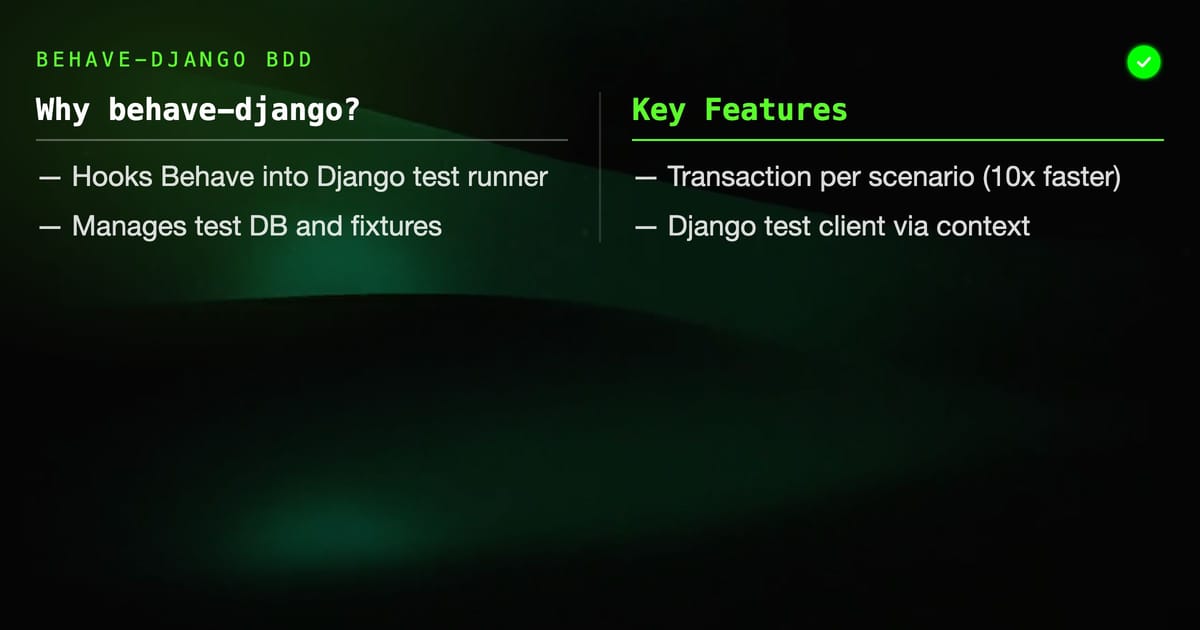
behave-django hooks Behave into Django's test infrastructure — you get the test database, transactions, fixtures, and the Django test client without any manual wiring. This post covers the full setup, database strategies, authentication scenarios, and how to run Behave alongside your existing Django test suite.
Key Takeaways
behave-djangogives youcontext.test(a DjangoTestCaseinstance),context.client(the test client), andcontext.responsewired together- Wrap each scenario in a transaction and roll back instead of truncating — it's 10x faster
- Use
@django_dbfrompytest-djangoif you mix pytest-BDD with Django; usebehave-djangoif you stay in Behave - Django fixtures (JSON/YAML files) load with
context.fixtures = ["mydata.json"]inenvironment.py - Authentication: create a user in
before_scenario, log in withcontext.client.force_login()— never hard-code credentials
Why behave-django Instead of Plain Behave?
Plain Behave has no concept of a Django application. You can import Django models in step definitions, but you have to manage the database connection, test runner lifecycle, and settings yourself. behave-django solves this by acting as a thin adapter: it starts the Django test runner, creates the test database, wraps each scenario in a transaction, and exposes Django's test client through context.
Install both:
pip install behave behave-djangoAdd to INSTALLED_APPS:
# settings.py
INSTALLED_APPS = [
    ...
    "behave_django",
]Project Layout
myproject/
├── manage.py
├── myapp/
│   ├── models.py
│   ├── views.py
│   └── urls.py
├── features/
│   ├── environment.py
│   ├── steps/
│   │   ├── auth_steps.py
│   │   ├── user_steps.py
│   │   └── common_steps.py
│   ├── auth.feature
│   ├── users.feature
│   └── articles.feature
└── fixtures/
└── initial_data.jsonRun Behave through manage.py:
python manage.py behave
python manage.py behave --tags=@smoke
python manage.py behave features/auth.featureThis uses Django's test database — it creates a test_<DATABASES default NAME> and tears it down at the end.
environment.py
# features/environment.py
from django.contrib.auth import get_user_model

User = get_user_model()

def before_all(context):
    # Use Django's test client by default
    context.browser = None  # placeholder for Selenium if needed

def before_scenario(context, scenario):
    # behave-django gives us context.test — a live TestCase instance
    # and context.client — Django's test client
    context.response = None

    # Load fixtures if the scenario tag requests them
    if "fixtures" in scenario.tags:
        context.fixtures = ["initial_data.json"]

def after_scenario(context, scenario):
    if scenario.status == "failed" and context.response:
        print(f"\n[DEBUG] URL: {context.response.request.get('PATH_INFO', '?')}")
        print(f"[DEBUG] Status: {context.response.status_code}")
        try:
            import json
            data = json.loads(context.response.content)
            print(f"[DEBUG] Body: {data}")
        except Exception:
print(f"[DEBUG] Body (raw): {context.response.content[:300]}")Feature Files
Authentication Feature
# features/auth.feature
Feature: User authentication

  Scenario: Log in with valid credentials
    Given a user exists with email "alice@example.com" and password "secret123"
    When I submit the login form with email "alice@example.com" and password "secret123"
    Then I should be redirected to the dashboard
    And I should see "Welcome, alice"

  Scenario: Log in with wrong password
    Given a user exists with email "bob@example.com" and password "correcthorse"
    When I submit the login form with email "bob@example.com" and password "wrongpassword"
    Then I should see the login form again
    And I should see "Invalid credentials"

  Scenario: Access protected page while logged out
    Given I am not logged in
    When I visit "/dashboard/"
    Then I should be redirected to "/accounts/login/"

  Scenario: Log out
    Given I am logged in as "alice@example.com"
    When I POST to "/accounts/logout/"
    Then I should be redirected to "/"
And I should not see "Welcome"Article Management Feature
# features/articles.feature
Feature: Article management

  Background:
    Given I am logged in as an editor

  Scenario: Create a new article
    When I POST to "/articles/create/" with:
      | field   | value                       |
      | title   | My First Article            |
      | content | This is the article body.   |
      | status  | draft                       |
    Then the response status should be 302
    And an article titled "My First Article" should exist in the database
    And the article status should be "draft"

  Scenario: Publish an article
    Given an article titled "Draft Post" exists with status "draft"
    When I POST to "/articles/draft-post/publish/"
    Then the response status should be 302
    And the article "Draft Post" status should be "published"

  Scenario: Non-editor cannot publish
    Given I am logged in as a viewer
    And an article titled "Draft Post" exists with status "draft"
    When I POST to "/articles/draft-post/publish/"
Then the response status should be 403Step Definitions
Authentication Steps
# features/steps/auth_steps.py
from behave import given, when, then
from behave import parsers
from django.contrib.auth import get_user_model

User = get_user_model()

ROLE_EMAILS = {
    "editor": "editor@test.com",
    "viewer": "viewer@test.com",
    "admin": "admin@test.com",
}

def _get_or_create_user(email, password="testpass123", **kwargs):
    user, created = User.objects.get_or_create(
        email=email,
        defaults={"username": email.split("@")[0], **kwargs},
    )
    if created:
        user.set_password(password)
        user.save()
    return user

@given(parsers.parse('a user exists with email "{email}" and password "{password}"'))
def create_user(context, email, password):
    context.current_user = _get_or_create_user(email, password)

@given(parsers.parse('I am logged in as "{email}"'))
def login_as_email(context, email):
    user = _get_or_create_user(email)
    context.client.force_login(user)
    context.current_user = user

@given("I am logged in as an editor")
def login_as_editor(context):
    user = _get_or_create_user(
        ROLE_EMAILS["editor"],
        is_staff=False,
        # Assumes a UserProfile or Group with 'editor' permission
    )
    user.groups.clear()
    from django.contrib.auth.models import Group
    editor_group, _ = Group.objects.get_or_create(name="editors")
    user.groups.add(editor_group)
    context.client.force_login(user)
    context.current_user = user

@given("I am logged in as a viewer")
def login_as_viewer(context):
    user = _get_or_create_user(ROLE_EMAILS["viewer"])
    context.client.force_login(user)
    context.current_user = user

@given("I am not logged in")
def not_logged_in(context):
    context.client.logout()

@when(parsers.parse('I submit the login form with email "{email}" and password "{password}"'))
def submit_login_form(context, email, password):
    context.response = context.client.post(
        "/accounts/login/",
        {"email": email, "password": password},
        follow=False,
    )

@when(parsers.parse('I visit "{path}"'))
def visit_path(context, path):
    context.response = context.client.get(path, follow=False)

@when(parsers.parse('I POST to "{path}"'))
def post_to_path(context, path):
    context.response = context.client.post(path, follow=False)

@when(parsers.parse('I POST to "{path}" with'))
def post_with_table(context, path):
    data = {row["field"]: row["value"] for row in context.table}
    context.response = context.client.post(path, data, follow=False)

@then(parsers.parse('I should be redirected to "{url}"'))
def check_redirect(context, url):
    assert context.response.status_code in (301, 302), (
        f"Expected redirect, got {context.response.status_code}"
    )
    location = context.response.get("Location", "")
    assert url in location, f"Expected redirect to '{url}', got '{location}'"

@then("I should be redirected to the dashboard")
def check_redirect_dashboard(context):
    assert context.response.status_code in (301, 302)

@then(parsers.parse('I should see "{text}"'))
def check_content(context, text):
    # Follow the redirect if present
    if context.response.status_code in (301, 302):
        location = context.response.get("Location", "/")
        context.response = context.client.get(location)
    content = context.response.content.decode()
    assert text in content, f"Could not find '{text}' in response"

@then(parsers.parse('I should not see "{text}"'))
def check_no_content(context, text):
    if context.response.status_code in (301, 302):
        location = context.response.get("Location", "/")
        context.response = context.client.get(location)
    content = context.response.content.decode()
    assert text not in content, f"Should not see '{text}' but found it in response"

@then("I should see the login form again")
def check_login_form(context):
    assert context.response.status_code == 200
    content = context.response.content.decode()
    assert 'name="password"' in content, "Login form not found in response"

@then(parsers.parse("the response status should be {code:d}"))
def check_status(context, code):
    assert context.response.status_code == code, (
        f"Expected {code}, got {context.response.status_code}"
)Article Steps
# features/steps/article_steps.py
from behave import given, then
from behave import parsers
from myapp.models import Article

@given(parsers.parse('an article titled "{title}" exists with status "{status}"'))
def create_article(context, title, status):
    Article.objects.get_or_create(
        title=title,
        defaults={
            "content": "Placeholder content.",
            "slug": title.lower().replace(" ", "-"),
            "status": status,
            "author": context.current_user,
        },
    )

@then(parsers.parse('an article titled "{title}" should exist in the database'))
def check_article_exists(context, title):
    assert Article.objects.filter(title=title).exists(), (
        f"No article with title '{title}' found in the database"
    )

@then(parsers.parse('the article status should be "{status}"'))
def check_article_status(context, status):
    article = Article.objects.filter().order_by("-created_at").first()
    assert article is not None, "No articles found"
    assert article.status == status, f"Expected '{status}', got '{article.status}'"

@then(parsers.parse('the article "{title}" status should be "{status}"'))
def check_named_article_status(context, title, status):
    article = Article.objects.filter(title=title).first()
    assert article is not None, f"Article '{title}' not found"
    article.refresh_from_db()
assert article.status == status, f"Expected '{status}', got '{article.status}'"Database Strategies
Transaction Rollback (Default, Fastest)
behave-django wraps each scenario in a transaction and rolls back at the end. Database changes never persist between scenarios. No manual cleanup needed.
This is the default when you run python manage.py behave. To opt into it explicitly:
# environment.py
def before_scenario(context, scenario):
context.test.databases = ["default"] # which databases to wrapTestCase with Truncation
For scenarios that use TRUNCATE or raw SQL, or when testing with SELECT FOR UPDATE (which conflicts with open transactions), switch to truncation:
# environment.py
def before_scenario(context, scenario):
    if "no_transaction" in scenario.tags:
        # This scenario manages its own transactions
context.test._rollback_atomics(context.test.cls_atomics)Tag specific scenarios: @no_transaction.
Loading Fixtures
# environment.py
def before_scenario(context, scenario):
    context.fixtures = []
    for tag in scenario.tags:
        if tag.startswith("fixture:"):
            fixture_name = tag.split(":", 1)[1]
context.fixtures.append(fixture_name)@fixture:initial_products
Scenario: Browse products
When I visit "/products/"
Then I should see "Widget Pro"Generate fixture files from existing data:
python manage.py dumpdata myapp.Product --indent 2 > fixtures/initial_products.jsonFactory Boy Instead of Fixtures
JSON fixtures are brittle — they break when you add non-nullable columns. Use factory_boy for programmatic fixture creation:
pip install factory-boy# factories.py
import factory
from django.contrib.auth import get_user_model
from myapp.models import Article
class UserFactory(factory.django.DjangoModelFactory):
class Meta:
model = get_user_model()
username = factory.Sequence(lambda n: f"user{n}")
email = factory.LazyAttribute(lambda obj: f"{obj.username}@test.com")
password = factory.PostGenerationMethodCall("set_password", "testpass123")
class ArticleFactory(factory.django.DjangoModelFactory):
class Meta:
model = Article
title = factory.Sequence(lambda n: f"Article {n}")
slug = factory.LazyAttribute(lambda obj: obj.title.lower().replace(" ", "-"))
content = factory.Faker("paragraphs", nb=3, ext_word_list=None)
author = factory.SubFactory(UserFactory)
status = "draft"Use factories in step definitions:
from factories import ArticleFactory, UserFactory

@given(parsers.parse('an article titled "{title}" exists with status "{status}"'))
def create_article(context, title, status):
ArticleFactory(title=title, status=status, author=context.current_user)Testing Django REST Framework APIs
For DRF endpoints, use the APIClient from rest_framework.test:
# environment.py
from rest_framework.test import APIClient as DRFClient

def before_all(context):
    pass

def before_scenario(context, scenario):
    context.client = DRFClient()
context.response = None# steps/api_steps.py
from behave import given, when, then, parsers
from django.contrib.auth import get_user_model
User = get_user_model()
@given("I am authenticated via token")
def auth_via_token(context):
user = User.objects.create_user(
username="apiuser", password="pass", email="api@test.com"
)
from rest_framework.authtoken.models import Token
token, _ = Token.objects.get_or_create(user=user)
context.client.credentials(HTTP_AUTHORIZATION=f"Token {token.key}")
context.current_user = user
@when(parsers.parse('I GET the API endpoint "{path}"'))
def api_get(context, path):
context.response = context.client.get(path, format="json")
@when(parsers.parse('I POST JSON to "{path}"'))
def api_post_json(context, path):
data = {row["field"]: row["value"] for row in context.table}
context.response = context.client.post(path, data, format="json")
@then(parsers.parse('the JSON field "{field}" should equal "{expected}"'))
def json_field_equals(context, field, expected):
data = context.response.json()
actual = str(data.get(field, ""))
assert actual == expected, f"Field '{field}': expected '{expected}', got '{actual}'"Running in CI
# .github/workflows/bdd-tests.yml
name: BDD Tests

on: [push, pull_request]

jobs:
  behave:
    runs-on: ubuntu-latest
    services:
      postgres:
        image: postgres:16
        env:
          POSTGRES_PASSWORD: test
          POSTGRES_DB: myproject_test
        ports: ["5432:5432"]
        options: >-
          --health-cmd pg_isready
          --health-interval 10s
          --health-timeout 5s
          --health-retries 5
    env:
      DATABASE_URL: postgresql://postgres:test@localhost/myproject_test
      DJANGO_SETTINGS_MODULE: myproject.settings.test
    steps:
      - uses: actions/checkout@v4
      - uses: actions/setup-python@v5
        with:
          python-version: "3.12"
      - run: pip install -r requirements-test.txt
      - run: python manage.py migrate --run-syncdb
- run: python manage.py behave --no-capture --verbosity 2Common Pitfalls
DatabaseWrapper errors in step definitions. If you access django.db.connection directly outside the test transaction, you may see connection errors. Always go through the ORM or context.client — never open raw connections in steps.
force_login vs login. force_login(user) skips password validation — use it in tests. client.login(username=..., password=...) goes through the full authentication backend, which is slower and can fail if your backend requires HTTP-only cookies.
Fixture conflicts. If two scenarios both create a user with username="admin" and the field has a unique constraint, the second scenario fails with an IntegrityError even inside a transaction. Use get_or_create or factory_boy sequences to avoid collisions.
Not calling refresh_from_db(). After a POST that updates a model, your in-memory object is stale. Always call obj.refresh_from_db() before asserting on database state.
Conclusion
behave-django eliminates the boilerplate between Behave and Django's test infrastructure. With transaction rollback per scenario, force_login for authentication, and factory_boy for data setup, you get fast, isolated, human-readable BDD tests that slot into any Django project. The feature files become acceptance criteria that both developers and product managers can read and verify.