
BackstopJS Visual Regression Testing: Config, Scenarios, and Viewports
BackstopJS is a visual regression testing tool that compares screenshots of web pages or components across versions.

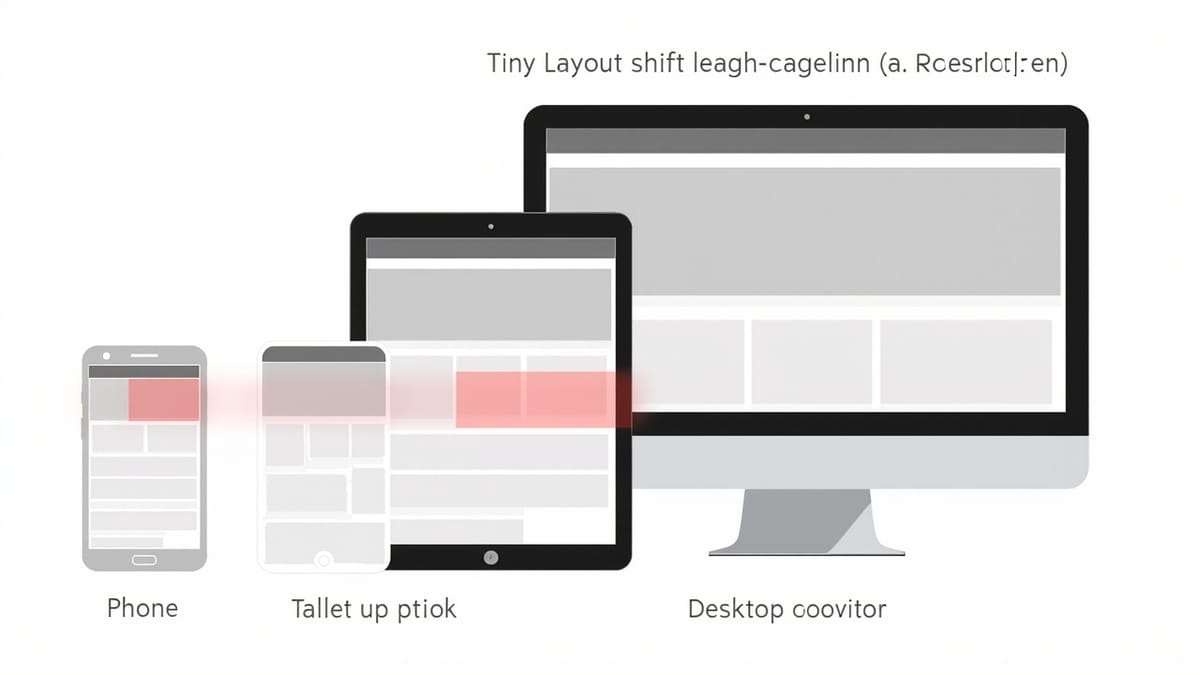
BackstopJS is a visual regression testing tool that compares screenshots of web pages or components across versions. It's particularly useful for component libraries and design systems where you need to verify that changes to shared components don't break visual consistency across many consumers.
How BackstopJS Works
BackstopJS:
- Navigates to URLs you specify using Puppeteer or Playwright
- Takes screenshots of specified selectors or full pages
- Compares new screenshots against reference (baseline) images
- Reports diffs with visual overlays
Unlike unit tests that check logic, BackstopJS verifies pixels — catching regressions from CSS refactors, dependency updates, or browser behavior changes.
Installation
npm install --save-dev backstopjs
npx backstop initinit creates a starter backstop.json configuration file.
Configuration
BackstopJS is configured through backstop.json:
{
  "id": "my-component-library",
  "viewports": [
    {
      "label": "mobile",
      "width": 375,
      "height": 812
    },
    {
      "label": "tablet",
      "width": 768,
      "height": 1024
    },
    {
      "label": "desktop",
      "width": 1440,
      "height": 900
    }
  ],
  "onBeforeScript": "puppet/onBefore.js",
  "onReadyScript": "puppet/onReady.js",
  "scenarios": [
    {
      "label": "Button - Primary",
      "url": "http://localhost:6006/iframe.html?id=components-button--primary",
      "selectors": [".docs-story"],
      "misMatchThreshold": 0.1,
      "requireSameDimensions": true
    }
  ],
  "paths": {
    "bitmaps_reference": "backstop_data/bitmaps_reference",
    "bitmaps_test":      "backstop_data/bitmaps_test",
    "html_report":       "backstop_data/html_report",
    "ci_report":         "backstop_data/ci_report"
  },
  "report": ["browser", "CI"],
  "engine": "puppeteer",
  "engineOptions": {
    "args": ["--no-sandbox"]
  },
  "asyncCaptureLimit": 5,
  "asyncCompareLimit": 50,
  "debug": false
}Scenarios
Scenarios define what to test. Each scenario is a URL + configuration:
{
  "label": "Button - All States",
  "url": "http://localhost:3000/components/button",
  "selectors": [
    ".button-primary",
    ".button-secondary",
    ".button-disabled"
  ],
  "hoverSelector": ".button-primary",
  "clickSelector": null,
  "postInteractionWait": 300,
  "misMatchThreshold": 0,
  "requireSameDimensions": true,
  "hideSelectors": [".timestamp", ".version-badge"],
  "removeSelectors": [".cookie-banner"],
  "delay": 500
}Key scenario options:
| Option | Description |
|---|---|
selectors |
CSS selectors to screenshot (defaults to full page) |
hoverSelector |
Hover this element before screenshot |
clickSelector |
Click this element before screenshot |
keyPressSelectors |
Type into elements |
postInteractionWait |
Wait N ms after interaction |
misMatchThreshold |
Allowed pixel difference (0–100 percent) |
hideSelectors |
Hide (invisible, preserves layout) |
removeSelectors |
Remove from DOM entirely |
delay |
Wait N ms before screenshot |
Testing a Storybook Component Library
For component libraries using Storybook, generate scenarios programmatically from your stories:
// generate-backstop-config.js
const fs = require('fs');

const stories = [
  { id: 'components-button--primary',     label: 'Button Primary' },
  { id: 'components-button--secondary',   label: 'Button Secondary' },
  { id: 'components-button--disabled',    label: 'Button Disabled' },
  { id: 'components-input--default',      label: 'Input Default' },
  { id: 'components-input--error',        label: 'Input Error State' },
  { id: 'components-modal--open',         label: 'Modal Open' },
  { id: 'components-card--with-image',    label: 'Card With Image' },
  { id: 'components-dropdown--open',      label: 'Dropdown Open' },
];

const scenarios = stories.map(({ id, label }) => ({
  label,
  url: `http://localhost:6006/iframe.html?id=${id}&viewMode=story`,
  selectors:    ['#storybook-root'],
  misMatchThreshold: 0.1,
  delay: 300,
  hideSelectors: ['.docs-story .title'],
}));

const config = {
  id: 'component-library',
  viewports: [
    { label: 'mobile',  width: 375,  height: 812 },
    { label: 'desktop', width: 1440, height: 900 },
  ],
  scenarios,
  paths: {
    bitmaps_reference: 'backstop_data/bitmaps_reference',
    bitmaps_test:      'backstop_data/bitmaps_test',
    html_report:       'backstop_data/html_report',
    ci_report:         'backstop_data/ci_report',
  },
  report:   ['CI'],
  engine:   'puppeteer',
  engineOptions: { args: ['--no-sandbox'] },
  asyncCaptureLimit: 5,
  asyncCompareLimit: 50,
};

fs.writeFileSync('backstop.json', JSON.stringify(config, null, 2));
console.log(`Generated ${scenarios.length} scenarios`);Run before testing:
node generate-backstop-config.js
npx backstop testWorkflow Commands
# Create reference screenshots (first run / after intentional changes)
npx backstop reference

# Compare against references
npx backstop test

# Approve current screenshots as new reference
npx backstop approve

# Open HTML report
npx backstop openReportThe HTML report shows side-by-side comparisons with diff overlays — pass/fail status per scenario and viewport.
Custom Scripts (onBefore and onReady)
BackstopJS lets you run custom Puppeteer scripts before and after navigation.
onBefore.js — runs before navigating to the URL:
// backstop_data/engine_scripts/puppet/onBefore.js
module.exports = async (page, scenario, vp) => {
  await require('./loadCookies')(page, scenario);
};onReady.js — runs after navigation, before screenshot:
// backstop_data/engine_scripts/puppet/onReady.js
module.exports = async (page, scenario, vp) => {
  // Wait for fonts to load
  await page.evaluateHandle('document.fonts.ready');

  // Disable animations
  await page.addStyleTag({
    content: `
      *, *::before, *::after {
        animation-duration: 0s !important;
        transition-duration: 0s !important;
      }
    `,
  });

  // Wait for any lazy-loaded images
  await page.evaluate(() => {
    return new Promise((resolve) => {
      const images = document.querySelectorAll('img[loading="lazy"]');
      if (images.length === 0) return resolve();
      let loaded = 0;
      images.forEach((img) => {
        if (img.complete) {
          loaded++;
          if (loaded === images.length) resolve();
        } else {
          img.addEventListener('load', () => {
            loaded++;
            if (loaded === images.length) resolve();
          });
        }
      });
    });
  });
};Authentication
For pages requiring authentication, use the cookiePath option or a custom onBefore script:
// backstop_data/engine_scripts/puppet/auth.js
module.exports = async (page, scenario) => {
  if (scenario.cookiePath) {
    const cookies = require(scenario.cookiePath);
    await page.setCookie(...cookies);
  }
};{
"label": "Dashboard (authenticated)",
"url": "http://localhost:3000/dashboard",
"cookiePath": "backstop_data/engine_scripts/puppet/authCookies.json",
"selectors": [".dashboard-content"],
"onBeforeScript": "puppet/auth.js"
}Or use localStorage:
// onBefore.js
module.exports = async (page, scenario) => {
  await page.evaluateOnNewDocument(() => {
    localStorage.setItem('auth_token', 'test-token-123');
  });
};Docker for Reproducible Screenshots
Cross-platform screenshot differences are the main source of false positives in visual regression testing. Run BackstopJS in Docker:
# Dockerfile.backstop
FROM backstopjs/backstopjs:6.1.4

WORKDIR /src
COPY backstop.json .
COPY backstop_data/engine_scripts ./backstop_data/engine_scripts# Generate reference in Docker
docker run --rm \
--network host \
-v $(pwd)/backstop_data:/src/backstop_data \
backstopjs/backstopjs:6.1.4 reference
# Test in Docker
docker run --rm \
--network host \
-v $(pwd)/backstop_data:/src/backstop_data \
backstopjs/backstopjs:6.1.4 testAll team members and CI generate screenshots in the same environment — no more "works on my machine" screenshot differences.
CI Integration
name: Visual Regression

on: [pull_request]

jobs:
  visual:
    runs-on: ubuntu-latest
    steps:
      - uses: actions/checkout@v3

      - uses: actions/setup-node@v3
        with:
          node-version: 18

      - name: Install dependencies
        run: npm ci

      - name: Build Storybook
        run: npm run build-storybook

      - name: Serve Storybook
        run: npx serve storybook-static -p 6006 -s &

      - name: Wait for Storybook
        run: npx wait-on http://localhost:6006

      - name: Generate scenarios
        run: node generate-backstop-config.js

      - name: Run visual regression tests
        run: npx backstop test --config backstop.json

      - name: Upload report on failure
        if: failure()
        uses: actions/upload-artifact@v3
        with:
          name: backstop-report
          path: backstop_data/html_report/

      - name: Upload diff images on failure
        if: failure()
        uses: actions/upload-artifact@v3
        with:
          name: backstop-diffs
path: backstop_data/bitmaps_test/Approving Changes
When a PR intentionally changes component appearance:
# Run tests, see what changed
npx backstop test

# Review diffs in browser report
npx backstop openReport

# Approve all passing + changed screenshots as new reference
npx backstop approve

# Commit the new baselines
git add backstop_data/bitmaps_reference/
git commit -m "chore: update visual baselines for new design tokens"Performance Tips
Large component libraries can generate hundreds of screenshots. Speed improvements:
Increase concurrency:
{
  "asyncCaptureLimit": 10,
  "asyncCompareLimit": 100
}Scope to changed components:
# Only test button scenarios
npx backstop test --filter "Button"Skip reference generation in CI — reference images are committed to the repo; CI only runs test, never reference.
Summary
BackstopJS provides robust visual regression testing with:
- Multi-viewport testing — catch responsive design regressions
- Selector-based screenshots — test individual components, not full pages
- Interaction support — hover, click, and type before capturing
- Custom scripts — authentication, animation disabling, wait strategies
- HTML reports — visual diff review with side-by-side comparison
- Docker support — consistent screenshots across environments
For component libraries, the programmatic scenario generation approach — building backstop.json from your story manifest — scales to hundreds of components without manual configuration maintenance.
