Testing Azure Functions: Local Dev, Mocking Bindings, and Integration Patterns

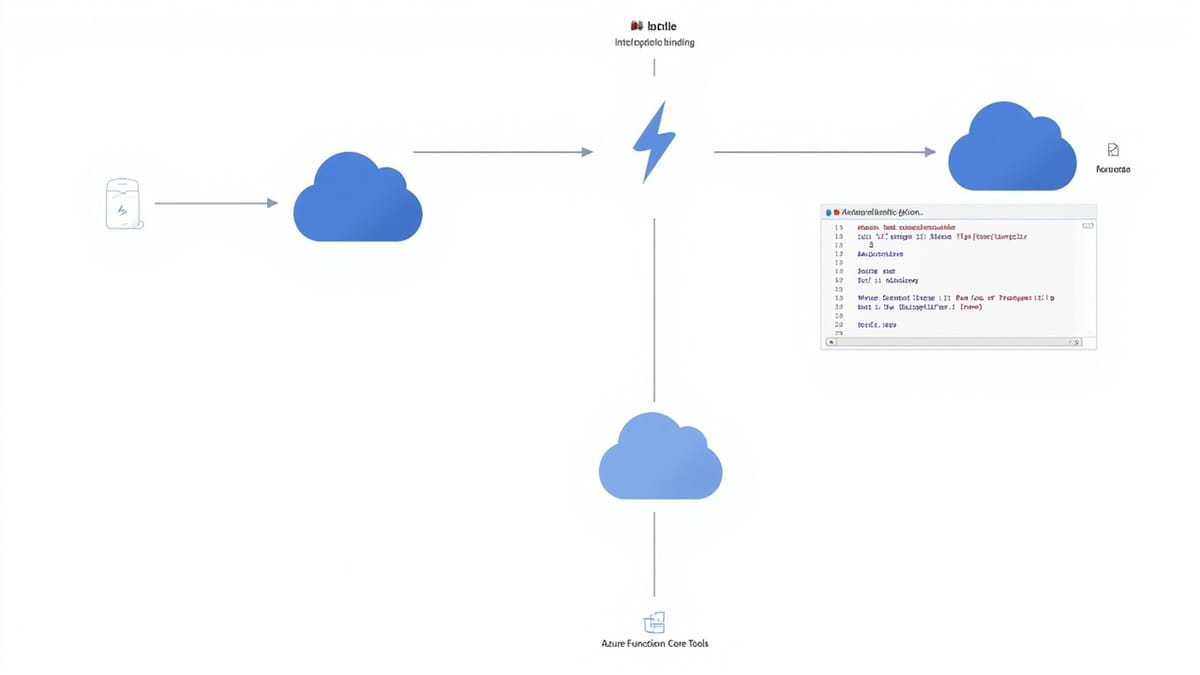
Azure Functions testing has a reputation for being awkward. The dependency on function bindings, the ILogger injection pattern, and the mix of trigger types make standard unit testing feel clunky. With the right structure, though, Azure Functions are as testable as any other C# code.
Project Structure for Testability
The biggest win comes before you write a single test — separating function triggers from business logic:
// OrderFunction.cs — thin trigger, delegates to service
public class OrderFunction
{
    private readonly IOrderService _orderService;
    private readonly ILogger<OrderFunction> _logger;

    public OrderFunction(IOrderService orderService, ILogger<OrderFunction> logger)
    {
        _orderService = orderService;
        _logger = logger;
    }

    [FunctionName("ProcessOrder")]
    public async Task<IActionResult> Run(
        [HttpTrigger(AuthorizationLevel.Function, "post")] HttpRequest req)
    {
        var body = await new StreamReader(req.Body).ReadToEndAsync();
        var request = JsonSerializer.Deserialize<OrderRequest>(body);

        var result = await _orderService.ProcessAsync(request);

        return result.Success
            ? new OkObjectResult(result)
            : new BadRequestObjectResult(result.Error);
    }
}

// IOrderService.cs — business logic interface, fully testable
public interface IOrderService
{
    Task<OrderResult> ProcessAsync(OrderRequest request);
}Test IOrderService independently. Test OrderFunction minimally with a mocked IOrderService.
Unit Testing Azure Functions
Testing the Function Class
using Microsoft.AspNetCore.Http;
using Microsoft.AspNetCore.Mvc;
using Microsoft.Extensions.Logging;
using Moq;
using Xunit;

public class OrderFunctionTests
{
    private readonly Mock<IOrderService> _mockService = new();
    private readonly Mock<ILogger<OrderFunction>> _mockLogger = new();
    private readonly OrderFunction _function;

    public OrderFunctionTests()
    {
        _function = new OrderFunction(_mockService.Object, _mockLogger.Object);
    }

    [Fact]
    public async Task Run_ValidRequest_Returns200()
    {
        // Arrange
        var request = CreateHttpRequest(new OrderRequest { ProductId = "prod-1", Quantity = 2 });
        _mockService.Setup(s => s.ProcessAsync(It.IsAny<OrderRequest>()))
            .ReturnsAsync(OrderResult.Succeeded(orderId: "ord-123"));

        // Act
        var result = await _function.Run(request);

        // Assert
        var okResult = result.Should().BeOfType<OkObjectResult>().Subject;
        var body = okResult.Value.Should().BeOfType<OrderResult>().Subject;
        body.OrderId.Should().Be("ord-123");
    }

    [Fact]
    public async Task Run_InvalidRequest_Returns400()
    {
        var request = CreateHttpRequest(new OrderRequest { ProductId = "", Quantity = 0 });
        _mockService.Setup(s => s.ProcessAsync(It.IsAny<OrderRequest>()))
            .ReturnsAsync(OrderResult.Failed("Invalid order"));

        var result = await _function.Run(request);

        result.Should().BeOfType<BadRequestObjectResult>();
    }

    private static HttpRequest CreateHttpRequest(object body)
    {
        var json = JsonSerializer.Serialize(body);
        var context = new DefaultHttpContext();
        context.Request.Body = new MemoryStream(Encoding.UTF8.GetBytes(json));
        context.Request.ContentType = "application/json";
        return context.Request;
    }
}Mocking Azure Storage Bindings
For functions that use output bindings to write to queues or tables, inject the binding target as an interface:
// Instead of binding directly, inject an abstraction
public class NotificationFunction
{
    private readonly IQueueWriter _queueWriter;

    public NotificationFunction(IQueueWriter queueWriter)
    {
        _queueWriter = queueWriter;
    }

    [FunctionName("SendNotification")]
    public async Task Run(
        [TimerTrigger("0 */5 * * * *")] TimerInfo timer)
    {
        var notifications = await GetPendingNotifications();
        foreach (var notification in notifications)
        {
            await _queueWriter.WriteAsync(notification);
        }
    }
}

// IQueueWriter is mockable
public interface IQueueWriter
{
    Task WriteAsync(object message);
}Test it:
[Fact]
public async Task Run_WithPendingNotifications_WritesToQueue()
{
    var mockQueue = new Mock<IQueueWriter>();
    var function = new NotificationFunction(mockQueue.Object);

    await function.Run(new TimerInfo(null, new ScheduleStatus(), false));

    mockQueue.Verify(q => q.WriteAsync(It.IsAny<object>()), Times.AtLeastOnce());
}Testing with Azure Functions Core Tools
Azure Functions Core Tools (func) runs your functions locally with the real runtime:
npm install -g azure-functions-core-tools@4

# Start the function app locally
func start

# Invoke an HTTP function
curl -X POST http://localhost:7071/api/ProcessOrder \
  -H "Content-Type: application/json" \
  -d '{"productId": "prod-1", "quantity": 2}'

# Invoke a non-HTTP function manually
func run ProcessOrder --content '{"productId":"prod-1"}'Use Azurite for local Azure Storage emulation:
npm install -g azurite

# Start Azurite (in another terminal)
azurite --silent --location ./azurite-data

# Configure local.settings.json to use Azurite// local.settings.json
{
"IsEncrypted": false,
"Values": {
"AzureWebJobsStorage": "UseDevelopmentStorage=true",
"FUNCTIONS_WORKER_RUNTIME": "dotnet",
"OrdersTableConnection": "UseDevelopmentStorage=true"
}
}UseDevelopmentStorage=true routes all Azure Storage calls to Azurite.
Integration Testing with Azurite
For integration tests that verify real Storage interactions:
using Azure.Storage.Queues;
using Azure.Data.Tables;

public class OrderQueueIntegrationTests : IAsyncLifetime
{
    private const string AzuriteConnectionString =
        "AccountName=devstoreaccount1;AccountKey=Eby8vdM02xNOcqFlqUwJPLlmEtlCDXJ1OUzFT50uSRZ6IFsuFq2UVErCz4I6tq/K1SZFPTOtr/KBHBeksoGMGw==;DefaultEndpointsProtocol=http;BlobEndpoint=http://127.0.0.1:10000/devstoreaccount1;QueueEndpoint=http://127.0.0.1:10001/devstoreaccount1;TableEndpoint=http://127.0.0.1:10002/devstoreaccount1;";

    private QueueClient _queueClient;

    public async Task InitializeAsync()
    {
        _queueClient = new QueueClient(AzuriteConnectionString, "orders");
        await _queueClient.CreateIfNotExistsAsync();
    }

    public async Task DisposeAsync()
    {
        await _queueClient.DeleteIfExistsAsync();
    }

    [Fact]
    public async Task ProcessOrder_WritesMessageToQueue()
    {
        var orderService = new OrderService(AzuriteConnectionString);
        var request = new OrderRequest { ProductId = "prod-1", Quantity = 2 };

        await orderService.ProcessAsync(request);

        // Verify message was written to queue
        var messages = await _queueClient.ReceiveMessagesAsync(maxMessages: 1);
        messages.Value.Should().HaveCount(1);

        var message = JsonSerializer.Deserialize<OrderMessage>(messages.Value[0].Body);
        message.ProductId.Should().Be("prod-1");
    }
}Testing Different Trigger Types
Timer Trigger
[Fact]
public async Task TimerTrigger_RunsCleanup()
{
    var mockCleanupService = new Mock<ICleanupService>();
    var function = new CleanupFunction(mockCleanupService.Object);

    // TimerInfo can be created with null schedule for testing
    var timer = new TimerInfo(null, new ScheduleStatus(), isPastDue: false);
    await function.Run(timer);

    mockCleanupService.Verify(s => s.CleanupExpiredRecordsAsync(), Times.Once());
}

[Fact]
public async Task TimerTrigger_PastDue_LogsWarning()
{
    var mockLogger = new Mock<ILogger<CleanupFunction>>();
    var function = new CleanupFunction(Mock.Of<ICleanupService>(), mockLogger.Object);

    var timer = new TimerInfo(null, new ScheduleStatus(), isPastDue: true);
    await function.Run(timer);

    mockLogger.Verify(
        x => x.Log(LogLevel.Warning, It.IsAny<EventId>(),
            It.Is<It.IsAnyType>((v, t) => v.ToString().Contains("past due")),
            null, It.IsAny<Func<It.IsAnyType, Exception, string>>()),
        Times.Once());
}Service Bus Trigger
[Fact]
public async Task ServiceBusTrigger_ValidMessage_ProcessesSuccessfully()
{
    var mockProcessor = new Mock<IOrderProcessor>();
    var function = new OrderProcessorFunction(mockProcessor.Object);

    var message = new OrderMessage { OrderId = "ord-123", Total = 99.99m };
    var serialized = JsonSerializer.Serialize(message);

    await function.Run(serialized);

    mockProcessor.Verify(p => p.ProcessAsync(
        It.Is<OrderMessage>(m => m.OrderId == "ord-123")),
        Times.Once());
}

[Fact]
public async Task ServiceBusTrigger_MalformedMessage_DoesNotThrow()
{
    var function = new OrderProcessorFunction(Mock.Of<IOrderProcessor>());

    // Should handle gracefully (dead-letter the message, not crash)
    Func<Task> act = () => function.Run("not-valid-json");
    await act.Should().NotThrowAsync();
}CI Pipeline for Azure Functions
# .github/workflows/azure-functions-tests.yaml
jobs:
  test:
    runs-on: ubuntu-latest
    services:
      azurite:
        image: mcr.microsoft.com/azure-storage/azurite
        ports:
          - 10000:10000  # Blob
          - 10001:10001  # Queue
          - 10002:10002  # Table

    steps:
    - uses: actions/checkout@v4
    - uses: actions/setup-dotnet@v3
      with:
        dotnet-version: '8.0'

    - name: Run unit tests
      run: dotnet test tests/Unit/ --logger "trx;LogFileName=unit-results.trx"

    - name: Run integration tests
      run: dotnet test tests/Integration/ --logger "trx;LogFileName=integration-results.trx"
      env:
        AZURE_STORAGE_CONNECTION_STRING: "UseDevelopmentStorage=true"

    - name: Publish test results
      uses: dorny/test-reporter@v1
      if: always()
      with:
        name: Test Results
        path: '**/*.trx'
reporter: dotnet-trxAzure Functions are fully testable with the right structure. Separate triggers from logic, inject dependencies, mock bindings as interfaces, and use Azurite for Storage integration. The functions that are hardest to test are the ones where everything is crammed into the handler — refactor those first.
Azure Functions testing covers your serverless logic. For end-to-end API monitoring and behavioral testing of your Azure-hosted applications, HelpMeTest provides 24/7 coverage with usage-based pricing starting at $0.003 per test run.