Azure Container Apps Testing: Scaling, Revisions, and Health Checks
Azure Container Apps (ACA) is Microsoft's serverless container platform built on Kubernetes and KEDA.

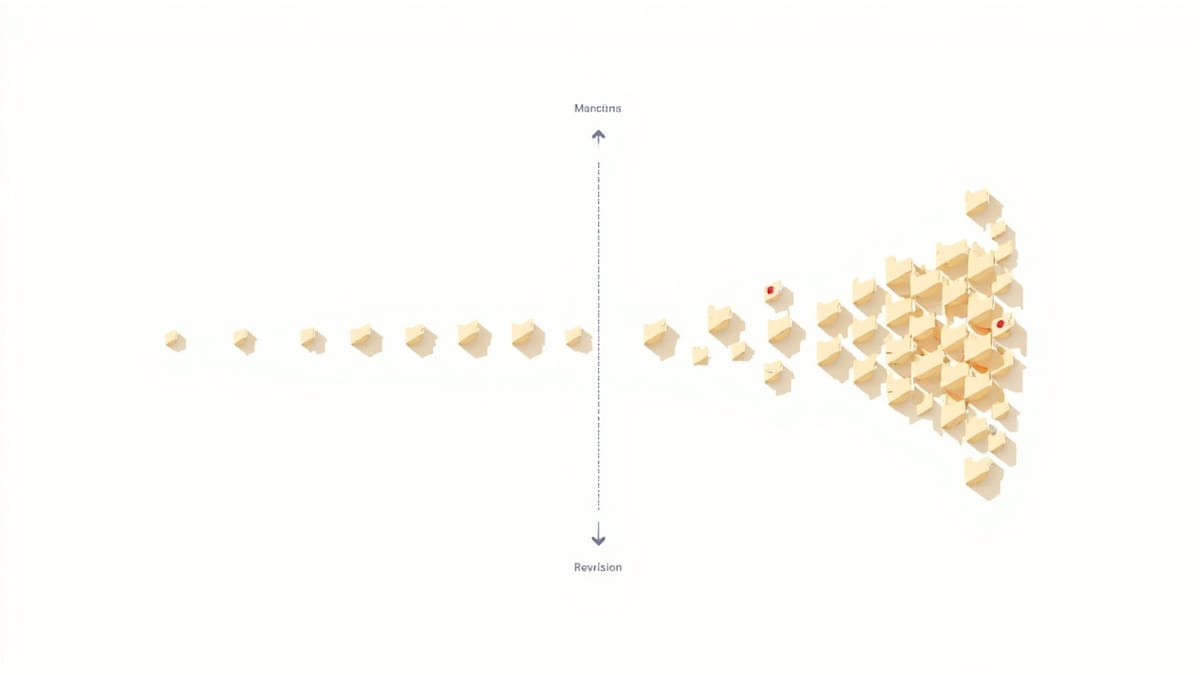
Azure Container Apps (ACA) is Microsoft's serverless container platform built on Kubernetes and KEDA. It handles scaling, load balancing, and traffic management for you. Testing ACA deployments requires verifying not just that your container runs, but that scaling behaves correctly, revision traffic splitting works, health probes pass, and the app handles scale-to-zero gracefully.
What to Test in Azure Container Apps
- Deployment correctness — the right image version is running
- Health probes — startup, liveness, and readiness probes pass
- Scaling behavior — app scales out under load, scales to zero when idle
- Revision traffic splitting — new revision receives correct traffic percentage
- Secret injection — secrets and environment variables are correctly mounted
- Ingress — external HTTPS endpoint works, internal communication works
Testing Deployments with Azure CLI
# Deploy and verify
RESOURCE_GROUP="rg-myapp-test"
ENVIRONMENT="my-container-env"
APP_NAME="my-api"
IMAGE="myregistry.azurecr.io/myapp:${{ github.sha }}"

# Deploy new revision
az containerapp update \
  --name $APP_NAME \
  --resource-group $RESOURCE_GROUP \
  --image $IMAGE \
  --revision-suffix "v${BUILD_NUMBER}"

# Get the new revision name
REVISION=$(az containerapp revision list \
  --name $APP_NAME \
  --resource-group $RESOURCE_GROUP \
  --query "[?properties.active].name | [0]" \
  --output tsv)

echo "Active revision: $REVISION"

# Verify revision is running
STATUS=$(az containerapp revision show \
  --name $APP_NAME \
  --resource-group $RESOURCE_GROUP \
  --revision $REVISION \
  --query "properties.runningState" \
  --output tsv)

[ "$STATUS" = "Running" ] || (echo "Revision not running: $STATUS" && exit 1)Health Probe Configuration and Testing
# Container App definition with health probes
# bicep/containerapp.bicep or ARM template
probes:
  - type: Startup
    httpGet:
      path: /health/startup
      port: 3000
    initialDelaySeconds: 5
    periodSeconds: 5
    failureThreshold: 10
    timeoutSeconds: 3

  - type: Liveness
    httpGet:
      path: /health/live
      port: 3000
    initialDelaySeconds: 30
    periodSeconds: 15
    failureThreshold: 3
    timeoutSeconds: 5

  - type: Readiness
    httpGet:
      path: /health/ready
      port: 3000
    initialDelaySeconds: 5
    periodSeconds: 10
    failureThreshold: 3
timeoutSeconds: 3Your application's health endpoints:
// health.js
const app = require('express')();
let isReady = false;

// Startup probe — completes initialization
app.get('/health/startup', async (req, res) => {
  // Check that critical startup tasks completed
  const dbConnected = await checkDatabaseConnection();
  const cacheReady = await checkCacheConnection();

  if (dbConnected && cacheReady) {
    isReady = true;
    res.json({ status: 'started', db: 'connected', cache: 'connected' });
  } else {
    res.status(503).json({ status: 'starting', db: dbConnected, cache: cacheReady });
  }
});

// Liveness probe — is the app stuck/deadlocked?
app.get('/health/live', (req, res) => {
  // If event loop is responsive, this responds
  // If app is deadlocked, this times out and container restarts
  res.json({ status: 'alive', uptime: process.uptime() });
});

// Readiness probe — should traffic be sent here?
app.get('/health/ready', async (req, res) => {
  if (!isReady) {
    return res.status(503).json({ status: 'not_ready' });
  }

  // Check dependencies are still healthy
  const dbOk = await checkDatabaseConnection().catch(() => false);

  if (!dbOk) {
    return res.status(503).json({ status: 'degraded', reason: 'db_unavailable' });
  }

  res.json({ status: 'ready' });
});Test the health endpoints:
// health.test.js
const { test, expect } = require('@playwright/test');

const APP_URL = process.env.ACA_URL || 'http://localhost:3000';

test('startup probe passes', async ({ request }) => {
  const response = await request.get(`${APP_URL}/health/startup`);
  expect(response.status()).toBe(200);

  const body = await response.json();
  expect(body.status).toBe('started');
});

test('liveness probe is responsive', async ({ request }) => {
  const start = Date.now();
  const response = await request.get(`${APP_URL}/health/live`);
  const elapsed = Date.now() - start;

  expect(response.status()).toBe(200);
  expect(elapsed).toBeLessThan(1000); // Must respond within 1 second
});

test('readiness probe reflects actual state', async ({ request }) => {
  const response = await request.get(`${APP_URL}/health/ready`);

  // During normal operation, should be ready
  expect(response.status()).toBe(200);

  const body = await response.json();
  expect(body.status).toBe('ready');
});Testing Revision Traffic Splitting
ACA supports gradual rollouts by splitting traffic between revisions:
# Deploy new revision with 10% traffic
az containerapp ingress traffic set \
  --name my-api \
  --resource-group rg-myapp \
--revision-weight "my-api--stable=90" "my-api--canary=10"Test that traffic splitting works:
// traffic-split.test.js
async function measureTrafficSplit(url, samples = 100) {
  const revisionCounts = {};

  for (let i = 0; i < samples; i++) {
    const response = await fetch(url);
    const revision = response.headers.get('x-powered-by-revision') ||
                     response.headers.get('x-revision-id');

    if (revision) {
      revisionCounts[revision] = (revisionCounts[revision] || 0) + 1;
    }
  }

  return revisionCounts;
}

test('traffic split within acceptable range', async () => {
  const counts = await measureTrafficSplit(`${APP_URL}/api/version`, 200);

  const revisions = Object.keys(counts);
  expect(revisions.length).toBe(2); // Two revisions active

  const total = Object.values(counts).reduce((sum, c) => sum + c, 0);

  // Check approximate 90/10 split (allow ±5% variance)
  for (const [revision, count] of Object.entries(counts)) {
    const percentage = (count / total) * 100;
    const isStable = revision.includes('stable');

    if (isStable) {
      expect(percentage).toBeGreaterThan(80); // ~90%, allow variance
      expect(percentage).toBeLessThan(100);
    } else {
      expect(percentage).toBeGreaterThan(2); // ~10%, allow variance
      expect(percentage).toBeLessThan(25);
    }
  }
}, 30000);Testing Scale-to-Zero Recovery
ACA can scale to zero replicas when idle. Test cold start time:
test('recovers from scale-to-zero within SLA', async () => {
  // The app may be scaled to zero after idle period
  // Test that first request after scale-from-zero completes within SLA

  const SLA_MS = 30000; // 30 second cold start SLA
  const start = Date.now();

  let response;
  let attempts = 0;

  // Retry until app responds or SLA exceeded
  while (Date.now() - start < SLA_MS) {
    try {
      response = await fetch(`${APP_URL}/health/ready`, {
        signal: AbortSignal.timeout(5000),
      });

      if (response.status === 200) break;
    } catch {}

    attempts++;
    await new Promise(resolve => setTimeout(resolve, 1000));
  }

  const coldStartTime = Date.now() - start;

  expect(response?.status).toBe(200);
  expect(coldStartTime).toBeLessThan(SLA_MS);

  console.log(`Cold start time: ${coldStartTime}ms (${attempts} attempts)`);
}, 35000);Testing Environment Variables and Secrets
Verify that secrets are correctly injected into the container:
// Test that app correctly uses injected secrets
test('app uses correct database from environment', async ({ request }) => {
  const response = await request.get(`${APP_URL}/api/debug/config`);

  // This endpoint should exist only in non-production environments
  if (response.status() === 404) {
    console.log('Debug endpoint not available — skipping');
    return;
  }

  const config = await response.json();

  // Verify configuration (not the secrets themselves)
  expect(config.database.host).toBe(process.env.EXPECTED_DB_HOST);
  expect(config.database.name).toBe('myapp-test');

  // Verify secrets are NOT exposed in config endpoint
  expect(config.database.password).toBeUndefined();
  expect(config.database.connectionString).toBeUndefined();
});

test('app fails gracefully with missing required secret', async () => {
  // This tests the startup probe behavior — if a required secret is missing,
  // the startup probe should fail, preventing the container from receiving traffic

  // You can't directly test this without deploying a broken config,
  // so test the startup endpoint's behavior
  const response = await fetch(`${APP_URL}/health/startup`);

  // If startup probe passes, all required secrets were present at startup
  expect(response.status).toBe(200);
});CI/CD Pipeline for Container Apps
# .github/workflows/deploy-aca.yml
name: Deploy to Azure Container Apps

on:
  push:
    branches: [main]

permissions:
  id-token: write
  contents: read

jobs:
  build-and-test:
    runs-on: ubuntu-latest
    steps:
      - uses: actions/checkout@v4

      - name: Build and test
        run: |
          docker build -t myapp:${{ github.sha }} .
          docker run --rm myapp:${{ github.sha }} npm test

      - name: Push to ACR
        run: |
          az acr login --name myregistry
          docker tag myapp:${{ github.sha }} myregistry.azurecr.io/myapp:${{ github.sha }}
          docker push myregistry.azurecr.io/myapp:${{ github.sha }}

  deploy-staging:
    needs: build-and-test
    runs-on: ubuntu-latest
    environment: staging

    steps:
      - uses: azure/login@v2
        with:
          client-id: ${{ secrets.AZURE_CLIENT_ID }}
          tenant-id: ${{ secrets.AZURE_TENANT_ID }}
          subscription-id: ${{ secrets.AZURE_SUBSCRIPTION_ID }}

      - name: Deploy to staging Container App
        run: |
          az containerapp update \
            --name my-api-staging \
            --resource-group rg-staging \
            --image myregistry.azurecr.io/myapp:${{ github.sha }}

      - name: Wait for deployment
        run: |
          timeout 120 bash -c '
            until az containerapp revision list \
              --name my-api-staging \
              --resource-group rg-staging \
              --query "[?contains(name, '"'"'${{ github.sha }}'"'"')].properties.runningState" \
              --output tsv | grep -q "Running"; do
              sleep 5
            done
          '

      - name: Get staging URL
        run: |
          URL=$(az containerapp show \
            --name my-api-staging \
            --resource-group rg-staging \
            --query "properties.configuration.ingress.fqdn" \
            --output tsv)
          echo "ACA_URL=https://$URL" >> $GITHUB_ENV

      - name: Run smoke tests
        run: npx playwright test tests/smoke/
        env:
          ACA_URL: ${{ env.ACA_URL }}

      - name: Run health check
        run: |
          curl -sf $ACA_URL/health/ready | jq '.status == "ready"'

  deploy-production:
    needs: deploy-staging
    runs-on: ubuntu-latest
    environment: production

    steps:
      - uses: azure/login@v2
        with:
          client-id: ${{ secrets.AZURE_CLIENT_ID }}
          tenant-id: ${{ secrets.AZURE_TENANT_ID }}
          subscription-id: ${{ secrets.AZURE_SUBSCRIPTION_ID }}

      - name: Deploy canary (10% traffic)
        run: |
          az containerapp update \
            --name my-api \
            --resource-group rg-prod \
            --image myregistry.azurecr.io/myapp:${{ github.sha }} \
            --revision-suffix "canary-${{ github.run_number }}"

          # Split traffic: 90% stable, 10% canary
          STABLE_REVISION=$(az containerapp revision list \
            --name my-api \
            --resource-group rg-prod \
            --query "[?!contains(name, 'canary')].name | [0]" \
            --output tsv)

          CANARY_REVISION="my-api--canary-${{ github.run_number }}"

          az containerapp ingress traffic set \
            --name my-api \
            --resource-group rg-prod \
            --revision-weight "${STABLE_REVISION}=90" "${CANARY_REVISION}=10"

      - name: Monitor canary (5 minutes)
        run: |
          sleep 300
          # Check error rates — if too high, rollback
          ERROR_RATE=$(az monitor metrics list \
            --resource my-api \
            --resource-group rg-prod \
            --resource-type "Microsoft.App/containerApps" \
            --metric "Http5xx" \
            --output tsv | tail -1)

          if [ "${ERROR_RATE:-0}" -gt 5 ]; then
            echo "Error rate too high, rolling back"
            exit 1
          fi

      - name: Promote canary to 100%
        if: success()
        run: |
          CANARY_REVISION="my-api--canary-${{ github.run_number }}"
          az containerapp ingress traffic set \
            --name my-api \
            --resource-group rg-prod \
--revision-weight "${CANARY_REVISION}=100"Container Apps removes much of the Kubernetes operational complexity, but testing the deployment process — health probes, traffic splits, scale behavior — is just as important as testing the application code itself.