AWS EKS Testing: Integration Tests for Kubernetes Workloads
AWS EKS adds a Kubernetes control plane on top of AWS infrastructure, which means you're testing both Kubernetes abstractions and AWS-specific behavior.

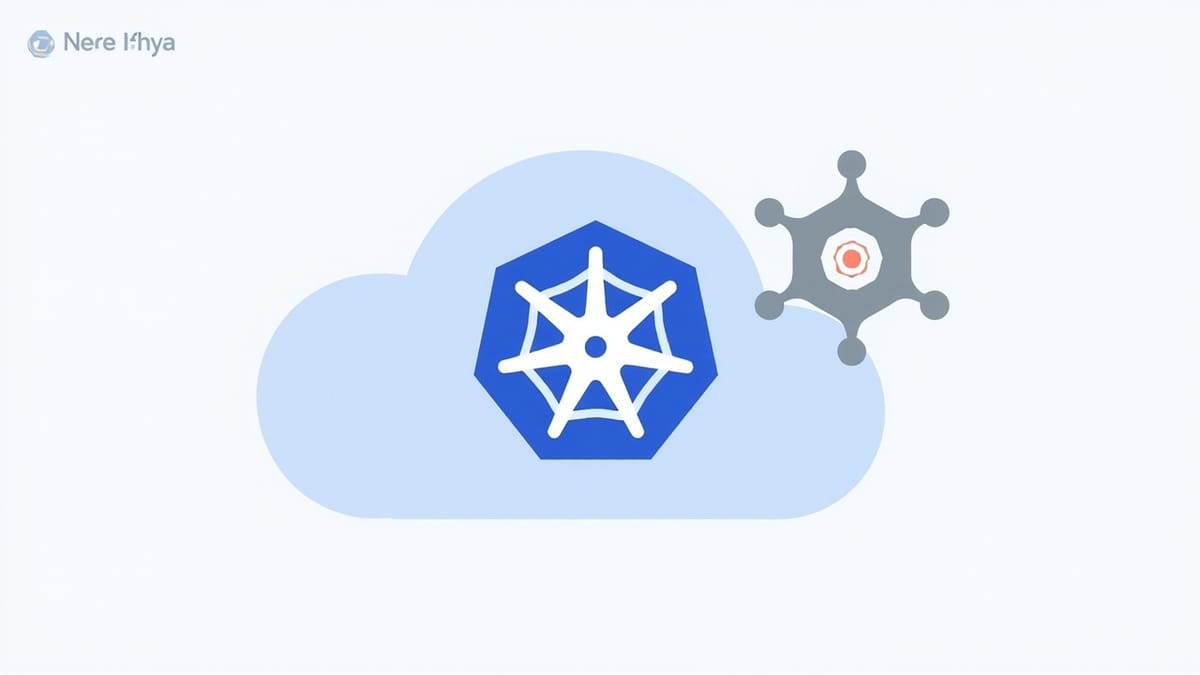
AWS EKS adds a Kubernetes control plane on top of AWS infrastructure, which means you're testing both Kubernetes abstractions and AWS-specific behavior. A Pod that works in local kind or minikube may fail in EKS due to IAM Roles for Service Accounts (IRSA), VPC CNI networking, or EKS-specific admission webhooks.
This guide covers testing strategies for EKS workloads — from local development testing to production-ready CI/CD pipelines.
What Makes EKS Testing Different
If you've tested Kubernetes workloads before, EKS adds these specific concerns:
IRSA (IAM Roles for Service Accounts): EKS maps Kubernetes service accounts to IAM roles. Your Pod might have the right ServiceAccount, but if the IRSA trust policy is wrong, all AWS API calls will fail with AccessDenied. This is invisible until runtime.
VPC CNI networking: EKS uses the AWS VPC CNI plugin instead of Flannel or Calico. Each Pod gets a real VPC IP. Security groups apply at the Pod level (not just node level) in newer setups. This affects what your Pod can reach.
EBS CSI driver: Persistent volumes backed by EBS have different attachment behavior than in-cluster storage. Volume attachment failures are common causes of deployment stalls.
Node groups and Fargate profiles: Your workload might run on managed node groups, self-managed nodes, or Fargate. Each has different constraints (Fargate doesn't support DaemonSets, for example).
Admission controllers: AWS Load Balancer Controller, Kyverno, OPA Gatekeeper — EKS clusters often have admission webhooks that reject Pods not meeting policy requirements.
Local Testing with kind
Before pushing to EKS, validate as much as possible locally using kind (Kubernetes in Docker):
# Create a local cluster
cat <<EOF > kind-config.yaml
kind: Cluster
apiVersion: kind.x-k8s.io/v1alpha4
nodes:
  - role: control-plane
  - role: worker
  - role: worker
EOF

kind create cluster --config kind-config.yaml --name testLoad your images directly into kind to avoid registry pushes:
docker build -t my-app:test .
kind load docker-image my-app:test --name testRun your Kubernetes manifests and validate they work:
kubectl apply -f k8s/ --dry-run=client  # validate manifest syntax
kubectl apply -f k8s/
kubectl rollout status deployment/my-app --timeout=120sWhat kind catches: manifest syntax errors, container startup failures, configuration issues, basic networking between Pods.
What kind misses: IRSA, EBS volumes, ALB ingress, VPC networking, EKS-specific admission controllers.
Testing Helm Charts
If you use Helm, test charts before deploying:
Lint
helm lint charts/my-app/
helm lint charts/my-app/ --values charts/my-app/values-prod.yamlTemplate Validation
# Render templates and validate
helm template my-app charts/my-app/ \
  --values charts/my-app/values.yaml \
| kubectl apply --dry-run=client -f -Helm unittest
The helm-unittest plugin runs unit tests against rendered templates:
helm plugin install https://github.com/helm-unittest/helm-unittestWrite test files in charts/my-app/tests/:
# charts/my-app/tests/deployment_test.yaml
suite: Deployment tests

tests:
  - it: should have correct replica count
    set:
      replicaCount: 3
    asserts:
      - equal:
          path: spec.replicas
          value: 3
        documentIndex: 0

  - it: should set resource limits
    asserts:
      - isNotEmpty:
          path: spec.template.spec.containers[0].resources.limits

  - it: should use the correct image tag
    set:
      image.tag: v1.2.3
    asserts:
      - matchRegex:
          path: spec.template.spec.containers[0].image
          pattern: ":v1.2.3$"

  - it: should not run as root
    asserts:
      - equal:
          path: spec.template.spec.securityContext.runAsNonRoot
value: trueRun:
helm unittest charts/my-app/Pluto for Deprecated API Versions
brew install pluto
helm template my-app charts/my-app/ | pluto detect -Catches deprecated API versions before they break on EKS upgrades.
Integration Testing Against EKS
For tests that require the actual EKS environment, you need a dedicated test cluster or namespace.
Namespace Isolation
Create a test namespace per CI run:
NAMESPACE="test-${GITHUB_RUN_ID}"
kubectl create namespace "$NAMESPACE"

# Apply with namespace override
kubectl apply -f k8s/ -n "$NAMESPACE"

# Clean up after tests
kubectl delete namespace "$NAMESPACE"Wait for Deployment Health
# tests/eks/helpers.py
import subprocess
import time
import json

def wait_for_deployment(name: str, namespace: str, timeout: int = 300) -> bool:
    """Wait for deployment to reach desired replica count."""
    deadline = time.time() + timeout

    while time.time() < deadline:
        result = subprocess.run(
            ["kubectl", "get", "deployment", name,
             "-n", namespace, "-o", "json"],
            capture_output=True, text=True
        )

        if result.returncode != 0:
            time.sleep(5)
            continue

        deploy = json.loads(result.stdout)
        status = deploy["status"]

        desired = deploy["spec"]["replicas"]
        ready = status.get("readyReplicas", 0)

        if ready == desired:
            return True

        print(f"Deployment {name}: {ready}/{desired} ready")
        time.sleep(10)

    # Print events on timeout
    subprocess.run([
        "kubectl", "get", "events",
        "-n", namespace,
        "--sort-by=.lastTimestamp",
        "--field-selector", f"involvedObject.name={name}"
    ])

return FalseTest IRSA Permissions
Test that your Pod can make the AWS API calls it needs:
def test_pod_can_read_from_s3(namespace: str):
    """Verify IRSA is configured correctly by running an AWS API call from within the cluster."""
    result = subprocess.run([
        "kubectl", "run", "irsa-test",
        "-n", namespace,
        "--image=amazon/aws-cli:latest",
        "--restart=Never",
        "--rm",
        "--wait",
        "--timeout=60s",
        "--",
        "s3", "ls", "my-bucket"
    ], capture_output=True, text=True, timeout=90)

    assert result.returncode == 0, \
f"S3 access failed — IRSA may be misconfigured:\n{result.stderr}"def test_irsa_role_mapping(namespace: str, expected_role_arn: str):
"""Verify the ServiceAccount has the correct IAM role annotation."""
result = subprocess.run([
"kubectl", "get", "serviceaccount", "my-app",
"-n", namespace,
"-o", "jsonpath={.metadata.annotations.eks\\.amazonaws\\.com/role-arn}"
], capture_output=True, text=True)
actual_role = result.stdout.strip()
assert actual_role == expected_role_arn, \
f"ServiceAccount has wrong IAM role: {actual_role}"Test Service Connectivity
def test_service_reachable_from_pod(namespace: str, service_name: str, port: int):
    """Test pod-to-service connectivity within the cluster."""
    result = subprocess.run([
        "kubectl", "run", "connectivity-test",
        "-n", namespace,
        "--image=busybox:latest",
        "--restart=Never",
        "--rm",
        "--wait",
        "--timeout=30s",
        "--",
        "wget", "-q", "-O-",
        f"http://{service_name}.{namespace}.svc.cluster.local:{port}/health"
    ], capture_output=True, text=True, timeout=45)

    assert result.returncode == 0, \
f"Service {service_name} not reachable from pod:\n{result.stderr}"Test Ingress (ALB)
import httpx
import time

def test_alb_ingress_responds(ingress_hostname: str, timeout: int = 300):
    """Wait for ALB to provision and verify it returns 200."""
    url = f"https://{ingress_hostname}/health"
    deadline = time.time() + timeout

    while time.time() < deadline:
        try:
            response = httpx.get(url, timeout=10, verify=False)
            if response.status_code == 200:
                return
            print(f"Got {response.status_code}, waiting...")
        except (httpx.ConnectError, httpx.TimeoutException) as e:
            print(f"Not yet reachable: {e}")

        time.sleep(15)

pytest.fail(f"ALB did not become healthy at {url} within {timeout}s")Get the ingress hostname from kubectl:
def get_ingress_hostname(name: str, namespace: str) -> str:
    result = subprocess.run([
        "kubectl", "get", "ingress", name,
        "-n", namespace,
        "-o", "jsonpath={.status.loadBalancer.ingress[0].hostname}"
    ], capture_output=True, text=True)
return result.stdout.strip()RBAC Testing
Test that your ServiceAccounts have the right permissions and no more:
# Test what a ServiceAccount can do
kubectl auth can-i get pods \
  --as=system:serviceaccount:my-namespace:my-app

kubectl auth can-i delete pods \
  --as=system:serviceaccount:my-namespace:my-app

# Should return "no" — principle of least privilege
kubectl auth can-i list secrets \
--as=system:serviceaccount:my-namespace:my-appAutomate in Python:
def assert_can_do(service_account: str, namespace: str, verb: str, resource: str):
    result = subprocess.run([
        "kubectl", "auth", "can-i", verb, resource,
        f"--as=system:serviceaccount:{namespace}:{service_account}"
    ], capture_output=True, text=True)
    assert result.stdout.strip() == "yes", \
        f"SA {service_account} cannot {verb} {resource}"

def assert_cannot_do(service_account: str, namespace: str, verb: str, resource: str):
    result = subprocess.run([
        "kubectl", "auth", "can-i", verb, resource,
        f"--as=system:serviceaccount:{namespace}:{service_account}"
    ], capture_output=True, text=True)
    assert result.stdout.strip() == "no", \
        f"SA {service_account} should NOT be able to {verb} {resource}"


def test_app_rbac(namespace):
    # Should be able to read its own ConfigMaps
    assert_can_do("my-app", namespace, "get", "configmaps")

    # Should NOT be able to delete pods or access secrets
    assert_cannot_do("my-app", namespace, "delete", "pods")
    assert_cannot_do("my-app", namespace, "list", "secrets")
assert_cannot_do("my-app", namespace, "get", "nodes")Testing HPA (Horizontal Pod Autoscaler)
def test_hpa_scales_up(namespace: str, deployment: str):
    """Verify HPA scales deployment under load."""
    import time

    # Get initial replica count
    result = subprocess.run([
        "kubectl", "get", "deployment", deployment,
        "-n", namespace, "-o", "jsonpath={.status.readyReplicas}"
    ], capture_output=True, text=True)
    initial_count = int(result.stdout.strip() or "0")

    # Generate load (simplified — use a proper load generator in practice)
    # kubectl run load-gen --image=busybox -- /bin/sh -c "while true; do wget -q -O- http://my-app/api/compute; done"
    subprocess.Popen([
        "kubectl", "run", "load-gen",
        "-n", namespace,
        "--image=busybox:latest",
        "--restart=Never",
        "--",
        "/bin/sh", "-c",
        "while true; do wget -q -O- http://my-app/api/compute; sleep 0.1; done"
    ])

    # Wait for scale-up (HPA checks every 15s by default)
    deadline = time.time() + 180
    while time.time() < deadline:
        result = subprocess.run([
            "kubectl", "get", "deployment", deployment,
            "-n", namespace, "-o", "jsonpath={.status.readyReplicas}"
        ], capture_output=True, text=True)
        current_count = int(result.stdout.strip() or "0")

        if current_count > initial_count:
            print(f"HPA scaled from {initial_count} to {current_count} replicas")
            subprocess.run(["kubectl", "delete", "pod", "load-gen", "-n", namespace])
            return

        time.sleep(15)

    subprocess.run(["kubectl", "delete", "pod", "load-gen", "-n", namespace])
pytest.fail(f"HPA did not scale up from {initial_count} replicas")CI/CD Pipeline
# .github/workflows/eks-tests.yml
name: EKS Integration Tests

on:
  push:
    branches: [main]

jobs:
  test:
    runs-on: ubuntu-latest
    permissions:
      id-token: write

    steps:
      - uses: actions/checkout@v4

      - name: Configure AWS credentials
        uses: aws-actions/configure-aws-credentials@v4
        with:
          role-to-assume: arn:aws:iam::123456789:role/github-actions-eks
          aws-region: us-east-1

      - name: Configure kubectl for EKS
        run: |
          aws eks update-kubeconfig \
            --region us-east-1 \
            --name my-cluster-test

      - name: Build and push image
        run: |
          aws ecr get-login-password | docker login --username AWS --password-stdin \
            123456789.dkr.ecr.us-east-1.amazonaws.com
          docker build -t my-app:${{ github.sha }} .
          docker push 123456789.dkr.ecr.us-east-1.amazonaws.com/my-app:${{ github.sha }}

      - name: Create test namespace
        run: |
          kubectl create namespace test-${{ github.run_id }}

      - name: Deploy to test namespace
        run: |
          helm upgrade --install my-app charts/my-app/ \
            --namespace test-${{ github.run_id }} \
            --set image.tag=${{ github.sha }} \
            --wait --timeout=5m

      - name: Run integration tests
        run: |
          pytest tests/eks/ -v \
            --namespace=test-${{ github.run_id }}

      - name: Cleanup
        if: always()
        run: |
kubectl delete namespace test-${{ github.run_id }} --wait=falseDebugging EKS Test Failures
Pod stuck in Pending: Usually a resource constraint or node selector mismatch. Check events:
kubectl describe pod <pod-name> -n <namespace>
kubectl get events -n <namespace> --sort-by='.lastTimestamp'CrashLoopBackOff: Container is starting and crashing. Get logs:
kubectl logs <pod-name> -n <namespace>
kubectl logs <pod-name> -n <namespace> --previous # previous container instanceImagePullBackOff: ECR pull failing. Check IRSA on the node's instance profile, or that the ECR policy allows the cluster.
IRSA AccessDenied: The most common EKS-specific failure. Check:
- ServiceAccount has the role annotation
- IAM role's trust policy references the correct OIDC provider ARN and ServiceAccount
- IAM role has the required permissions
# Get OIDC provider for your cluster
aws eks describe-cluster --name my-cluster \
--query "cluster.identity.oidc.issuer" --output textEKS testing pays off at cluster upgrade time. When you upgrade from 1.28 to 1.29, your suite of Helm unit tests, RBAC assertions, and deployment health checks tell you within minutes whether the upgrade broke anything. Without that coverage, you find out from your users.
For continuous monitoring of your EKS workloads after deployment, HelpMeTest can run automated functional tests against your services on a schedule — catching regressions before they escalate to incidents.