
Artillery CI/CD Integration: Automated Performance Testing in Pipelines

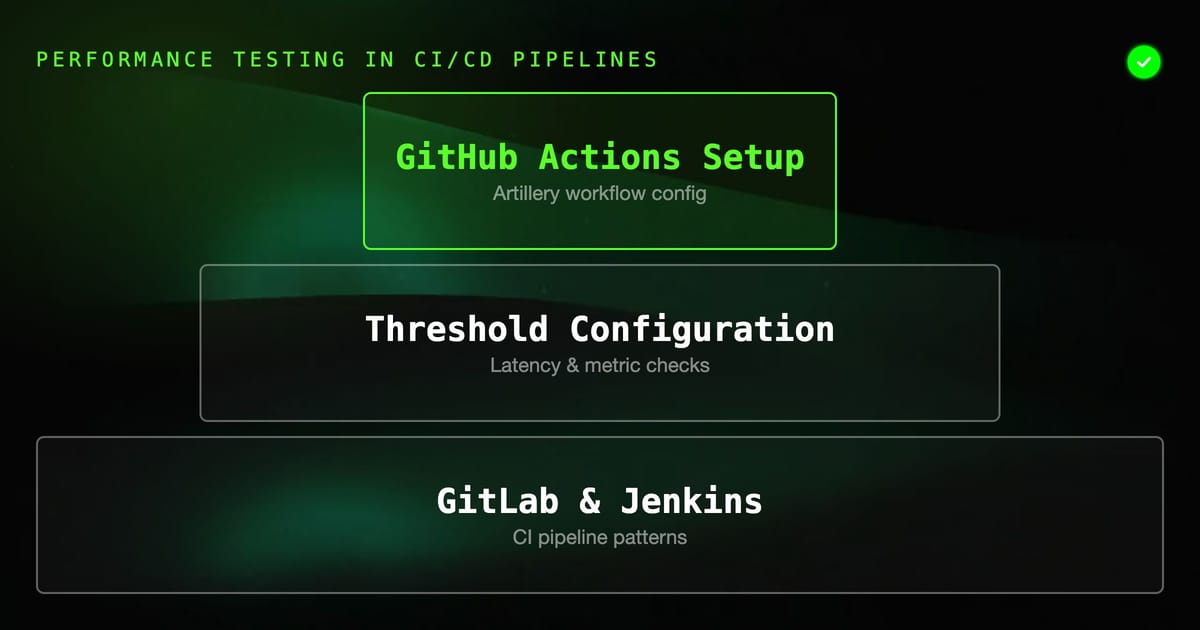
Running Artillery tests locally gives you confidence. Running them in CI turns that confidence into a deployment gate — your pipeline fails if performance degrades, before users notice.
This guide covers integrating Artillery into GitHub Actions, GitLab CI, and Jenkins, along with threshold configuration, report generation, and patterns for different pipeline stages.
Why CI Load Testing
The argument for running load tests in CI is the same as for any other automated test: catch regressions early, when they're cheap to fix. A database query that was fast with 100 rows starts timing out at 10,000. A new auth middleware adds 20ms to every request. A dependency update introduces a memory leak under load. None of these show up in unit tests. They show up under load.
The challenge with load tests in CI is that they're slow and require a running service. The patterns below address both.
Basic GitHub Actions Setup
A minimal Artillery GitHub Actions workflow:
# .github/workflows/load-test.yml
name: Load Test

on:
  push:
    branches: [main]
  pull_request:
    branches: [main]

jobs:
  load-test:
    runs-on: ubuntu-latest

    services:
      api:
        image: your-registry/your-api:${{ github.sha }}
        ports:
          - 3000:3000
        env:
          DATABASE_URL: postgresql://postgres:postgres@postgres:5432/testdb
          NODE_ENV: test

      postgres:
        image: postgres:15
        env:
          POSTGRES_PASSWORD: postgres
          POSTGRES_DB: testdb
        options: >-
          --health-cmd pg_isready
          --health-interval 10s
          --health-timeout 5s
          --health-retries 5

    steps:
      - uses: actions/checkout@v4

      - uses: actions/setup-node@v4
        with:
          node-version: '20'

      - name: Install Artillery
        run: npm install -g artillery@latest

      - name: Wait for API
        run: |
          timeout 60 bash -c 'until curl -sf http://localhost:3000/health; do sleep 2; done'

      - name: Run load test
        run: artillery run tests/load/api.yml --output results.json
        env:
          API_URL: http://localhost:3000

      - name: Generate HTML report
        if: always()
        run: artillery report results.json --output results.html

      - name: Upload report
        if: always()
        uses: actions/upload-artifact@v4
        with:
          name: load-test-results
          path: |
            results.json
results.htmlThe Artillery test file tests/load/api.yml:
config:
  target: "{{ $processEnvironment.API_URL }}"
  phases:
    - duration: 60
      arrivalRate: 10
      rampTo: 50
      name: "Ramp up"
    - duration: 120
      arrivalRate: 50
      name: "Sustained load"
  ensure:
    thresholds:
      - http.response_time.p99: 200
      - http.response_time.p95: 100
    conditions:
      - expression: "http.codes.200 >= 0.99 * (http.codes.200 + http.codes.500)"
        comment: "99% success rate required"

scenarios:
  - name: "Core API flows"
    flow:
      - get:
          url: "/health"
      - get:
          url: "/api/users"
          headers:
            Authorization: "Bearer {{ $processEnvironment.AUTH_TOKEN }}"
      - post:
          url: "/api/events"
          headers:
            Content-Type: "application/json"
            Authorization: "Bearer {{ $processEnvironment.AUTH_TOKEN }}"
          json:
            event: "page_view"
path: "/dashboard"The ensure block makes Artillery exit with code 1 if thresholds are breached — which fails the CI step.
Threshold Configuration
Artillery's ensure block supports two types of checks:
thresholds — latency and metric limits:
ensure:
  thresholds:
    - http.response_time.p99: 500    # p99 under 500ms
    - http.response_time.p95: 200    # p95 under 200ms
    - http.response_time.median: 50  # median under 50ms
- http.request_rate: 100 # sustained at 100 RPSconditions — boolean expressions over metrics:
ensure:
  conditions:
    - expression: "http.codes.200 >= 0.99 * (http.codes.200 + http.codes.500)"
      comment: "At least 99% success rate"
    - expression: "errors.count == 0"
comment: "No connection errors"Both thresholds and conditions must pass for the run to succeed. If either fails, Artillery exits with code 1 and prints which checks failed.
For CI, be intentional about what you gate on. A p99 threshold of 50ms will be flaky in most CI environments due to runner variability. More realistic thresholds for CI: p99 < 500ms, p95 < 200ms, success rate > 99%.
Separate Light and Heavy Tests
Don't run your maximum load test on every PR. Structure your tests by environment and trigger:
# tests/load/smoke.yml — runs on every PR, light
config:
  target: "{{ $processEnvironment.API_URL }}"
  phases:
    - duration: 30
      arrivalRate: 5
      name: "Smoke"
  ensure:
    thresholds:
      - http.response_time.p99: 1000

# tests/load/load.yml — runs on main merge, heavy
config:
  target: "{{ $processEnvironment.API_URL }}"
  phases:
    - duration: 60
      arrivalRate: 10
      rampTo: 100
    - duration: 180
      arrivalRate: 100
  ensure:
    thresholds:
      - http.response_time.p99: 300
      - http.response_time.p95: 150

# tests/load/stress.yml — runs on schedule, very heavy
config:
  target: "{{ $processEnvironment.API_URL }}"
  phases:
    - duration: 60
      arrivalRate: 100
      rampTo: 500
    - duration: 300
      arrivalRate: 500
    - duration: 60
      arrivalRate: 500
rampTo: 1000GitHub Actions workflow structure:
jobs:
  smoke-test:
    runs-on: ubuntu-latest
    steps:
      - run: artillery run tests/load/smoke.yml

  load-test:
    if: github.ref == 'refs/heads/main'
    needs: [smoke-test]
    runs-on: ubuntu-latest
    steps:
      - run: artillery run tests/load/load.yml

  stress-test:
    if: github.event_name == 'schedule'
    runs-on: ubuntu-latest
    steps:
- run: artillery run tests/load/stress.ymlGitLab CI Integration
# .gitlab-ci.yml

stages:
  - build
  - test
  - load-test
  - deploy

load-test:
  stage: load-test
  image: node:20-alpine
  services:
    - name: your-registry/your-api:$CI_COMMIT_SHA
      alias: api
  variables:
    API_URL: http://api:3000
    AUTH_TOKEN: $STAGING_TOKEN
  before_script:
    - npm install -g artillery@latest
    - |
      timeout 60 sh -c 'until wget -q -O- $API_URL/health; do sleep 2; done'
  script:
    - artillery run tests/load/smoke.yml --output results.json
  after_script:
    - artillery report results.json --output results.html || true
  artifacts:
    when: always
    paths:
      - results.json
      - results.html
    expire_in: 1 week
  only:
    - merge_requests
- mainFor merge requests, run the smoke test. For main, run the full load test as a separate job:
load-test-full:
  extends: load-test
  variables:
    ARTILLERY_TEST: tests/load/load.yml
  script:
    - artillery run $ARTILLERY_TEST --output results-full.json
  only:
- mainJenkins Pipeline
// Jenkinsfile
pipeline {
    agent any

    environment {
        API_URL = "https://staging.api.example.com"
        AUTH_TOKEN = credentials('staging-auth-token')
    }

    stages {
        stage('Load Test') {
            steps {
                sh 'npm install -g artillery@latest'
                sh '''
                    artillery run tests/load/api.yml \
                        --output results.json \
                        --environment staging
                '''
            }
            post {
                always {
                    sh 'artillery report results.json --output results.html || true'
                    publishHTML([
                        allowMissing: false,
                        alwaysLinkToLastBuild: true,
                        keepAll: true,
                        reportDir: '.',
                        reportFiles: 'results.html',
                        reportName: 'Artillery Load Test Report'
                    ])
                    archiveArtifacts artifacts: 'results.json', fingerprint: true
                }
            }
        }
    }
}Environment-Specific Configuration
Artillery supports environment overrides for different CI stages:
# tests/load/api.yml
config:
  target: "{{ $processEnvironment.API_URL }}"
  environments:
    staging:
      phases:
        - duration: 60
          arrivalRate: 20
      ensure:
        thresholds:
          - http.response_time.p99: 500
    production:
      phases:
        - duration: 300
          arrivalRate: 100
      ensure:
        thresholds:
          - http.response_time.p99: 200
  phases:
    - duration: 30
arrivalRate: 5Run with the environment flag:
artillery run tests/load/api.yml --environment stagingManaging Secrets in CI
Never hardcode tokens in Artillery config files. Use environment variables and Artillery's $processEnvironment interpolation:
scenarios:
  - name: "Authenticated flow"
    flow:
      - post:
          url: "/api/users"
          headers:
            Authorization: "Bearer {{ $processEnvironment.AUTH_TOKEN }}"
          json:
email: "test@example.com"In GitHub Actions, set secrets in the job env:
- name: Run load test
  run: artillery run tests/load/api.yml
  env:
    API_URL: ${{ secrets.STAGING_API_URL }}
    AUTH_TOKEN: ${{ secrets.STAGING_TOKEN }}
DB_SEED_TOKEN: ${{ secrets.LOAD_TEST_DB_TOKEN }}Capturing and Comparing Metrics
For trend analysis, save results and compare across runs. Use GitHub Actions cache or an external store:
# Download previous results
aws s3 cp s3://your-bucket/load-test-baseline.json baseline.json || true

# Run test
artillery run tests/load/api.yml --output current.json

# Compare P99
BASELINE_P99=$(cat baseline.json | jq '.aggregate.latency.p99 // 999999')
CURRENT_P99=$(cat current.json | jq '.aggregate.latency.p99')

echo "Baseline P99: ${BASELINE_P99}ms"
echo "Current P99: ${CURRENT_P99}ms"

REGRESSION=$(echo "$CURRENT_P99 > $BASELINE_P99 * 1.2" | bc -l)
if [ "$REGRESSION" = "1" ]; then
  echo "FAIL: P99 regressed by >20%"
  exit 1
fi

# Update baseline on main branch
if [ "$GITHUB_REF" = "refs/heads/main" ]; then
  aws s3 cp current.json s3://your-bucket/load-test-baseline.json
fiArtillery with Docker Compose in CI
For testing services that need dependencies:
# docker-compose.test.yml
version: '3.8'
services:
  api:
    image: ${API_IMAGE}
    environment:
      DATABASE_URL: postgresql://postgres:postgres@db:5432/testdb
      REDIS_URL: redis://redis:6379
    depends_on:
      db:
        condition: service_healthy
      redis:
        condition: service_started
    ports:
      - "3000:3000"

  db:
    image: postgres:15
    environment:
      POSTGRES_PASSWORD: postgres
      POSTGRES_DB: testdb
    healthcheck:
      test: ["CMD", "pg_isready", "-U", "postgres"]
      interval: 5s
      timeout: 5s
      retries: 5

  redis:
image: redis:7-alpineGitHub Actions step:
- name: Start services
  run: |
    export API_IMAGE=your-registry/your-api:${{ github.sha }}
    docker compose -f docker-compose.test.yml up -d
    timeout 60 bash -c 'until curl -sf http://localhost:3000/health; do sleep 2; done'

- name: Run load test
  run: artillery run tests/load/api.yml
  env:
    API_URL: http://localhost:3000

- name: Tear down
  if: always()
run: docker compose -f docker-compose.test.yml downCommon CI Pitfalls
Flaky thresholds: CI runners have variable CPU and network. A p99 threshold of 50ms will fail intermittently. Start with generous thresholds (500ms p99) and tighten based on observed CI baselines, not local machine baselines.
Not waiting for service readiness: Add a proper health check wait before running tests. sleep 10 is not a health check — it either waits too long or not long enough. Use a polling loop with a timeout.
Running heavy tests on every commit: A 10-minute load test on every PR will frustrate developers. Run smoke tests on PRs, full load tests on main merges, stress tests on schedules.
Missing teardown: If your test fails halfway through, the service container might not stop. Always use if: always() or equivalent in your cleanup steps.
Not saving results: Artillery report artifacts are cheap to store and essential for debugging performance regressions after the fact. Always upload them.
What to Gate On
Not every metric needs to be a hard CI gate. Suggested approach:
- Hard fail: P99 exceeds absolute threshold (e.g., > 2 seconds), success rate below 99%
- Warning (annotation, not failure): P99 regression > 20% from baseline, throughput dropped
- Informational: Full latency distribution, per-endpoint breakdown
Gates that are too strict cause alert fatigue. Gates that are too loose miss real regressions. Start with absolute thresholds, then add relative comparison once you have a stable baseline.