Aqua ALM vs PractiTest: Enterprise Test Management
Aqua ALM and PractiTest are both enterprise test management platforms that go beyond simple test case storage. Both integrate with Jira.

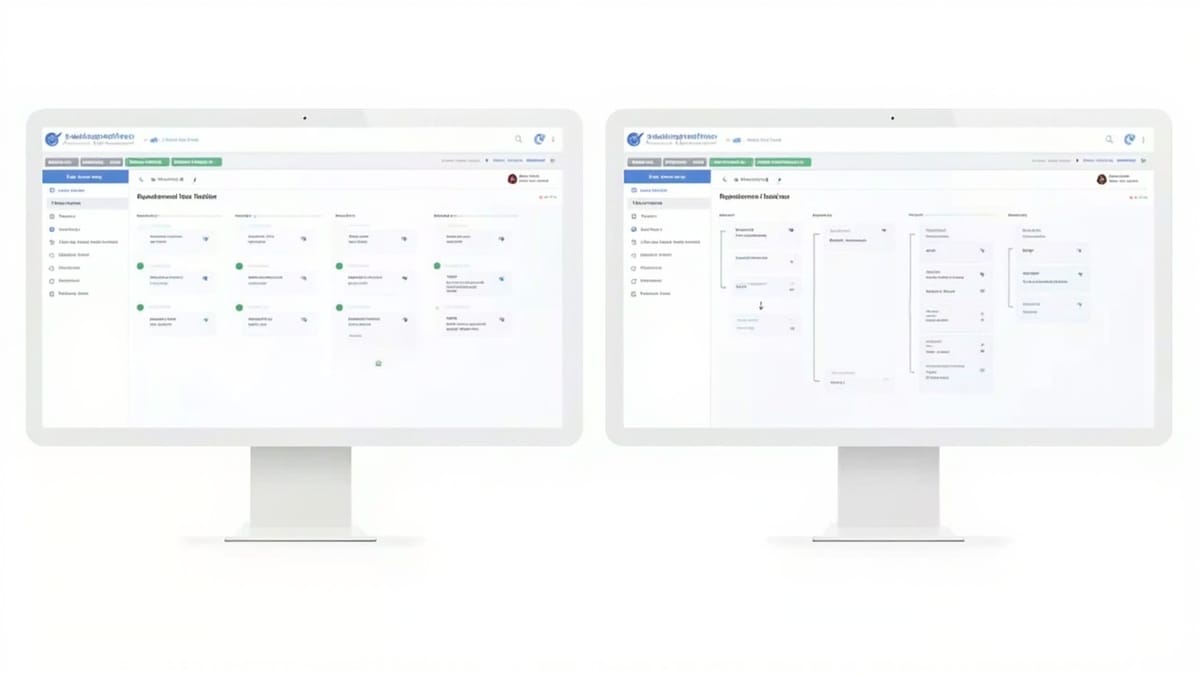
Aqua ALM and PractiTest are both enterprise test management platforms that go beyond simple test case storage. Both integrate with Jira. Both offer requirements traceability and reporting dashboards. Choosing between them comes down to deployment model, how deeply you need requirements management, and how your team scales. This comparison covers the areas that actually affect the decision.
Requirements Management Depth
This is the biggest functional difference between the two platforms.
Aqua ALM treats requirements as first-class records with their own hierarchy, status workflows, custom fields, and version history. Requirements can be imported from external tools, linked bidirectionally to test cases, and traced through to execution results and defects. Aqua was built with regulated industries in mind -- the requirements module supports formal review and approval workflows, making it suitable for ISO, FDA, and DO-178C audit environments.
PractiTest handles requirements more lightly. You can link Jira stories to test cases, and there is a requirements module, but it is less structured. PractiTest does not natively support requirement versioning or formal approval workflows. Requirements in PractiTest are closer to labels that organize test cases than to a parallel artifact lifecycle.
For teams in regulated industries where requirements traceability is an audit deliverable, Aqua ALM is the stronger choice. For product teams that want to track test coverage against user stories without formal requirement workflows, PractiTest's lighter model is less overhead.
Jira Integration
Both platforms offer Jira integration, but the implementation differs.
Aqua ALM supports bidirectional defect sync and requirement import from Jira. Jira issues appear as requirements in Aqua, and defects created in Aqua push to Jira. Status changes propagate in both directions via webhook or polling. Field mapping is configurable. The integration supports both Jira Cloud and Jira Data Center.
PractiTest has a native Jira app available in the Atlassian Marketplace. The integration is arguably more seamless for teams that live primarily in Jira -- Jira issues link directly to PractiTest test sets, and test run status is visible inside the Jira issue view. PractiTest also supports Jira-native filters for pulling stories into test runs.
PractiTest's Jira integration is tighter if your workflow is Jira-first (you live in Jira and want test management to feel like an extension of it). Aqua ALM's integration is more appropriate if test management is the system of record and Jira is for defect tracking only.
Reporting
Aqua ALM offers structured reports: requirements coverage matrix, test execution summaries, defect density by component, and audit-ready traceability reports. Reports can be exported to PDF and Excel. For regulated environments, the report formats can be configured to match auditor templates. Dashboards are configurable with widgets showing current test cycle status.
PractiTest has stronger dashboards for real-time visibility. Filters are a core concept in PractiTest -- almost every view is built around saved filters, and dashboards aggregate filter results. This makes PractiTest's reporting more flexible for ad-hoc queries. The built-in dashboard widgets cover test execution progress, defect status, and coverage by label.
PractiTest wins on day-to-day dashboard flexibility. Aqua ALM wins on formal report generation for audits or stakeholder documents.
Deployment: On-Premise vs Cloud
Aqua ALM supports both cloud-hosted (aqua cloud) and on-premise deployment. The on-premise option is a significant differentiator for organizations with data residency requirements, air-gapped environments, or security policies that prohibit sending test data to a SaaS provider. Aqua's on-premise installation runs on Windows Server with SQL Server as the database backend.
PractiTest is cloud-only. There is no on-premise option. For organizations that cannot use SaaS for test data, PractiTest is not an option regardless of other factors.
If on-premise is a hard requirement, the decision is made: Aqua ALM. If cloud is acceptable, evaluate both on functional fit.
Pricing Model
Aqua ALM is priced per user per month, with pricing differentiated between cloud and on-premise. Aqua does not publish list pricing publicly -- you get a quote based on user count and deployment type. Enterprise agreements include on-premise licenses. The cost of on-premise installation (infrastructure, maintenance, upgrades) adds to the effective total cost.
PractiTest also prices per user per month, starting around $39-45 per user per month for the Standard plan, with Enterprise pricing negotiated. PractiTest publishes its pricing tiers publicly. There is no infrastructure cost since it is SaaS-only.
For small and mid-size teams that do not need on-premise, PractiTest's transparent pricing and no infrastructure overhead often makes it the lower-cost option. For large enterprises or on-premise requirements, Aqua ALM's negotiated enterprise pricing can be competitive, especially when normalized against infrastructure costs for either option.
Team Size Fit
Aqua ALM fits larger QA organizations and enterprises with formal processes. The platform's complexity -- configurable workflows, custom fields, requirement versioning, approval chains -- is an asset for teams that need that structure and a burden for smaller teams that do not.
PractiTest scales from teams of 5 to enterprise, but its filter-based model works well for teams of 10-50 testers who want organized test management without heavy process overhead. The onboarding is faster and the UI is generally considered more intuitive.
Migration Considerations
Migrating between either platform and another test management tool involves:
- Test case export -- Both platforms can export test cases to Excel/CSV. Formatting and step structures export cleanly.
- Execution history -- Historical test run data typically does not transfer meaningfully between platforms. Plan to start fresh for run history.
- Requirements links -- Requirement-to-test-case links require manual reconstruction or scripting against the destination platform's API.
- Integrations -- Jira connector configurations, field mappings, and webhook setups must be reconfigured on the new platform.
The most labor-intensive part of any migration is reconstructing the traceability links. If you have thousands of requirement-to-test-case links in Aqua, moving to PractiTest without an API-based migration script means rebuilding those links by hand.
Decision Criteria Summary
Choose Aqua ALM when:
- On-premise deployment is required
- Formal requirements management with approval workflows is mandatory
- You need audit-ready traceability reports (regulated industries)
- Your organization has a large, formal QA function with defined processes
Choose PractiTest when:
- Cloud SaaS is acceptable
- Jira-first workflows are important and you want test management to feel integrated
- You want faster onboarding and a lower learning curve
- Team size is small to mid-size and heavy process overhead would slow you down
Request a trial of both platforms and run your actual test cases through each one. The configuration overhead and UI fit become apparent quickly once you try to model your own project structure rather than a demo dataset.